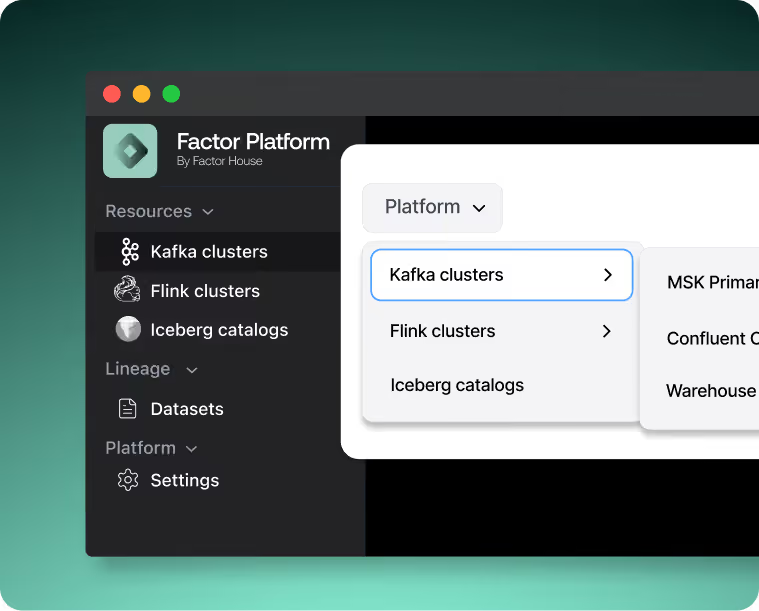
A unified control plane for real-time data streaming that brings together Apache Kafka®, Apache Flink®, and beyond. Built for scale, engineered for speed. Factor Platform delivers full visibility and control across technologies, regions, and teams.
Factor Platform provides the definitive control plane for your data ecosystem. Unifying Kafka and Flink today, it is architected to be the single source of truth for all of your data workloads, from streaming to batch and analytics. It delivers secure operational control and standardized governance, empowering engineers with deep technical insight. For the business, it provides critical intelligence through native lineage, data catalogs, and FinOps intelligence, creating a unified understanding of your entire data infrastructure.
Unified visibility for your data, from real-time streaming with Kafka and Flink to future support for batch and analytics.
Federated control across 100+ clusters, regions, and multi-cloud deployments
Governance built-in: RBAC, SAML, audit logs, catalogs, and data masking
End-to-end lineage for audit, compliance, and faster troubleshooting
FinOps-ready insights for cost, usage, and efficiency across teams
Centralized configuration, with persistent settings and live updates
Why Factor Platform Is a Game Changer!
One interface to rule them all
Unify your data ecosystem with a single control plane built for Kafka, Flink, and the future of your data stack.
Turnkey Enterprise Functionality
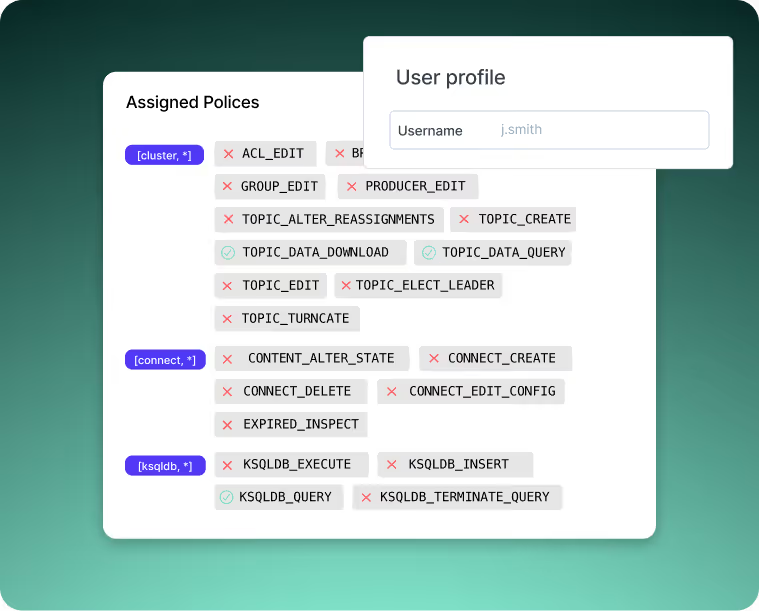
Secure your data with a native framework that includes multi-tenancy, SSO/SAML, RBAC, and audit logs, ready for SOC2 compliance and air-gapped deployments.
Composable and extensible, deploy-anywhere
Run a consistent platform on any infrastructure, from cloud to on-premise. Core intelligence like data lineage, catalogs, and FinOps is natively integrated, not an afterthought.
Federated control & configuration
Define security and governance policies once and enforce them everywhere. Manage users, jobs, and configurations consistently across all your clusters and teams.
Data lineage you can trust
Get a complete, automated map of your data's journey. Accelerate root-cause analysis, perform impact assessments with confidence, and satisfy audit requirements.
FinOps-ready visibility
Attribute infrastructure costs directly to teams and projects to optimize spend, drive accountability, and make data-driven architectural decisions.
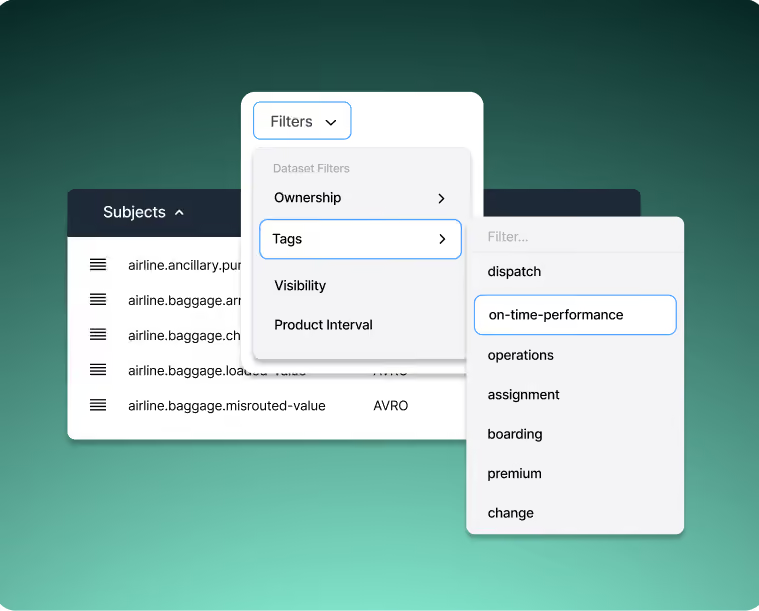
Catalog-driven intelligence
Bridge the gap between business and technology. Our native catalog enriches technical assets with business context, creating a shared vocabulary for your data.
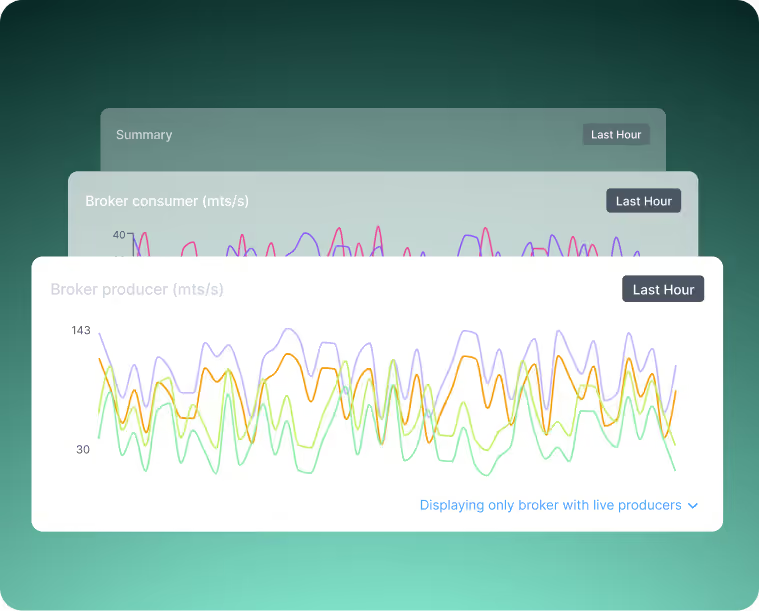
Global observability
Break down monitoring silos by correlating health and performance metrics across your entire stack. Get a complete, real-time picture of your infrastructure from Kafka to Flink and beyond.
What Makes Factor Platform Unique?
Control Plane for Your Entire Data Workloads
The first unified control plane built to master your complete data landscape, from real-time streaming with Kafka and Flink to batch, analytics, and beyond.
Real-Time Insights at Scale
Live insights across 100+ clusters, regions, and clouds.
Composable Architecture
Native lineage, catalogs, and FinOps baked in from day one.
Enterprise-Ready from Day One
Designed for the complexity of global infrastructure. Trusted by industry leaders.
Trusted by Industry Leaders
Built by streaming experts, relied on by Fortune 500s.
Best-in-class UI
Our intuitive and efficient UI places key data at your engineers' fingertips. Kpow covers the full surface area of Kafka, Schema, Connect, and ksqlDB without inventing new ideas or concepts.
Fast
Blazing fast multi-topic search with built-in JQ filtering allows your team to reduce time to resolution of production issues and work more effectively in general system development.
Truly Vendor-agnostic
Deploy Kpow how and where you need it, on-premise, in-the-cloud, or air-gapped. Compatible with Apache Kafka 1.0+ and all MSPs, Kpow provides complete observability, visualization, and management capabilities regardless of your underlying Kafka provider.
Secure
Trusted by Fortune 500 companies, Kpow integrates with authentication providers and implements RBAC, Multi-Tenancy, Data Masking, an Audit Log and more.
Lower TCO
Deploy Kpow how and where you need it, on-premise, in-the-cloud, or air-gapped. Compatible with Apache Kafka 1.0+ and all MSPs, Kpow provides complete observability, visualization, and management capabilities regardless of your underlying Kafka provider.
How Teams Use Factor Platform
From incident response to data validation, Factor Platform accelerates workflows:
Streaming Infrastructure Management
Operate Flink and Kafka side-by-side, from one interface.
Platform-Wide Observability
Surface metrics, jobs, lineage, and data flows across technologies and clouds.
Governance at Scale
Standardize policies, enforce access, and manage catalogs across distributed teams.
FinOps Optimization
Gain live cost visibility across workloads to manage efficiency and accountability.
Future-Ready Architecture
Support for new tools and integrations without rework or migration risk.
What Customers Say
Engineering leaders trust Factor House to deliver reliable, scalable, and developer‑friendly solutions.
“I am grateful for the empathy and passion the Factor House team has shown in partnering with Airwallex to better understand our pain points to help drive the evolution of this brilliant product.”
Streamline your Kpow deployment on Amazon EKS with our guide, fully integrated with the AWS Marketplace. We use eksctl to automate IAM Roles for Service Accounts (IRSA), providing a secure integration for Kpow's licensing and metering. This allows your instance to handle license validation via AWS License Manager and report usage for hourly subscriptions, enabling a production-ready deployment with minimal configuration.
This guide provides a comprehensive walkthrough for deploying Kpow, a powerful toolkit for Apache Kafka, onto an Amazon EKS (Elastic Kubernetes Service) cluster. We will cover the entire process from start to finish, including provisioning the necessary AWS infrastructure, deploying a Kafka cluster using the Strimzi operator, and finally, installing Kpow using a subscription from the AWS Marketplace.
The guide demonstrates how to set up both Kpow Annual and Kpow Hourly products, highlighting the specific integration points with AWS services like IAM for service accounts, ECR for container images, and the AWS License Manager for the annual subscription. By the end of this tutorial, you will have a fully functional environment running Kpow on EKS, ready to monitor and manage your Kafka cluster.
The source code and configuration files used in this guide can be found in the features/eks-deployment folder of this GitHub repository.
About Factor House
Factor House is a leader in real-time data tooling, empowering engineers with innovative solutions for Apache Kafka® and Apache Flink®.
Our flagship product, Kpow for Apache Kafka, is the market-leading enterprise solution for Kafka management and monitoring.
VPC: A Virtual Private Cloud (VPC) that has both public and private subnets is required.
IAM Permissions: A user with the necessary IAM permissions to create an EKS cluster with a service account.
Kpow Subscription:
A subscription to a Kpow product through the AWS Marketplace is required. After subscribing, you will receive access to the necessary components and deployment instructions.
The specifics of accessing the container images and Helm chart depend on the chosen Kpow product:
Kpow Annual product:
Subscribing to the annual product provides access to the ECR (Elastic Container Registry) image and the corresponding Helm chart.
Kpow Hourly product:
For the hourly product, access to the ECR image will be provided and deployment utilizes the public Factor House Helm repository for installation.
Deploy an EKS cluster
We will use eksctl to provision an Amazon EKS cluster. The configuration for the cluster is defined in the manifests/eks/cluster.eksctl.yaml file within the repository.
Before creating the cluster, you must open this file and replace the placeholder values for <VPC-ID>, <PRIVATE-SUBNET-ID-* >, and <PUBLIC-SUBNET-ID-* > with your actual VPC and subnet IDs.
⚠️ The provided configuration assumes the EKS cluster will be deployed in the us-east-1 region. If you intend to use a different region, you must update the metadata.region field and ensure the availability zone keys under vpc.subnets (e.g., us-east-1a, us-east-1b) match the availability zones of the subnets in your chosen region.
Here is the content of the cluster.eksctl.yaml file:
Cluster Metadata: A cluster named fh-eks-cluster in the us-east-1 region.
VPC: Specifies an existing VPC and its public/private subnets where the cluster resources will be deployed.
IAM with OIDC: Enables the IAM OIDC provider, which allows Kubernetes service accounts to be associated with IAM roles. This is crucial for granting AWS permissions to your pods.
Service Accounts:
kpow-annual: Creates a service account for the Kpow Annual product. It attaches the AWSLicenseManagerConsumptionPolicy, allowing Kpow to validate its license with the AWS License Manager service.
kpow-hourly: Creates a service account for the Kpow Hourly product. It attaches the AWSMarketplaceMeteringRegisterUsage policy, which is required for reporting usage metrics to the AWS Marketplace.
Node Group: Defines a managed node group named ng-dev with t3.medium instances. The worker nodes will be placed in the private subnets (privateNetworking: true).
Once you have updated the YAML file with your networking details, run the following command to create the cluster. This process can take 15-20 minutes to complete.
eksctl create cluster -f cluster.eksctl.yaml
Once the cluster is created, eksctl automatically updates your kubeconfig file (usually located at ~/.kube/config) with the new cluster's connection details. This allows you to start interacting with your cluster immediately using kubectl.
kubectl get nodes
# NAME STATUS ROLES AGE VERSION
# ip-192-168-...-21.ec2.internal Ready <none> 2m15s v1.32.9-eks-113cf36
# ...
Launch a Kafka cluster
With the EKS cluster running, we will now launch an Apache Kafka cluster into it. We will use the Strimzi Kafka operator, which simplifies the process of running Kafka on Kubernetes.
Install the Strimzi operator
First, create a dedicated namespace for the Kafka cluster.
kubectl create namespace kafka
Next, download the Strimzi operator installation YAML. The repository already contains the file manifests/kafka/strimzi-cluster-operator-0.45.1.yaml, but the following commands show how it was downloaded and modified for this guide.
## Define the Strimzi version and download URL
STRIMZI_VERSION="0.45.1"DOWNLOAD_URL=https://github.com/strimzi/strimzi-kafka-operator/releases/download/$STRIMZI_VERSION/strimzi-cluster-operator-$STRIMZI_VERSION.yaml
## Download the operator manifest
curl -L -o manifests/kafka/strimzi-cluster-operator-$STRIMZI_VERSION.yaml ${DOWNLOAD_URL}
## Modify the manifest to install the operator in the 'kafka' namespace
sed -i 's/namespace: .*/namespace: kafka/' manifests/kafka/strimzi-cluster-operator-$STRIMZI_VERSION.yaml
Now, apply the manifest to install the Strimzi operator in your EKS cluster.
The configuration for our Kafka cluster is defined in manifests/kafka/kafka-cluster.yaml. It describes a simple, single-node cluster suitable for development, using ephemeral storage, meaning data will be lost if the pods restart.
After a few minutes, all the necessary pods and services for Kafka will be running. You can verify this by listing all resources in the kafka namespace.
kubectl get all -n kafka -o name
The output should look similar to this, showing the pods for Strimzi, Kafka, Zookeeper, and the associated services. The most important service for connecting applications is the Kafka bootstrap service.
Now that the EKS and Kafka clusters are running, we can deploy Kpow. This guide covers the deployment of both Kpow Annual and Kpow Hourly products. Both deployments will use a common set of configurations for connecting to Kafka and setting up authentication/authorization.
First, ensure you have a namespace for Kpow. The eksctl command we ran earlier already created the service accounts in the factorhouse namespace, so we will use that. If you hadn't created it, you would run kubectl create namespace factorhouse.
Create ConfigMaps
We will use two Kubernetes ConfigMaps to manage Kpow's configuration. This approach separates the core configuration from the Helm deployment values.
kpow-config-files: This ConfigMap holds file-based configurations, including RBAC policies, JAAS configuration, and user properties for authentication.
kpow-config: This ConfigMap provides environment variables to the Kpow container, such as the Kafka bootstrap address and settings to enable our authentication provider.
The contents of these files can be found in the repository at manifests/kpow/config-files.yaml and manifests/kpow/config.yaml.
kubectl get configmap -n factorhouse
# NAME DATA AGE
# kpow-config 5 ...
# kpow-config-files 3 ...
Deploy Kpow Annual
Download the Helm chart
The Helm chart for Kpow Annual is in a private Amazon ECR repository. First, authenticate your Helm client.
# Enable Helm's experimental support for OCI registries
export HELM_EXPERIMENTAL_OCI=1
# Log in to the AWS Marketplace ECR registry
aws ecr get-login-password \
--region us-east-1 | helm registry login \
--username AWS \
--password-stdin 709825985650.dkr.ecr.us-east-1.amazonaws.com
Next, pull and extract the chart.
# Create a directory, pull the chart, and extract it
mkdir -p awsmp-chart && cd awsmp-chart
# Pull the latest version of the Helm chart from ECR (add --version <x.x.x> to specify a version)
helm pull oci://709825985650.dkr.ecr.us-east-1.amazonaws.com/factor-house/kpow-aws-annualtar xf $(pwd)/* && find $(pwd) -maxdepth 1 -type f -delete
cd ..
Launch Kpow Annual
Now, install Kpow using Helm. We will reference the service account kpow-annual that was created during the EKS cluster setup, which has the required IAM policy for license management.
Note: The CPU and memory values are intentionally set low for this guide. For production environments, check the official documentation for recommended capacity.
Verify and access Kpow Annual
Check that the Kpow pod is running successfully.
kubectl get all -l app.kubernetes.io/instance=kpow-annual -n factorhouse
# NAME READY STATUS RESTARTS AGE
# pod/kpow-annual-kpow-aws-annual-c6bc849fb-zw5ww 0/1 Running 0 46s
# NAME TYPE CLUSTER-IP EXTERNAL-IP PORT(S) AGE
# service/kpow-annual-kpow-aws-annual ClusterIP 10.100.220.114 <none> 3000/TCP 47s
# ...
To access the UI, forward the service port to your local machine.
The Helm values are defined in values/eks-hourly.yaml.
# values/eks-hourly.yaml
env:
ENVIRONMENT_NAME: "Kafka from Kpow Hourly"envFromConfigMap: "kpow-config"volumeMounts:
# ... (volume configuration is the same as annual)
volumes:
# ...
resources:
# ...
Verify and access Kpow Hourly
Check that the Kpow pod is running.
kubectl get all -l app.kubernetes.io/instance=kpow-hourly -n factorhouse
# NAME READY STATUS RESTARTS AGE
# pod/kpow-hourly-kpow-aws-hourly-68869b6cb9-x9prf 0/1 Running 0 83s
# NAME TYPE CLUSTER-IP EXTERNAL-IP PORT(S) AGE
# service/kpow-hourly-kpow-aws-hourly ClusterIP 10.100.221.36 <none> 3000/TCP 85s
# ...
To access the UI, forward the service port to a different local port (e.g., 3001) to avoid conflicts.
In this guide, we have successfully deployed a complete, production-ready environment for monitoring Apache Kafka on AWS. By leveraging eksctl, we provisioned a robust EKS cluster with correctly configured IAM roles for service accounts, a critical step for secure integration with AWS services. We then deployed a Kafka cluster using the Strimzi operator, demonstrating the power of Kubernetes operators in simplifying complex stateful applications.
Finally, we walked through the deployment of both Kpow Annual and Kpow Hourly from the AWS Marketplace. This showcased the flexibility of Kpow's subscription models and their seamless integration with AWS for licensing and metering. You are now equipped with the knowledge to set up, configure, and manage Kpow on EKS, unlocking powerful insights and operational control over your Kafka ecosystem.