The unified Factor House Community License works with both Kpow Community Edition and Flex Community Edition, meaning one license will unlock both products. This makes it even simpler to explore modern data streaming tools, create proof-of-concepts, and evaluate our products.
The new unified Factor House Community License works with both Kpow Community Edition and Flex Community Edition, so you only need one license to unlock both products. This makes it even simpler to explore modern data streaming tools, create proof-of-concepts, and evaluate our products.
What's changing
Previously, we issued separate community licenses for Kpow and Flex, with different tiers for individuals and organisations. Now, there's just one single Community License that unlocks both products.
What's new:
One license for both products
Three environments for everyone - whether you're an individual developer or part of a team, you get three non-production installations per product
Simplified management - access and renew your licenses through our new self-service portal at account.factorhouse.io
Our commitment to the engineering community
Since first launching Kpow CE at Current '22, thousands of engineers have used our community licenses to learn Kafka and Flink without jumping through enterprise procurement hoops. This unified license keeps that same philosophy: high-quality tools that are free for non-production use.
The Factor House Community License is free for individuals and organizations to use in non-production environments. It's perfect for:
New users: Head to account.factorhouse.io to grab your free Community license. You'll receive instant access via magic link authentication.
Existing users: Your legacy Kpow and Flex Community licenses will continue to work and are now visible in the portal. When your license renews (after 12 months), consider switching to the unified model for easier management.
What's included
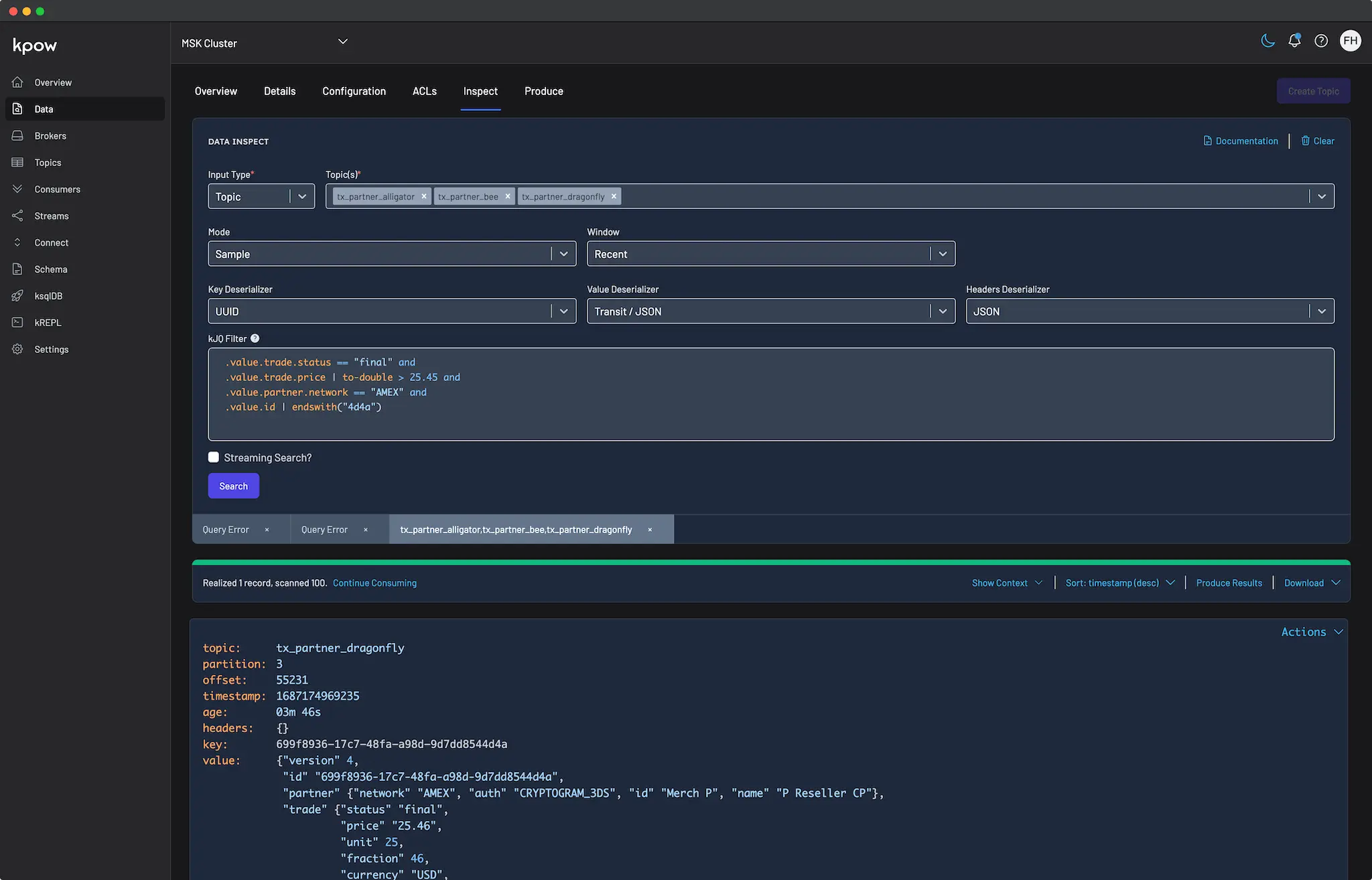
Both Kpow CE and Flex CE include most enterprise features, optimized for learning and testing. Includes Kafka and Flink monitoring and management, fast multi-topic search, and Schema registry and Kafka Connect support.
License duration: 12 months, renewable annually
Installations: Up to 3 per product (Kpow CE: 1 Kafka cluster + 1 Schema Registry + 1 Connect cluster per installation; Flex CE: 1 Flink cluster per installation)
Support: Self-service via Factor House Community Slack, documentation, and release notes
Deployment: Docker, Docker Compose or Kubernetes
Ready for production? Start a 30-day free trial of our Enterprise editions directly from the portal to unlock RBAC, Kafka Streams monitoring, custom SerDes, and dedicated support.
What about legacy licenses?
If you're currently using a Kpow Individual, Kpow Organization, or Flex Community license, nothing changes immediately. Your existing licenses will continue to work with their respective products and are now accessible in the portal. When your license expires at the end of its 12-month term, you can easily switch to the new unified license for simpler management.
The unified Factor House Community License works with both Kpow Community Edition and Flex Community Edition, meaning one license will unlock both products. This makes it even simpler to explore modern data streaming tools, create proof-of-concepts, and evaluate our products.
The new unified Factor House Community License works with both Kpow Community Edition and Flex Community Edition, so you only need one license to unlock both products. This makes it even simpler to explore modern data streaming tools, create proof-of-concepts, and evaluate our products.
What's changing
Previously, we issued separate community licenses for Kpow and Flex, with different tiers for individuals and organisations. Now, there's just one single Community License that unlocks both products.
What's new:
One license for both products
Three environments for everyone - whether you're an individual developer or part of a team, you get three non-production installations per product
Simplified management - access and renew your licenses through our new self-service portal at account.factorhouse.io
Our commitment to the engineering community
Since first launching Kpow CE at Current '22, thousands of engineers have used our community licenses to learn Kafka and Flink without jumping through enterprise procurement hoops. This unified license keeps that same philosophy: high-quality tools that are free for non-production use.
The Factor House Community License is free for individuals and organizations to use in non-production environments. It's perfect for:
New users: Head to account.factorhouse.io to grab your free Community license. You'll receive instant access via magic link authentication.
Existing users: Your legacy Kpow and Flex Community licenses will continue to work and are now visible in the portal. When your license renews (after 12 months), consider switching to the unified model for easier management.
What's included
Both Kpow CE and Flex CE include most enterprise features, optimized for learning and testing. Includes Kafka and Flink monitoring and management, fast multi-topic search, and Schema registry and Kafka Connect support.
License duration: 12 months, renewable annually
Installations: Up to 3 per product (Kpow CE: 1 Kafka cluster + 1 Schema Registry + 1 Connect cluster per installation; Flex CE: 1 Flink cluster per installation)
Support: Self-service via Factor House Community Slack, documentation, and release notes
Deployment: Docker, Docker Compose or Kubernetes
Ready for production? Start a 30-day free trial of our Enterprise editions directly from the portal to unlock RBAC, Kafka Streams monitoring, custom SerDes, and dedicated support.
What about legacy licenses?
If you're currently using a Kpow Individual, Kpow Organization, or Flex Community license, nothing changes immediately. Your existing licenses will continue to work with their respective products and are now accessible in the portal. When your license expires at the end of its 12-month term, you can easily switch to the new unified license for simpler management.
Lorem ipsum dolor sit amet, consectetur adipiscing elit, sed do eiusmod tempor incididunt ut labore et dolore magna aliqua. Ut enim ad minim veniam, quis nostrud exercitation ullamco laboris nisi ut aliquip ex ea commodo consequat. Duis aute irure dolor in reprehenderit in voluptate velit esse cillum dolore eu fugiat nulla pariatur.
Release 95.1: A unified experience across product, web, docs and licensing
95.1 delivers a cohesive experience across Factor House products, licensing, and brand. This release introduces our new license portal, refreshed company-wide branding, a unified Community License for Kpow and Flex, and a series of performance, accessibility, and schema-related improvements.
Upgrading to 95.1 If you are using Kpow with a Google Managed Service for Apache Kafka (Google MSAK) cluster, you will now need to use either kpow-java17-gcp-standalone.jar or the 95.1-temurin-ubi tag of the factorhouse/kpow Docker image.
New Factor House brand: unified look across web, product, and docs
We've refreshed the Factor House brand across our website, documentation, the new license portal, and products to reflect where we are today: a company trusted by engineers running some of the world's most demanding data pipelines. Following our seed funding earlier this year, we've been scaling the team and product offerings to match the quality and value we deliver to enterprise engineers. The new brand brings our external presence in line with what we've built. You'll see updated logos in Kpow and Flex, refreshed styling across docs and the license portal, and a completely redesigned website with clearer navigation and information architecture. Your workflows stay exactly the same, and the result is better consistency across all touchpoints, making it easier for new users to evaluate our tools and for existing users to find what they need.
New license portal: self-service access for all users
We've rolled out our new license portal at account.factorhouse.io, to streamline license management for everyone. New users can instantly grab a Community or Trial license with just their email address, and existing users will see their migrated licenses when they log in. The portal lets you manage multiple licenses from one account, all through a clean, modern interface with magic link authentication. This could be upgrading from Community to a Trial, renewing your annual Community License, or requesting a trial extension. For installation and configuration guidance, check our Kpow and Flex docs.
We've consolidated our Community licensing into a single unified license that works with both Kpow Community Edition and Flex Community Edition. Your Community license allows you to run Kpow and Flex in up to three non-production environments each, making it easier to learn, test, and build with Kafka and Flink. The new licence streamlines management, providing a single key for both products and annual renewal via the licence portal. Perfect for exploring projects like Factor House Local or building your own data pipelines. Existing legacy licenses will continue to work and will also be accessible in the license portal.
This release brings in a number of performance improvements to Kpow, Flex and Factor Platform. The work to compute and materialize views and insights about your Kafka or Flink resources has now been decreased by an order of magnitude. For our top-end customers we have observed a 70% performance increase in Kpow’s materialization.
Data Inspect enhancements
Confluent Data Rules support: Data inspect now supports Confluent Schema Registry Data Rules, including CEL, CEL_FIELD, and JSONata rule types. If you're using Data Contracts in Confluent Cloud, Data Inspect now accurately identifies rule failures and lets you filter them with kJQ.
Support for Avro Primitive Types: We’ve added support for Avro schemas that consist of a plain primitive type, including string, number, and boolean.
Schema Registry & navigation improvements
General Schema Registry improvements (from 94.6): In 94.6, we introduced improvements to Schema Registry performance and updated the observation engine. This release continues that work, with additional refinements based on real-world usage.
Karapace compatibility fix: We identified and fixed a regression in the new observation engine that affected Karapace users.
Redpanda Schema Registry note: The new observation engine is not compatible with Redpanda’s Schema Registry. Customers using Redpanda should set `OBSERVATION_VERSION=1` until full support is available.
Navigation improvements: Filters on the Schema Overview pages now persist when navigating into a subject and back.
Chart accessibility & UX improvements
This release brings a meaningful accessibility improvement to Kpow & Flex: Keyboard navigation for line charts. Users can now focus a line chart and use the left and right arrow keys to view data point tooltips. We plan to expand accessibility for charts to include bar charts and tree maps in the near future, bringing us closer to full WCAG 2.1 Level AA compliance as reported in our Voluntary Product Accessibility Template (VPAT).
We’ve also improved the UX of comparing adjacent line charts: Each series is now consistently coloured across different line charts on a page, making it easier to identify trends across a series, e.g., a particular topic’s producer write/s vs. consumer read/s.
These changes benefit everyone: developers using assistive technology, teams with accessibility requirements, and anyone who prefers keyboard navigation. Accessibility isn't an afterthought, it's a baseline expectation for enterprise-grade tooling, and we're committed to leading by example in the Kafka and Flink ecosystem.
Lorem ipsum dolor sit amet, consectetur adipiscing elit, sed do eiusmod tempor incididunt ut labore et dolore magna aliqua. Ut enim ad minim veniam, quis nostrud exercitation ullamco laboris nisi ut aliquip ex ea commodo consequat. Duis aute irure dolor in reprehenderit in voluptate velit esse cillum dolore eu fugiat nulla pariatur.
Streamline your Kpow deployment on Amazon EKS with our guide, fully integrated with the AWS Marketplace. We use eksctl to automate IAM Roles for Service Accounts (IRSA), providing a secure integration for Kpow's licensing and metering. This allows your instance to handle license validation via AWS License Manager and report usage for hourly subscriptions, enabling a production-ready deployment with minimal configuration.
This guide provides a comprehensive walkthrough for deploying Kpow, a powerful toolkit for Apache Kafka, onto an Amazon EKS (Elastic Kubernetes Service) cluster. We will cover the entire process from start to finish, including provisioning the necessary AWS infrastructure, deploying a Kafka cluster using the Strimzi operator, and finally, installing Kpow using a subscription from the AWS Marketplace.
The guide demonstrates how to set up both Kpow Annual and Kpow Hourly products, highlighting the specific integration points with AWS services like IAM for service accounts, ECR for container images, and the AWS License Manager for the annual subscription. By the end of this tutorial, you will have a fully functional environment running Kpow on EKS, ready to monitor and manage your Kafka cluster.
The source code and configuration files used in this guide can be found in the features/eks-deployment folder of this GitHub repository.
About Factor House
Factor House is a leader in real-time data tooling, empowering engineers with innovative solutions for Apache Kafka® and Apache Flink®.
Our flagship product, Kpow for Apache Kafka, is the market-leading enterprise solution for Kafka management and monitoring.
VPC: A Virtual Private Cloud (VPC) that has both public and private subnets is required.
IAM Permissions: A user with the necessary IAM permissions to create an EKS cluster with a service account.
Kpow Subscription:
A subscription to a Kpow product through the AWS Marketplace is required. After subscribing, you will receive access to the necessary components and deployment instructions.
The specifics of accessing the container images and Helm chart depend on the chosen Kpow product:
Kpow Annual product:
Subscribing to the annual product provides access to the ECR (Elastic Container Registry) image and the corresponding Helm chart.
Kpow Hourly product:
For the hourly product, access to the ECR image will be provided and deployment utilizes the public Factor House Helm repository for installation.
Deploy an EKS cluster
We will use eksctl to provision an Amazon EKS cluster. The configuration for the cluster is defined in the manifests/eks/cluster.eksctl.yaml file within the repository.
Before creating the cluster, you must open this file and replace the placeholder values for <VPC-ID>, <PRIVATE-SUBNET-ID-* >, and <PUBLIC-SUBNET-ID-* > with your actual VPC and subnet IDs.
⚠️ The provided configuration assumes the EKS cluster will be deployed in the us-east-1 region. If you intend to use a different region, you must update the metadata.region field and ensure the availability zone keys under vpc.subnets (e.g., us-east-1a, us-east-1b) match the availability zones of the subnets in your chosen region.
Here is the content of the cluster.eksctl.yaml file:
Cluster Metadata: A cluster named fh-eks-cluster in the us-east-1 region.
VPC: Specifies an existing VPC and its public/private subnets where the cluster resources will be deployed.
IAM with OIDC: Enables the IAM OIDC provider, which allows Kubernetes service accounts to be associated with IAM roles. This is crucial for granting AWS permissions to your pods.
Service Accounts:
kpow-annual: Creates a service account for the Kpow Annual product. It attaches the AWSLicenseManagerConsumptionPolicy, allowing Kpow to validate its license with the AWS License Manager service.
kpow-hourly: Creates a service account for the Kpow Hourly product. It attaches the AWSMarketplaceMeteringRegisterUsage policy, which is required for reporting usage metrics to the AWS Marketplace.
Node Group: Defines a managed node group named ng-dev with t3.medium instances. The worker nodes will be placed in the private subnets (privateNetworking: true).
Once you have updated the YAML file with your networking details, run the following command to create the cluster. This process can take 15-20 minutes to complete.
eksctl create cluster -f cluster.eksctl.yaml
Once the cluster is created, eksctl automatically updates your kubeconfig file (usually located at ~/.kube/config) with the new cluster's connection details. This allows you to start interacting with your cluster immediately using kubectl.
kubectl get nodes
# NAME STATUS ROLES AGE VERSION
# ip-192-168-...-21.ec2.internal Ready <none> 2m15s v1.32.9-eks-113cf36
# ...
Launch a Kafka cluster
With the EKS cluster running, we will now launch an Apache Kafka cluster into it. We will use the Strimzi Kafka operator, which simplifies the process of running Kafka on Kubernetes.
Install the Strimzi operator
First, create a dedicated namespace for the Kafka cluster.
kubectl create namespace kafka
Next, download the Strimzi operator installation YAML. The repository already contains the file manifests/kafka/strimzi-cluster-operator-0.45.1.yaml, but the following commands show how it was downloaded and modified for this guide.
## Define the Strimzi version and download URL
STRIMZI_VERSION="0.45.1"DOWNLOAD_URL=https://github.com/strimzi/strimzi-kafka-operator/releases/download/$STRIMZI_VERSION/strimzi-cluster-operator-$STRIMZI_VERSION.yaml
## Download the operator manifest
curl -L -o manifests/kafka/strimzi-cluster-operator-$STRIMZI_VERSION.yaml ${DOWNLOAD_URL}
## Modify the manifest to install the operator in the 'kafka' namespace
sed -i 's/namespace: .*/namespace: kafka/' manifests/kafka/strimzi-cluster-operator-$STRIMZI_VERSION.yaml
Now, apply the manifest to install the Strimzi operator in your EKS cluster.
The configuration for our Kafka cluster is defined in manifests/kafka/kafka-cluster.yaml. It describes a simple, single-node cluster suitable for development, using ephemeral storage, meaning data will be lost if the pods restart.
After a few minutes, all the necessary pods and services for Kafka will be running. You can verify this by listing all resources in the kafka namespace.
kubectl get all -n kafka -o name
The output should look similar to this, showing the pods for Strimzi, Kafka, Zookeeper, and the associated services. The most important service for connecting applications is the Kafka bootstrap service.
Now that the EKS and Kafka clusters are running, we can deploy Kpow. This guide covers the deployment of both Kpow Annual and Kpow Hourly products. Both deployments will use a common set of configurations for connecting to Kafka and setting up authentication/authorization.
First, ensure you have a namespace for Kpow. The eksctl command we ran earlier already created the service accounts in the factorhouse namespace, so we will use that. If you hadn't created it, you would run kubectl create namespace factorhouse.
Create ConfigMaps
We will use two Kubernetes ConfigMaps to manage Kpow's configuration. This approach separates the core configuration from the Helm deployment values.
kpow-config-files: This ConfigMap holds file-based configurations, including RBAC policies, JAAS configuration, and user properties for authentication.
kpow-config: This ConfigMap provides environment variables to the Kpow container, such as the Kafka bootstrap address and settings to enable our authentication provider.
The contents of these files can be found in the repository at manifests/kpow/config-files.yaml and manifests/kpow/config.yaml.
kubectl get configmap -n factorhouse
# NAME DATA AGE
# kpow-config 5 ...
# kpow-config-files 3 ...
Deploy Kpow Annual
Download the Helm chart
The Helm chart for Kpow Annual is in a private Amazon ECR repository. First, authenticate your Helm client.
# Enable Helm's experimental support for OCI registries
export HELM_EXPERIMENTAL_OCI=1
# Log in to the AWS Marketplace ECR registry
aws ecr get-login-password \
--region us-east-1 | helm registry login \
--username AWS \
--password-stdin 709825985650.dkr.ecr.us-east-1.amazonaws.com
Next, pull and extract the chart.
# Create a directory, pull the chart, and extract it
mkdir -p awsmp-chart && cd awsmp-chart
# Pull the latest version of the Helm chart from ECR (add --version <x.x.x> to specify a version)
helm pull oci://709825985650.dkr.ecr.us-east-1.amazonaws.com/factor-house/kpow-aws-annualtar xf $(pwd)/* && find $(pwd) -maxdepth 1 -type f -delete
cd ..
Launch Kpow Annual
Now, install Kpow using Helm. We will reference the service account kpow-annual that was created during the EKS cluster setup, which has the required IAM policy for license management.
Note: The CPU and memory values are intentionally set low for this guide. For production environments, check the official documentation for recommended capacity.
Verify and access Kpow Annual
Check that the Kpow pod is running successfully.
kubectl get all -l app.kubernetes.io/instance=kpow-annual -n factorhouse
# NAME READY STATUS RESTARTS AGE
# pod/kpow-annual-kpow-aws-annual-c6bc849fb-zw5ww 0/1 Running 0 46s
# NAME TYPE CLUSTER-IP EXTERNAL-IP PORT(S) AGE
# service/kpow-annual-kpow-aws-annual ClusterIP 10.100.220.114 <none> 3000/TCP 47s
# ...
To access the UI, forward the service port to your local machine.
The Helm values are defined in values/eks-hourly.yaml.
# values/eks-hourly.yaml
env:
ENVIRONMENT_NAME: "Kafka from Kpow Hourly"envFromConfigMap: "kpow-config"volumeMounts:
# ... (volume configuration is the same as annual)
volumes:
# ...
resources:
# ...
Verify and access Kpow Hourly
Check that the Kpow pod is running.
kubectl get all -l app.kubernetes.io/instance=kpow-hourly -n factorhouse
# NAME READY STATUS RESTARTS AGE
# pod/kpow-hourly-kpow-aws-hourly-68869b6cb9-x9prf 0/1 Running 0 83s
# NAME TYPE CLUSTER-IP EXTERNAL-IP PORT(S) AGE
# service/kpow-hourly-kpow-aws-hourly ClusterIP 10.100.221.36 <none> 3000/TCP 85s
# ...
To access the UI, forward the service port to a different local port (e.g., 3001) to avoid conflicts.
In this guide, we have successfully deployed a complete, production-ready environment for monitoring Apache Kafka on AWS. By leveraging eksctl, we provisioned a robust EKS cluster with correctly configured IAM roles for service accounts, a critical step for secure integration with AWS services. We then deployed a Kafka cluster using the Strimzi operator, demonstrating the power of Kubernetes operators in simplifying complex stateful applications.
Finally, we walked through the deployment of both Kpow Annual and Kpow Hourly from the AWS Marketplace. This showcased the flexibility of Kpow's subscription models and their seamless integration with AWS for licensing and metering. You are now equipped with the knowledge to set up, configure, and manage Kpow on EKS, unlocking powerful insights and operational control over your Kafka ecosystem.
Lorem ipsum dolor sit amet, consectetur adipiscing elit, sed do eiusmod tempor incididunt ut labore et dolore magna aliqua. Ut enim ad minim veniam, quis nostrud exercitation ullamco laboris nisi ut aliquip ex ea commodo consequat. Duis aute irure dolor in reprehenderit in voluptate velit esse cillum dolore eu fugiat nulla pariatur.
Introducing full support for schema references in Confluent Schema Registry. With this new release you can now create and edit AVRO, JSONSchema, and Protobuf schema with references, as well as consume and produce messages with those schema.
Factor House release v93.3 brings full support for schema references in Confluent Schema Registry.
With this new release you can now create and edit AVRO, JSONSchema, and Protobuf schema with references, as well as consume and produce messages with those schema.
This release also includes improved general performance by removing producer and transaction observation, improved visualisation of Kafka Streams, consumer group, and Flink topologies, a better responsive UI for smaller screens, along with plenty of minor bugfixes.
Confluent Schema Registry References
Confluent schema registry provides support for the notion of schema references, the ability of a schema to refer to other schemas.
Each implementation is slightly different depending on the source format, but broadly speaking you can pass a json payload when creating and editing schema that defines precisely how to resolve referenced schema in the registry. See the Confluent documentation on schema references for more information.
Kpow now provides full support for managing schema references when creating and editing schema as well as producing and consuming messages with those schema.
General Performance Improvements
User feedback led us to understand that out approach to observing active producers and transactions in a Kafka cluster was performing sub-optimally. We have taken the decision to remove the recently introduced Producers UI in the short-term while we reconsider this piece of work.
Improved Kafka Streams, Consumer, and Flink Topology Viz
As we move towards the launch of the Factor Platform - our Unified Platform for Data in Motion - some UI improvements are finding their way into Kpow and Flex.
Flink topology viewing just got a lot easier on the eye!
Release 93.3: Confluent Schema References
All
Article
xx min read
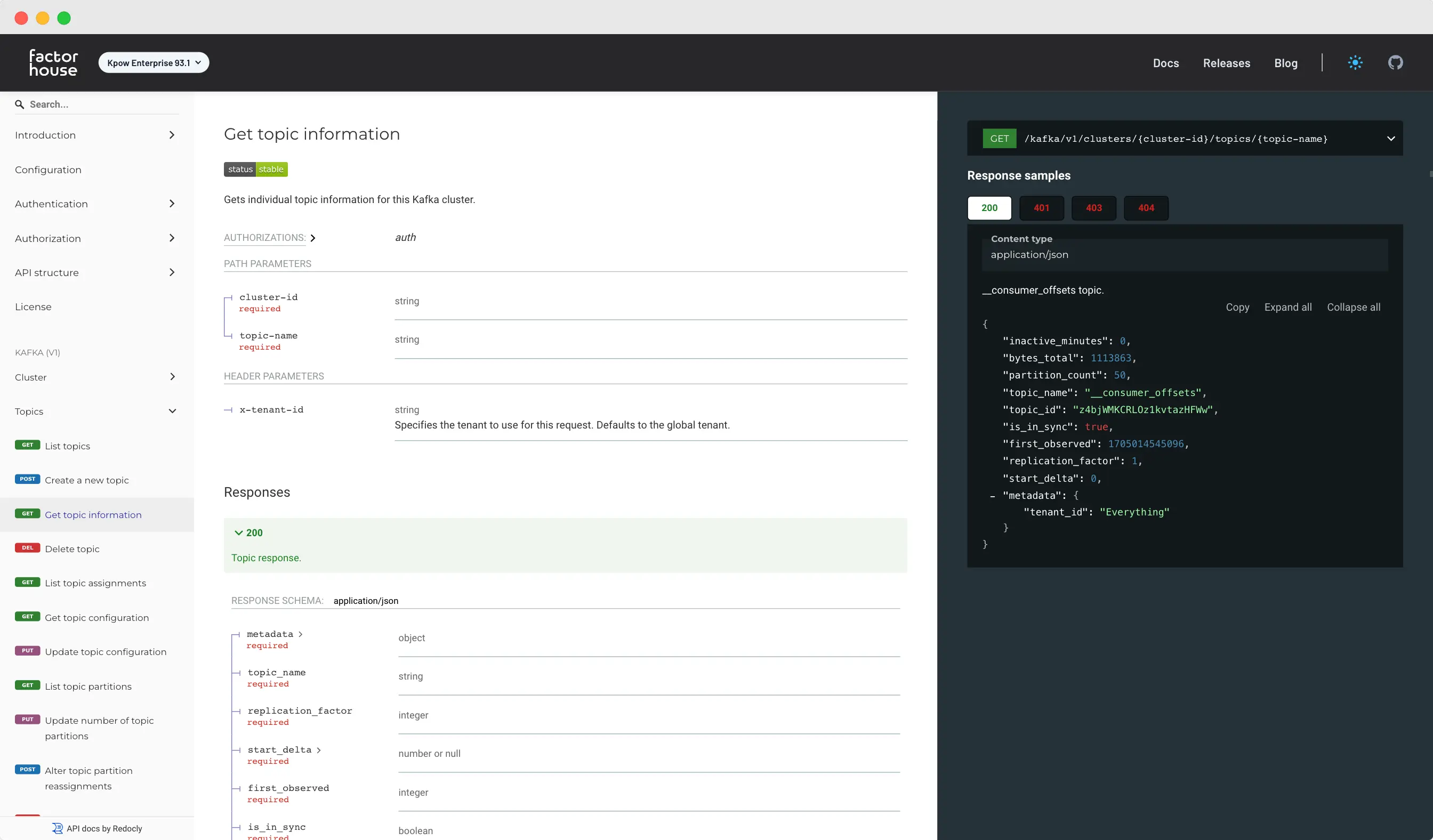
Introducing Kpow's new API
With our new API, you can now leverage Kpow's capabilities directly from your own tools and platforms, opening up a whole new range of possibilities for integrating Kpow into your existing workflows. Whether you're managing topics, consumer groups, or monitoring Kafka clusters, our API provides a seamless experience that mirrors the functionality of our user interface.
At Factor House, we're dedicated to providing the best possible developer tooling for data-in-motion. Our products continue to evolve to meet the ever-growing demands of our customers, who rely on Kpow as the central repository for their organization's Kafka clusters and associated resources. For many teams, Kpow has become an integral part of their day-to-day Kafka workflow, offering a comprehensive suite of features to simplify and streamline Kafka management.
That's why we're thrilled to announce the release of Kpow's new API, available in version 93.1 onwards! This new API opens up a world of possibilities, allowing you to seamlessly integrate Kpow's capabilities into your own organization's tools, platforms, and operations.
In this blog post, we'll take a closer look at what our new API has to offer, how it can benefit your organization, and how you can get started with it. Let's dive in!
API overview
We're excited to introduce the latest addition to the Kpow family: our new API, now available in version 93.1 onwards. This API represents a significant milestone in our commitment to providing powerful, flexible, and easy-to-use tools for Kafka.
With our new API, you can now leverage Kpow's capabilities directly from your own tools and platforms, opening up a whole new range of possibilities for integrating Kpow into your existing workflows. Whether you're managing topics, consumer groups, or monitoring Kafka clusters, our API provides a seamless experience that mirrors the functionality of our user interface.
Our API is backed by all of Kpow's enterprise features, including role-based access control, multi-tenancy, and the audit log for data governance. This means you can securely manage access to your Kafka resources and isolate workloads as needed, all through a centralized interface.
In the sections below, we'll explore the different modules of Kpow's API, highlighting key features and benefits of each. Let's dive in and see how Kpow's API can empower your Kafka management!
Kafka API
Kpow's Kafka API allows you to perform a wide range of operations directly from your own tools and platforms. Here are some common Kafka operations you can perform with the API:
Managing Topics: Create, delete, and modify Kafka topics, including configuring topic properties such as replication factor and partition count.
Managing Consumer Groups: Create, delete, and manage consumer groups, including resetting consumer group offsets.
Monitoring Kafka Clusters: Retrieve metrics and monitoring data for Kafka clusters, brokers, topics, and partitions.
Managing ACLs (Access Control Lists): Configure access control for Kafka resources, including topics and consumer groups.
Managing Quotas: Set and manage quotas for producer and consumer traffic, controlling the rate at which clients can produce or consume messages.
Managing Transactional Producers: Implement transactional operations such as fencing and aborting transactions, ensuring data integrity in transactional systems.
Kpow's Kafka API supports the full surface of the AdminClient API, allowing you to leverage all the capabilities of Kafka within your own workflows.
Kpow's Kafka API is vendor-specific, meaning it supports any technology that speaks the Kafka protocol. Whether you're using RedPanda, MSK serverless, Confluent Cloud, or any other Kafka-compatible technology, you can integrate it seamlessly with Kpow.
Kpow's Schema Registry API supports both AWS Glue and Confluent's schema registry. With this API you can:
Create, edit and delete schemas
Update schema compatibility
Permanently delete soft-deleted schemas (saving money on your Confluent bill!)
For more details on the Schema Registry API, refer to our API documentation.
Kafka Connect API
Right now the Kafka Connect API endpoints only support Apache Kafka Connect and Confluent Cloud/Platform. We will be looking to support MSK Connect very shortly! With this API you can:
Create, edit and delete connectors
Restart/pause/stop connectors + tasks
View connector task details like stacktraces
For more details on the Kafka Connect API, refer to our API documentation.
Kpow user management API
Kpow's user management API allows customers to manage user actions through an API:
View user details (such as assigned roles)
View and manage any temporary policies assigned to your user
View and manage any scheduled mutations invoked by your user
List all mutations performed by your user
Benefits for users
Kpow's API offers a centralized interface for managing all your Kafka clusters and related resources, regardless of the vendor or technology you're using. Whether you're operating in a multi-cloud environment, using multiple Kafka technologies, or managing on-premise clusters, Kpow provides a unified platform for managing all your Kafka infrastructure.
One of the key benefits of Kpow's API is its ability to simplify management and reduce complexity. By providing a single point of control for all your Kafka infrastructure, Kpow streamlines your Kafka workflows and makes it easier to manage your resources efficiently.
Additionally, Kpow's API is backed by robust role-based access control (RBAC) and multi-tenancy features. This ensures that you can securely manage access to your Kafka resources and isolate workloads as needed, providing the flexibility and security required for modern data management.
Already, many of our customers are leveraging Kpow's API and integrating it into their GitOps pipelines. This streamlines their operations and enhances their Kafka workflows, demonstrating the real-world benefits of using Kpow's API.
Getting started
Getting started with Kpow's API is quick and easy. Follow these simple steps to enable and start using the API in your environment:
API_ENABLED=trueAPI_PORT=3001
Enable the API: Add the following configuration to your Kpow deployment:
The API server will now be served at port 3001.
Verify the API: You can verify that the API is running using cURL:
curl -X GET http://kpow:3001/kafka/v1/clusters
Authentication setup: Configure authentication through API tokens. Instructions on how to set up authentication can be found in Kpow's API reference documentation.
Authorization setup: Configure RBAC for authorization to manage access to your Kafka resources. This is also covered in the API reference documentation.
Once you have completed these steps, you will be ready to start using Kpow's API to enhance your Kafka workflows. For more details and advanced usage, refer to our API reference documentation.
What's next
At Factor House, we're committed to continually enhancing our API to provide you with the best possible Kafka management experience. In the coming months, we will be investing heavily in expanding the capabilities of Kpow's API, with a focus on adding more modules and expanding the surface area.
Some of the major API enhancements we have planned include:
Kpow Data API: We are working on a data API that will allow querying and producing to Kafka topics directly through the API.
ksqlDB API: We plan to add support for the ksqlDB API, allowing you to manage your ksqlDB resources directly from the Kpow API.
Stay tuned for more updates on our API development, including guides on integrating the API with GitHub Actions for GitOps and walkthroughs on setting up clients for Kpow's API in Java and other languages. If you have any specific use cases or features you would like to see covered in future updates, please reach out and let us know!
You can learn more about the Kpow API by reading our official documentation.
Give us your feedback!
Thank you for joining us on this journey, and we look forward to seeing how you leverage Kpow's API to unlock new possibilities in your Kafka infrastructure.
Ready to experience the power of Kpow's API for yourself? Visit our API reference documentation to learn more about the capabilities of our API and how you can start integrating it into your workflows.
Have feedback or suggestions for future updates? We'd love to hear from you! Reach out to us and let us know how you're using Kpow's API to revolutionize your Kafka management.
Don't miss out on the latest updates and features! Subscribe to our newsletter to stay up-to-date with all the latest news and developments from Kpow.
Unlock the power of Kpow's API and take your Kafka management to the next level. Get started today!
Lorem ipsum dolor sit amet, consectetur adipiscing elit, sed do eiusmod tempor incididunt ut labore et dolore magna aliqua. Ut enim ad minim veniam, quis nostrud exercitation ullamco laboris nisi ut aliquip ex ea commodo consequat. Duis aute irure dolor in reprehenderit in voluptate velit esse cillum dolore eu fugiat nulla pariatur.
Factor House release v93.2 brings a new minor version to our suite of products for Apache Kafka and Apache Flink.
This is the 117th release of Factor House products, and marks more than 2.5M downloads of Kpow and Flex from Dockerhub in the past five years.
The major new feature in v93.2 is the connector auto-restart which provides a hassle-free way for organizations to make sure that their connectors are always up and running.
Allow RBAC wildcards at both start and end of resource, such as *foo*
Introduce download capabilities in krepl
Preserve the last visited page when navigating between resources
Add keybindings table to data inspect + ksqldb forms
Fix bug starting Kpow with PERSISTENCE_MODE=audit
Improve mutation notification UX
Fix bug with tenancy resource handling for fine-grained Schema resources
Connector Auto-restart
Kpow has supported the ability to restart connectors including bulk-restart since its inception, but we now offers the ability to automatically restart specified connectors and failing tasks, providing enhanced reliability and uptime for your data integration workflows.
To enable this feature, simply set the CONNECT_AUTO_RESTART environment variable in your configuration.
When activated, Kpow will monitor for failed connectors at one-minute intervals. After attempting to restart a connector, Kpow will wait for the user-configured amount of time before trying again. By default, this interval is set to 10 minutes, but you can adjust it using the CONNECT_AUTO_RESTART_WINDOW_MS environment variable.
Additionally, Kpow allows you to specify a limit on the number of connectors that can be restarted automatically. The default limit is 50 connectors, but you can modify this setting using the CONNECT_AUTO_RESTART_LIMIT environment variable. This feature helps prevent excessive restart requests being sent to the Kafka Connect cluster.
All restart attempts will be logged in the audit log as actions performed by the kpow_system user.
If you have configured Kpow's Slack integration, all restart attempts will also be sent to a Slack webhook. This integration enhances real-time monitoring and alerting capabilities, ensuring that your team is promptly notified of any restart actions taken by Kpow.
Note: If the connector is failing more frequently than CONNECT_AUTO_RESTART_WINDOW_MS limit then it may require manual intervention.
Example configuration
CONNECT_AUTO_RESTART="*" # restart all failed connectors
CONNECT_AUTO_RESTART="dbz-connector-1" # restart **only** the connector dbz-connector-1 when it enters a failed state
CONNECT_AUTO_RESTART="mysql-prod-us*" # restart any connector that matches the wildcard (mysql-prod-us-east1, mysql-prod-us-west2, etc)
CONNECT_AUTO_RESTART="payments-*,*-stage" # you can specify many filters by providing a comma-separated list
ksqlDB UI improvements
ksqlDB UI has been streamlined. Users can now import a file into the query editor by simply clicking at Load SQL from file. Error messages has been improved. Also, you can now see metrics about timing.
Release 93.2: Introducing Connector Auto-Restart
All
Lorem ipsum dolor sit amet, consectetur adipiscing elit, sed do eiusmod tempor incididunt ut labore et dolore magna aliqua. Ut enim ad minim veniam, quis nostrud exercitation ullamco laboris nisi ut aliquip ex ea commodo consequat. Duis aute irure dolor in reprehenderit in voluptate velit esse cillum dolore eu fugiat nulla pariatur.
Release 92.4: Kpow WCAG 2.1 AA Accessibility Compliance
Our mission at Factor House is to empower every engineer in the streaming tech space with superb tooling. We are pleased to report that Kpow for Apache Kafka is now compliant with WCAG 2.1 AA accessibility guidelines and has an independently audited Voluntary Product Accessiblity Template (VPAT) report.
Our mission at Factor House is to empower every engineer in the streaming tech space with superb tooling.
We are pleased to report that Kpow for Apache Kafka has achieved WCAG 2.1 AA accessibility compliance, confirmed and audited by an independent accessibility consultancy.
Kpow Community Edition achieves the same high standard of accessibility compliance as our commercially available products, and is free to use both by individuals and organisations, making accessible Kafka tooling available to everyone!
Release 92.4 also introduces new features for Kafka Connect, new features for Confluent Schema Registry, resolves a security advisory around Weak SSL/TLS Key Exchange, and fixes a number of minor bugs. See below for details of each and a full release changelog.
Product Accessibility at Factor House
As a part of our commitment to quality engineering, each future release of Kpow for Apache Kafka by Factor House will have a corresponding VPAT report published.
Flex for Apache Flink will achieve WCAG 2.1 AA compliance in April 2024, after which all Factor House product releases will contain a published VPAT report.
Kpow WCAG 2.1 AA Accessibility Compliance
Release 92.4 concludes a 12-month program of work in which the Factor House team resolved over 100 accessibility tickets.
We learned an enormous amount through the audits, workshops, issues, and expert guidance provided by the team at AccessibilityOz.
AccessibilityOz follow an exacting approach to accessibility audits. Their work includes testing with automated accessibility testing tool OzART, manual testing, testing with screen readers (JAWS, NVDA, VoiceOver, TalkBack), and color contrast analysis testing using TPG Colour Contrast Analyser.
We understand accessibility is not a tick-box, there remain areas where we can improve. We're committed to maintaing and working through accessibility tickets to further improve our products. As always, we welcome bug reports from our users.
Release 92.4 introduces the ability to secure Kafka Connect connections with mTLS, see our Kafka Connect documentation for details.
This release also introduces the ability to 'STOP' Kafka Connectors, a new feature in Kafka 3.6.0 that is now available in Kpow.
Confluent Schema Registry Features
Confluent introduced changes to the streams governance pricing on March 04, 2024:
Effective March 4, the free schema limit in Stream Governance Essentials will be 100 schemas per environment. Schemas over the free schema limit will be billed at a rate of $0.002/schema/hour.
Because you have active environments over the 100 schema limit, we will credit your Confluent Cloud account to cover 90 days of new schema charges based on your current schema count.
We have 55 schemas in our demo environment Confluent Schema Registry but were notified that we would be billed for excess schema.
Then we realised Confluent must be intent on charging us for soft-deleted schema.
When you delete a schema in Confluent Schema Registry it is not actually deleted, just marked for deletion and considered 'soft-deleted'. We had 269 soft-deleted schema just hanging around waiting to cost us money.
The new 'permanent delete' schema function allowed us to bulk delete 269 schema in seconds, saving us ~US$170/mo in excess charges in this one environment alone.
Weak SSL/TLS Key Exchange Security Advisory
A recent security advisory resulting from a Qualsys scan raised an issue regarding potential weak ciphers being available in Kpow's SSL handshake.
Finding: Weak SSL/TLS Key Exchange
Result:
PROTOCOL CIPHER GROUP KEY-SIZE FORWARD-SECRET CLASSICAL-STRENGTH QUANTUM-STRENGTH
TLSv1.2 DHE-RSA-AES256-GCM-SHA384 DHE 1024 yes 80 low
TLSv1.2 DHE-RSA-AES128-GCM-SHA256 DHE 1024 yes 80 low
TLSv1.2 DHE-RSA-AES256-SHA256 DHE 1024 yes 80 low
TLSv1.2 DHE-RSA-AES128-SHA256 DHE 1024 yes 80 low
These ciphers are now removed by default in v92.4 of Kpow, if you rely on these ciphers and are comfortable retaining them you can revert back to previous Kpow behaviour by setting the following environment variable:
HTTPS_CIPHER_SET=v1
Release 92.4: Kpow WCAG 2.1 AA Accessibility Compliance
All
Lorem ipsum dolor sit amet, consectetur adipiscing elit, sed do eiusmod tempor incididunt ut labore et dolore magna aliqua. Ut enim ad minim veniam, quis nostrud exercitation ullamco laboris nisi ut aliquip ex ea commodo consequat. Duis aute irure dolor in reprehenderit in voluptate velit esse cillum dolore eu fugiat nulla pariatur.
Kpow now offers a secure, vendor-agnostic OpenAPI 3.1 REST API for managing Kafka, Kafka Connect, and Schema Registry resources. Read on to learn how to integrate Kpow with your product or GitOps pipeline using Kpow's new REST API modules.
Factor House release v93.1 brings a new major version to our suite of products for Apache Kafka and Apache Flink.
This is the 116th release of Factor House products, and marks more than 2.3M downloads of Kpow and Flex from Dockerhub in the past five years.
The major new feature in v93.1 is the secure, vendor-agnostic, OpenAPI 3.1 REST API for Kafka, Connect, and Schema resources that is now available in Kpow.
This release also includes:
New capabilities for restricting visibility of menu items in our product UI
Better control of user access to resources with new fine-grained RBAC permissions
Support for cross-account (STSAssumeRole) authentication for MSK Managed Connect
Fix for a Confluent Cloud cluster performance related bug
OpenAPI 3.1 Rest API for Apache Kafka
Kpow already provides a secure, acceessible, enterprise-grade Web UI covering the entire surface area of Apache Kafka, Kafka Connect, Schema Registry, and ksqlDB.
With release v93.1, you can now integrate the full power of Kpow's capabilities with your own internal products and/or CI/CD GitOps pipelines by using Kpow's secure REST API.
Getting started is easy, just add the following configuration to your Kpow deployment:
API_ENABLED="true"API_PORT="4000"
After a restart, you can begin accessing the API on the configured port:
curl -v kpow-staging.zcorp.com:4000/kafka/v1/clusters* Trying 127.0.0.1:4000...* Connected to kpow-staging.zcorp.com (127.0.0.1) port 4000 (#0)> GET /kafka/v1/clusters HTTP/1.1> Host: kpow-staging.zcorp.com:4000> User-Agent: curl/7.79.1> Accept: */*>< HTTP/1.1 200 OK< Content-Type: application/json;charset=utf-8< Vary: Accept-Encoding, User-Agent< Content-Length: 139<* Connection #0 to host localhost left intact{"clusters":[{"id":"0TEeq2akSkGlrow1awdj_w","label":"Trade Book (Staging)","is_confluent":false}],"metadata":{"tenant_id":"__kpow_global"}
Kpow's new API is secured via the RBAC and Tenancy rules that govern access to the web UI.
View the full OpenAPI 3.1 Kpow REST API specification to learn more about securing the API and the provided modules and capabilities.
Future releases will include full control of ksqlDB resources, access to Kpow's world-class topic search and message production functions, a full OpenAPI 3.1 API for Apache Flink, and introduce support for mTLS and OpenID authentication of API users. Watch this space!
Fine-Grained RBAC Permissions
Kpow now provides greater control of user permissions with derived, fine-grained user actions:
SCHEMA_EDIT
Permission to edit and delete schema is governed by the SCHEMA_EDIT action.
You can now choose to assign either SCHEMA_EDIT_VERSION or SCHEMA_DELETE individually.
CONNECT_EDIT
Permission to edit, delete, and alter connectors is governed by the CONNECT_EDIT action.
You can now choose to assign either of CONNECT_EDIT_CONFIG, CONNECT_DELETE, or CONNECT_ALTER_STATE individually.
TOPIC_INSPECT
Permission to search for data on topics and download any applicable results is governed by the TOPIC_INSPECT action.
You can now choose to assign either TOPIC_DATA_QUERY or TOPIC_DATA_DOWNLOAD individually.
Factor House products now offer the ability to restrict UI menu options where a user does not have visibility of a resource.
For example, the following configuration will hide the connect, schema, and ksqldb main navigation options when a user does not have access to that type of resource:
PRESENTATION_MODE=HIDE_RESOURCES
Presentation mode can be set at a global level, with the configuration described above, or at a user-tenant level.
We recently discovered a bug in Confluent Cloud that caused Kpow's observation of new clusters (presumably ones that use the Kraft protocol) to take longer than desired.
Lorem ipsum dolor sit amet, consectetur adipiscing elit, sed do eiusmod tempor incididunt ut labore et dolore magna aliqua. Ut enim ad minim veniam, quis nostrud exercitation ullamco laboris nisi ut aliquip ex ea commodo consequat. Duis aute irure dolor in reprehenderit in voluptate velit esse cillum dolore eu fugiat nulla pariatur.
Release v92.3 introduces extensive UI accessibility improvements to Kpow and Flex along with new features, improvements, and bug fixes.
Towards an Accessibile UI
Engineering teams require tools that are accessible to all staff throughout their organisation.
Meeting the needs of our customers means providing the best quality tooling and ensuring that tooling is accessible to all engineers.
In 2023 we engaged the team at AccessibilityOz to assist us in meeting WCAG 2.1 level AA guidelines for accessibility throughout our suite of products.
AccessibilityOz provided a full audit of our product UI, leading to several months of work remediating issues raised in the audit report and following workshops.
Release 92.3 is being re-audited by AccessibilityOz. When that re-audit is complete we will publish a full product accessibility guide and VPAT (Voluntary Product Accessibity Template). See our Accessibility Documentation for more details, including guides to using Factor House products with screen readers and keyboard shortcuts.
We understand that accessibility is a process, not a tick-box. Maintaining a high level of accessibility is one part of the commitment to engineering quality at Factor House.
New Features and Improvements
Release 92.3 includes a number of new features, including a new Topic Partition Reassignments UI that provides the ability to view and cancel ongoing partition reassignments.
See the full changelog for details of other improvements and bug fixes in this release.
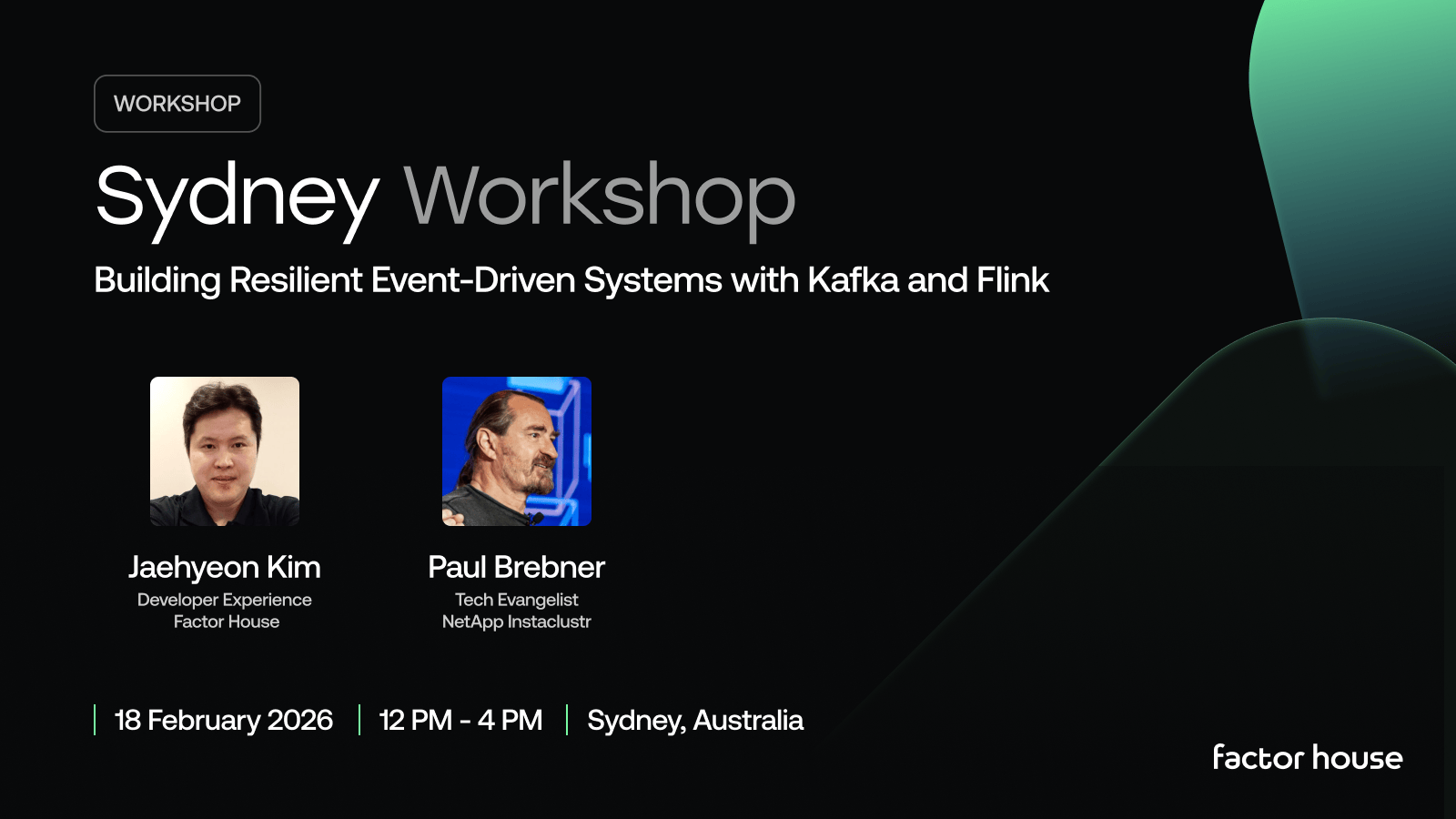
[MELBOURNE, AUS] Apache Kafka and Apache Flink Meetup, 27 November
Melbourne, we’re making it a double feature. Workshop by day, meetup by night - same location, each with valuable content for data and software engineers, or those working with Data Streaming technologies. Build the backbone your apps deserve, then roll straight into the evening meetup.
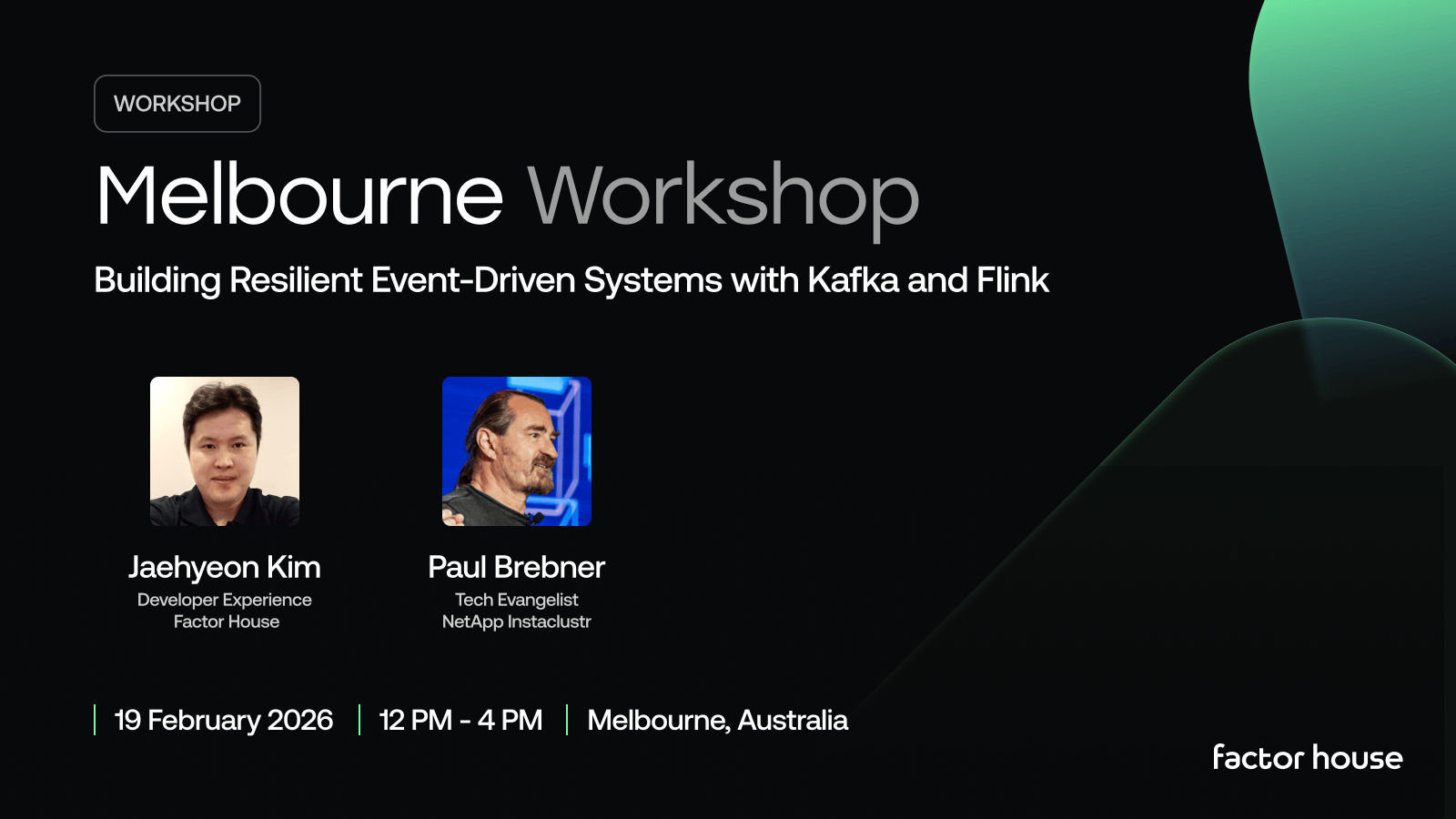
[SYDNEY, AUS] Apache Kafka and Apache Flink Meetup, 26 November
Sydney, we’re making it a double feature. Workshop by day, meetup by night - same location, each with valuable content for data and software engineers, or those working with Data Streaming technologies. Build the backbone your apps deserve, then roll straight into the evening meetup.
We’re building more than products, we’re building a community. Whether you're getting started or pushing the limits of what's possible with Kafka and Flink, we invite you to connect, share, and learn with others.