Top Kafka UI Tools in 2026: A Practical Comparison for Engineering Teams
ComparisonsManaging Apache Kafka through the command line made sense when clusters were small and teams were smaller. That era is over. Modern Kafka deployments span multiple clusters, process millions of messages per second, and serve dozens of teams who need visibility into topics they don’t own. The CLI simply cannot provide the observability, governance, and operational efficiency that production environments demand.
This guide evaluates the leading Kafka UI tools against the criteria that actually matter for enterprise data engineering teams. We cover the commercial platforms, the vendor-specific options, and the open-source alternatives, with an honest assessment of where each excels and where each falls short.
What to Look for in a Kafka UI
Before diving into specific tools, it’s worth establishing what separates a production-grade Kafka UI from a basic message viewer. The gap between these categories has widened significantly as Kafka has moved from simple pub/sub to the central nervous system of enterprise data architectures.
Kafka distribution support matters more than most teams initially realise. Your UI needs to work with your specific flavour of Kafka, whether that’s vanilla Apache Kafka, AWS MSK with IAM authentication, Confluent Cloud, Redpanda, or Aiven. A tool that works beautifully with self-managed Kafka but can’t authenticate against MSK IAM is useless for half of modern deployments.
Governance and security have become non-negotiable. SOC 2, HIPAA, GDPR, and internal compliance frameworks require granular access controls, audit trails, and data masking. A Kafka UI is effectively a window into your organisation’s data, and treating security as an afterthought is increasingly untenable.
Multi-cluster management separates enterprise tools from development toys. Most organisations run separate clusters for development, staging, and production, often across multiple cloud providers. Switching between browser tabs or reconfiguring connections is not a sustainable workflow.
Operational architecture determines your total cost of ownership. Does the tool require an external PostgreSQL database? Does it need gigabytes of heap memory? Can it run in air-gapped environments? These questions matter when your SRE team is already stretched thin.
Serialisation support is where many tools quietly fail. Kafka stores bytes; the intelligence is in the serialisation layer. Your UI needs to handle Avro, Protobuf, JSON Schema, and ideally custom serialisers for AWS Glue or proprietary formats. A tool that chokes on nested schemas or schema drift is useless in production.
Streaming ecosystem breadth is increasingly relevant as data platforms expand beyond Kafka. Teams running Kafka Streams, Kafka Connect, ksqlDB, or Apache Flink need tooling that provides visibility across their entire streaming infrastructure, not just the broker layer.
The Tools Compared
Kpow: Enterprise Governance Without the Infrastructure Tax
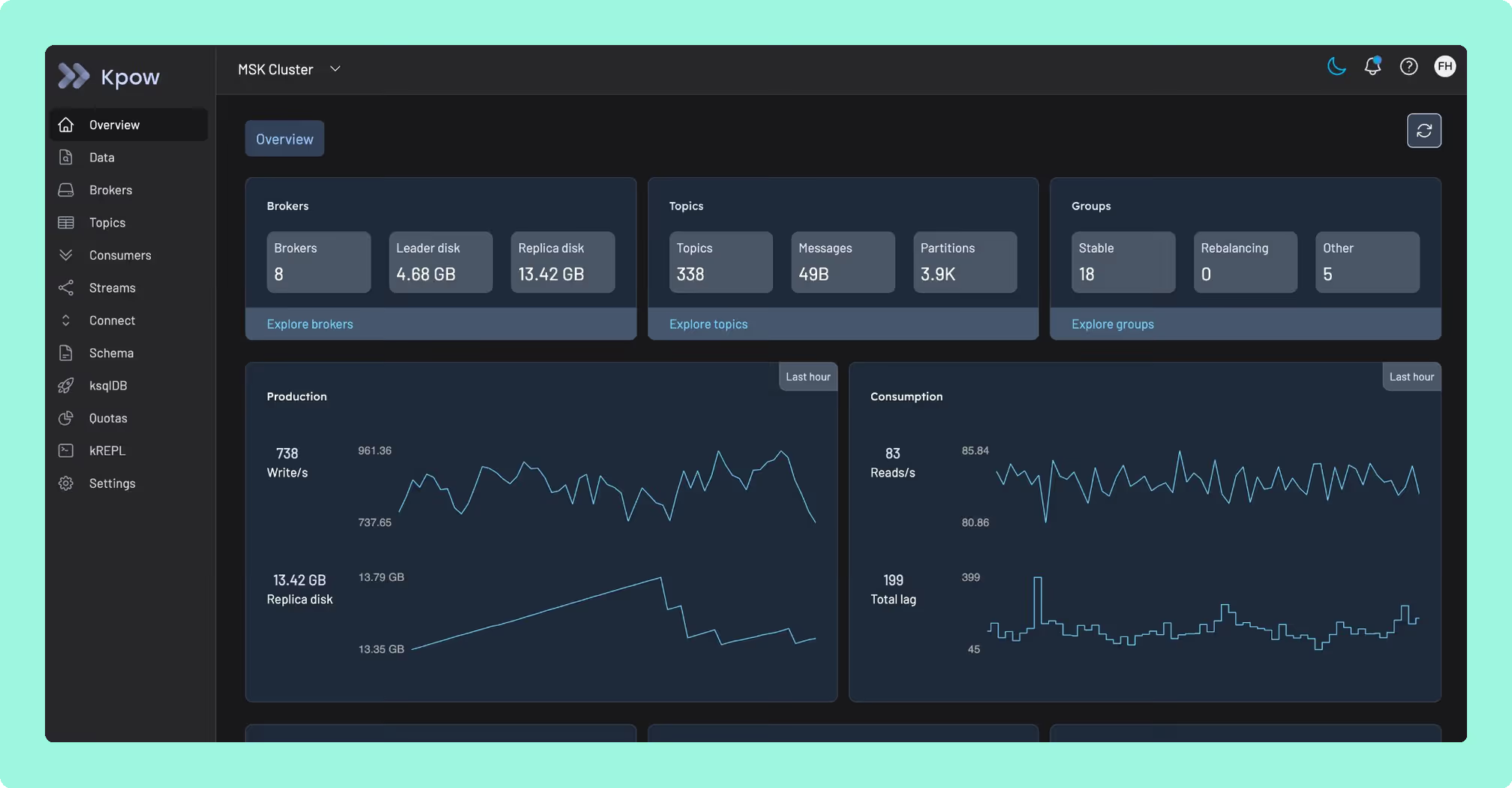
Kpow was purpose-built for a problem most Kafka UIs ignore: delivering enterprise-grade governance and observability without introducing operational complexity that rivals the clusters you’re trying to manage.
The answer is architectural. Kpow is fully stateless. It stores all state in internal Kafka topics using Kafka Streams, which means it deploys as a single container with zero external dependencies. No PostgreSQL to maintain. No separate data store to back up, patch, and monitor. No data ever leaves your network control. For regulated industries, this simplicity translates directly into faster procurement and fewer moving parts for your security team to evaluate.
This architectural simplicity belies serious depth. Kpow’s Data Policies provide server-side masking of sensitive fields based on key names or patterns, ensuring PII never reaches the browser. This satisfies PCI-DSS and HIPAA requirements without the complexity of a proxy layer sitting in front of your brokers. Comprehensive audit logging captures every action: who viewed what data, who reset which offset, who changed which configuration, with optional Slack integration for ChatOps transparency.
Where Kpow genuinely pulls ahead of every other tool on this list is Kafka distribution compatibility. It offers native AWS MSK IAM authentication (not a workaround via SASL, but actual IAM integration), Confluent Cloud, Redpanda, Aiven, and AWS Glue Schema Registry support, all from a single deployment. If you’re running a multi-cloud or hybrid Kafka environment, and increasingly most enterprises are, Kpow provides a unified view across every cluster and every distribution without per-instance configuration.
Kpow’s kJQ filtering deserves specific attention. It provides JQ-based predicates for searching deeply nested data structures server-side, which engineers at organisations like Binance and Cash App have cited as critical for reducing incident resolution time. When you’re debugging a production issue at 2am, the ability to write precise queries against complex message payloads without writing disposable consumer code is a material operational advantage.
Teams can get started with a 30-day free trial of Kpow. There is transparent per-cluster pricing rather than per-user models that penalise growing teams. A free Community Edition is available for local testing.
Best for: Any team where Kafka is production infrastructure that must be governed, audited, and operated reliably, particularly in regulated industries, multi-cluster environments, or organisations where operational simplicity and vendor independence are strategic priorities.
AKHQ: Capable Open-Source, but Mind the Governance Gaps
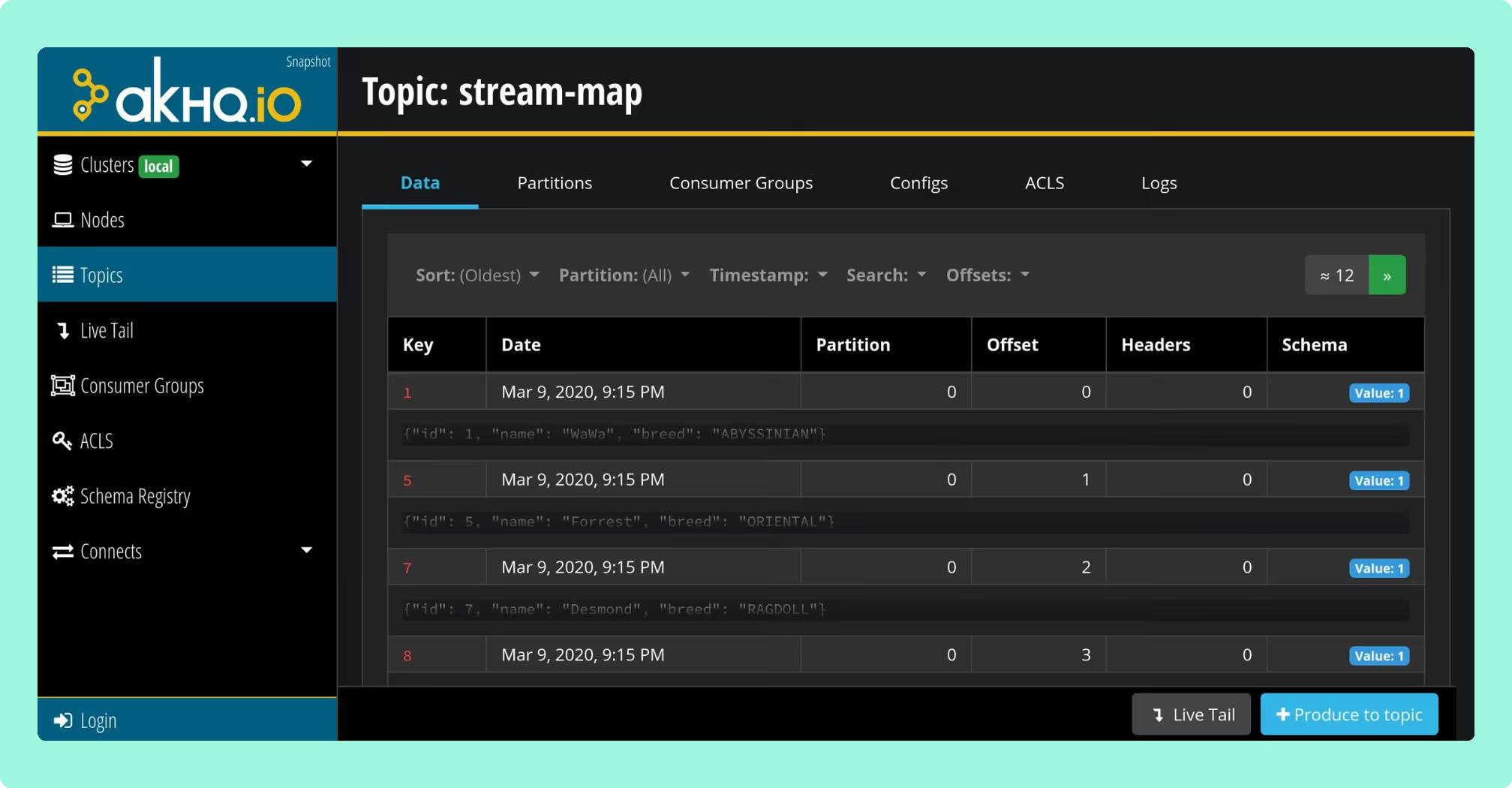
AKHQ (formerly KafkaHQ) is the most established open-source Kafka UI option. It’s built on Micronaut and designed for configuration-as-code deployments.
AKHQ’s strength is its GitOps-native architecture. Connections, users, groups, and schema registry links can all be defined in YAML, making it straightforward to deploy consistently across environments using Helm charts. It supports LDAP, OAuth2/OIDC, and GitHub SSO, with regex-based topic filtering for access control.
The limitations become apparent at enterprise scale. AKHQ has no native data masking, which is a significant compliance gap for any team handling PII or operating under HIPAA, PCI-DSS, or GDPR requirements. Audit logging is limited to whatever your authentication provider captures, rather than comprehensive activity tracking within the tool itself. The UI has also received persistent criticism for responsiveness issues under load, which the maintainer has acknowledged but not fully resolved. For development and staging environments these gaps may be acceptable; for production governance, they leave real exposure.
Best for: Mid-size organisations with strong DevOps cultures who need proven open-source tooling and can accept the governance limitations, or as a complement to a commercial tool for non-production environments.
Kafka UI (Kafbat fork): Modern but Fragile
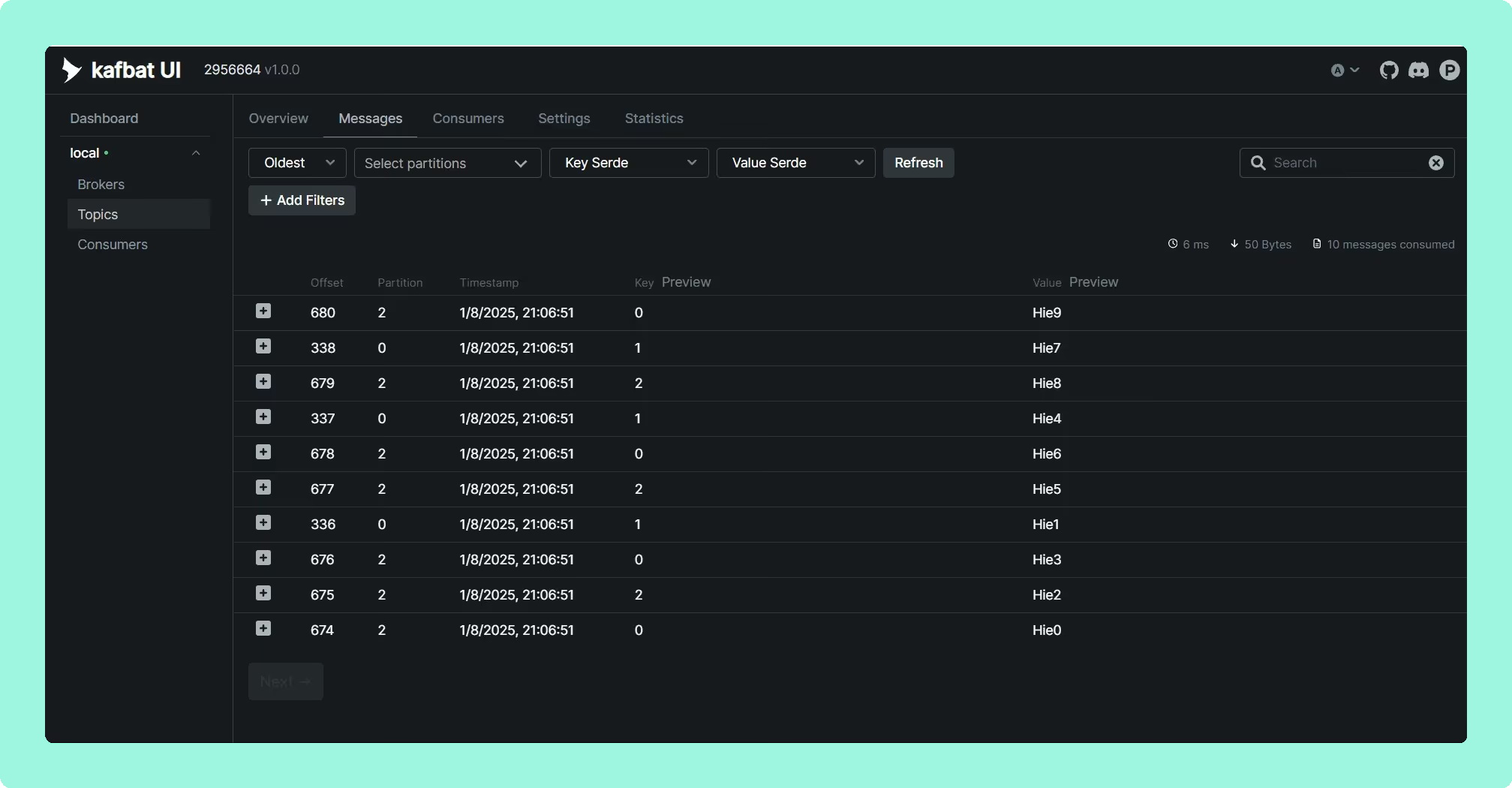
A critical warning first: if you’re still running the original provectuslabs/kafka-ui Docker image, you’re running abandoned software with known security vulnerabilities. The project was effectively unmaintained from late 2023, with a remote code execution vulnerability (CVE-2023-52251) taking six months to patch. The core maintainers forked the project to kafbat/kafka-ui, which is where active development continues.
The Kafbat fork offers the most approachable open-source interface, with multi-cluster management, Kafka Connect integration, and Avro/Protobuf/JSON support. It includes basic RBAC via YAML configuration and data masking with regex support.
The fundamental trade-off is sustainability. This is a community-maintained fork of an abandoned project. There’s no vendor to call during an incident, no SLA, and long-term development direction depends entirely on volunteer contributor interest. The project inherited a significant bug backlog from Provectus, and while the Kafbat team has been responsive, the provectus/kafka-ui abandonment is a cautionary tale about relying on open-source projects without commercial backing for production infrastructure tooling.
Best for: Startups and development environments where budget is the primary constraint and the team has capacity to manage configuration, maintenance, and the risk of project abandonment.
Redpanda Console: Fast Viewer, Locked Governance
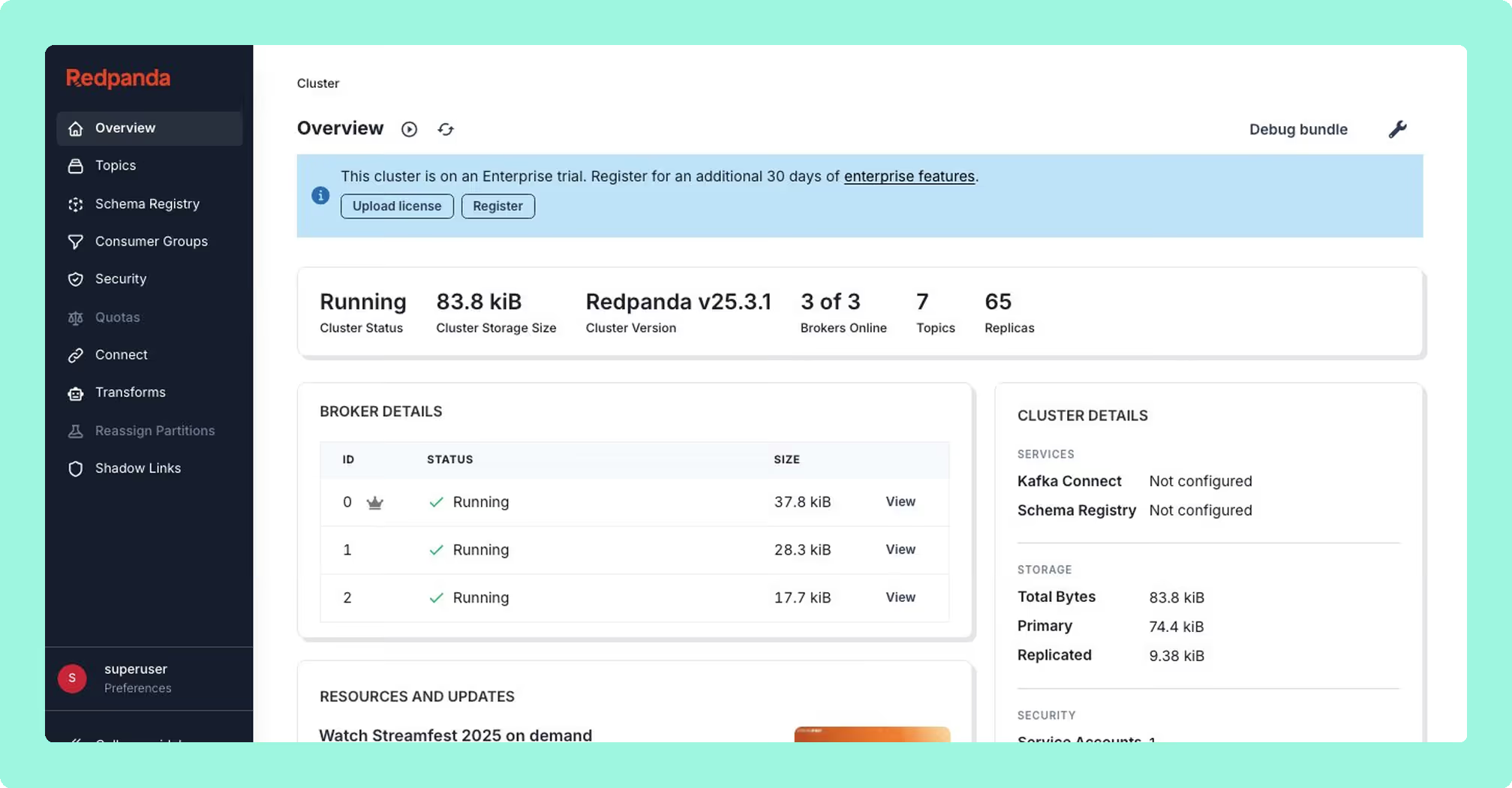
Originally built as Kowl by CloudHut before Redpanda’s acquisition, Redpanda Console performs well as a message viewer. Written in Go, it delivers minimal memory footprint and near-instant startup, which is a meaningful advantage for developers running local stacks. Its automatic deserialisation heuristics for Protobuf, Avro, MessagePack, and JSON are solid.
The catch is the licensing model. The core viewer is free under a Business Source License, but every enterprise feature that matters (SSO, RBAC, data masking) requires a paid Redpanda Enterprise license. This creates a problematic dynamic for vanilla Apache Kafka or MSK users: you can use the viewer for free, but the moment you need governance, you’re paying for a Redpanda license even if you don’t run Redpanda. Without those enterprise features, it’s a browser for messages, not an operational tool.
Multi-cluster support is also limited compared to dedicated multi-cluster solutions, and MSK IAM authentication requires SASL workarounds rather than native integration.
Best for: Local development and debugging where you need a fast, lightweight message viewer. Not a realistic option for production governance unless you’re already a Redpanda customer.
Confluent Control Center: Powerful but Captive
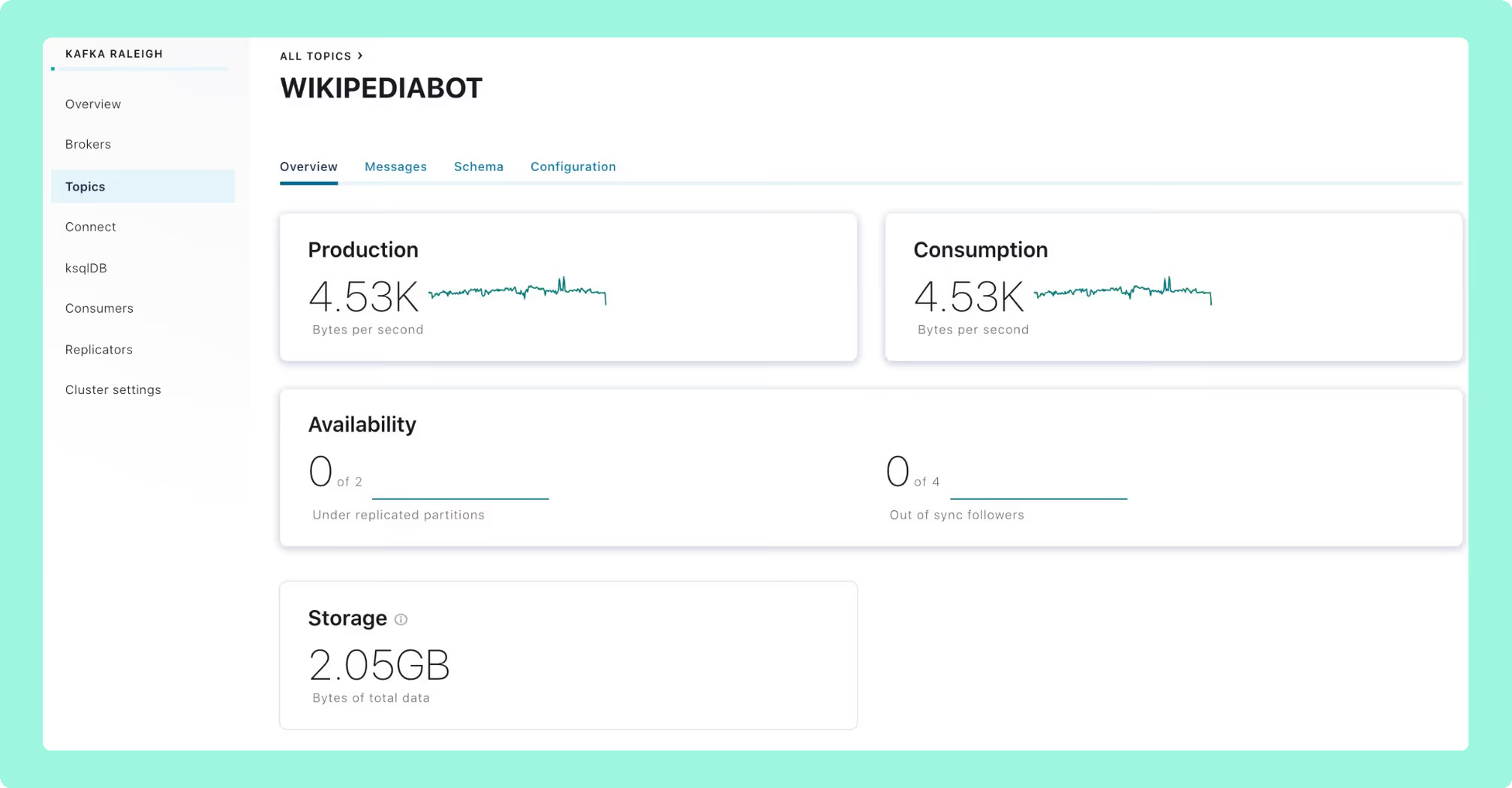
Confluent Control Center provides the deepest integration for Confluent Platform users. Kafka Streams topology visualisation, ksqlDB development, and Replicator monitoring are tightly coupled to the Confluent ecosystem in ways that third-party tools have not replicated. If you’re fully committed to the Confluent ecosystem, it provides native observability across the platform.
The critical limitation is that commitment must be total. Control Center requires the Confluent Metrics Reporter JAR installed in broker classpaths and effectively mandates the Confluent ecosystem for full functionality. It cannot work with AWS MSK’s native IAM authentication, immediately disqualifying it for the growing number of organisations using MSK. It also doesn’t support Redpanda or Aiven deployments.
The resource footprint is substantial, with some deployments requiring as much compute as the Kafka brokers themselves. And because Control Center is bundled with Confluent Platform licensing, you’re not evaluating the UI in isolation; you’re evaluating an entire ecosystem commitment.
Best for: Organisations already fully committed to Confluent Platform who specifically need Kafka Streams and ksqlDB visualisation. Not viable, and not intended, for vanilla Apache Kafka, AWS MSK, or multi-vendor environments.
Conduktor: Broad Feature Set, Operationally Heavy
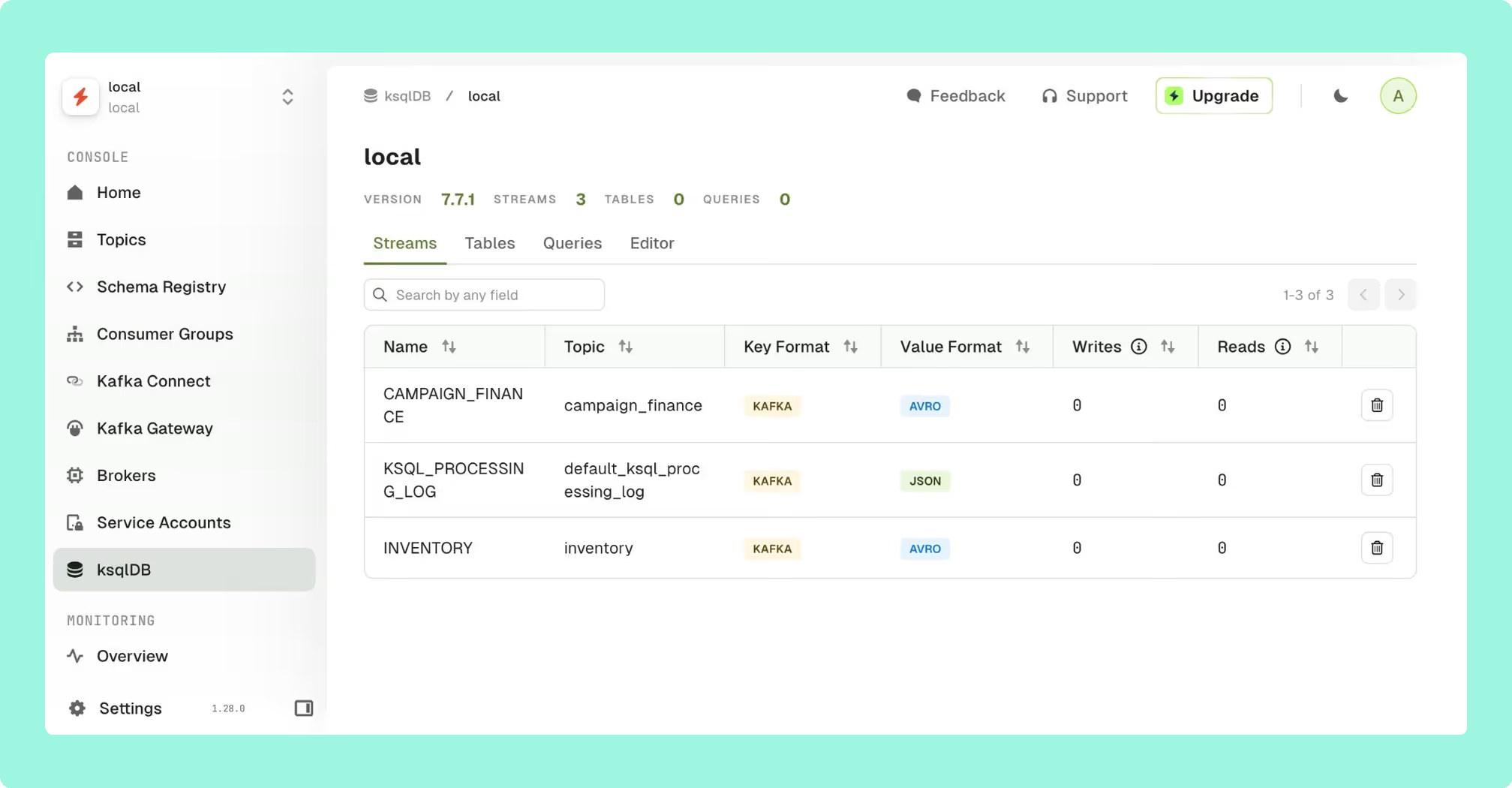
Conduktor has evolved from a desktop application into a web platform targeting enterprise data quality and governance. Its headline feature is the Gateway proxy architecture, a Kafka proxy layer that enables field-level encryption, data masking, and policy enforcement at the wire level without modifying producer applications.
The platform offers RBAC with wildcard patterns, compliance-ready audit logging with SIEM integration, and data quality validation rules that catch schema violations before bad data pollutes topics.
The operational cost is significant and should be evaluated carefully. Conduktor Console requires an external PostgreSQL database, adding another stateful dependency to provision, back up, patch, monitor, and secure. This stands in stark contrast to stateless architectures that deploy as a single container. The licensing model includes per-user pricing and tiered feature access, which means the cost scales with team size in ways that per-cluster pricing does not. For large platform teams, this distinction can be material.
Best for: Enterprises that specifically need wire-level proxy capabilities for encryption or policy enforcement, and have the operational capacity to manage the additional infrastructure dependencies.
Lenses.io: Ambitious Scope, Mixed Execution
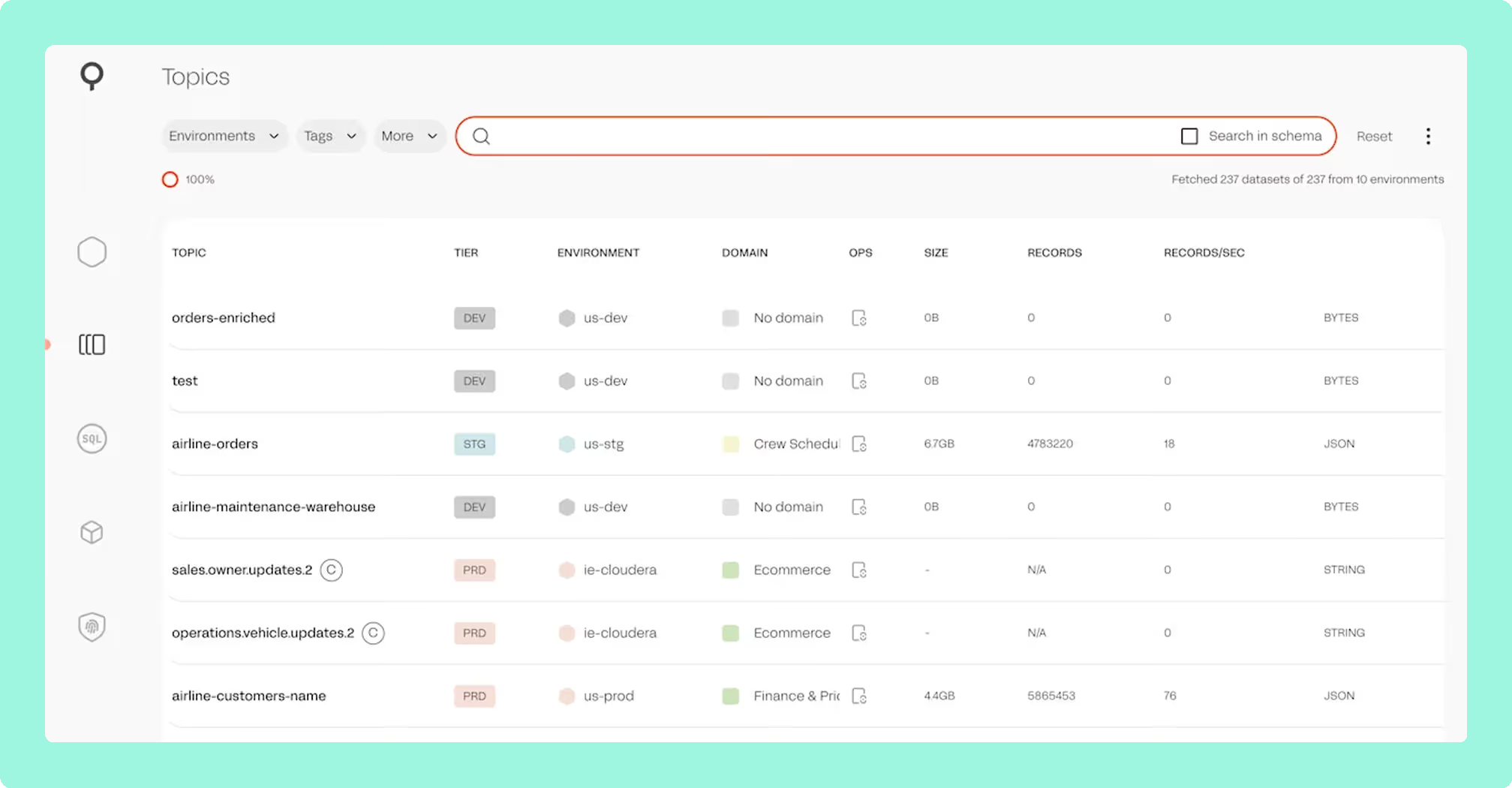
Lenses positions itself as a DataOps platform rather than a pure Kafka UI, with a proprietary SQL engine that lets users query and transform streaming data using SQL syntax. The SQL interface may appeal to business analyst roles or less technical team members who need access to Kafka data without writing Java or Scala consumer code. SQL Processors allow deploying continuous transformations to Kubernetes, though this introduces a proprietary abstraction layer over your streaming infrastructure.
The data catalog and lineage tracking provide searchable topic discovery and data flow visualisation across multi-cluster environments.
However, Lenses occupies a different price point that reflects its broader DataOps positioning, which may be difficult to justify if your primary need is Kafka observability and governance. Some users report deployment complexity, particularly in air-gapped environments. The SQL abstraction introduces a proprietary layer that creates its own form of lock-in. And recent user feedback on G2 and community forums has flagged concerns about product roadmap velocity and unresolved bugs across releases, which are signals worth monitoring when evaluating long-term investment.
Best for: Organisations where SQL-based streaming data access is a primary requirement, particularly for business analysts or less technical roles who need self-service Kafka access. Evaluate carefully if your core need is operational governance rather than data exploration.
Platform Compatibility Matrix
Enterprise deployments typically span multiple Kafka flavours. This compatibility matrix reflects verified documentation as of early 2026:
| Tool | AWS MSK (IAM) | Confluent Cloud | Redpanda | Self-Managed | Multi-Cluster |
|---|---|---|---|---|---|
| Kpow | Native | Full | Yes | Yes | Unified view |
| Conduktor | Deep integration | Deep integration | Yes | Yes | Per-instance |
| Lenses | Yes | Yes | Yes | Yes | Global catalog |
| AKHQ | IAM Auth | Via SASL | Yes | Yes | Yes |
| Kafka UI (Kafbat) | Glue SerDe | Yes | Yes | Yes | Yes |
| Redpanda Console | Via SASL | Via SASL | Native | Yes | Limited |
| Confluent CC | No native support | Native | No | Requires components | Yes |
The absence of native AWS MSK IAM support in Confluent Control Center is a significant limitation for the growing number of organisations using MSK as their primary Kafka deployment.
Kpow is the only tool on this list that provides native integration with every major Kafka distribution, including AWS MSK IAM, Confluent Cloud, Redpanda, Aiven, and AWS Glue Schema Registry, from a single, stateless deployment. For organisations running heterogeneous Kafka environments, this eliminates the need for distribution-specific workarounds or multiple tool instances.
Why We Built Kpow
Factor House builds tooling for streaming data platforms. We started with Kpow because we saw a clear gap: existing Kafka UIs either required complex infrastructure to deliver governance, or treated governance as an afterthought to keep things simple. Our thesis was that these shouldn’t be mutually exclusive, and the adoption by teams at organisations like Binance, Cash App, and NORD/LB has validated that approach.
The streaming ecosystem is expanding beyond Kafka. Teams now run Kafka alongside Kafka Connect, Kafka Streams, and increasingly Apache Flink. We believe tooling should evolve with this reality rather than remaining siloed. Factor House’s roadmap extends Kpow’s operational model (stateless deployment, transparent pricing, compliance-first design) across the streaming stack with products like Flex for Apache Flink and Factor Platform.
Kpow delivers is the deepest combination of Kafka governance, distribution compatibility, and operational simplicity available, without the infrastructure overhead, vendor lock-in, or per-user pricing that comes with the alternatives.
Choosing the Right Tool for Your Team
For AWS MSK-primary environments: Kpow provides native IAM authentication with zero workarounds, making it the cleanest MSK integration available. Conduktor also offers strong MSK support but requires PostgreSQL infrastructure. AKHQ is the best free alternative with MSK IAM support, though without data masking.
For Confluent Platform shops: Use Confluent Control Center if you specifically need Kafka Streams topology and ksqlDB visualisation. For broader observability, governance, and multi-cluster management, Kpow delivers comparable or better capabilities without the ecosystem lock-in or resource overhead.
For multi-cloud or hybrid deployments: Kpow is the clear choice, offering the only truly unified multi-cluster view across every major Kafka distribution with transparent per-cluster pricing. No other tool matches this breadth from a single deployment.
For compliance-heavy enterprises: Kpow’s stateless architecture means no external database storing sensitive metadata, server-side data masking ensures PII never reaches browsers, and comprehensive audit logging satisfies SOC 2 and HIPAA requirements. Conduktor’s Gateway adds wire-level encryption if you need proxy capabilities, but evaluate whether that complexity is justified for your use case.
For cost-conscious teams: AKHQ offers the most proven free option with broad enterprise adoption. Kafbat provides a more modern UI but carries project sustainability risk. Kpow’s Community Edition is free for up to 3 clusters with full features, which is worth evaluating before committing to open-source maintenance overhead. For a full breakdown of every free tier’s limits, features, and upgrade costs, including Conduktor and Lenses, see our best free Kafka UI tools comparison.
For development and testing: Kpow Community Edition is free with no feature limitations, for up to 3 clusters. Redpanda Console and Kafbat are also solid options for local development.
Conclusion
The Kafka UI you choose has real consequences for your team’s operational efficiency, compliance posture, and long-term flexibility. The right decision depends on matching your tool to your actual constraints: regulatory requirements, Kafka distribution, deployment complexity, and team capacity.
Open-source tools have matured. AKHQ and Kafbat are production-viable for many organisations, though both carry governance limitations that matter at enterprise scale. The provectus/kafka-ui abandonment is a useful reminder that project health matters as much as feature sets.
For enterprises where governance isn’t optional, the commercial landscape offers clear trade-offs. Conduktor adds proxy capabilities at the cost of infrastructure complexity. Lenses provides SQL abstraction at a DataOps price point. Confluent Control Center delivers deep platform integration but demands total ecosystem commitment. Kpow provides the broadest Kafka distribution support, the simplest operational footprint, and the deepest compliance capabilities, without requiring external databases, vendor lock-in, or per-user pricing.
If Kafka is critical infrastructure for your organisation, start with a free trial of Kpow and see the difference for yourself.