Inspect & search
Search, filter, and produce messages across one or many topics, in seconds.
Search, schema registry, consumer group management, Kafka Connect, and a full REST API, all in one interface. Free for up to 3 clusters and 10 users, running in a single Docker container.
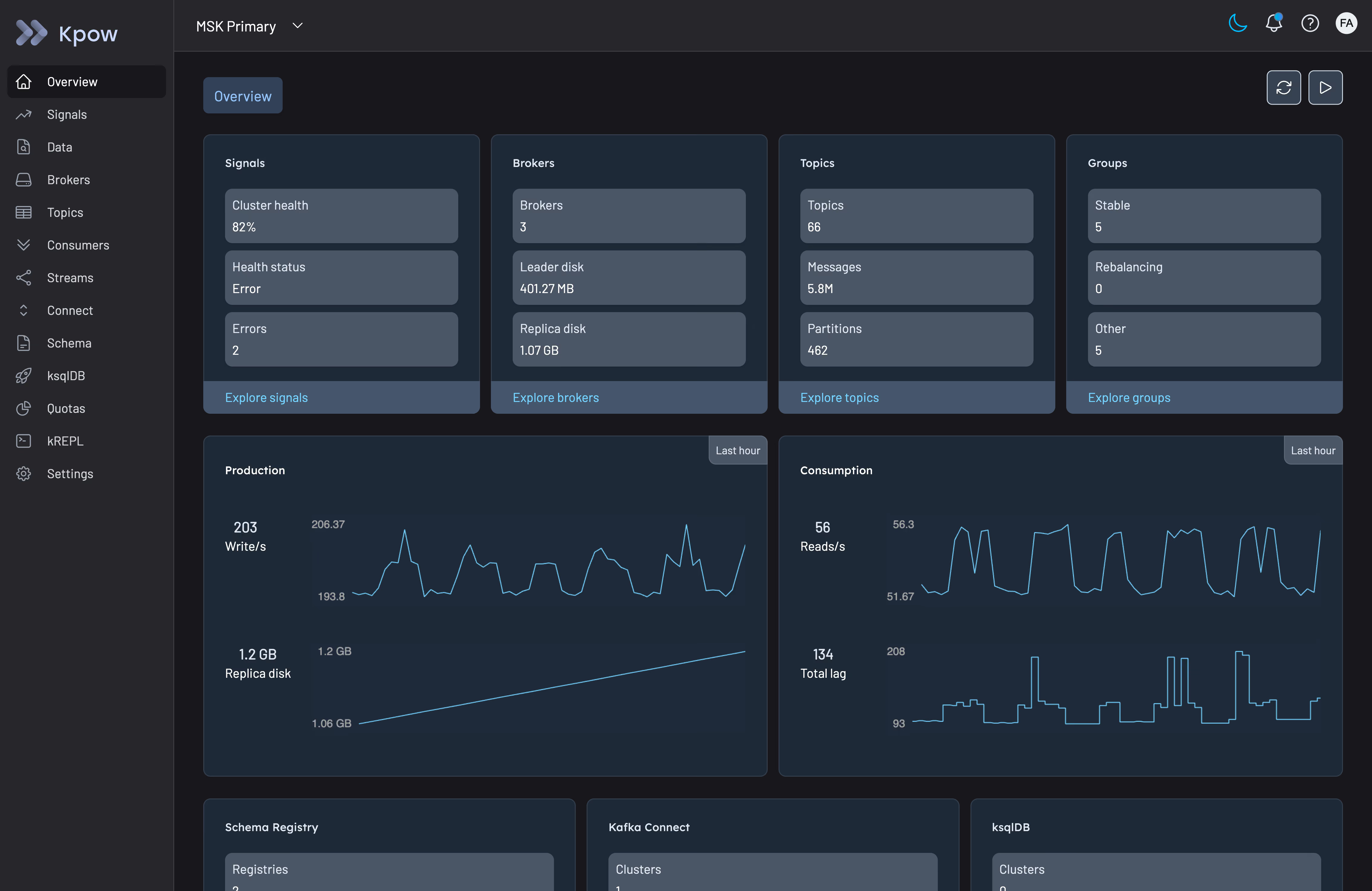
Trusted by engineers running Kafka at scale






Debugging a stuck consumer means switching between kafka-consumer-groups.sh, kafka-topics.sh, and whatever dashboard happens to be open. Kpow Community Edition gives you one interface for search, schema inspection, and multi-cluster visibility. It's free, with no contract to sign before you know it fits.
One interface for local, staging, and dev clusters.
Evaluate Kpow before an org-wide rollout.
Share a unified control plane with your team.
Get a trusted, regularly updated application.
Deploy in minutes. Free for up to 3 Kafka clusters and 10 users.
Search, filter, and produce messages across one or many topics, in seconds.
Real-time metrics across brokers, topics, and consumer groups, the moment you connect.
Automated health scoring across brokers, topics, and consumer groups.
A full schema registry UI for Avro, Protobuf, and JSON Schema, including version diffs.
Create and configure topics, connectors, and ACLs directly from the UI.
The same OpenAPI 3.1 REST API as Enterprise, enabled with one environment variable.
See how to set up Kpow Community Edition in minutes from a single Docker command, and understand the key features you'll use to manage your Kafka clusters.
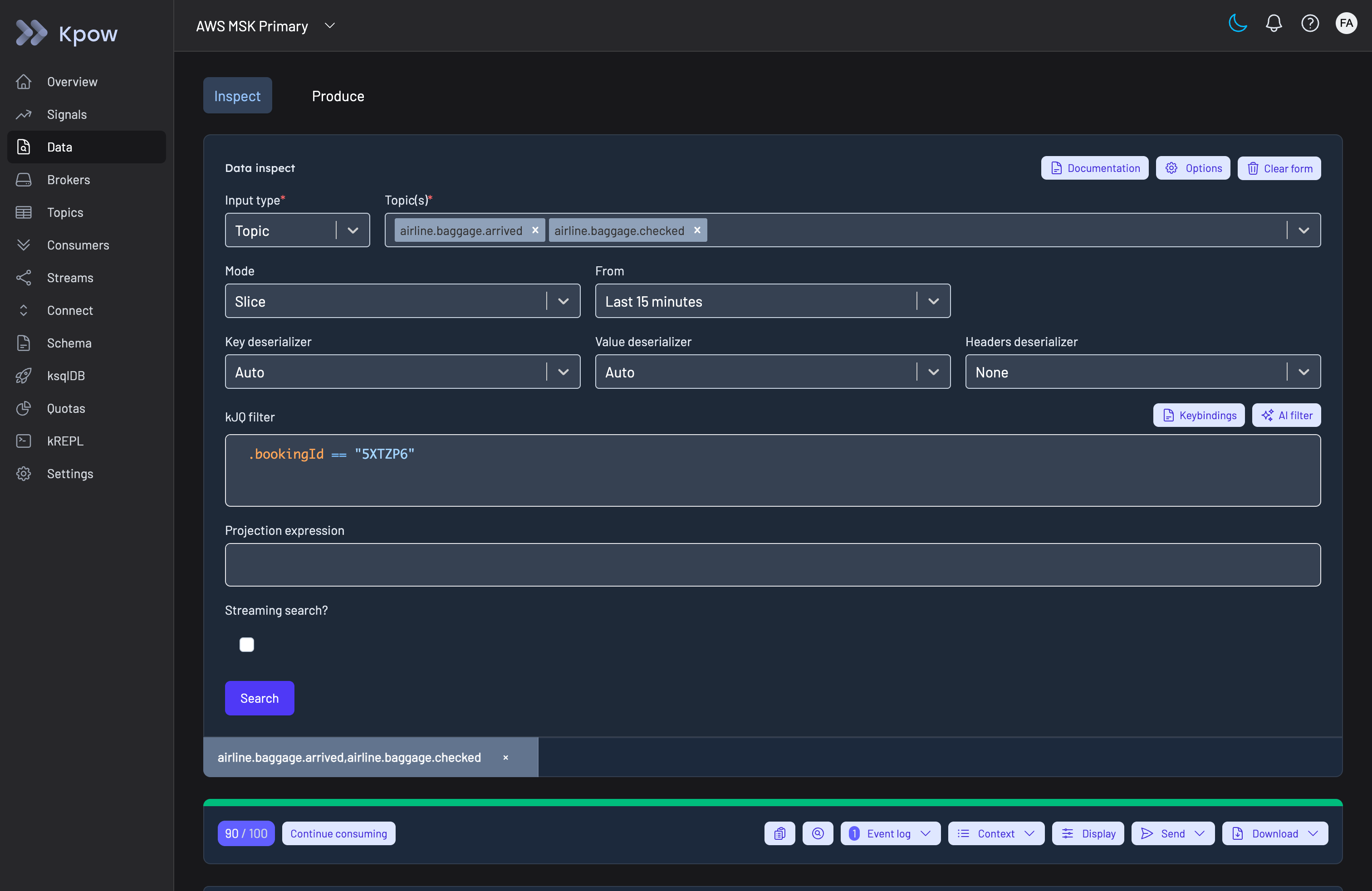
Find any message across one or many topics, in whatever format it's stored, then act on what you find.
Regex and grouped views scan millions of messages in seconds, across one topic or many.
Filter with built-in kJQ, search by key, or stream results as new messages arrive in real time.
Avro, Protobuf, and JSON Schema decode automatically, alongside every standard serde.
Send messages directly to a topic, including batch import and editing an existing message before reproducing it.
Export search results, copy to clipboard, or produce them straight to a different topic.
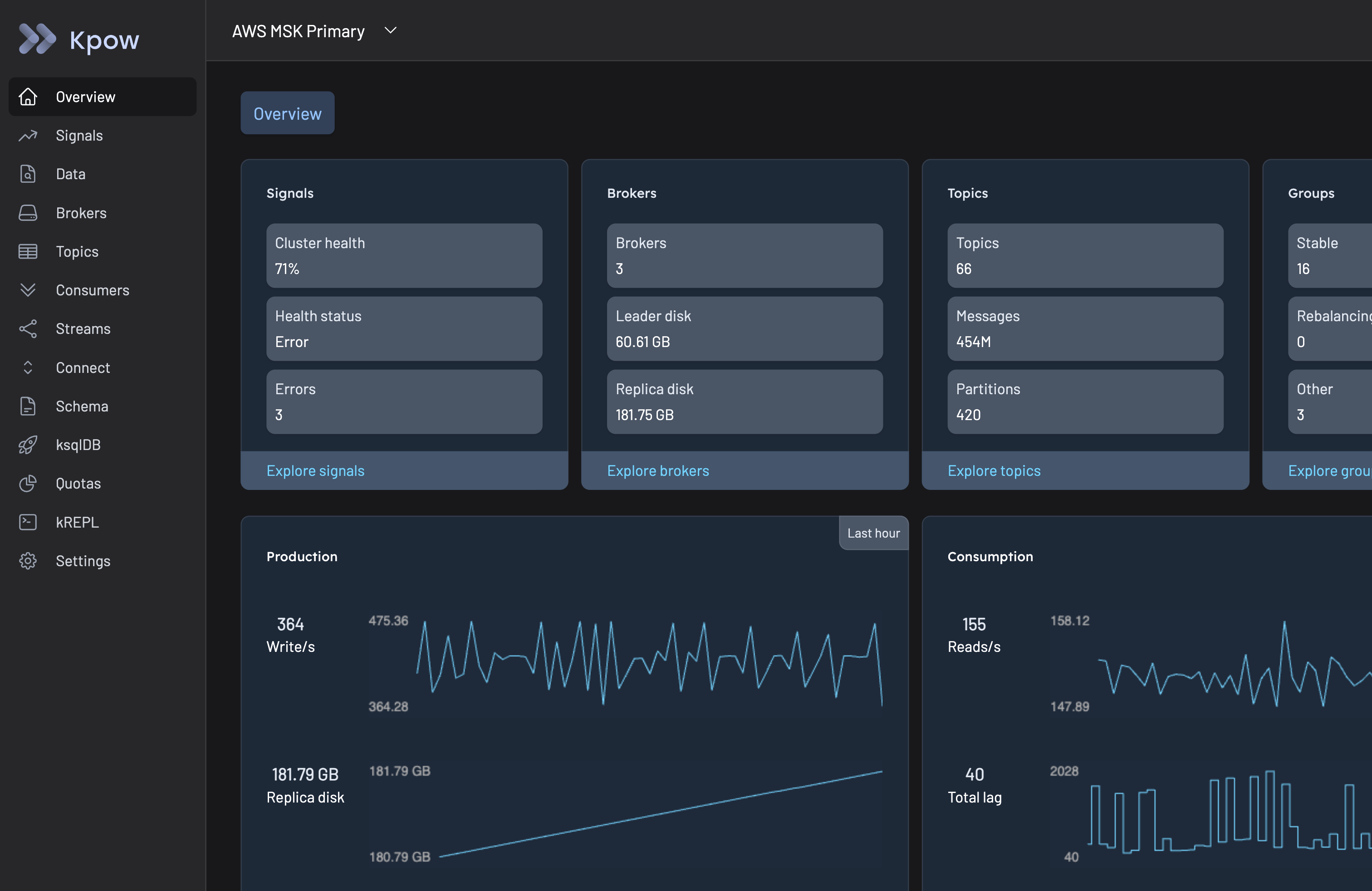
See the live state of your Kafka environment the moment you connect, with metrics and comparisons across every resource type.
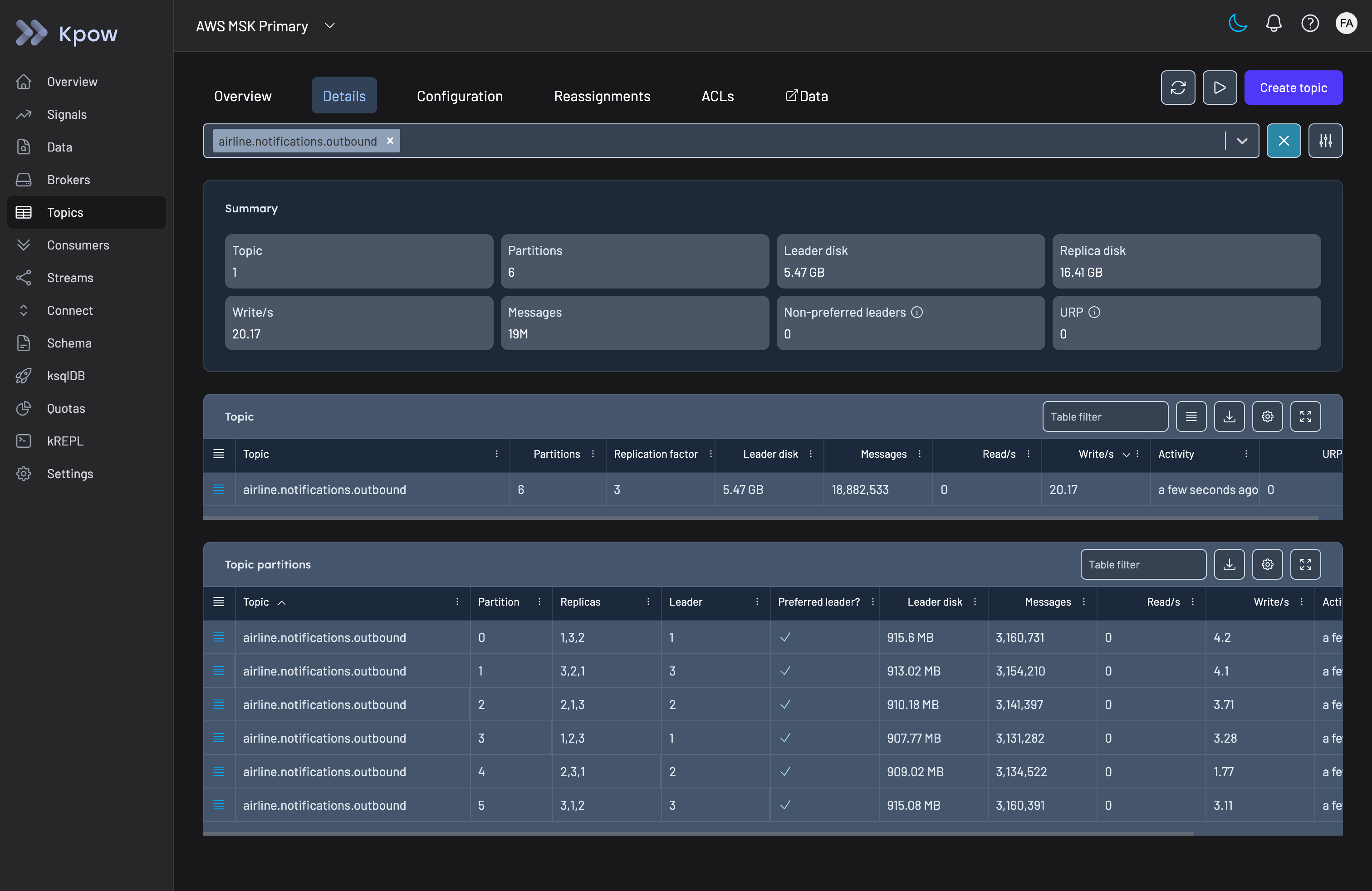
Summary information across brokers, topics, and consumer groups, with a live mode for real-time updates.
See lag by group, topic, partition, host, and broker, all at once, plus automatic detection of every Kafka Streams application.
Filter and compare resources side by side, with insights surfacing under-replicated partitions, inactive consumers, and stalled offsets.
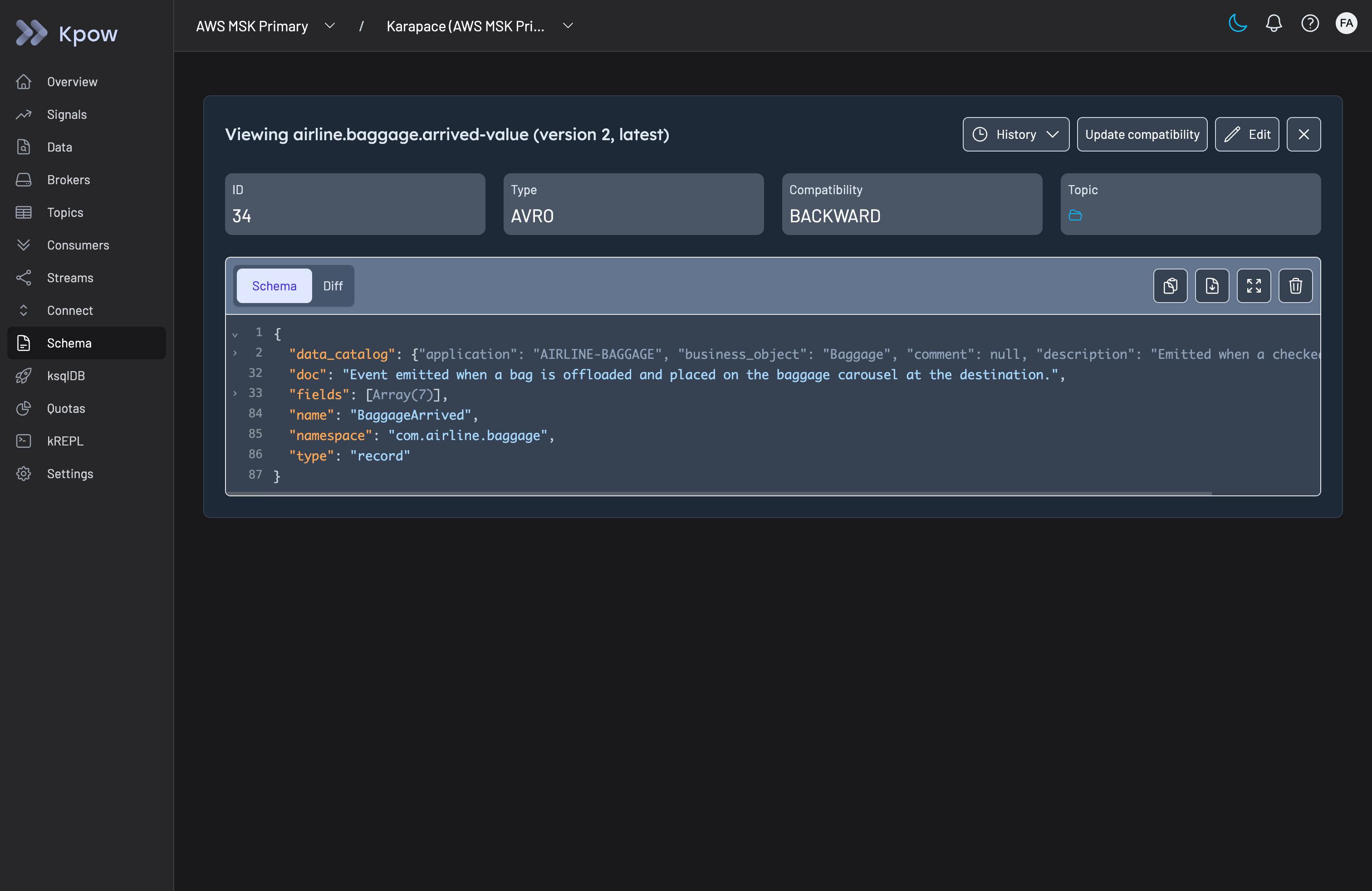
Manage schema evolution directly, instead of tracking it across tickets and CLI calls to the registry.
Create, edit, and delete schema subjects directly from the UI.
Flags subjects with no topic using them.
See exactly what changed between schema versions.
Schema validation and compatibility updates, for Avro, Protobuf, and JSON Schema alike.
Give your team the ability to act on Kafka directly, instead of routing every change through whoever owns the CLI.
Create, copy, configure, and delete topics, with topic-level ACL management.
Create, pause, restart, and delete connectors, down to task-level stack traces.
Edit broker configuration and manage cluster-level ACLs.
Manage consumer offsets, skip poison-pill messages, and delete consumer groups.
Kpow Enterprise runs the same interface, with unlimited clusters and users, role-based access control, data masking, and full audit logging layered on top.
| Feature | Kpow Community Edition | Kpow Enterprise |
|---|---|---|
| Cluster visibility | Up to 3 clusters | Unlimited clusters |
| Users | Up to 10 users | 100 included, unlimited available |
| Search, inspect, and produce messages | ||
| SSO integration | Coming soon | |
| CLI, terminal UI, and agent skills | ||
| Role-based access control & multi-tenancy | — | |
| Data masking for PII | — | |
| Full audit log & staged approval workflows | — | |
| Agent access governed by RBAC, masking, and audit | — | |
| Support | Community Slack and docs | Priority support |
“Kpow provides much-needed transparency across our Kafka event streams. I run a large production system comprised of 50+ micro services all of which have a dependency on Kafka. Without Kpow our operational abilities would be significantly compromised.”
Alex H.
G2 review
“A nifty UI for understanding our Kafka clusters and topics without needing to resort to the command line. A tool ops and developers can both use alike.”
Financial Services
G2 review
“Kpow for Apache Kafka is a really powerful tool, which offers fast visibility, and the debugging it provides makes it structured and organized.”
Snehal Jain
PeerSpot review, VHI
“The most helpful about Kpow for Apache Kafka is the easy setup, support for multiple types of schemas (Avro, Protobuf and more), fair price, nice to use and clean UI.”
Sidnei D.
G2 review
“The best features Kpow for Apache Kafka offers include a single UI, no extra infrastructure, powerful message search, security and compliance, multi-cluster operations, and operation efficiency.”
Nikhil Thapa
AWS Marketplace review
If you don't see your question here, ask us directly.
Ask a questionYes. Kpow Community Edition is a free Kafka UI for up to 3 clusters and 10 users, covering topic search, consumer groups, schema registry, Kafka Connect, and ACLs.
Kpow Community Edition is free for up to 3 clusters and 10 users, with no time limit on the license. Kpow Enterprise is a paid product priced per cluster, for teams that need unlimited clusters, RBAC, or data masking.
Yes. Community Edition runs the same codebase as Enterprise, so it's built for production use, not just local development. Most teams run it in production until they outgrow the 3-cluster limit or need governance features like RBAC and SSO.
Community Edition includes full topic search and inspection, consumer group and offset management, schema registry and Kafka Connect management, ACL viewing, and the REST API, for up to 3 clusters and 10 users. Enterprise adds unlimited clusters and users, role-based access control and multi-tenancy, data masking for PII, and a full audit log with staged approval workflows. See the full comparison.
When you need more than 3 clusters or 10 users, or when you need RBAC, data masking, or a full audit log. Your configuration carries over, there's nothing to migrate.
Any Kafka-compatible broker, including Apache Kafka, Amazon MSK, Confluent Cloud and Platform, Redpanda, Aiven, StreamNative, and Google Cloud Managed Kafka.
Yes. Kpow runs fully offline with no data leaving your environment, the same way in an air-gapped network as anywhere else.
Fill out the form and we'll email you a free license key.
Spin up a container with your license to set up Kpow Community Edition.
Head to localhost:3000 to see your cluster.