Downloads
Artifacts published with Agent Skills / CLI / TUI 1.1.
Install with Homebrew:
brew install --cask factorhouse/tap/fh
Or download a static binary:
checksums.txt is signed with cosign (.sig, .pem). Each archive has an SPDX SBOM, and the vulnerability report covers every platform build.
View the fh documentation for the terminal UI keys.
fh 1.1
The terminal UI in 1.1 goes from watching a cluster to working on it. Open a topic to see what feeds it and what reads it, then act on connectors, consumer groups and Flink jobs from the same screen. Every change goes through Kpow, with the same permissions, audit log and approval as the web UI.
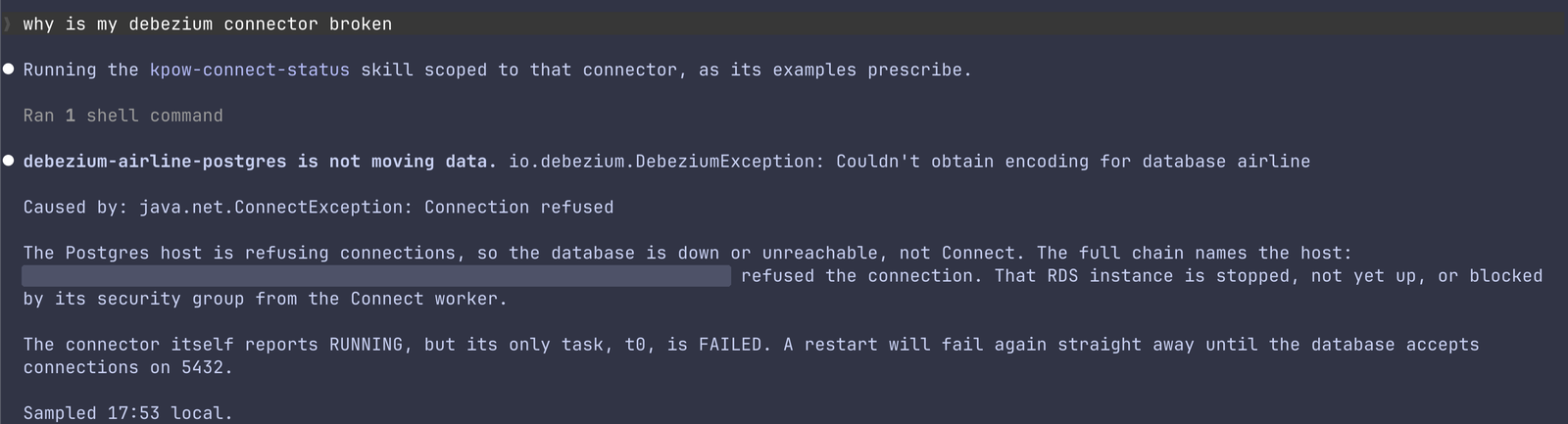
The seven agent skills ship inside the same binary. Install them with fh skills install and a coding agent such as Claude Code, Codex or GitHub Copilot can answer operational questions through fh: which topics are biggest or idle, whether a consumer group is healthy, which groups are really lagging, why a service is not receiving data, whether Connect is healthy, where a topic’s data comes from and goes, and how to replay a topic safely. They are unchanged in 1.1.
Requirements
- Kpow 96.5 or later. The TUI connects to a socket that 96.5 adds to the API server.
- The Kpow API enabled. It is off by default. Set
API_ENABLED="true"; it serves on port 3001 (API_PORT). See the Kpow API reference for configuration and API authentication.
Topic lineage
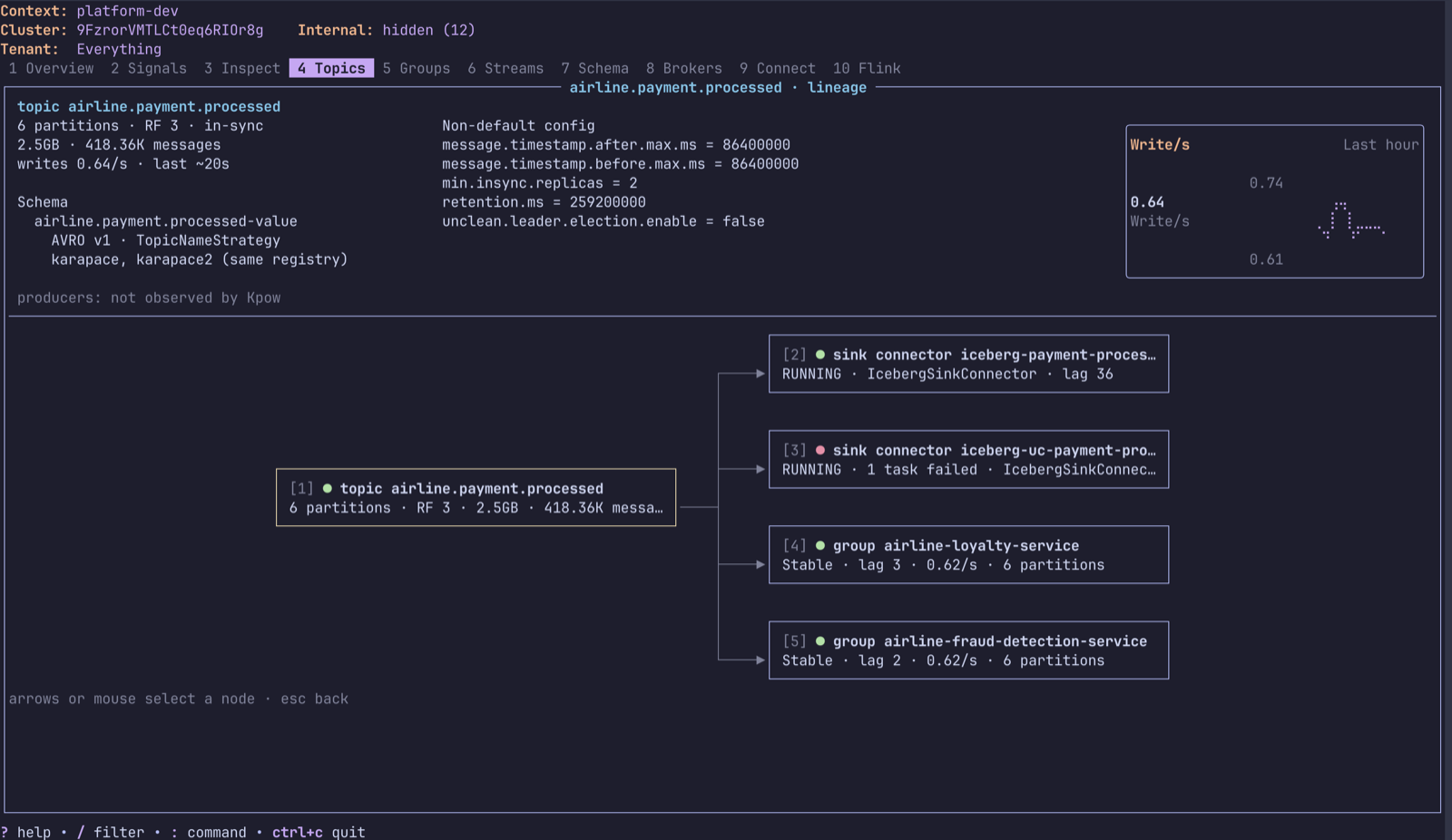
enter on a topic lays out its lineage left to right: the source connectors that write to it, the topic, then the sink connectors, consumer groups and Kafka Streams apps that read it. Each node is coloured by health, so a failed connector task shows red even when the connector reports RUNNING. The panel across the top shows the selected node: for the topic, its size, write rate over the last hour, schema subjects and naming strategy, and non-default configs; for a consumer group, its lag by partition; for a connector, its tasks.
Kafka Connect and Flink actions
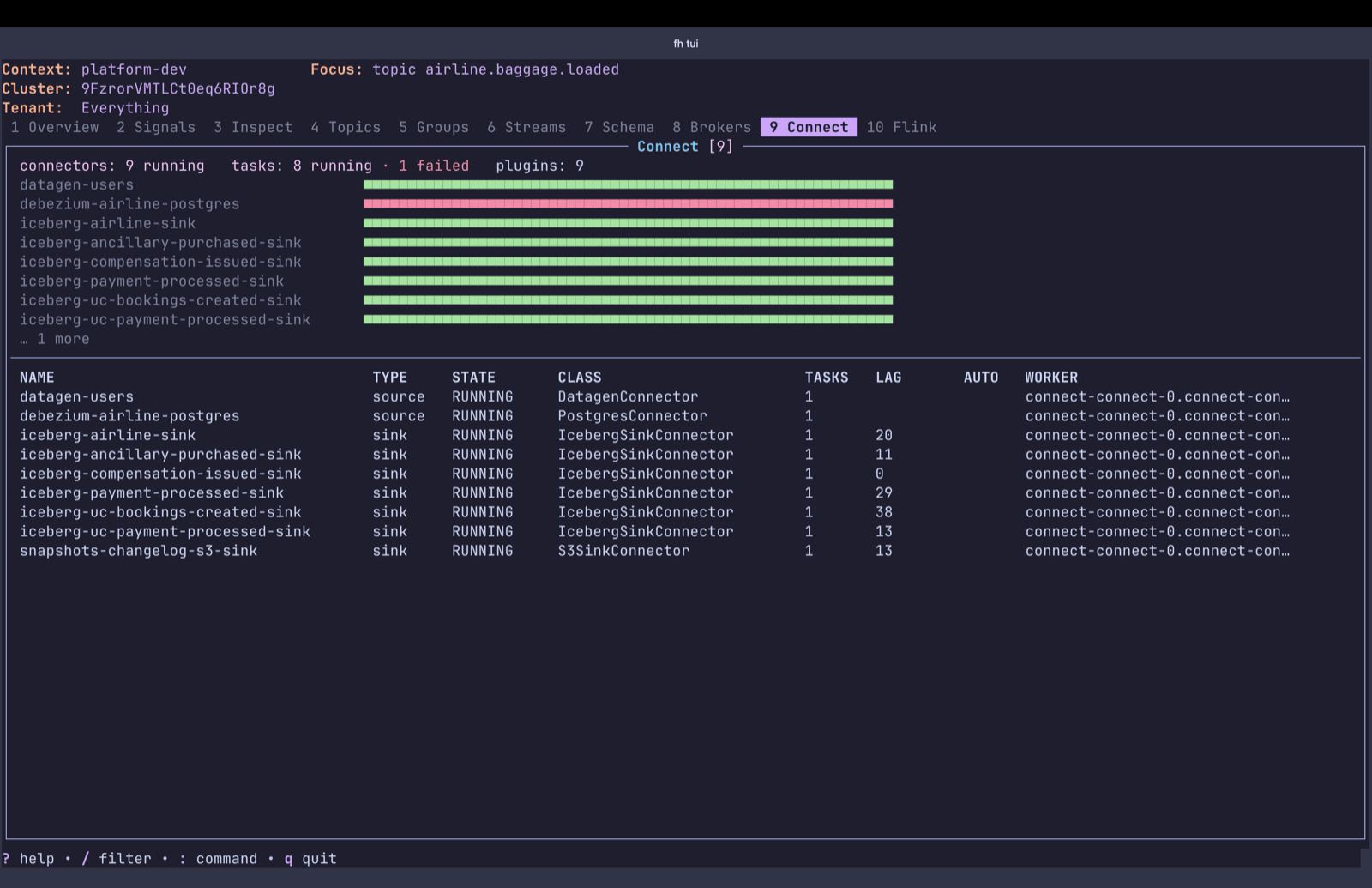
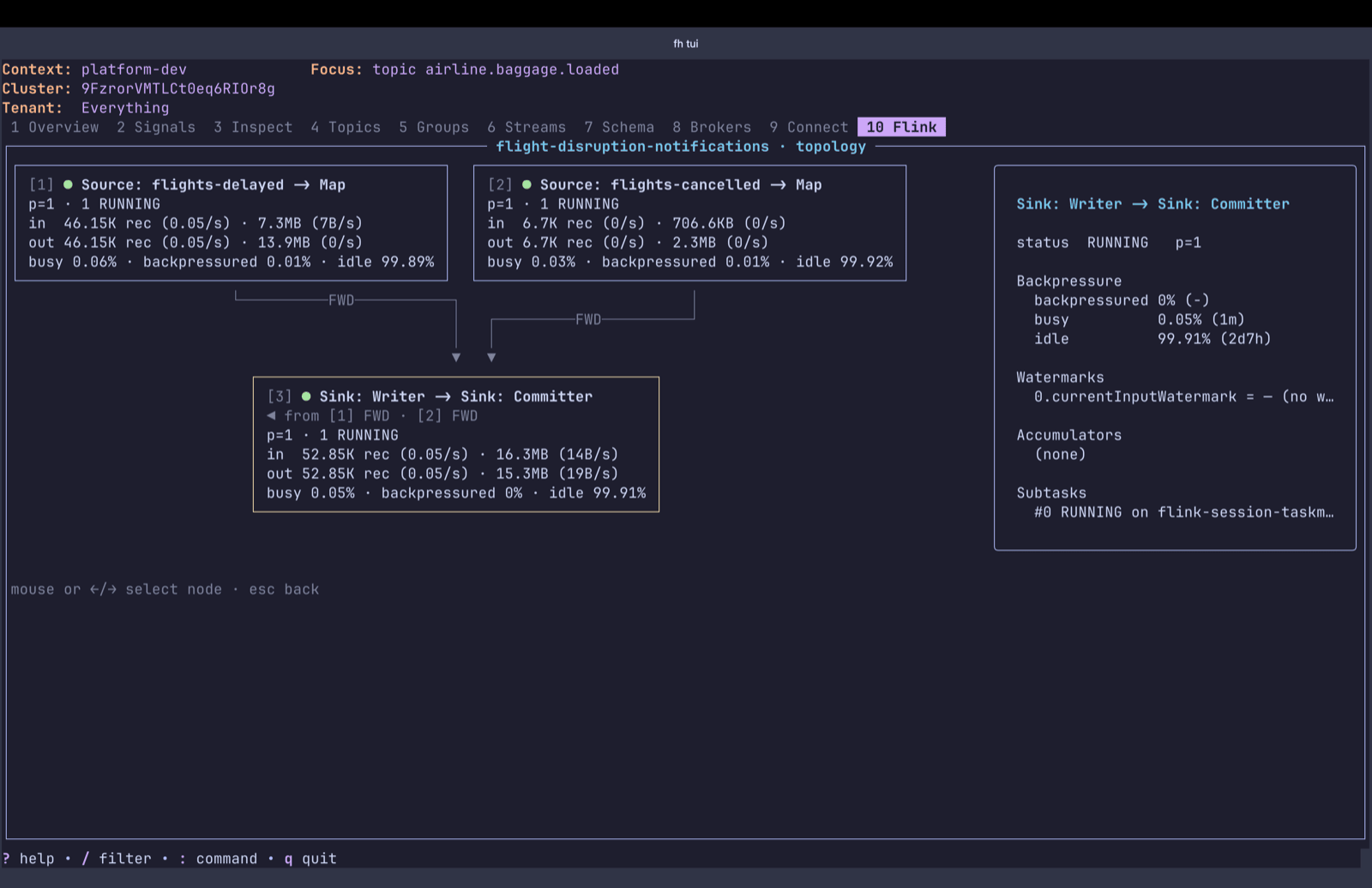
Restart a connector, just its failed tasks, or one task; pause, resume, stop or delete it; and read the stack trace of any failed task. For Flink jobs, stop with a savepoint, cancel, trigger a checkpoint or savepoint, and read the jobmanager and taskmanager logs, thread dumps and checkpoint history.
Sorting everywhere
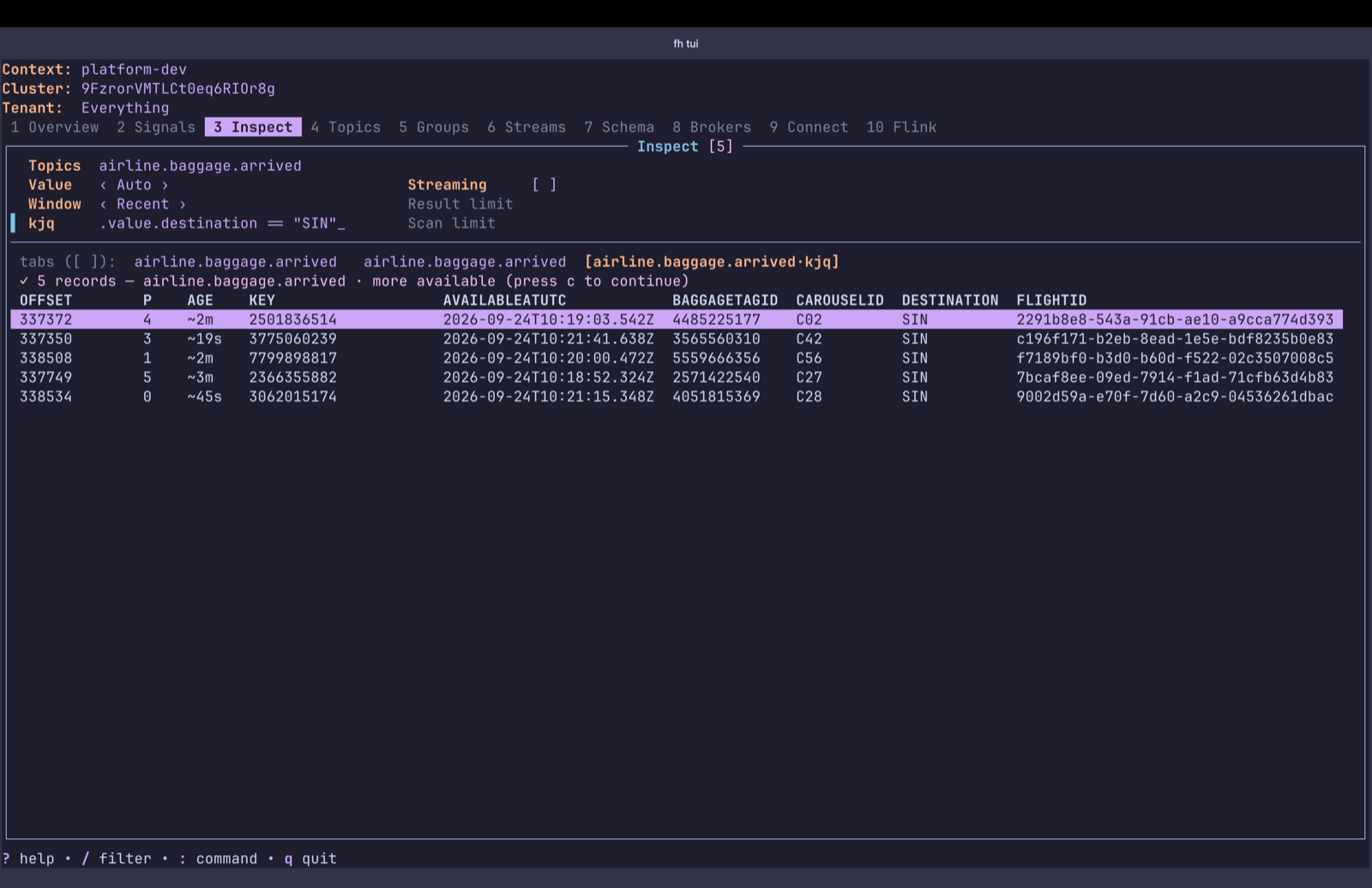
Every table sorts with ⇧ and the letter marked in its column header; the same letter again flips the order. That includes the broker list, ACLs, schema subjects and Inspect results, where value fields get their own letters.
Feedback is welcome at [email protected].
Changelog
- Added:
- Topic lineage:
enteron a topic shows the source connectors that write to it and the sink connectors, consumer groups and Kafka Streams apps that read it, with the topic's size, write rate, schema subjects and non-default configs across the top - Edit a topic's configuration from the Config tab, offering only valid values for each setting
- Skip one message for a consumer group stuck on a record it cannot process
- Kafka Connect: restart a connector, its failed tasks or one task; pause, resume, stop and delete connectors; view failed task stack traces
- Flink: stop with a savepoint, cancel, checkpoint and savepoint jobs; view jobmanager and taskmanager logs and thread dumps; view checkpoint history
- Sort with
⇧and the letter marked in each column header, on every table including brokers, ACLs, schema subjects and Inspect results (offset, age, timestamp, key and value fields) - Topics show last write and the count of under-replicated partitions
_hides topics and groups whose names start with an underscore, for the session- The mouse wheel scrolls lists, detail panes and graphs
- Topic lineage:
- Changed:
- Every TUI action goes over the Kpow socket, so it uses the tenant and cluster the TUI is on; switching tenant and creating a topic outside it now shows Kpow's tenancy error
qgoes back instead of quitting;ctrl+cquits- Schema subjects show topic, naming strategy and compatibility as separate columns
- Detail pages that repeated the row are gone