Developer
Knowledge Center
Empowering engineers with everything they need to build, monitor, and scale real-time data pipelines with confidence.

.webp)
Deploy Kpow on EKS via AWS Marketplace using Helm
Streamline your Kpow deployment on Amazon EKS with our guide, fully integrated with the AWS Marketplace. We use eksctl to automate IAM Roles for Service Accounts (IRSA), providing a secure integration for Kpow's licensing and metering. This allows your instance to handle license validation via AWS License Manager and report usage for hourly subscriptions, enabling a production-ready deployment with minimal configuration.
Overview
This guide provides a comprehensive walkthrough for deploying Kpow, a powerful toolkit for Apache Kafka, onto an Amazon EKS (Elastic Kubernetes Service) cluster. We will cover the entire process from start to finish, including provisioning the necessary AWS infrastructure, deploying a Kafka cluster using the Strimzi operator, and finally, installing Kpow using a subscription from the AWS Marketplace.
The guide demonstrates how to set up both Kpow Annual and Kpow Hourly products, highlighting the specific integration points with AWS services like IAM for service accounts, ECR for container images, and the AWS License Manager for the annual subscription. By the end of this tutorial, you will have a fully functional environment running Kpow on EKS, ready to monitor and manage your Kafka cluster.
The source code and configuration files used in this guide can be found in the features/eks-deployment folder of this GitHub repository.
About Factor House
Factor House is a leader in real-time data tooling, empowering engineers with innovative solutions for Apache Kafka® and Apache Flink®.
Our flagship product, Kpow for Apache Kafka, is the market-leading enterprise solution for Kafka management and monitoring.
Explore our live multi-cluster demo environment or grab a free Community license and dive into streaming tech on your laptop with Factor House Local.

Prerequisites
To follow along the guide, you need:
- CLI Tools:
- AWS Infrastructure:
- VPC: A Virtual Private Cloud (VPC) that has both public and private subnets is required.
- IAM Permissions: A user with the necessary IAM permissions to create an EKS cluster with a service account.
- Kpow Subscription:
- A subscription to a Kpow product through the AWS Marketplace is required. After subscribing, you will receive access to the necessary components and deployment instructions.
- The specifics of accessing the container images and Helm chart depend on the chosen Kpow product:
- Kpow Annual product:
- Subscribing to the annual product provides access to the ECR (Elastic Container Registry) image and the corresponding Helm chart.
- Kpow Hourly product:
- For the hourly product, access to the ECR image will be provided and deployment utilizes the public Factor House Helm repository for installation.
- Kpow Annual product:
Deploy an EKS cluster
We will use eksctl to provision an Amazon EKS cluster. The configuration for the cluster is defined in the manifests/eks/cluster.eksctl.yaml file within the repository.
Before creating the cluster, you must open this file and replace the placeholder values for <VPC-ID>, <PRIVATE-SUBNET-ID-* >, and <PUBLIC-SUBNET-ID-* > with your actual VPC and subnet IDs.
⚠️ The provided configuration assumes the EKS cluster will be deployed in theus-east-1region. If you intend to use a different region, you must update themetadata.regionfield and ensure the availability zone keys undervpc.subnets(e.g.,us-east-1a,us-east-1b) match the availability zones of the subnets in your chosen region.
Here is the content of the cluster.eksctl.yaml file:
apiVersion: eksctl.io/v1alpha5
kind: ClusterConfig
metadata:
name: fh-eks-cluster
region: us-east-1
vpc:
id: "<VPC-ID>"
subnets:
private:
us-east-1a:
id: "<PRIVATE-SUBNET-ID-1>"
us-east-1b:
id: "<PRIVATE-SUBNET-ID-2>"
public:
us-east-1a:
id: "<PUBLIC-SUBNET-ID-1>"
us-east-1b:
id: "<PUBLIC-SUBNET-ID-2>"
iam:
withOIDC: true
serviceAccounts:
- metadata:
name: kpow-annual
namespace: factorhouse
attachPolicyARNs:
- "arn:aws:iam::aws:policy/service-role/AWSLicenseManagerConsumptionPolicy"
- metadata:
name: kpow-hourly
namespace: factorhouse
attachPolicyARNs:
- "arn:aws:iam::aws:policy/AWSMarketplaceMeteringRegisterUsage"
nodeGroups:
- name: ng-dev
instanceType: t3.medium
desiredCapacity: 4
minSize: 2
maxSize: 6
privateNetworking: trueThis configuration sets up the following:
- Cluster Metadata: A cluster named
fh-eks-clusterin theus-east-1region. - VPC: Specifies an existing VPC and its public/private subnets where the cluster resources will be deployed.
- IAM with OIDC: Enables the IAM OIDC provider, which allows Kubernetes service accounts to be associated with IAM roles. This is crucial for granting AWS permissions to your pods.
- Service Accounts:
kpow-annual: Creates a service account for the Kpow Annual product. It attaches theAWSLicenseManagerConsumptionPolicy, allowing Kpow to validate its license with the AWS License Manager service.kpow-hourly: Creates a service account for the Kpow Hourly product. It attaches theAWSMarketplaceMeteringRegisterUsagepolicy, which is required for reporting usage metrics to the AWS Marketplace.
- Node Group: Defines a managed node group named
ng-devwitht3.mediuminstances. The worker nodes will be placed in the private subnets (privateNetworking: true).
Once you have updated the YAML file with your networking details, run the following command to create the cluster. This process can take 15-20 minutes to complete.
eksctl create cluster -f cluster.eksctl.yamlOnce the cluster is created, eksctl automatically updates your kubeconfig file (usually located at ~/.kube/config) with the new cluster's connection details. This allows you to start interacting with your cluster immediately using kubectl.
kubectl get nodes
# NAME STATUS ROLES AGE VERSION
# ip-192-168-...-21.ec2.internal Ready <none> 2m15s v1.32.9-eks-113cf36
# ...Launch a Kafka cluster
With the EKS cluster running, we will now launch an Apache Kafka cluster into it. We will use the Strimzi Kafka operator, which simplifies the process of running Kafka on Kubernetes.
Install the Strimzi operator
First, create a dedicated namespace for the Kafka cluster.
kubectl create namespace kafka
Next, download the Strimzi operator installation YAML. The repository already contains the file manifests/kafka/strimzi-cluster-operator-0.45.1.yaml, but the following commands show how it was downloaded and modified for this guide.
## Define the Strimzi version and download URL
STRIMZI_VERSION="0.45.1"
DOWNLOAD_URL=https://github.com/strimzi/strimzi-kafka-operator/releases/download/$STRIMZI_VERSION/strimzi-cluster-operator-$STRIMZI_VERSION.yaml
## Download the operator manifest
curl -L -o manifests/kafka/strimzi-cluster-operator-$STRIMZI_VERSION.yaml ${DOWNLOAD_URL}
## Modify the manifest to install the operator in the 'kafka' namespace
sed -i 's/namespace: .*/namespace: kafka/' manifests/kafka/strimzi-cluster-operator-$STRIMZI_VERSION.yamlNow, apply the manifest to install the Strimzi operator in your EKS cluster.
kubectl apply -f manifests/kafka/strimzi-cluster-operator-0.45.1.yaml -n kafkaDeploy a Kafka cluster
The configuration for our Kafka cluster is defined in manifests/kafka/kafka-cluster.yaml. It describes a simple, single-node cluster suitable for development, using ephemeral storage, meaning data will be lost if the pods restart.
apiVersion: kafka.strimzi.io/v1beta2
kind: Kafka
metadata:
name: fh-k8s-cluster
spec:
kafka:
version: 3.9.1
replicas: 1
listeners:
- name: plain
port: 9092
type: internal
tls: false
# ... (content truncated for brevity)Deploy the Kafka cluster with the following command:
kubectl create -f manifests/kafka/kafka-cluster.yaml -n kafkaVerify the deployment
After a few minutes, all the necessary pods and services for Kafka will be running. You can verify this by listing all resources in the kafka namespace.
kubectl get all -n kafka -o nameThe output should look similar to this, showing the pods for Strimzi, Kafka, Zookeeper, and the associated services. The most important service for connecting applications is the Kafka bootstrap service.
# pod/fh-k8s-cluster-entity-operator-...
# pod/fh-k8s-cluster-kafka-0
# ...
# service/fh-k8s-cluster-kafka-bootstrap <-- Kafka bootstrap service
# ...Deploy Kpow
Now that the EKS and Kafka clusters are running, we can deploy Kpow. This guide covers the deployment of both Kpow Annual and Kpow Hourly products. Both deployments will use a common set of configurations for connecting to Kafka and setting up authentication/authorization.
First, ensure you have a namespace for Kpow. The eksctl command we ran earlier already created the service accounts in the factorhouse namespace, so we will use that. If you hadn't created it, you would run kubectl create namespace factorhouse.
Create ConfigMaps
We will use two Kubernetes ConfigMaps to manage Kpow's configuration. This approach separates the core configuration from the Helm deployment values.
kpow-config-files: This ConfigMap holds file-based configurations, including RBAC policies, JAAS configuration, and user properties for authentication.kpow-config: This ConfigMap provides environment variables to the Kpow container, such as the Kafka bootstrap address and settings to enable our authentication provider.
The contents of these files can be found in the repository at manifests/kpow/config-files.yaml and manifests/kpow/config.yaml.
manifests/kpow/config-files.yaml
apiVersion: v1
kind: ConfigMap
metadata:
name: kpow-config-files
namespace: factorhouse
data:
hash-rbac.yml: |
# RBAC policies defining user roles and permissions
admin_roles:
- "kafka-admins"
# ... (content truncated for brevity)
hash-jaas.conf: |
# JAAS login module configuration
kpow {
org.eclipse.jetty.jaas.spi.PropertyFileLoginModule required
file="/etc/kpow/jaas/hash-realm.properties";
};
# ... (content truncated for brevity)
hash-realm.properties: |
# User credentials (username: password, roles)
# admin/admin
admin: CRYPT:adpexzg3FUZAk,server-administrators,content-administrators,kafka-admins
# user/password
user: password,kafka-users
# ... (content truncated for brevity)manifests/kpow/config.yaml
apiVersion: v1
kind: ConfigMap
metadata:
name: kpow-config
namespace: factorhouse
data:
# Environment Configuration
BOOTSTRAP: "fh-k8s-cluster-kafka-bootstrap.kafka.svc.cluster.local:9092"
REPLICATION_FACTOR: "1"
# AuthN + AuthZ
JAVA_TOOL_OPTIONS: "-Djava.awt.headless=true -Djava.security.auth.login.config=/etc/kpow/jaas/hash-jaas.conf"
AUTH_PROVIDER_TYPE: "jetty"
RBAC_CONFIGURATION_FILE: "/etc/kpow/rbac/hash-rbac.yml"Apply these manifests to create the ConfigMaps in the factorhouse namespace.
kubectl apply -f manifests/kpow/config-files.yaml \
-f manifests/kpow/config.yaml -n factorhouseYou can verify their creation by running:
kubectl get configmap -n factorhouse
# NAME DATA AGE
# kpow-config 5 ...
# kpow-config-files 3 ...Deploy Kpow Annual
Download the Helm chart
The Helm chart for Kpow Annual is in a private Amazon ECR repository. First, authenticate your Helm client.
# Enable Helm's experimental support for OCI registries
export HELM_EXPERIMENTAL_OCI=1
# Log in to the AWS Marketplace ECR registry
aws ecr get-login-password \
--region us-east-1 | helm registry login \
--username AWS \
--password-stdin 709825985650.dkr.ecr.us-east-1.amazonaws.comNext, pull and extract the chart.
# Create a directory, pull the chart, and extract it
mkdir -p awsmp-chart && cd awsmp-chart
# Pull the latest version of the Helm chart from ECR (add --version <x.x.x> to specify a version)
helm pull oci://709825985650.dkr.ecr.us-east-1.amazonaws.com/factor-house/kpow-aws-annual
tar xf $(pwd)/* && find $(pwd) -maxdepth 1 -type f -delete
cd ..Launch Kpow Annual
Now, install Kpow using Helm. We will reference the service account kpow-annual that was created during the EKS cluster setup, which has the required IAM policy for license management.
helm install kpow-annual ./awsmp-chart/kpow-aws-annual/ \
-n factorhouse \
--set serviceAccount.create=false \
--set serviceAccount.name=kpow-annual \
--values ./values/eks-annual.yamlThe Helm values for this deployment are in values/eks-annual.yaml. It mounts the configuration files from our ConfigMaps and sets resource limits.
# values/eks-annual.yaml
env:
ENVIRONMENT_NAME: "Kafka from Kpow Annual"
envFromConfigMap: "kpow-config"
volumeMounts:
- name: kpow-config-volumes
mountPath: /etc/kpow/rbac/hash-rbac.yml
subPath: hash-rbac.yml
- name: kpow-config-volumes
mountPath: /etc/kpow/jaas/hash-jaas.conf
subPath: hash-jaas.conf
- name: kpow-config-volumes
mountPath: /etc/kpow/jaas/hash-realm.properties
subPath: hash-realm.properties
volumes:
- name: kpow-config-volumes
configMap:
name: "kpow-config-files"
resources:
limits:
cpu: 1
memory: 0.5Gi
requests:
cpu: 1
memory: 0.5GiNote: The CPU and memory values are intentionally set low for this guide. For production environments, check the official documentation for recommended capacity.
Verify and access Kpow Annual
Check that the Kpow pod is running successfully.
kubectl get all -l app.kubernetes.io/instance=kpow-annual -n factorhouse
# NAME READY STATUS RESTARTS AGE
# pod/kpow-annual-kpow-aws-annual-c6bc849fb-zw5ww 0/1 Running 0 46s
# NAME TYPE CLUSTER-IP EXTERNAL-IP PORT(S) AGE
# service/kpow-annual-kpow-aws-annual ClusterIP 10.100.220.114 <none> 3000/TCP 47s
# ...To access the UI, forward the service port to your local machine.
kubectl -n factorhouse port-forward service/kpow-annual-kpow-aws-annual 3000:3000You can now access Kpow by navigating to http://localhost:3000 in your browser.

Deploy Kpow Hourly
Configure the Kpow Helm repository
The Helm chart for Kpow Hourly is available in the Factor House Helm repository. First, add the Helm repository.
helm repo add factorhouse https://charts.factorhouse.ioNext, update Helm repositories to ensure you install the latest version of Kpow.
helm repo updateLaunch Kpow Hourly
Install Kpow using Helm, referencing the kpow-hourly service account which has the IAM policy for marketplace metering.
helm install kpow-hourly factorhouse/kpow-aws-hourly \
-n factorhouse \
--set serviceAccount.create=false \
--set serviceAccount.name=kpow-hourly \
--values ./values/eks-hourly.yamlThe Helm values are defined in values/eks-hourly.yaml.
# values/eks-hourly.yaml
env:
ENVIRONMENT_NAME: "Kafka from Kpow Hourly"
envFromConfigMap: "kpow-config"
volumeMounts:
# ... (volume configuration is the same as annual)
volumes:
# ...
resources:
# ...Verify and access Kpow Hourly
Check that the Kpow pod is running.
kubectl get all -l app.kubernetes.io/instance=kpow-hourly -n factorhouse
# NAME READY STATUS RESTARTS AGE
# pod/kpow-hourly-kpow-aws-hourly-68869b6cb9-x9prf 0/1 Running 0 83s
# NAME TYPE CLUSTER-IP EXTERNAL-IP PORT(S) AGE
# service/kpow-hourly-kpow-aws-hourly ClusterIP 10.100.221.36 <none> 3000/TCP 85s
# ...To access the UI, forward the service port to a different local port (e.g., 3001) to avoid conflicts.
kubectl -n factorhouse port-forward service/kpow-hourly-kpow-aws-hourly 3001:3000You can now access Kpow by navigating to http://localhost:3001 in your browser.

Delete resources
To avoid ongoing AWS charges, clean up all created resources in reverse order.
Delete Kpow and ConfigMaps
helm uninstall kpow-annual kpow-hourly -n factorhouse
kubectl delete -f manifests/kpow/config-files.yaml \
-f manifests/kpow/config.yaml -n factorhouseDelete the Kafka cluster and Strimzi operator
STRIMZI_VERSION="0.45.1"
kubectl delete -f manifests/kafka/kafka-cluster.yaml -n kafka
kubectl delete -f manifests/kafka/strimzi-cluster-operator-$STRIMZI_VERSION.yaml -n kafkaDelete the EKS cluster
This command will remove the cluster and all associated resources.
eksctl delete cluster -f manifests/eks/cluster.eksctl.yamlConclusion
In this guide, we have successfully deployed a complete, production-ready environment for monitoring Apache Kafka on AWS. By leveraging eksctl, we provisioned a robust EKS cluster with correctly configured IAM roles for service accounts, a critical step for secure integration with AWS services. We then deployed a Kafka cluster using the Strimzi operator, demonstrating the power of Kubernetes operators in simplifying complex stateful applications.
Finally, we walked through the deployment of both Kpow Annual and Kpow Hourly from the AWS Marketplace. This showcased the flexibility of Kpow's subscription models and their seamless integration with AWS for licensing and metering. You are now equipped with the knowledge to set up, configure, and manage Kpow on EKS, unlocking powerful insights and operational control over your Kafka ecosystem.
Highlights
Heading 1
Heading 2
Heading 3
Heading 4
Heading 5
Heading 6
Lorem ipsum dolor sit amet, consectetur adipiscing elit, sed do eiusmod tempor incididunt ut labore et dolore magna aliqua. Ut enim ad minim veniam, quis nostrud exercitation ullamco laboris nisi ut aliquip ex ea commodo consequat. Duis aute irure dolor in reprehenderit in voluptate velit esse cillum dolore eu fugiat nulla pariatur.
Block quote
Ordered list
- Item 1
- Item 2
- Item 3
Unordered list
- Item A
- Item B
- Item C
Bold text
Emphasis
Superscript
Subscript
.webp)
Deploy Kpow on EKS via AWS Marketplace using Helm
Streamline your Kpow deployment on Amazon EKS with our guide, fully integrated with the AWS Marketplace. We use eksctl to automate IAM Roles for Service Accounts (IRSA), providing a secure integration for Kpow's licensing and metering. This allows your instance to handle license validation via AWS License Manager and report usage for hourly subscriptions, enabling a production-ready deployment with minimal configuration.
Overview
This guide provides a comprehensive walkthrough for deploying Kpow, a powerful toolkit for Apache Kafka, onto an Amazon EKS (Elastic Kubernetes Service) cluster. We will cover the entire process from start to finish, including provisioning the necessary AWS infrastructure, deploying a Kafka cluster using the Strimzi operator, and finally, installing Kpow using a subscription from the AWS Marketplace.
The guide demonstrates how to set up both Kpow Annual and Kpow Hourly products, highlighting the specific integration points with AWS services like IAM for service accounts, ECR for container images, and the AWS License Manager for the annual subscription. By the end of this tutorial, you will have a fully functional environment running Kpow on EKS, ready to monitor and manage your Kafka cluster.
The source code and configuration files used in this guide can be found in the features/eks-deployment folder of this GitHub repository.
About Factor House
Factor House is a leader in real-time data tooling, empowering engineers with innovative solutions for Apache Kafka® and Apache Flink®.
Our flagship product, Kpow for Apache Kafka, is the market-leading enterprise solution for Kafka management and monitoring.
Explore our live multi-cluster demo environment or grab a free Community license and dive into streaming tech on your laptop with Factor House Local.

Prerequisites
To follow along the guide, you need:
- CLI Tools:
- AWS Infrastructure:
- VPC: A Virtual Private Cloud (VPC) that has both public and private subnets is required.
- IAM Permissions: A user with the necessary IAM permissions to create an EKS cluster with a service account.
- Kpow Subscription:
- A subscription to a Kpow product through the AWS Marketplace is required. After subscribing, you will receive access to the necessary components and deployment instructions.
- The specifics of accessing the container images and Helm chart depend on the chosen Kpow product:
- Kpow Annual product:
- Subscribing to the annual product provides access to the ECR (Elastic Container Registry) image and the corresponding Helm chart.
- Kpow Hourly product:
- For the hourly product, access to the ECR image will be provided and deployment utilizes the public Factor House Helm repository for installation.
- Kpow Annual product:
Deploy an EKS cluster
We will use eksctl to provision an Amazon EKS cluster. The configuration for the cluster is defined in the manifests/eks/cluster.eksctl.yaml file within the repository.
Before creating the cluster, you must open this file and replace the placeholder values for <VPC-ID>, <PRIVATE-SUBNET-ID-* >, and <PUBLIC-SUBNET-ID-* > with your actual VPC and subnet IDs.
⚠️ The provided configuration assumes the EKS cluster will be deployed in theus-east-1region. If you intend to use a different region, you must update themetadata.regionfield and ensure the availability zone keys undervpc.subnets(e.g.,us-east-1a,us-east-1b) match the availability zones of the subnets in your chosen region.
Here is the content of the cluster.eksctl.yaml file:
apiVersion: eksctl.io/v1alpha5
kind: ClusterConfig
metadata:
name: fh-eks-cluster
region: us-east-1
vpc:
id: "<VPC-ID>"
subnets:
private:
us-east-1a:
id: "<PRIVATE-SUBNET-ID-1>"
us-east-1b:
id: "<PRIVATE-SUBNET-ID-2>"
public:
us-east-1a:
id: "<PUBLIC-SUBNET-ID-1>"
us-east-1b:
id: "<PUBLIC-SUBNET-ID-2>"
iam:
withOIDC: true
serviceAccounts:
- metadata:
name: kpow-annual
namespace: factorhouse
attachPolicyARNs:
- "arn:aws:iam::aws:policy/service-role/AWSLicenseManagerConsumptionPolicy"
- metadata:
name: kpow-hourly
namespace: factorhouse
attachPolicyARNs:
- "arn:aws:iam::aws:policy/AWSMarketplaceMeteringRegisterUsage"
nodeGroups:
- name: ng-dev
instanceType: t3.medium
desiredCapacity: 4
minSize: 2
maxSize: 6
privateNetworking: trueThis configuration sets up the following:
- Cluster Metadata: A cluster named
fh-eks-clusterin theus-east-1region. - VPC: Specifies an existing VPC and its public/private subnets where the cluster resources will be deployed.
- IAM with OIDC: Enables the IAM OIDC provider, which allows Kubernetes service accounts to be associated with IAM roles. This is crucial for granting AWS permissions to your pods.
- Service Accounts:
kpow-annual: Creates a service account for the Kpow Annual product. It attaches theAWSLicenseManagerConsumptionPolicy, allowing Kpow to validate its license with the AWS License Manager service.kpow-hourly: Creates a service account for the Kpow Hourly product. It attaches theAWSMarketplaceMeteringRegisterUsagepolicy, which is required for reporting usage metrics to the AWS Marketplace.
- Node Group: Defines a managed node group named
ng-devwitht3.mediuminstances. The worker nodes will be placed in the private subnets (privateNetworking: true).
Once you have updated the YAML file with your networking details, run the following command to create the cluster. This process can take 15-20 minutes to complete.
eksctl create cluster -f cluster.eksctl.yamlOnce the cluster is created, eksctl automatically updates your kubeconfig file (usually located at ~/.kube/config) with the new cluster's connection details. This allows you to start interacting with your cluster immediately using kubectl.
kubectl get nodes
# NAME STATUS ROLES AGE VERSION
# ip-192-168-...-21.ec2.internal Ready <none> 2m15s v1.32.9-eks-113cf36
# ...Launch a Kafka cluster
With the EKS cluster running, we will now launch an Apache Kafka cluster into it. We will use the Strimzi Kafka operator, which simplifies the process of running Kafka on Kubernetes.
Install the Strimzi operator
First, create a dedicated namespace for the Kafka cluster.
kubectl create namespace kafka
Next, download the Strimzi operator installation YAML. The repository already contains the file manifests/kafka/strimzi-cluster-operator-0.45.1.yaml, but the following commands show how it was downloaded and modified for this guide.
## Define the Strimzi version and download URL
STRIMZI_VERSION="0.45.1"
DOWNLOAD_URL=https://github.com/strimzi/strimzi-kafka-operator/releases/download/$STRIMZI_VERSION/strimzi-cluster-operator-$STRIMZI_VERSION.yaml
## Download the operator manifest
curl -L -o manifests/kafka/strimzi-cluster-operator-$STRIMZI_VERSION.yaml ${DOWNLOAD_URL}
## Modify the manifest to install the operator in the 'kafka' namespace
sed -i 's/namespace: .*/namespace: kafka/' manifests/kafka/strimzi-cluster-operator-$STRIMZI_VERSION.yamlNow, apply the manifest to install the Strimzi operator in your EKS cluster.
kubectl apply -f manifests/kafka/strimzi-cluster-operator-0.45.1.yaml -n kafkaDeploy a Kafka cluster
The configuration for our Kafka cluster is defined in manifests/kafka/kafka-cluster.yaml. It describes a simple, single-node cluster suitable for development, using ephemeral storage, meaning data will be lost if the pods restart.
apiVersion: kafka.strimzi.io/v1beta2
kind: Kafka
metadata:
name: fh-k8s-cluster
spec:
kafka:
version: 3.9.1
replicas: 1
listeners:
- name: plain
port: 9092
type: internal
tls: false
# ... (content truncated for brevity)Deploy the Kafka cluster with the following command:
kubectl create -f manifests/kafka/kafka-cluster.yaml -n kafkaVerify the deployment
After a few minutes, all the necessary pods and services for Kafka will be running. You can verify this by listing all resources in the kafka namespace.
kubectl get all -n kafka -o nameThe output should look similar to this, showing the pods for Strimzi, Kafka, Zookeeper, and the associated services. The most important service for connecting applications is the Kafka bootstrap service.
# pod/fh-k8s-cluster-entity-operator-...
# pod/fh-k8s-cluster-kafka-0
# ...
# service/fh-k8s-cluster-kafka-bootstrap <-- Kafka bootstrap service
# ...Deploy Kpow
Now that the EKS and Kafka clusters are running, we can deploy Kpow. This guide covers the deployment of both Kpow Annual and Kpow Hourly products. Both deployments will use a common set of configurations for connecting to Kafka and setting up authentication/authorization.
First, ensure you have a namespace for Kpow. The eksctl command we ran earlier already created the service accounts in the factorhouse namespace, so we will use that. If you hadn't created it, you would run kubectl create namespace factorhouse.
Create ConfigMaps
We will use two Kubernetes ConfigMaps to manage Kpow's configuration. This approach separates the core configuration from the Helm deployment values.
kpow-config-files: This ConfigMap holds file-based configurations, including RBAC policies, JAAS configuration, and user properties for authentication.kpow-config: This ConfigMap provides environment variables to the Kpow container, such as the Kafka bootstrap address and settings to enable our authentication provider.
The contents of these files can be found in the repository at manifests/kpow/config-files.yaml and manifests/kpow/config.yaml.
manifests/kpow/config-files.yaml
apiVersion: v1
kind: ConfigMap
metadata:
name: kpow-config-files
namespace: factorhouse
data:
hash-rbac.yml: |
# RBAC policies defining user roles and permissions
admin_roles:
- "kafka-admins"
# ... (content truncated for brevity)
hash-jaas.conf: |
# JAAS login module configuration
kpow {
org.eclipse.jetty.jaas.spi.PropertyFileLoginModule required
file="/etc/kpow/jaas/hash-realm.properties";
};
# ... (content truncated for brevity)
hash-realm.properties: |
# User credentials (username: password, roles)
# admin/admin
admin: CRYPT:adpexzg3FUZAk,server-administrators,content-administrators,kafka-admins
# user/password
user: password,kafka-users
# ... (content truncated for brevity)manifests/kpow/config.yaml
apiVersion: v1
kind: ConfigMap
metadata:
name: kpow-config
namespace: factorhouse
data:
# Environment Configuration
BOOTSTRAP: "fh-k8s-cluster-kafka-bootstrap.kafka.svc.cluster.local:9092"
REPLICATION_FACTOR: "1"
# AuthN + AuthZ
JAVA_TOOL_OPTIONS: "-Djava.awt.headless=true -Djava.security.auth.login.config=/etc/kpow/jaas/hash-jaas.conf"
AUTH_PROVIDER_TYPE: "jetty"
RBAC_CONFIGURATION_FILE: "/etc/kpow/rbac/hash-rbac.yml"Apply these manifests to create the ConfigMaps in the factorhouse namespace.
kubectl apply -f manifests/kpow/config-files.yaml \
-f manifests/kpow/config.yaml -n factorhouseYou can verify their creation by running:
kubectl get configmap -n factorhouse
# NAME DATA AGE
# kpow-config 5 ...
# kpow-config-files 3 ...Deploy Kpow Annual
Download the Helm chart
The Helm chart for Kpow Annual is in a private Amazon ECR repository. First, authenticate your Helm client.
# Enable Helm's experimental support for OCI registries
export HELM_EXPERIMENTAL_OCI=1
# Log in to the AWS Marketplace ECR registry
aws ecr get-login-password \
--region us-east-1 | helm registry login \
--username AWS \
--password-stdin 709825985650.dkr.ecr.us-east-1.amazonaws.comNext, pull and extract the chart.
# Create a directory, pull the chart, and extract it
mkdir -p awsmp-chart && cd awsmp-chart
# Pull the latest version of the Helm chart from ECR (add --version <x.x.x> to specify a version)
helm pull oci://709825985650.dkr.ecr.us-east-1.amazonaws.com/factor-house/kpow-aws-annual
tar xf $(pwd)/* && find $(pwd) -maxdepth 1 -type f -delete
cd ..Launch Kpow Annual
Now, install Kpow using Helm. We will reference the service account kpow-annual that was created during the EKS cluster setup, which has the required IAM policy for license management.
helm install kpow-annual ./awsmp-chart/kpow-aws-annual/ \
-n factorhouse \
--set serviceAccount.create=false \
--set serviceAccount.name=kpow-annual \
--values ./values/eks-annual.yamlThe Helm values for this deployment are in values/eks-annual.yaml. It mounts the configuration files from our ConfigMaps and sets resource limits.
# values/eks-annual.yaml
env:
ENVIRONMENT_NAME: "Kafka from Kpow Annual"
envFromConfigMap: "kpow-config"
volumeMounts:
- name: kpow-config-volumes
mountPath: /etc/kpow/rbac/hash-rbac.yml
subPath: hash-rbac.yml
- name: kpow-config-volumes
mountPath: /etc/kpow/jaas/hash-jaas.conf
subPath: hash-jaas.conf
- name: kpow-config-volumes
mountPath: /etc/kpow/jaas/hash-realm.properties
subPath: hash-realm.properties
volumes:
- name: kpow-config-volumes
configMap:
name: "kpow-config-files"
resources:
limits:
cpu: 1
memory: 0.5Gi
requests:
cpu: 1
memory: 0.5GiNote: The CPU and memory values are intentionally set low for this guide. For production environments, check the official documentation for recommended capacity.
Verify and access Kpow Annual
Check that the Kpow pod is running successfully.
kubectl get all -l app.kubernetes.io/instance=kpow-annual -n factorhouse
# NAME READY STATUS RESTARTS AGE
# pod/kpow-annual-kpow-aws-annual-c6bc849fb-zw5ww 0/1 Running 0 46s
# NAME TYPE CLUSTER-IP EXTERNAL-IP PORT(S) AGE
# service/kpow-annual-kpow-aws-annual ClusterIP 10.100.220.114 <none> 3000/TCP 47s
# ...To access the UI, forward the service port to your local machine.
kubectl -n factorhouse port-forward service/kpow-annual-kpow-aws-annual 3000:3000You can now access Kpow by navigating to http://localhost:3000 in your browser.

Deploy Kpow Hourly
Configure the Kpow Helm repository
The Helm chart for Kpow Hourly is available in the Factor House Helm repository. First, add the Helm repository.
helm repo add factorhouse https://charts.factorhouse.ioNext, update Helm repositories to ensure you install the latest version of Kpow.
helm repo updateLaunch Kpow Hourly
Install Kpow using Helm, referencing the kpow-hourly service account which has the IAM policy for marketplace metering.
helm install kpow-hourly factorhouse/kpow-aws-hourly \
-n factorhouse \
--set serviceAccount.create=false \
--set serviceAccount.name=kpow-hourly \
--values ./values/eks-hourly.yamlThe Helm values are defined in values/eks-hourly.yaml.
# values/eks-hourly.yaml
env:
ENVIRONMENT_NAME: "Kafka from Kpow Hourly"
envFromConfigMap: "kpow-config"
volumeMounts:
# ... (volume configuration is the same as annual)
volumes:
# ...
resources:
# ...Verify and access Kpow Hourly
Check that the Kpow pod is running.
kubectl get all -l app.kubernetes.io/instance=kpow-hourly -n factorhouse
# NAME READY STATUS RESTARTS AGE
# pod/kpow-hourly-kpow-aws-hourly-68869b6cb9-x9prf 0/1 Running 0 83s
# NAME TYPE CLUSTER-IP EXTERNAL-IP PORT(S) AGE
# service/kpow-hourly-kpow-aws-hourly ClusterIP 10.100.221.36 <none> 3000/TCP 85s
# ...To access the UI, forward the service port to a different local port (e.g., 3001) to avoid conflicts.
kubectl -n factorhouse port-forward service/kpow-hourly-kpow-aws-hourly 3001:3000You can now access Kpow by navigating to http://localhost:3001 in your browser.

Delete resources
To avoid ongoing AWS charges, clean up all created resources in reverse order.
Delete Kpow and ConfigMaps
helm uninstall kpow-annual kpow-hourly -n factorhouse
kubectl delete -f manifests/kpow/config-files.yaml \
-f manifests/kpow/config.yaml -n factorhouseDelete the Kafka cluster and Strimzi operator
STRIMZI_VERSION="0.45.1"
kubectl delete -f manifests/kafka/kafka-cluster.yaml -n kafka
kubectl delete -f manifests/kafka/strimzi-cluster-operator-$STRIMZI_VERSION.yaml -n kafkaDelete the EKS cluster
This command will remove the cluster and all associated resources.
eksctl delete cluster -f manifests/eks/cluster.eksctl.yamlConclusion
In this guide, we have successfully deployed a complete, production-ready environment for monitoring Apache Kafka on AWS. By leveraging eksctl, we provisioned a robust EKS cluster with correctly configured IAM roles for service accounts, a critical step for secure integration with AWS services. We then deployed a Kafka cluster using the Strimzi operator, demonstrating the power of Kubernetes operators in simplifying complex stateful applications.
Finally, we walked through the deployment of both Kpow Annual and Kpow Hourly from the AWS Marketplace. This showcased the flexibility of Kpow's subscription models and their seamless integration with AWS for licensing and metering. You are now equipped with the knowledge to set up, configure, and manage Kpow on EKS, unlocking powerful insights and operational control over your Kafka ecosystem.
Heading 1
Heading 2
Heading 3
Heading 4
Heading 5
Heading 6
Lorem ipsum dolor sit amet, consectetur adipiscing elit, sed do eiusmod tempor incididunt ut labore et dolore magna aliqua. Ut enim ad minim veniam, quis nostrud exercitation ullamco laboris nisi ut aliquip ex ea commodo consequat. Duis aute irure dolor in reprehenderit in voluptate velit esse cillum dolore eu fugiat nulla pariatur.
Block quote
Ordered list
- Item 1
- Item 2
- Item 3
Unordered list
- Item A
- Item B
- Item C
Bold text
Emphasis
Superscript
Subscript

Release 94.6: Factor Platform, Ververica Integration, and kJQ Enhancements
The first Factor Platform release candidate is here, a major milestone toward a unified control plane for real-time data streaming technologies. This release also introduces Ververica Platform integration in Flex, plus support for Kafka Clients 4.1 / Confluent 8.0.0 and new kJQ operators for richer stream inspection.
Factor Platform release candidate: Early access to unified streaming control
For organisations operating streaming at scale, the challenge has never been about any one technology. It's about managing complexity across regions, tools, and teams while maintaining governance, performance, and cost control.
We've spent years building tools that bring clarity to Apache Kafka and Apache Flink. Now, we're taking everything we've learned and building something bigger: Factor Platform, a unified control plane for real-time data infrastructure.
Factor Platform delivers complete visibility and federated control across hundreds of clusters, multiple clouds, and distributed teams from a single interface. Engineers gain deep operational insight into jobs, topics, and lineage. Business and compliance teams benefit from native catalogs, FinOps intelligence, and audit-ready transparency.
The first release candidate is live. It's designed for early adopters exploring large-scale, persistent streaming environments, and it's ready to be shaped by the teams who use it.
Interested in early access? Contact sales@factorhouse.io

Unlocking native Flink management with Ververica Platform
Our collaboration with Ververica (the original creators of Apache Flink), enters a new phase with the introduction of Flex + Ververica Platform integration. This brings Flink’s enterprise management and observability capabilities directly into the Factor House ecosystem.
Flex users can now connect to Ververica Platform (Community or Enterprise v2) and instantly visualize session clusters, job deployments, and runtime performance. The current release provides a snapshot view of Ververica resources at startup, with live synchronization planned for future updates. It's a huge step toward true end-to-end streaming visibility—from data ingestion, to transformation, to delivery.
Configuration is straightforward: point to your Ververica REST API, authenticate via secure token, and your Flink environments appear right alongside your clusters.
This release represents just the beginning of our partnership with Ververica. Together, we’re exploring deeper integrations across the Flink ecosystem, including OpenShift and Amazon Managed Service for Apache Flink, to make enterprise-scale stream processing simpler and more powerful.
Read the full Ververica Platform integration guide →
Advancing Kafka support with Kafka Clients 4.1.0 and Confluent Schema SerDes 8.0.0
We’ve upgraded to Kafka Clients 4.1.0 / Confluent Schema SerDes 8.0.0, aligning Kpow with the latest Kafka ecosystem updates. Teams using custom Protobuf Serdes should review potential compatibility changes.
Data Inspect gets more powerful with kJQ enhancements
Data Inspect in Kpow has been upgraded with improvements to kJQ, our lightweight JSON query language for streaming data. The new release introduces map() and select() functions, expanding the expressive power of kJQ for working with nested and dynamic data. These additions make it possible to iterate over collections, filter elements based on complex conditions, and compose advanced data quality or anomaly detection filters directly in the browser. Users can now extract specific values from arrays, filter deeply nested structures, and chain logic with built-in functions like contains, test, and is-empty.
For example, you can now write queries like:
.value.correctingProperty.names | map(.localeLanguageCode) | contains("pt")Or filter and validate nested collections:
.value.names | map(select(.languageCode == "pt-Pt")) | is-empty | notThese updates make Data Inspect far more powerful for real-time debugging, validation, and exploratory data analysis. Explore the full range of examples and interactive demos in the kJQ documentation.
See map() and select() in action in the kJQ Playground →
Schema Registry performance improvements
We’ve greatly improved Schema Registry performance for large installations. The observation process now cuts down on the number of REST calls each schema observation makes by an order of magnitude. Kpow now defaults to SCHEMA_REGISTRY_OBSERVATION_VERSION=2, meaning all customers automatically benefit from these performance boosts.
.webp)
Kpow Custom Serdes and Protobuf v4.31.1
This post explains an update in the version of protobuf libraries used by Kpow, and a possible compatibility impact this update may cause to user defined Custom Serdes.
Kpow Custom Serdes and Protobuf v4.31.1
Note: The potential compatibility issues described in this post only impacts users who have implemented Custom Serdes that contain generated protobuf classes.
Resolution: If you encounter these compatibility issues, resolve them by re-generating any generated protobuf classes with protoc v31.1.
In the upcoming v94.6 release of Kpow, we're updating all Confluent Serdes dependencies to the latest major version 8.0.1.
In io.confluent/kafka-protobuf-serializer:8.0.1 the protobuf version is advanced from 3.25.5 to 4.31.1, and so the version of protobuf used by Kpow changes.
- Confluent protobuf upgrade PR: https://github.com/confluentinc/schema-registry/pull/3569
- Related Github issue: https://github.com/confluentinc/schema-registry/issues/3047
This is a major upgrade of the underlying protobuf libraries, and there are some breaking changes related to generated code.
Protobuf 3.26.6 introduces a breaking change that fails at runtime (deliberately) if the makeExtensionsImmutable method is called as part of generated protobuf code.
The decision to break at runtime was taken because earlier versions of protobuf were found to be vulnerable to the footmitten CVE.
- Protobuf footmitten CVE and breaking change announcement: https://protobuf.dev/news/2025-01-23/
- Apache protobuf discussion thread: https://lists.apache.org/thread/87osjw051xnx5l5v50dt3t81yfjxygwr
- Comment on a Schema Registry ticket: https://github.com/confluentinc/schema-registry/issues/3360
We found that when we advanced to the 8.0.1 version of the libraries; we encountered issues with some test classes generated by 3.x protobuf libraries.
Compilation issues:
Compiling 14 source files to /home/runner/work/core/core/target/kpow-enterprise/classes
/home/runner/work/core/core/modules/kpow/src-java-dev/factorhouse/serdes/MyRecordOuterClass.java:129: error: cannot find symbol
makeExtensionsImmutable();
^
symbol: method makeExtensionsImmutable()
location: class MyRecordRuntime issues:
Bad type on operand stack
Exception Details:
Location:
io/confluent/kafka/schemaregistry/protobuf/ProtobufSchema.toMessage(Lcom/google/protobuf/DescriptorProtos$FileDescriptorProto;Lcom/google/protobuf/DescriptorProtos$DescriptorProto;)Lcom/squareup/wire/schema/internal/parser/MessageElement; : invokestatic
Reason:
Type 'com/google/protobuf/DescriptorProtos$MessageOptions' (current frame, stack[1]) is not assignable to 'com/google/protobuf/GeneratedMessage$ExtendableMessage'
Current Frame:
bci:
flags: { }
locals: { 'com/google/protobuf/DescriptorProtos$FileDescriptorProto', 'com/google/protobuf/DescriptorProtos$DescriptorProto', 'java/lang/String', 'com/google/common/collect/ImmutableList$Builder', 'com/google/common/collect/ImmutableList$Builder', 'com/google/common/collect/ImmutableList$Builder', 'com/google/common/collect/ImmutableList$Builder', 'java/util/LinkedHashMap', 'java/util/LinkedHashMap', 'java/util/List', 'com/google/common/collect/ImmutableList$Builder' }
stack: { 'com/google/common/collect/ImmutableList$Builder', 'com/google/protobuf/DescriptorProtos$MessageOptions' }
Bytecode:
0000000: 2bb6 0334 4db2 0072 1303 352c b903 3703
0000010: 00b8 0159 4eb8 0159 3a04 b801 593a 05b8
0000020: 0159 3a06 bb02 8959 b702 8b3a 07bb 0289If you encounter these compatibility issues, resolve them by re-generating any generated protobuf classes with protoc v31.1.
Heading 1
Heading 2
Heading 3
Heading 4
Heading 5
Heading 6
Lorem ipsum dolor sit amet, consectetur adipiscing elit, sed do eiusmod tempor incididunt ut labore et dolore magna aliqua. Ut enim ad minim veniam, quis nostrud exercitation ullamco laboris nisi ut aliquip ex ea commodo consequat. Duis aute irure dolor in reprehenderit in voluptate velit esse cillum dolore eu fugiat nulla pariatur.
Block quote
Ordered list
- Item 1
- Item 2
- Item 3
Unordered list
- Item A
- Item B
- Item C
Bold text
Emphasis
Superscript
Subscript
All Resources
Heading 1
Heading 2
Heading 3
Heading 4
Heading 5
Heading 6
Lorem ipsum dolor sit amet, consectetur adipiscing elit, sed do eiusmod tempor incididunt ut labore et dolore magna aliqua. Ut enim ad minim veniam, quis nostrud exercitation ullamco laboris nisi ut aliquip ex ea commodo consequat. Duis aute irure dolor in reprehenderit in voluptate velit esse cillum dolore eu fugiat nulla pariatur.
Block quote
Ordered list
- Item 1
- Item 2
- Item 3
Unordered list
- Item A
- Item B
- Item C
Bold text
Emphasis
Superscript
Subscript
.webp)
Set Up Kpow with Google Cloud Managed Service for Apache Kafka
A practical, step-by-step guide on setting up a Google Cloud Managed Service for Apache Kafka cluster and connecting it from Kpow using the OAUTHBEARER mechanism.
Overview
Apache Kafka is a cornerstone for many real-time data pipelines, but managing its infrastructure can be complex.
Google Cloud Managed Service for Apache Kafka offers a fully managed solution, simplifying deployment and operations, however effective monitoring and management remain crucial for ensuring the health and performance of Kafka clusters.
This article provides a practical, step-by-step guide on setting up a Google Cloud Managed Service for Apache Kafka cluster and connecting it from Kpow using the OAUTHBEARER mechanism. We will walk through creating the necessary GCP resources, configuring a client virtual machine, and deploying a Kpow instance using Docker to demonstrate examples of monitoring and managing Kafka brokers and topics.
About Factor House
Factor House is a leader in real-time data tooling, empowering engineers with innovative solutions for Apache Kafka® and Apache Flink®.
Our flagship product, Kpow for Apache Kafka, is the market-leading enterprise solution for Kafka management and monitoring.
Explore our live multi-cluster demo environment or grab a free Community license and dive into streaming tech on your laptop with Factor House Local.

Create a Managed Kafka Cluster
We create GCP resources using the gcloud CLI. Once it is initialised, we should enable the Managed Kafka, Compute Engine, and Cloud DNS APIs as prerequisites.
gcloud services enable managedkafka.googleapis.com compute.googleapis.com dns.googleapis.comTo create a Managed Service for Apache Kafka cluster, we can use the gcloud managed-kafka clusters create command by specifying the cluster ID, location, number of vCPUs (cpu), RAM (memory), and subnets.
export CLUSTER_ID=<cluster-id>
export PROJECT_ID=<gcp-project-id>
export PROJECT_NUMBER=<gcp-project-number>
export REGION=<gcp-region>
gcloud managed-kafka clusters create $CLUSTER_ID \
--location=$REGION \
--cpu=3 \
--memory=3GiB \
--subnets=projects/$PROJECT_ID/regions/$REGION/subnetworks/default \
--asyncSet up a client VM
To connect to the Kafka cluster, Kpow must run on a machine with network access to it. In this setup, we use a Google Cloud Compute Engine virtual machine (VM). The VM must be located in the same region as the Kafka cluster and deployed within the same VPC and subnet specified during the cluster's configuration. We can create the client VM using the command shown below. We also attach the http-server tag to the VM, which allows HTTP traffic and enables browser access to the Kpow instance.
gcloud compute instances create kafka-test-instance \
--scopes=https://www.googleapis.com/auth/cloud-platform \
--tags=http-server \
--subnet=projects/$PROJECT_ID/regions/$REGION/subnetworks/default \
--zone=$REGION-aAlso, we need to update the permissions of the default service account used by the client VM. To ensure that the Kpow instance running on the VM has full access to Managed Service for Apache Kafka resources, bind the predefined admin role (roles/managedkafka.admin) to the service account. This grants Kpow the necessary administrative privileges. For more fine-grained access control within a Kafka cluster, it is recommended to use Kafka ACLs. The Enterprise Edition of Kpow provides robust support for it - see Kpow's ACL management documentation for more details.
gcloud projects add-iam-policy-binding $PROJECT_ID \
--member="serviceAccount:$PROJECT_NUMBER-compute@developer.gserviceaccount.com" \
--role=roles/managedkafka.adminLaunch a Kpow Instance
Once our client VM is up and running, we'll connect to it using the SSH-in-browser tool provided by Google Cloud. After establishing the connection, install Docker Engine, as Kpow will be launched using Docker. Refer to the official installation and post-installation guides for detailed instructions.
With Docker ready, we'll then create Kpow's configuration file (e.g., gcp-trial.env). This file defines Kpow's connection settings to the Google managed kafka cluster and include Kpow license details. To get started, confirm that a valid Kpow license is in place, whether we're using the Community or Enterprise edition.
The main section has the following config variables. The ENVIRONMENT_NAME is a display label used within Kpow to identify the Kafka environment, while the BOOTSTRAP value specifies the Kafka bootstrap server address, which Kpow uses to establish a connection. Connection security is managed through SASL over SSL, as indicated by the SECURITY_PROTOCOL value. The SASL_MECHANISM is set to OAUTHBEARER, enabling OAuth-based authentication. To facilitate this, the SASL_LOGIN_CALLBACK_HANDLER_CLASS is configured to use Google's GcpLoginCallbackHandler, which handles OAuth token management for Kafka authentication. Lastly, SASL_JAAS_CONFIG specifies the JAAS login module used for OAuth-based authentication.
As mentioned, this configuration file also contains our Kpow license details and the path to the Google service account key file. These are essential not only for activating and running Kpow but also for enabling its access to the Kafka cluster.
## Managed Service for Apache Kafka Cluster Configuration
ENVIRONMENT_NAME=GCP Kafka Cluster
BOOTSTRAP=bootstrap.<cluster-id>.<gcp-region>.managedkafka.<gcp-project-id>.cloud.goog:9092
SECURITY_PROTOCOL=SASL_SSL
SASL_MECHANISM=OAUTHBEARER
SASL_LOGIN_CALLBACK_HANDLER_CLASS=com.google.cloud.hosted.kafka.auth.GcpLoginCallbackHandler
SASL_JAAS_CONFIG=org.apache.kafka.common.security.oauthbearer.OAuthBearerLoginModule required;
## Your License Details
LICENSE_ID=<license-id>
LICENSE_CODE=<license-code>
LICENSEE=<licensee>
LICENSE_EXPIRY=<license-expiry>
LICENSE_SIGNATURE=<license-signature>Once the gcp-trial.env file is prepared, we'll launch the Kpow instance using the docker run command below. This command maps port 3000 (Kpow's UI port) to port 80 on the host. As a result, we can access the Kpow UI in the browser simply at http://<vm-external-ip>, with no port number needed.
docker run --pull=always -p 80:3000 --name kpow \
--env-file gcp-trial.env -d factorhouse/kpow-ce:latestMonitor and Manage Resources
With Kpow now running, we can use its user-friendly UI to monitor brokers, create a topic, send a message to it, and then watch that message get consumed.

Conclusion
By following the steps outlined in this post, we have successfully established a Google Cloud Managed Service for Apache Kafka cluster and deployed a Kpow instance on a Compute Engine VM. With this setup, we can immediately start exploring and managing Kafka brokers and topics, giving us valuable insights into our Kafka environment and streamlining operations.
Kpow is packed with powerful features, and it also integrates seamlessly with Kafka connectors deployed on Google Cloud Managed Kafka Connect clusters. This opens up a world of possibilities for managing data pipelines with ease. Stay tuned as we continue to roll out more integration examples in the future, enabling us all to unlock even more value from our Kafka and Kpow setups.

Beyond Reagent: Migrating to React 19 with HSX and RFX
Introducing two new open sources Clojure UI libraries by Factor House. HSX and RFX are drop-replacements for Reagent and Re-Frame, allowing us to migrate to React 19 while maintaining a familiar developer experience with Hiccup and similar data-driven event model.
Introduction
Reagent is a popular library that enables ClojureScript developers to write clean and concise React components using simple Clojure data structures and functions. Reagent is commonly used with re-frame, a simlarly popular ClojureScript UI library.
Both libraries have been fundamental to how we build modern, sophisticated, accessible UI/UX at Factor House over the past seven years.
Now, after 121 product releases, we have replaced Reagent and re-frame in our products with two new libraries:
- HSX: a Hiccup-to-React compiler that lets us write components the way we always have, but produces pure React function components under the hood.
- RFX: a re-frame-inspired subscription and event system built entirely on React hooks and context.
About Factor House
Factor House is a leader in real-time data tooling, empowering engineers with innovative solutions for Apache Kafka® and Apache Flink®.
Our flagship product, Kpow for Apache Kafka, is the market-leading enterprise solution for Kafka management and monitoring.
Explore our live multi-cluster demo environment or grab a free Community license and dive into streaming tech on your laptop with Factor House Local.

The Problem
Our front-end tech stack was starting to accumulate technical debt, not from the usual entropy of growing software, but from the slow diversion of Reagent from the underlying Javascript library that it leverages - React.
In many ways, Reagent was ahead of its time. Simple state primitives (the Ratom), function components, and even batched updates for state changes were innovations Reagent offered well before React itself. It provided a remarkably elegant abstraction that made building UIs in ClojureScript a joy.
But it’s now 2025. React has caught up and in many areas surpassed those early innovations. Hooks offer state management. Concurrent rendering and built-in batched updates are first-class features. While it took React a decade to reach this point, the landscape has undeniably shifted.
Unfortunately, Reagent hasn’t kept pace. Its internals are built around class-based components and are increasingly at odds with React's architecture. Most critically for us, Reagent is fundamentally incompatible with React 19’s new internals.
This incompatibility created serious technical debt for us at Factor House. More and more of our vital front-end dependencies, from libraries for virtualized lists to accessible UI components, are starting to require React 18 or 19. Without a way forward, we risked stagnation.
However, we deeply value what Reagent and re-frame gave us - a simple, expressive syntax based on Hiccup, and a clean event-driven model. We didn’t want to abandon these strengths. Instead, we chose to move forward by building new libraries, ones that preserve the spirit of Reagent and re-frame and modernize their foundations to align with today's React.
In this post, we'll walk you through why we had to move beyond Reagent and re-frame, how we built new libraries to modernize our stack, and the real-world outcomes of embracing React 19's capabilities.
The Migration Challenge
Our goal wasn’t to rewrite our entire front-end stack, but to modernize it. That meant preserving two things that serve us well:
- The ability to write React components using Hiccup-style markup, which we now call HSX.
- Continued use of re-frame’s event and subscription model.
At the same time, we wanted to align ourselves much more closely with React’s internals. We were ready to fully embrace idiomatic React. That meant we were happy to let go of:
- Ratoms — in favor of React’s native
useState,useEffect, anduseReducerprimitives. - Class-based components — which are no longer relevant in a hooks-first React world.
Choosing to move away from Reagent’s internals, especially Ratoms, was not a loss. To us Ratoms were always an implementation detail. Since we already manage app state through re-frame subscriptions, local component state was minimal.
So the real migration challenge became this:
Could we capture the spirit of Reagent and re-frame — using nothing but React itself?
And if we could, would the resulting behavior and performance match (or exceed) what we had before?
With these in hand, we were ready to test them where it matters most: against our real-world products. Both Kpow for Apache Kafka and Flex for Apache Flink are complex, enterprise-grade applications. Could HSX and RFX support them without regressions? Could we maintain backward compatibility, migrate incrementally, and still unlock the benefits of React 19?
These were the questions we set out to answer, and as we’ll see, they led to some surprising and exciting results.
Migrating Kpow and Flex
We began by sketching out minimal viable implementations of HSX and RFX — enough to prove the migration path could work.
HSX: Building a Modern Hiccup-to-React Layer
For HSX, the first goal was essentially to reimplement the behavior of reagent.core/as-element. We required:
- The same props and tag SerDes logic as Reagent.
- Special operators like Fragments (
:<>) and direct React component invocation (:>). - Memoization semantics — essentially replicating Reagent’s implicit
shouldComponentUpdateoptimization.
This would allow us to preserve the developer experience of writing Hiccup-style components while outputting React function components under the hood.
RFX: Reimagining re-frame on Pure React Foundations
Migrating re-frame was more challenging because of its much larger API surface area. We needed to implement:
- Subscriptions, events, coeffects, effects — the full re-frame public API.
- A global state store compatible with React Hooks.
- A queuing system for efficiently processing dispatched events
Implementing functions like reg-event-db and subscribe was straightforward. The bigger challenge was syncing global state changes into the React UI without relying on Ratoms and 'reactions'.
To solve this, we initially deferred a custom solution and instead leaned on a battle-tested JavaScript library: Zustand.
For event queuing, we adapted re-frame’s own FIFO router, which was pleasantly decoupled from Reagent internals and easily portable.
First Steps in Production: Tweaking Kpow and Flex
With early versions of HSX and RFX in hand, we moved quickly to integrate them into our products. The migration required surprisingly few code changes at the application level:
- Replacing
reagent.core/atomwithreact/useStatewhere needed (thankfully very few places). - Replacing
reagent.core/as-elementcalls withio.factorhouse.hsx.core/create-element. - Replacing
react/createRefcalls withreact/useRef. - Updating the entry points to use the
react-dom/clientAPI (createRoot) instead of the legacyrendermethod. - Introducing a
re-frame.coreshim namespace over RFX, mapping 1:1 to the re-frame public API and requiring no migration for event handlers or subscriptions!
With these adjustments in place, and some rapid iteration on HSX and RFX, we were able to compile and run Kpow (our larger application at ~60,000 lines of ClojureScript) entirely on top of React 19!
The first results were rough: performance was poor and some pages failed to render correctly.
But critically, the foundation worked and these early failures became the catalyst for aggressively refining and productionizing our libraries.
Optimizing HSX: Learnings Along the Way
As we moved toward a pure React model, we found ourselves learning a lot more about React’s internals. Sometimes the hard way.
The biggest issue we faced stemmed from React’s reliance on referential equality. In React, referential equality (whether two variables point to the same object in memory) underpins how React identifies components across renders and how it optimizes updates, handles memoization, etc.
This presented a fundamental problem for HSX:
Just like Reagent, HSX creates React elements dynamically at runtime (when io.factorhouse.hsx.core/create-element is called).
Unlike other ClojureScript React templating libraries, we do not rely on Clojure macros to precompile Hiccup into React elements.
We quickly encountered several major symptoms:
- Component memoization failed: React could not track components properly across renders.
- Hook rule violations: Clicking around the app often triggered Hook violations, a sign that React's internal assumptions were being broken.
- Internal React errors: Most concerning was the obscure: Internal React error: Expected static flag was missing.
To understand why, consider a simple example:
(defn my-div-component [props text]
[:div props text])HSX compiles this by creating a proxy function component that:
- Maps React’s
propsobject to a Reagent-style function signature. - Compiles the returned Hiccup (
[:div props text]) into a React element viareact/createElement.
The problem is that a new intermediate proxy function is created between renders, even if the logic is identical.
React, relying on referential equality, treated each instance as a brand-new component, thus resulting in the above bugs.
The Solution: WeakMap-Based Caching
Our solution was a simple but powerful idea: cache the translated component functions using a JavaScript WeakMap.
- Keys: the user-defined HSX components (e.g.,
my-div-component), which have stable memory references. - Values: the compiled React function components.
Using a WeakMap was essential, without it the cache could grow unbounded if components created new anonymous functions every render.
WeakMaps automatically clean up entries when keys (functions) are garbage collected.
However, this approach revealed a secondary problem: Higher-Order Components (HOCs).
The Hidden Trap: Anonymous Functions and HOCs
When users define anonymous functions inside render methods, React treats them as Higher-Order Components.
Example:
(defn my-complex-component [props text]
(let [inner-component (fn [] [:div props text])]
[inner-component]))In this case, inner-component is redefined every render, breaking referential equality, exactly the problem we had just solved. This exact issue is even highlighted in the legacy React docs.
To address this, we added explicit logging and warnings whenever HSX detected HOC-like patterns during compilation.
This forced us to clean up the codebase by refactoring anonymous components into top-level named components.
Unexpectedly, this not only improved correctness but significantly improved performance.
Even when using Reagent previously, anonymous functions inside components had led to unnecessary re-renders, an invisible cost that we were now able to eliminate.
Optimizing RFX: Learnings Along the Way
The challenge with RFX was twofold:
- Without Ratoms, how would we sync application state to the UI efficiently and correctly?
- How could we faithfully reimplement re-frame’s subscription graph, ensuring minimal recomputation when parts of the database change?
Signal Graph: Re-frame’s Core Innovation
In re-frame, subscriptions form a DAG called the signal graph.
Subscriptions can depend on other subscriptions (materialised views), and on each state change, re-frame walks this graph and only recomputes nodes where upstream values have changed.
For example:
;; :foo will update on every app-db change
(reg-sub :foo [db _] (:foo db))
;; :consumes-foo will update only when the value of :foo changes
(reg-sub :consumes-foo :<- [:foo] (fn [foo _]
(str "Consumed foo")))In this setup:
:foolistens directly to the app-db and updates on every change.:consumes-foolistens to:fooand only recomputes if:foo’s output changes, not just because the db changed.
This graph-based optimization is a key reason re-frame scales so well even in complex applications.
useSyncExternalStore: The Missing Piece
Fortunately, React 18+ provides a new primitive that fits our needs perfectly: useSyncExternalStore.
This hook allows external data sources to integrate cleanly with React. We used this to wrap a regular ClojureScript atom, turning it into a fully React-compatible external store.
On top of this, we layered the store's signal graph logic: fine-grained subscription invalidation and recomputation based on upstream changes.
Accounting for Differences
With HSX and RFX at a production-grade checkpoint, it was time to audit Kpow’s functionality and identify any performance regressions between the old (Reagent-based) and new (React 19-based) implementations.
As we touched on earlier, the key architectural difference was relying on React’s batched updates instead of Reagent’s custom batching system.
Up to this point we had Kpow running on HSX and RFX without any structural changes to our view or data layers. We had effectively the same application, just running on a new foundation.
Our Only Regression: Data Inspect
We noticed only one major area where performance regressed after the migration: our Data Inspect feature.
Data Inspect is one of Kpow’s most sophisticated pieces of functionality. It allows users to query Kafka topics and stream results into the browser in real-time. Given that Kafka topics can contain tens of millions of records, this feature has always demanded a high level of performance.
We observed that when result sets grew beyond 10,000 records, front-end performance degraded when a user clicked the "Continue Consuming" button to load more data.
Root Cause: Subscriptions vs Component Responsibility
Upon investigation, the root cause was clear: we were performing sorting operations inside a re-frame subscription.
Because React’s batched update model differs subtly from Reagent’s, this subscription was being recomputed more frequently as individual records streamed in from the backend.
Each recomputation triggered an expensive sort over an increasingly large dataset. Under the old model (Reagent), our batched updates masked some of this cost. Under React’s model, these inefficiencies became more visible.
Solution: Move Presentation Logic to Components
The fix was simple and logical:
- Sorting and other presentation-specific logic were moved out of the re-frame database layer and into the UI components themselves using local state.
- Components could now locally manage view-specific transforms on the shared data stream, without polluting the central app-db or affecting unrelated views.
- This also better modeled reality: multiple queries might view the same underlying result set with different sort preferences or filters.
This change not only solved the performance regression, but improved architectural clarity, separating global application state from local view presentation.
Features like data inspect could be better served by React APIs like Suspense.
Figuring out how newer React API features like suspense and transitions fit into HSX+RFX is part of ongoing research at Factor House!
The Outcome: Better Performance, Better Developer Experience
Performance Improvements
We saw performance gains across several dimensions:
- Embracing concurrent rendering in React 19 allowed React to interrupt, schedule, and batch rendering more intelligently — especially critical in data-heavy UIs.
- Eliminating class-based components, which Reagent relied on under the hood, removed unnecessary rendering layers (via
:f>) and improved interop with React libraries. - Fixing long-standing Reagent interop quirks such as the well-documented controlled input hacks gave us more predictable form behavior with fewer workarounds.
- Removing all use of Higher-Order Components (HOCs), which had previously introduced subtle performance traps and referential equality issues.
Profiling Kpow
We benchmarked two versions of Kpow using React's Profiler:
- Kpow 94.1: Reagent + re-frame + React 17
- Kpow 94.2: HSX + RFX + React 19
The result: HSX+React19 led to overall fewer commits.
With both versions of the product observing the same Kafka cluster (thus identical data for each version), we ran a simple headed script in Chrome navigating through Kpow's user interface.
We found that HSX resulted in a total of 63 commits vs Reagent's 228 commits:

Reagent profiling at 228 commits

HSX profiling at 63 commits!
Some notes:
- The larger yellow spikes of render duration in both bar charts were roughly identical (around ~160ms)
- These spikes relate to the performance of our product, not Reagent or HSX. This is something we need to improve on!
- This isn't the most scientific test, but seems to confirm that migrating to React19 has resulted in overall less commits without blowing out the render duration.
- See this gist on how you can create a production React profiling build with shadow-cljs.
Developer Experience
We also took this opportunity to address long-standing developer pain points in Reagent and re-frame, especially around testability and component isolation.
Goodbye Global Singletons
Re-frame's global singleton model, while convenient, made it hard to:
- Isolate component state in tests
- Run multiple independent environments (e.g., previewing components in StorybookJS)
- Compose components dynamically with context-specific state
With RFX, we took a idiomatic React approach by using Context Providers to inject isolated app environments where needed.
(defmethod storybook/story "Kpow/Sampler/KJQFilter" [_]
(let [{:keys [dispatch] :as ctx} (rfx/init {})]
{:component [:> rfx/ReactContextProvider #js {"value" ctx} [kjq/editor "kjq-filter-label"]]
:stories {:Filter {}
:ValidInput {:play (fn [x]
(dispatch [:input/context :kjq "foo"]) (dispatch [:input/context :kjq "bar"]))}}}))Here, rfx/init spins up a completely fresh RFX instance, including its own app-db and event queue, scoped just to this story.
Accessing Subscriptions Outside a React Context
One of the limitations we frequently ran into with re-frame was the inability to easily access a subscription outside of a React component. Doing so often required hacks or leaking internal implementation details.
But in real-world applications, this use case comes up more than you might expect.
For example, we integrate with CodeMirror, a JavaScript-based code editor that lives outside of React’s render cycle. Within CodeMirror, we implement rich intellisense for several domain-specific languages we support including kSQL, kJQ, and Clojure.
These autocomplete features often rely on data stored in app-db. But much of that data is already computed via subscriptions in other parts of the application (materialized views). Re-computing those values manually would introduce duplication and potential inconsistency.
Another example: when writing complex event handlers in reg-event-fx, it's often useful to pull in a computed subscription value (using inject-cofx) to use as part of a side-effect or payload.
With RFX, this problem is solved cleanly via the snapshot-sub function:
(defn codemirror-autocomplete-suggestions
[rfx]
(let [database-completions (rfx/snapshot-sub rfx [:ksql/database-completions])]
;; Logic to wire up codemirror6 completions based on re-frame data goes here
...))This gives us access to the latest materialized value of a subscription without needing to be inside a React component. No hacks, no coupling, just a clean, synchronous read from the store.
It's a small feature, but one that has made a big impact on the architecture of our side-effecting code.
Developer Tooling
As a developer tooling company, it should come as no surprise that we're also building powerful tools around these new libraries!
Following from our earlier point about isolated RFX contexts, this architectural shift unlocked an entirely new class of debugging and introspection capabilities, all of which we're packaging into a developer-focused suite we're calling rfx-dev.
Here’s what it can do, all plug and play:
- Subscription Inspector
See which components in the React DOM tree are using which subscriptions, including:- How often they render
- When they last rendered
- Which signals triggered them
- Registry Explorer
A dynamic view of:- Subscriptions
- Registered events
- Their current inputs and handlers
- Profiling Metrics
Measure performance across the entire data loop:- Event dispatch durations
- Subscription realization and recomputation timings
- Event Log A chronological record of dispatched events - useful for debugging complex flows or reproducing state issues.
- Interactive REPL
Dispatch events, subscribe to signals, and inspect current app-db state in real-time - all from the browser. - Time Travel Debugging
Snapshot, restore, and export app-db state - perfect for debugging regressions or sharing minimal reproduction cases. - Live Signal Graph
A visual, interactive graph of your subscriptions dependency tree.
See how subscriptions depend on one another and trace data flows across your app in real-time.

rfx-dev is still a work-in-progress but we’re excited about where it’s heading. We hope to open-source it soon. Stay tuned! 🚀
Summary
What began as a necessary migration became an opportunity to radically improve our front-end stack.
We didn’t just swap out dependencies, we:
- Preserved what we loved from Reagent and re-frame: Hiccup and a data-oriented event and subscription model.
- Dropped what was holding us back: class-based internals, ratoms, global singletons.
- Aligned ourselves with idiomatic React: hooks, context, and newer API features.
HSX and RFX are more than just drop-in replacements, they’re the result of over a decades experience working in ClojureScript UIs - rethought for React’s present and future.
After adopting these libraries we find our UI snappier and our code easier to test and reason about. Our team is better equipped to work with the broader React ecosystem, no compromises or awkward interop. Our intent is to continue to hold close to React as the underlying library evolves further in the future.
For years, the Reagent + re-frame stack was the gold standard for building reactive UIs in ClojureScript and many companies (like ours) adopted it with great success. We know we're not alone in experiencing the issue of migrating to React 19 and beyond, if you find yourself in the same boat let us know if these libraries help you.
HSX and RFX are open-source and Apache 2.0 licensed, we're hopeful they contribute some value back to the Clojure community.
Heading 1
Heading 2
Heading 3
Heading 4
Heading 5
Heading 6
Lorem ipsum dolor sit amet, consectetur adipiscing elit, sed do eiusmod tempor incididunt ut labore et dolore magna aliqua. Ut enim ad minim veniam, quis nostrud exercitation ullamco laboris nisi ut aliquip ex ea commodo consequat. Duis aute irure dolor in reprehenderit in voluptate velit esse cillum dolore eu fugiat nulla pariatur.
Block quote
Ordered list
- Item 1
- Item 2
- Item 3
Unordered list
- Item A
- Item B
- Item C
Bold text
Emphasis
Superscript
Subscript
Heading 1
Heading 2
Heading 3
Heading 4
Heading 5
Heading 6
Lorem ipsum dolor sit amet, consectetur adipiscing elit, sed do eiusmod tempor incididunt ut labore et dolore magna aliqua. Ut enim ad minim veniam, quis nostrud exercitation ullamco laboris nisi ut aliquip ex ea commodo consequat. Duis aute irure dolor in reprehenderit in voluptate velit esse cillum dolore eu fugiat nulla pariatur.
Block quote
Ordered list
- Item 1
- Item 2
- Item 3
Unordered list
- Item A
- Item B
- Item C
Bold text
Emphasis
Superscript
Subscript
.webp)
Set Up Kpow with Amazon Managed Streaming for Apache Kafka
A comprehensive, step by step guide to provisioning Amazon MSK infrastructure, configuring authentication with the OAUTHBEARER mechanism using AWS IAM, setting up a client EC2 instance within the same VPC, and deploying Kpow.
Overview
Apache Kafka is a cornerstone of modern real-time data pipelines, facilitating high-throughput, low-latency event streaming.
Managing Kafka infrastructure, particularly at scale, presents significant operational challenges. To address this, Amazon Managed Streaming for Apache Kafka (MSK) provides a fully managed service - simplifying the provisioning, configuration, patching, and scaling of Kafka clusters. While MSK handles the infrastructure heavy lifting, effective management and control are still crucial for maintaining cluster health, performance, and reliability.
This article provides a comprehensive walkthrough to setting up an Amazon MSK cluster and integrating it with Kpow for Apache Kafka, a powerful tool for managing and monitoring Kafka environments. It walks through provisioning AWS infrastructure, configuring authentication with the OAUTHBEARER mechanism using AWS IAM, setting up a client EC2 instance within the same VPC, deploying Kpow via Docker, and using Kpow's UI to monitor/manage brokers, topics, and messages.
Whether you manage production Kafka workloads or are evaluating management solutions, this guide provides practical steps for effectively managing and monitoring Kafka clusters on AWS.
About Factor House
Factor House is a leader in real-time data tooling, empowering engineers with innovative solutions for Apache Kafka® and Apache Flink®.
Our flagship product, Kpow for Apache Kafka, is the market-leading enterprise solution for Kafka management and monitoring.
Explore our live multi-cluster demo environment or grab a free Community license and dive into streaming tech on your laptop with Factor House Local.

Set up an EC2 instance
For this post, we're utilizing an Ubuntu-based EC2 instance. Since the MSK cluster will be configured to accept traffic only from within the same VPC, this instance will serve as our primary access point for interacting with the cluster. To ensure connectivity and control, the instance must:
- Be launched in the same VPC as the MSK cluster
- Allow inbound HTTP (port 80) and SSH (port 22) traffic via its security group
We use the AWS Command Line Interface (CLI) to provision and manage AWS resources throughout the demo. If the CLI is not already installed, follow the official AWS CLI user guide for setup and configuration instructions.
As Kpow is designed to manage/monitor Kafka clusters and associated resources, we can give administrative privileges to it. For more fine-grained access control within a Kafka cluster, we can rely on Apache Kafka ACLs, and the Enterprise Edition of Kpow provides robust support for it - see Kpow's ACL management documentation for more details.
Below shows example policies that can be attached.
Option 1: Admin Access to ALL MSK Clusters in the Region/Account
This policy allows listing/describing all clusters and performing any data-plane action (kafka-cluster:*) on any cluster within the specified region and account.
{
"Version": "2012-10-17",
"Statement": [
{
"Effect": "Allow",
"Action": "kafka-cluster:*",
"Resource": "arn:aws:kafka:<REGION>:<ACCOUNT-ID>:cluster/*"
},
{
"Effect": "Allow",
"Action": [
"kafka:ListClusters",
"kafka:DescribeCluster",
"kafka:GetBootstrapBrokers"
],
"Resource": "*"
}
]
}Option 2: Admin Access to a Specific LIST of MSK Clusters
This policy allows listing/describing all clusters but restricts the powerful kafka-cluster:* data-plane actions to only the specific clusters listed in the Resource array.
{
"Version": "2012-10-17",
"Statement": [
{
"Effect": "Allow",
"Action": "kafka-cluster:*",
"Resource": [
"arn:aws:kafka:<REGION>:<ACCOUNT-ID>:cluster/<CLUSTER-NAME-1>/<GUID-1>",
"arn:aws:kafka:<REGION>:<ACCOUNT-ID>:cluster/<CLUSTER-NAME-2>/<GUID-2>"
// Add more cluster ARNs here as needed following the same pattern
// "arn:aws:kafka:<REGION>:<ACCOUNT-ID>:cluster/<CLUSTER-NAME-3>/<GUID-3>"
]
},
{
"Effect": "Allow",
"Action": [
"kafka:ListClusters",
"kafka:DescribeCluster",
"kafka:GetBootstrapBrokers"
],
"Resource": "*"
}
]
}Create a MSK Cluster
While Kpow supports both provisioned and serverless MSK clusters, we'll use an MSK Serverless cluster in this post.
First, create a security group for the Kafka cluster. This security group allows traffic on Kafka port 9098 from:
- Itself (for intra-cluster communication), and
- The EC2 instance's security group (for Kpow access within the same VPC).
VPC_ID=<vpc-ic>
SUBNET_ID1=<subnet-id-1>
SUBNET_ID2=<subnet-id-2>
SUBNET_ID3=<subnet-id-3>
EC2_SG_ID=<ec2-security-group-id>
CLUSTER_NAME=<cluster-name>
REGION=<aws-region>
SG_ID=$(aws ec2 create-security-group \
--group-name ${CLUSTER_NAME}-sg \
--description "Security group for $CLUSTER_NAME" \
--vpc-id "$VPC_ID" \
--region "$REGION" \
--query 'GroupId' --output text)
## Allow traffic from itself
aws ec2 authorize-security-group-ingress \
--group-id "$SG_ID" \
--protocol tcp \
--port 9098 \
--source-group $SG_ID \
--region "$REGION"
## Allow traffic from EC2 instance
aws ec2 authorize-security-group-ingress \
--group-id "$SG_ID" \
--protocol tcp \
--port 9098 \
--source-group $EC2_SG_ID \
--region "$REGION"Next, create an MSK serverless cluster. We use the aws kafka create-cluster-v2 command with a JSON configuration that specifies:
- VPC subnet and security group,
- SASL/IAM-based client authentication.
read -r -d '' SERVERLESS_JSON <<EOF
{
"VpcConfigs": [
{
"SubnetIds": ["$SUBNET_ID1", "$SUBNET_ID2", "$SUBNET_ID3"],
"SecurityGroupIds": ["$SG_ID"]
}
],
"ClientAuthentication": {
"Sasl": {
"Iam": { "Enabled": true }
}
}
}
EOF
aws kafka create-cluster-v2 \
--cluster-name "$CLUSTER_NAME" \
--serverless "$SERVERLESS_JSON" \
--region "$REGION"Launch a Kpow Instance
We'll connect to the EC2 instance via SSH and install Docker Engine, as Kpow relies on Docker for its launch. For detailed instructions, please refer to the official installation and post-installation guides.
With Docker ready, we'll create Kpow's configuration file (e.g., aws-trial.env). This file defines Kpow's core settings for connecting to the MSK cluster and includes Kafka connection details, licensing information, and AWS credentials.
The main section defines how Kpow connects to the MSK cluster:
ENVIRONMENT_NAME: A human-readable name for the Kafka environment shown in the Kpow UI.BOOTSTRAP: The Kafka bootstrap server URL for the MSK Serverless cluster (e.g.,boot-xxxxxxxx.c2.kafka-serverless.<region>.amazonaws.com:9098).KAFKA_VARIANT: Set this toMSK_SERVERLESSto ensure Kpow creates its internal topics with the constrained topic configuration properties and service limitations specific to MSK Serverless.
Secure communication with the cluster is established using SASL over SSL:
SECURITY_PROTOCOL: Set toSASL_SSLto enable encrypted client-server communication.SASL_MECHANISM: Set toAWS_MSK_IAMto use AWS IAM for Kafka client authentication.SASL_JAAS_CONFIG: Specifies the use of theIAMLoginModuleprovided by Amazon for secure authentication.SASL_CLIENT_CALLBACK_HANDLER_CLASS: Points toIAMClientCallbackHandler, which automates the process of retrieving and refreshing temporary credentials via IAM.
Finally, the configuration file includes Kpow license details and AWS credentials. These are essential not only to activate and run Kpow but also for it to access the Kafka cluster.
## Managed Service for Apache Kafka Cluster Configuration
ENVIRONMENT_NAME=MSK Serverless
BOOTSTRAP=boot-<cluster-identifier>.c2.kafka-serverless.<aws-region>.amazonaws.com:9098
KAFKA_VARIANT=MSK_SERVERLESS
SECURITY_PROTOCOL=SASL_SSL
SASL_MECHANISM=AWS_MSK_IAM
SASL_JAAS_CONFIG=software.amazon.msk.auth.iam.IAMLoginModule required;
SASL_CLIENT_CALLBACK_HANDLER_CLASS=software.amazon.msk.auth.iam.IAMClientCallbackHandler
## Your License Details
LICENSE_ID=<license-id>
LICENSE_CODE=<license-code>
LICENSEE=<licensee>
LICENSE_EXPIRY=<license-expiry>
LICENSE_SIGNATURE=<license-signature>
## AWS Credentials
AWS_ACCESS_KEY_ID=<aws-access-key>
AWS_SECRET_ACCESS_KEY=<aws-secret-access-key>
AWS_SESSION_TOKEN=<aws-session-token> # Optional
AWS_REGION=<aws-region>With the aws-trial.env file created, we'll use the following docker run command to launch Kpow. This command forwards Kpow's internal UI port (3000) to port 80 on the host EC2 instance, enabling us to access the Kpow UI in a browser at http://<ec2-public-ip> without specifying a port.
docker run --pull=always -p 80:3000 --name kpow \
--env-file aws-trial.env -d factorhouse/kpow-ce:latestMonitor and Manage Resources
With Kpow launched, we can now step through a typical workflow using its user-friendly UI: from monitoring brokers and creating a topic, to sending a message and observing its journey to consumption.

Conclusion
In summary, this guide walked through setting up a fully managed Kafka environment on AWS using Amazon MSK Serverless and Kpow. By leveraging MSK Serverless for Kafka infrastructure and Kpow for observability and control, we can streamline operations while gaining deep insight into our data pipelines. The process included provisioning AWS resources, configuring a secure cluster with IAM-based authentication, and deploying Kpow via Docker Compose with environment-specific and security-conscious settings.
Once connected, Kpow provides an intuitive interface to monitor brokers, manage topics, produce and consume messages, and track consumer lag in real time. Beyond the basics, it offers advanced features like schema inspection, Kafka Connect monitoring, RBAC enforcement, and audit visibility - helping teams shift from reactive troubleshooting to proactive, insight-driven operations. Together, Amazon Managed Streaming for Apache Kafka (MSK) and Kpow form a robust foundation for building and managing high-performance, secure, real-time streaming applications on AWS.
Heading 1
Heading 2
Heading 3
Heading 4
Heading 5
Heading 6
Lorem ipsum dolor sit amet, consectetur adipiscing elit, sed do eiusmod tempor incididunt ut labore et dolore magna aliqua. Ut enim ad minim veniam, quis nostrud exercitation ullamco laboris nisi ut aliquip ex ea commodo consequat. Duis aute irure dolor in reprehenderit in voluptate velit esse cillum dolore eu fugiat nulla pariatur.
Block quote
Ordered list
- Item 1
- Item 2
- Item 3
Unordered list
- Item A
- Item B
- Item C
Bold text
Emphasis
Superscript
Subscript
.webp)
Manage Kafka Consumer Offsets with Kpow
Kpow version 94.2 enhances consumer group management capabilities, providing greater control and visibility into Kafka consumption. This article provides a step-by-step guide on how to manage consumer offsets in Kpow.
Overview
In Apache Kafka, offset management actions such as clearing, resetting, and skipping play a vital role in controlling consumer group behavior.
- Resetting offsets enables consumers to reprocess messages from a specific point in time or offset - commonly used during recovery, testing, or reprocessing scenarios.
- Skipping offsets allows consumers to move past specific records, such as malformed or corrupted records, without disrupting the entire processing flow.
- Clearing offsets removes committed offsets for a consumer group or member, effectively resetting its consumption history and causing it to re-consume.
Together, these capabilities are essential tools for maintaining data integrity, troubleshooting issues, and ensuring robust and flexible stream processing.
Kpow version 94.2 enhances consumer group management capabilities, providing greater control and visibility into Kafka consumption. This article provides a step-by-step guide on how to manage consumer offsets in Kpow. We will walk through these features using simple Kafka producer and consumer clients.
About Factor House
Factor House is a leader in real-time data tooling, empowering engineers with innovative solutions for Apache Kafka® and Apache Flink®.
Our flagship product, Kpow for Apache Kafka, is the market-leading enterprise solution for Kafka management and monitoring.
Explore our live multi-cluster demo environment or grab a free Community license and dive into streaming tech on your laptop with Factor House Local.

Prerequisites
To manage consumer group offsets in Kpow, the logged-in user must have appropriate permissions, including the GROUP_EDIT action. For more information, refer to the User Authorization section of the Kpow documentation.
Also, if your Kafka cluster has ACLs enabled, the Kafka user specified in Kpow's cluster connection must have the necessary permissions for Kpow to operate correctly. You can find the full list of required permissions in the Minimum ACL Permissions guide.
Development Environment
At Factor House, we recently created a GitHub repository called examples. As the name suggests, it holds Factor House product feature and integration examples.
The Kafka clients used in this post can be found in the offset-management folder. Also, we use Factor House Local to deploy a Kpow instance and a 3-node Kafka cluster.
We can set up a local development environment as follows.
## clone examples
$ git clone https://github.com/factorhouse/examples
$ cd examples
## install python packages in a virtual environment
$ python -m venv venv
$ source venv/bin/activate
$ pip install -r features/offset-management/requirements.txt
## clone factorhouse-local
$ git clone https://github.com/factorhouse/factorhouse-local
## show key files and folders
$ tree -L 1 factorhouse-local/ features/offset-management/
# factorhouse-local
# ├── LICENSE
# ├── README.md
# ├── compose-analytics.yml
# ├── compose-flex-community.yml
# ├── compose-flex-trial.yml
# ├── compose-kpow-community.yml
# ├── compose-kpow-trial.yml
# ├── compose-pinot.yml
# ├── images
# ├── quickstart
# └── resources
# features/offset-management/
# ├── README.md
# ├── consumer.py
# ├── producer.py
# └── requirements.txt
# 5 directories, 12 filesWe can use either the Kpow Community or Enterprise edition. To get started, let's make sure a valid Kpow license is available. For details on how to request and configure a license, refer to this section of the project README.
In this post, we’ll be using the Community edition.
$ docker compose -f factorhouse-local/compose-kpow-community.yml up -d
$ docker compose -f factorhouse-local/compose-kpow-community.yml ps
# NAME IMAGE COMMAND SERVICE CREATED STATUS PORTS
# connect confluentinc/cp-kafka-connect:7.8.0 "/etc/confluent/dock…" connect 44 seconds ago Up 42 seconds (healthy) 0.0.0.0:8083->8083/tcp, [::]:8083->8083/tcp, 9092/tcp
# kafka-1 confluentinc/cp-kafka:7.8.0 "/etc/confluent/dock…" kafka-1 44 seconds ago Up 42 seconds 0.0.0.0:9092->9092/tcp, [::]:9092->9092/tcp
# kafka-2 confluentinc/cp-kafka:7.8.0 "/etc/confluent/dock…" kafka-2 44 seconds ago Up 42 seconds 9092/tcp, 0.0.0.0:9093->9093/tcp, [::]:9093->9093/tcp
# kafka-3 confluentinc/cp-kafka:7.8.0 "/etc/confluent/dock…" kafka-3 44 seconds ago Up 42 seconds 9092/tcp, 0.0.0.0:9094->9094/tcp, [::]:9094->9094/tcp
# kpow-ce factorhouse/kpow-ce:latest "/usr/local/bin/kpow…" kpow 44 seconds ago Up 15 seconds 0.0.0.0:3000->3000/tcp, [::]:3000->3000/tcp
# schema_registry confluentinc/cp-schema-registry:7.8.0 "/etc/confluent/dock…" schema 44 seconds ago Up 42 seconds 0.0.0.0:8081->8081/tcp, [::]:8081->8081/tcp
# zookeeper confluentinc/cp-zookeeper:7.8.0 "/etc/confluent/dock…" zookeeper 44 seconds ago Up 43 seconds 2888/tcp, 0.0.0.0:2181->2181/tcp, [::]:2181->2181/tcp, 3888/tcp
Kafka Clients
The Kafka producer interacts with a Kafka cluster using the confluent_kafka library to create a topic and produce messages. It first checks if a specified Kafka topic exists and creates it if necessary - a topic having a single partition is created for simplicity. The app then generates 10 JSON messages containing the current timestamp (both in ISO 8601 and Unix epoch format) and sends them to the Kafka topic, using a callback function to log success or failure upon delivery. Configuration values like the Kafka bootstrap servers and topic name are read from environment variables or default to localhost:9092 and offset-management.
import os
import time
import datetime
import json
import logging
from confluent_kafka import Producer, Message, KafkaError
from confluent_kafka.admin import AdminClient, NewTopic
def topic_exists(admin_client: AdminClient, topic_name: str):
## check if a topic exists
metadata = admin_client.list_topics()
for value in iter(metadata.topics.values()):
logging.info(value.topic)
if value.topic == topic_name:
return True
return False
def create_topic(admin_client: AdminClient, topic_name: str):
## create a new topic
new_topic = NewTopic(topic_name, num_partitions=1, replication_factor=1)
result_dict = admin_client.create_topics([new_topic])
for topic, future in result_dict.items():
try:
future.result()
logging.info(f"Topic {topic} created")
except Exception as e:
logging.info(f"Failed to create topic {topic}: {e}")
def callback(err: KafkaError, event: Message):
## callback function that gets triggered when a message is delivered
if err:
logging.info(
f"Produce to topic {event.topic()} failed for event: {event.key()}"
)
else:
value = event.value().decode("utf8")
logging.info(
f"Sent: {value} to partition {event.partition()}, offset {event.offset()}."
)
if __name__ == "__main__":
logging.basicConfig(level=logging.INFO)
BOOTSTRAP_SERVERS = os.getenv("BOOTSTRAP_SERVERS", "localhost:9092")
TOPIC_NAME = os.getenv("TOPIC_NAME", "offset-management")
## create a topic
conf = {"bootstrap.servers": BOOTSTRAP_SERVERS}
admin_client = AdminClient(conf)
if not topic_exists(admin_client, TOPIC_NAME):
create_topic(admin_client, TOPIC_NAME)
## producer messages
producer = Producer(conf)
for _ in range(10):
dt = datetime.datetime.now()
epoch = int(dt.timestamp() * 1000)
ts = dt.isoformat(timespec="seconds")
producer.produce(
topic=TOPIC_NAME,
value=json.dumps({"epoch": epoch, "ts": ts}).encode("utf-8"),
key=str(epoch),
on_delivery=callback,
)
producer.flush()
time.sleep(1)The Kafka consumer polls messages from a Kafka topic using the confluent_kafka library. It configures a Kafka consumer with parameters like bootstrap.servers, group.id, and auto.offset.reset. The consumer subscribes to a specified topic, and a callback function (assignment_callback) is used to log when partitions are assigned to the consumer. The main loop continuously polls for messages, processes them by decoding their values, logs the message details (including partition and offset), and commits the message offset. If any errors occur, the script raises a KafkaException. The script gracefully handles a user interrupt (KeyboardInterrupt), ensuring proper cleanup by closing the consumer connection.
import os
import logging
from typing import List
from confluent_kafka import Consumer, KafkaException, TopicPartition, Message
def assignment_callback(_: Consumer, partitions: List[TopicPartition]):
## callback function that gets triggered when a topic partion is assigned
for p in partitions:
logging.info(f"Assigned to {p.topic}, partiton {p.partition}")
if __name__ == "__main__":
logging.basicConfig(level=logging.INFO)
BOOTSTRAP_SERVERS = os.getenv("BOOTSTRAP_SERVERS", "localhost:9092")
TOPIC_NAME = os.getenv("TOPIC_NAME", "offset-management")
conf = {
"bootstrap.servers": BOOTSTRAP_SERVERS,
"group.id": f"{TOPIC_NAME}-group",
"auto.offset.reset": "earliest",
"enable.auto.commit": False,
}
consumer = Consumer(conf)
consumer.subscribe([TOPIC_NAME], on_assign=assignment_callback)
try:
while True:
message: Message = consumer.poll(1.0)
if message is None:
continue
if message.error():
raise KafkaException(message.error())
else:
value = message.value().decode("utf8")
partition = message.partition()
logging.info(
f"Reveived {value} from partition {message.partition()}, offset {message.offset()}."
)
consumer.commit(message)
except KeyboardInterrupt:
logging.warning("cancelled by user")
finally:
consumer.close()Before diving into offset management, let's first create a Kafka topic named offset-management and produce 10 sample messages.
$ python features/offset-management/producer.py
# ...
# INFO:root:Topic offset-management created
# INFO:root:Sent: {"epoch": 1744847497314, "ts": "2025-04-17T09:51:37"} to partition 0, offset 0.
# INFO:root:Sent: {"epoch": 1744847499328, "ts": "2025-04-17T09:51:39"} to partition 0, offset 1.
# INFO:root:Sent: {"epoch": 1744847500331, "ts": "2025-04-17T09:51:40"} to partition 0, offset 2.
# INFO:root:Sent: {"epoch": 1744847501334, "ts": "2025-04-17T09:51:41"} to partition 0, offset 3.
# INFO:root:Sent: {"epoch": 1744847502337, "ts": "2025-04-17T09:51:42"} to partition 0, offset 4.
# INFO:root:Sent: {"epoch": 1744847503339, "ts": "2025-04-17T09:51:43"} to partition 0, offset 5.
# INFO:root:Sent: {"epoch": 1744847504342, "ts": "2025-04-17T09:51:44"} to partition 0, offset 6.
# INFO:root:Sent: {"epoch": 1744847505344, "ts": "2025-04-17T09:51:45"} to partition 0, offset 7.
# INFO:root:Sent: {"epoch": 1744847506347, "ts": "2025-04-17T09:51:46"} to partition 0, offset 8.
# INFO:root:Sent: {"epoch": 1744847507349, "ts": "2025-04-17T09:51:47"} to partition 0, offset 9.Next, let the consumer keep polling messages from the topic. By subscribing the topic, it creates a consumer group named offset-management-group.
$ python features/offset-management/consumer.py
# INFO:root:Assigned to offset-management, partiton 0
# INFO:root:Reveived {"epoch": 1744847497314, "ts": "2025-04-17T09:51:37"} from partition 0, offset 0.
# INFO:root:Reveived {"epoch": 1744847499328, "ts": "2025-04-17T09:51:39"} from partition 0, offset 1.
# INFO:root:Reveived {"epoch": 1744847500331, "ts": "2025-04-17T09:51:40"} from partition 0, offset 2.
# INFO:root:Reveived {"epoch": 1744847501334, "ts": "2025-04-17T09:51:41"} from partition 0, offset 3.
# INFO:root:Reveived {"epoch": 1744847502337, "ts": "2025-04-17T09:51:42"} from partition 0, offset 4.
# INFO:root:Reveived {"epoch": 1744847503339, "ts": "2025-04-17T09:51:43"} from partition 0, offset 5.
# INFO:root:Reveived {"epoch": 1744847504342, "ts": "2025-04-17T09:51:44"} from partition 0, offset 6.
# INFO:root:Reveived {"epoch": 1744847505344, "ts": "2025-04-17T09:51:45"} from partition 0, offset 7.
# INFO:root:Reveived {"epoch": 1744847506347, "ts": "2025-04-17T09:51:46"} from partition 0, offset 8.
# INFO:root:Reveived {"epoch": 1744847507349, "ts": "2025-04-17T09:51:47"} from partition 0, offset 9.Offset Management
Clear Offsets
This feature removes committed offsets for an entire consumer group, a specific group member, or a group member's partition assignment. When you trigger Clear offsets and confirm the action, it is scheduled and visible under the Mutations tab. The action remains in a scheduled state until its prerequisite is fulfilled. For group offsets, the prerequisite is that the consumer group must be in an EMPTY state - meaning no active members. To meet this condition, you must manually scale down or stop all instances of the consumer group. This requirement exists because offset-related mutations cannot be applied to a running consumer group. When we stop the Kafka consumer, we see the status becomes Success.

Below shows that the consumer polls messages from the earliest offset when it is restarted.
$ python features/offset-management/consumer.py
# INFO:root:Assigned to offset-management, partiton 0
# INFO:root:Reveived {"epoch": 1744847497314, "ts": "2025-04-17T09:51:37"} from partition 0, offset 0.
# INFO:root:Reveived {"epoch": 1744847499328, "ts": "2025-04-17T09:51:39"} from partition 0, offset 1.
# INFO:root:Reveived {"epoch": 1744847500331, "ts": "2025-04-17T09:51:40"} from partition 0, offset 2.
# INFO:root:Reveived {"epoch": 1744847501334, "ts": "2025-04-17T09:51:41"} from partition 0, offset 3.
# INFO:root:Reveived {"epoch": 1744847502337, "ts": "2025-04-17T09:51:42"} from partition 0, offset 4.
# INFO:root:Reveived {"epoch": 1744847503339, "ts": "2025-04-17T09:51:43"} from partition 0, offset 5.
# INFO:root:Reveived {"epoch": 1744847504342, "ts": "2025-04-17T09:51:44"} from partition 0, offset 6.
# INFO:root:Reveived {"epoch": 1744847505344, "ts": "2025-04-17T09:51:45"} from partition 0, offset 7.
# INFO:root:Reveived {"epoch": 1744847506347, "ts": "2025-04-17T09:51:46"} from partition 0, offset 8.
# INFO:root:Reveived {"epoch": 1744847507349, "ts": "2025-04-17T09:51:47"} from partition 0, offset 9.Reset Offsets
Kpow provides powerful and flexible controls for managing consumer group offsets across various levels of granularity. You can adjust offsets based on different dimensions, including:
- Whole group assignments - reset offsets for the entire consumer group at once.
- Host-level assignments - target offset changes to consumers running on specific hosts.
- Topic-level assignments - reset offsets for specific topics within the group.
- Partition-level assignments - make fine-grained adjustments at the individual partition level.
In addition to flexible targeting, Kpow supports multiple methods for resetting offsets, tailored to different operational needs:
- Offset - reset to a specific offset value.
- Timestamp - rewind or advance to the earliest offset with a timestamp equal to or later than the given epoch timestamp.
- Datetime (Local) - use a human-readable local date and time to select the corresponding offset.
These options enable precise control over Kafka consumption behavior, whether for incident recovery, message reprocessing, or routine operational adjustments.
In this example, we reset the offset of topic partition 0 using the Timestamp method. After entering the timestamp value 1744847503339, Kpow displays both the current committed offset (Commit Offset) and the calculated target offset (New Offset). Once we confirm the action, it appears in the Mutations tab as a scheduled mutation. Similar to the Clear offsets feature, the mutation remains pending until the consumer is stopped - at which point its status updates to Success. We can then verify the updated offset value directly within the group member's assignment record, confirming that the reset has taken effect.

As expected, the consumer polls messages from the new offset.
$ python features/offset-management/consumer.py
# INFO:root:Assigned to offset-management, partiton 0
# INFO:root:Reveived {"epoch": 1744847503339, "ts": "2025-04-17T09:51:43"} from partition 0, offset 5.
# INFO:root:Reveived {"epoch": 1744847504342, "ts": "2025-04-17T09:51:44"} from partition 0, offset 6.
# INFO:root:Reveived {"epoch": 1744847505344, "ts": "2025-04-17T09:51:45"} from partition 0, offset 7.
# INFO:root:Reveived {"epoch": 1744847506347, "ts": "2025-04-17T09:51:46"} from partition 0, offset 8.
# INFO:root:Reveived {"epoch": 1744847507349, "ts": "2025-04-17T09:51:47"} from partition 0, offset 9.Skip Offsets
We can demonstrate the Skip offsets feature in two steps. First, reset the offset of topic partition 0 to 8 and then stop the consumer. This ensures the offset update is applied successfully. Next, trigger the Skip offsets action, which advances the offset from 8 to 9, effectively skipping the message at offset 8. We can verify that the new offset has taken effect by checking the updated value in the group member's assignment record, and it confirms that the change has been applied as expected.

We can also verify the change by restarting the consumer.
$ python features/offset-management/consumer.py
# INFO:root:Assigned to offset-management, partiton 0
# INFO:root:Reveived {"epoch": 1744847507349, "ts": "2025-04-17T09:51:47"} from partition 0, offset 9.Conclusion
Managing Kafka consumer offsets is crucial for reliable data processing and operational flexibility. Actions such as clearing, resetting (by offset, timestamp, or datetime), and skipping offsets provide powerful capabilities for debugging, data recovery, and bypassing problematic messages.
This article demonstrated these concepts using simple Kafka clients and showcased how Kpow offers an intuitive interface with granular controls - spanning entire groups down to individual partitions - to execute these essential offset management tasks effectively. Kpow significantly simplifies these complex Kafka operations, ultimately providing developers and operators with enhanced visibility and precise control over their Kafka consumption patterns.
Heading 1
Heading 2
Heading 3
Heading 4
Heading 5
Heading 6
Lorem ipsum dolor sit amet, consectetur adipiscing elit, sed do eiusmod tempor incididunt ut labore et dolore magna aliqua. Ut enim ad minim veniam, quis nostrud exercitation ullamco laboris nisi ut aliquip ex ea commodo consequat. Duis aute irure dolor in reprehenderit in voluptate velit esse cillum dolore eu fugiat nulla pariatur.
Block quote
Ordered list
- Item 1
- Item 2
- Item 3
Unordered list
- Item A
- Item B
- Item C
Bold text
Emphasis
Superscript
Subscript

Release 94.2: Google MSK, Data Inspect, and A+ Docker Health
This minor release from Factor House introduces support for GCP MSK and new feature improvements such as data inspect display options, AVRO Date Logical Type formatting, flat CSV export, and fixes a bug in consumer offset reset!
Read on for details of:
- Support for Google Cloud Managed Service for Kafka
- Versatile data inspect display options
- Improved support for AVRO Date Logical Types
- New flat CSV export format for data inspect
- Even faster frontend with React and Tailwind migrations
- New open-source Clojure libraries!
- “A”-rated Docker health score
- Bug fixes with consumer offset reset
👏 Special thanks to our users who provided feedback and contributed to this release!
Google Cloud MSK Support
Google Cloud Managed Service for Apache Kafka offers a fully managed Apache Kafka solution, simplifying deployment and operations for real-time data pipelines.
Kpow now offers full support to monitor and manage your Google Cloud Kafka clusters. Learn how to Set Up Kpow with Google Cloud Managed Service for Apache Kafka.
Versatile Data Inspect Display Options
Data inspect is absolutely Kpow's most used feature. It made perfect sense, therefore, to enhance it with the following display options:
- Order by:
- Timestamp
- Offset
- Collapse data greater than [x] kB
- Key and Value display as
Pretty printedorRaw - Timestamp format:
- UNIX
- UTC Datetime
- Local Datetime
- Record size display as
Pretty printedorInt - Set visibility for fields: Topic, Partition, Offset, Headers, Timestamp, Age, Key size (bytes), Value size (bytes)
Display options are persistent in local cache for multi-session use.
Field visibility carries over to data export as well. Fields marked as not visible will be excluded in data export.
To use these options click Display in the menu bar atop the search results to open the Display options menu. For help, see updated docs: Data inspect

Improved Support for AVRO Date Logical Types
Previously, Date Logical Types in AVRO schemas would only display as integer values. This is not a human-readable timecode and limits filtering abilities in data inspect by requiring an integer input instead of allowing more advanced date-time representations.
In the 94.2 release, AVRO Date Logical Types can now be formatted to and from date-time Strings. Date manipulation functions have been built into kJQ as well, to enhance your data inspect filtering (see updated docs: Date Filtering with 'from-date').
A sample AVRO schema using this feature is:
{
"type": "record",
"name": "liquidity-update",
"fields": [
{
"name": "id",
"type": "string"
},
{
"name": "timestamp",
"type": {
"type": "int",
"Logical Type": "date"
}
},
{
"name": "pool",
"type": "string"
},
{
"name": "nodes",
"type": "string"
}
]
}Flat CSV Export Format
An option has been added to data inspect for flat CSV export. This has been a requested feature that will enable better human-readability and processing of JSON-serialized records. Rather than the key/value being an escaped JSON object:
key:
{
"id": "c8b3256f-be66-436a-a575-007588d7a9a3"
}
value:
{
"id": "c8b3256f-be66-436a-a575-007588d7a9a3",
"timestamp": "2025-05-14",
"pool": "CSX-JBN",
"nodes": "7-2-10-1"
}It equates to the following in flat CSV format:
key, value.id, value.timestamp, value.pool, value.nodes
{"id" "c8b3256f-be66-436a-a575-007588d7a9a3"}, c8b3256f-be66-436a-a575-007588d7a9a3, 2025-05-14, CSX-JBN, 7-2-10-1The exported output from a number of such records is therefore:

Notice that only the value fields are exploded into column format (not the key), and that they are alphabetically ordered for easier navigation.
React and Tailwind Migrations + New Open Source Libraries
The Kpow UI is known for being oh-so-fast, and it just got snappier with our migration to React 19 and Tailwind 4.0.
With this migration we preserve our gold standard of web accessibility (WCAG 2.1 AA Compliant), while also ensuring that our products can scale under high-demand applications, exhibiting even better efficiency than prior versions (with roughly a quarter of commits relative to the former Reagent-mediated version, under the same conditions).
To achieve this, we built two new open source ClojureScript libraries that will serve the wider Clojure community. The purpose of these libraries is to preserve the spirit of Reagent and re-frame, but modernize their foundations to align with today's React.
Our new libraries for the Clojure community are:
- HSX: a Hiccup-to-React compiler that lets us write components the way we always have, but produces pure React function components under the hood.
- RFX: a re-frame-inspired subscription and event system built entirely on React hooks and context.
HSX and RFX are more than just drop-in replacements — they’re the result of over a decade’s experience working in ClojureScript UIs. As a result, our products run faster, our code is easier to rationalise, and our products scale even more efficiently.
We invite you to try HSX and RFX, and to learn more about their development journey: Beyond Reagent: Migrating to React 19 with HSX and RFX
“A”-Rated Docker Health Score
Due to excellent work from our dev team, our Kpow container has received an “A” Docker Health Score. Our engineers are proud to present software that you can trust is secure, well maintained, and efficient, giving you confidence that our tools to help you manage your critical data-streaming pipelines meet stringent quality standards.

Consumer Offset Reset
This release fixes a regression in 94.1 where resetting a consumer group offsets could fail with an unexpected error.
Consumer offset management plays a vital role in controlling consumer group behavior. For an updated in-depth instructional, see: Consumer Offset Management in Kpow
Heading 1
Heading 2
Heading 3
Heading 4
Heading 5
Heading 6
Lorem ipsum dolor sit amet, consectetur adipiscing elit, sed do eiusmod tempor incididunt ut labore et dolore magna aliqua. Ut enim ad minim veniam, quis nostrud exercitation ullamco laboris nisi ut aliquip ex ea commodo consequat. Duis aute irure dolor in reprehenderit in voluptate velit esse cillum dolore eu fugiat nulla pariatur.
Block quote
Ordered list
- Item 1
- Item 2
- Item 3
Unordered list
- Item A
- Item B
- Item C
Bold text
Emphasis
Superscript
Subscript
.webp)
Set Up Kpow with Confluent Cloud
A step-by-step guide to configuring Kpow with Confluent Cloud resources including Kafka clusters, Schema Registry, Kafka Connect, and ksqlDB.
Overview
Managing Apache Kafka within a platform like Confluent Cloud provides significant advantages in scalability and managed services.
This post details the process of integrating Kpow with Confluent Cloud resources such as Kafka brokers, Schema Registry, Kafka Connect, and ksqlDB. Once Kpow is up and running we will explore the powerful user interface to monitor and interact with our Confluent Cloud Kafka cluster.
About Factor House
Factor House is a leader in real-time data tooling, empowering engineers with innovative solutions for Apache Kafka® and Apache Flink®.
Our flagship product, Kpow for Apache Kafka, is the market-leading enterprise solution for Kafka management and monitoring.
Explore our live multi-cluster demo environment or grab a free Community license and dive into streaming tech on your laptop with Factor House Local.

Launch a Kpow Instance
To integrate Kpow with Confluent Cloud, we will first prepare a configuration file (e.g., confluent-trial.env). This file will define Kpow's connection settings to the Confluent Cloud resources and include Kpow license details. Before proceeding, confirm that a valid Kpow license is in place, whether we're using the Community or Enterprise edition.
The primary section of this configuration file details the connection settings Kpow needs to securely communicate with the Confluent Cloud environment, encompassing Kafka, Schema Registry, Kafka Connect, and ksqlDB.
To achieve the objectives outlined in this guide, where we explore enabling Kpow to monitor brokers and topics, as well as to create a topic, produce messages to it, and consume them from a Confluent Cloud cluster, the Kafka Cluster Connection section is mandatory. This section provides the fundamental parameters Kpow requires to establish a secure and authenticated link to the target Confluent Cloud environment. Without this vital configuration, Kpow will be unable to discover brokers, or perform any data operations such as creating topics, producing messages, or consuming them - which are the core functionalities we are setting out to configure in this walkthrough. The specific details required within this section, particularly the BOOTSTRAP server addresses and the API Key/Secret pair used within the SASL_JAAS_CONFIG (acting as username and password for SASL/PLAIN authentication), will be unique to the specific Confluent Cloud environment being configured. Comprehensive instructions on generating these API keys, understanding their associated permissions necessary for Kpow's operations, and locating the bootstrap server information for that environment can be found within the official Confluent Cloud documentation (for API keys) and guides on connecting clients.
Kafka Cluster Connection
ENVIRONMENT_NAME=Confluent Cloud: A label shown in the Kpow UI to identify this environment.BOOTSTRAP=<bootstrap-server-addresses>: The address(es) of the Kafka cluster's bootstrap servers. These are used by Kpow to discover brokers and establish a connection.SECURITY_PROTOCOL=SASL_SSL: Specifies that communication with the Kafka cluster uses SASL over SSL for secure authentication and encryption.SASL_MECHANISM=PLAIN: Indicates the use of the PLAIN mechanism for SASL authentication.SASL_JAAS_CONFIG=...: Contains the username and password used to authenticate with Confluent Cloud using the PLAIN mechanism.SSL_ENDPOINT_IDENTIFICATION_ALGORITHM=https: Ensures the broker's identity is verified via hostname verification, as required by Confluent Cloud.
API Key for Enhanced Confluent Features
CONFLUENT_API_KEYandCONFLUENT_API_SECRET: Used to authenticate with Confluent Cloud's REST APIs for additional metadata or control plane features.CONFLUENT_DISK_MODE=COMPLETE: Instructs Kpow to use full disk-based persistence, useful in managed cloud environments where Kpow runs remotely from the Kafka cluster.
Schema Registry Integration
SCHEMA_REGISTRY_NAME=...: Display name for the Schema Registry in the Kpow UI.SCHEMA_REGISTRY_URL=...: The HTTPS endpoint of the Confluent Schema Registry.SCHEMA_REGISTRY_AUTH=USER_INFO: Specifies the authentication method (in this case, basic user info).SCHEMA_REGISTRY_USER/SCHEMA_REGISTRY_PASSWORD: The credentials to authenticate with the Schema Registry.
Kafka Connect Integration
CONNECT_REST_URL=...: The URL of the Kafka Connect REST API.CONNECT_AUTH=BASIC: Indicates that basic authentication is used to secure the Connect endpoint.CONNECT_BASIC_AUTH_USER/CONNECT_BASIC_AUTH_PASS: The credentials for accessing the Kafka Connect REST interface.
ksqlDB Integration
KSQLDB_NAME=...: A label for the ksqlDB instance as shown in Kpow.KSQLDB_HOSTandKSQLDB_PORT: Define the location of the ksqlDB server.KSQLDB_USE_TLS=true: Enables secure communication with ksqlDB via TLS.KSQLDB_BASIC_AUTH_USER/KSQLDB_BASIC_AUTH_PASSWORD: Authentication credentials for ksqlDB.KSQLDB_USE_ALPN=true: Enables Application-Layer Protocol Negotiation (ALPN), which is typically required when connecting to Confluent-hosted ksqlDB endpoints over HTTPS.
The configuration file also includes Kpow license details, which, as mentioned, are necessary to activate and run Kpow.
## Confluent Cloud Configuration
ENVIRONMENT_NAME=Confluent Cloud
BOOTSTRAP=<bootstrap-server-addresses>
SECURITY_PROTOCOL=SASL_SSL
SASL_MECHANISM=PLAIN
SASL_JAAS_CONFIG=org.apache.kafka.common.security.plain.PlainLoginModule required username="username" password="password";
SSL_ENDPOINT_IDENTIFICATION_ALGORITHM=https
CONFLUENT_API_KEY=<confluent-api-key>
CONFLUENT_API_SECRET=<confluent-api-secret>
CONFLUENT_DISK_MODE=COMPLETE
SCHEMA_REGISTRY_NAME=Confluent Schema Registry
SCHEMA_REGISTRY_URL=<schema-registry-url>
SCHEMA_REGISTRY_AUTH=USER_INFO
SCHEMA_REGISTRY_USER=<schema-registry-username>
SCHEMA_REGISTRY_PASSWORD=<schema-registry-password>
CONNECT_REST_URL=<connect-rest-url>
CONNECT_AUTH=BASIC
CONNECT_BASIC_AUTH_USER=<connect-basic-auth-username>
CONNECT_BASIC_AUTH_PASS=<connect-basic-auth-password>
KSQLDB_NAME=Confluent ksqlDB
KSQLDB_HOST=<ksqldb-hose>
KSQLDB_PORT=443
KSQLDB_USE_TLS=true
KSQLDB_BASIC_AUTH_USER=<ksqldb-basic-auth-username>
KSQLDB_BASIC_AUTH_PASSWORD=<ksqldb-basic-auth-password>
KSQLDB_USE_ALPN=true
## Your License Details
LICENSE_ID=<license-id>
LICENSE_CODE=<license-code>
LICENSEE=<licensee>
LICENSE_EXPIRY=<license-expiry>
LICENSE_SIGNATURE=<license-signature>Once the confluent-trial.env file is prepared, we can launch the Kpow instance using the following docker run command:
docker run --pull=always -p 3000:3000 --name kpow \
--env-file confluent-trial.env -d factorhouse/kpow-ce:latestMonitor and Manage Resources
Once Kpow is launched, we can explore how it enables us to monitor brokers, create a topic, produce a message to it, and observe that message being consumed, all within its user-friendly UI.

Conclusion
By following these steps, we've successfully launched Kpow with Docker and established its connection to our Confluent Cloud. The key to this was our confluent-trial.env file, where we defined Kpow's license details and the essential connection settings for Kafka, Schema Registry, Kafka Connect, and ksqlDB.
The subsequent demonstration highlighted Kpow's intuitive user interface and its core capabilities, allowing us to effortlessly monitor Kafka brokers, create topics, produce messages, and observe their consumption within our Confluent Cloud cluster. This integrated setup not only simplifies the operational aspects of managing Kafka in the cloud but also empowers users with deep visibility and control, ultimately leading to more robust and efficient event streaming architectures. With Kpow connected to Confluent Cloud, we are now well-equipped to manage and optimize Kafka deployments effectively.
Events & Webinars
Stay plugged in with the Factor House team and our community.
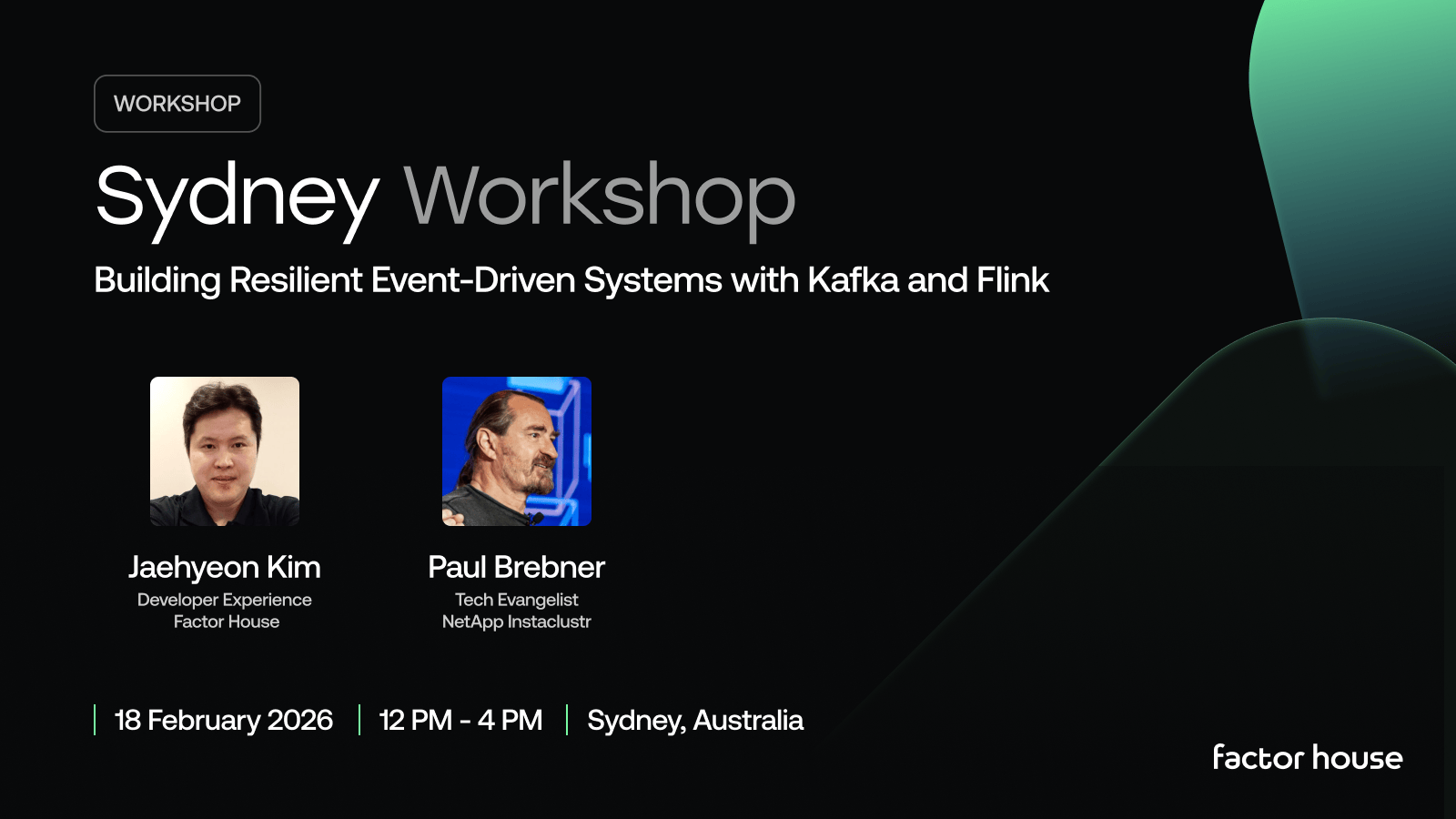
[MELBOURNE, AUS] Apache Kafka and Apache Flink Meetup, 27 November
Melbourne, we’re making it a double feature. Workshop by day, meetup by night - same location, each with valuable content for data and software engineers, or those working with Data Streaming technologies. Build the backbone your apps deserve, then roll straight into the evening meetup.

[SYDNEY, AUS] Apache Kafka and Apache Flink Meetup, 26 November
Sydney, we’re making it a double feature. Workshop by day, meetup by night - same location, each with valuable content for data and software engineers, or those working with Data Streaming technologies. Build the backbone your apps deserve, then roll straight into the evening meetup.
Join the Factor Community
We’re building more than products, we’re building a community. Whether you're getting started or pushing the limits of what's possible with Kafka and Flink, we invite you to connect, share, and learn with others.