At a glance
AKHQ and Lenses are scored here on the same five criteria, 50 points in all: AKHQ 37 out of 50, Lenses 26 out of 50. AKHQ takes its best score on Cost as teams grow (10 out of 10) and its lowest on Support and maintenance (5 out of 10). Cost a year, modelled: $0 licence plus about $8,640 operator time (6 hours a month at $120). Lenses takes its best score on Access control and audit (7 out of 10) and its lowest on Deployment footprint (2 out of 10). Cost a year, modelled: $4,000 licence for 15 users on one cluster plus about $2,880 operator time (2 hours a month at $120).
AKHQ vs Lenses, compared
Kpow meets 6 of 7 requirements on this page. One row is not a yes or no question.
Key takeaway
AKHQ is free under Apache 2.0 with no paid tier, while Lenses Team starts at 4,000 US dollars a year for up to 15 users, so the first question is whether you are buying software or buying somebody to call. Lenses HQ requires PostgreSQL and each Agent needs a database of its own, reaching one cluster each, where AKHQ holds no state and reaches many clusters from one deployment. Both mask data, and neither varies it by who is looking. Kpow by Factor House is licensed per cluster at a published price.
Kpow live demo
Test the trade-offs in a live Kafka UI
You have compared AKHQ vs Lenses. Open a live Kpow environment to test the everyday workflows a shared Kafka platform needs.
Built for platform and data teams managing shared Kafka clusters.
Try the Kpow demoWhat is AKHQ?
AKHQ is an open-source Kafka management UI under Apache 2.0, formerly KafkaHQ, self-hosted and built on Micronaut. One deployment reaches one cluster or many, covering topic browsing, live tailing, producing, consumer groups, Schema Registry, Kafka Connect, ACL management and role-based access with LDAP and OIDC.
 Rank 1
 AKHQ
akhq.io
37 out of 50 Total
- Cost a year, modelled
- $0 licence plus about $8,640 operator time (6 hours a month at $120)
- External dependencies
- None. No database and no sidecar
- Support
- GitHub issues. No SLA
- Cost as teams grow
- 10 out of 10
- Deployment footprint
- 8 out of 10
- Support and maintenance
- 5 out of 10
- Access control and audit
- 5 out of 10
- Multi-cluster reach
- 9 out of 10
Why these scores for AKHQ
- Cost as teams grow 10 out of 10
- This page’s table gives the pricing unit as “Free, Apache 2.0, with no paid tier and no commercial support”, and adding an engineer as “No change to the bill”. This page’s estimate of the annual total: $0 licence plus about $8,640 of operator time, at 6 engineer-hours a month at $120 an hour. The 10 scores the slope, not the level: the bill does not move when the team grows.
- Deployment footprint 8 out of 10
- This page’s table gives external dependencies as “None. No database and no sidecar”, one JVM container deployed by Helm, docked for the constant-increase memory reports open since July 2022 and May 2025.
- Support and maintenance 5 out of 10
- This page’s table gives Support as “GitHub issues. No SLA”, and the page has 0.28.0 shipping in August 2026 after two earlier releases in the year, so the project is current but unbacked.
- Access control and audit 5 out of 10
- Role-based access with LDAP and OIDC, but masking is global YAML with one filter per topic that “does not vary by who is looking”, and audit is opt-in to a Kafka topic with no audit view in the product.
- Multi-cluster reach 9 out of 10
- This page has one deployment reaching one cluster or many, and its table gives adding a Kafka cluster as “One deployment already reaches it”.
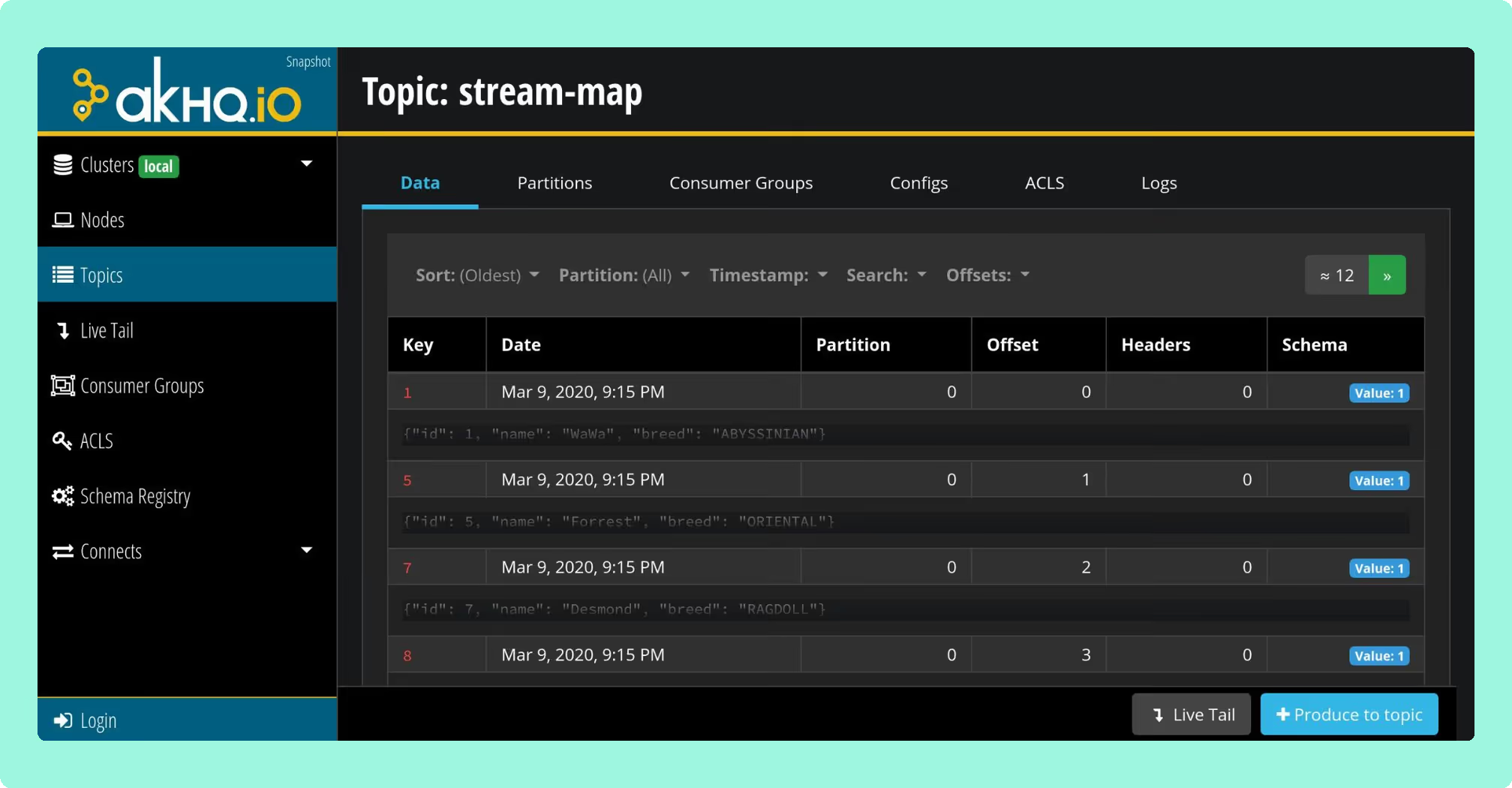
Daily work: consumer group inspection, reading Kafka’s own consumer group protocol rather than owning it.
Configuration: connections, users, groups and registry links in YAML, deployed by Helm and reviewed like any other change.
Adoption: Michelin runs it across on-premise factory clusters and cloud deployments, and contributed resource-level authorisation back.
Releases: 0.28.0 in August 2026, after two earlier releases in the year.
Audit: opt-in, written to a Kafka topic the operator nominates, with no audit view inside the product.
Memory: a constant-increase report open since July 2022, and a second since May 2025.
Consumer groups: clusters carrying many of them need HIDE_EMPTY and skip-consumer-groups: true to keep startup responsive.
OIDC: the most active failure surface in the tracker, with new defects still arriving in August 2026.
Staying patched: release 0.28.0, cut on 6 August 2026, bundles 270 libraries and 18 of them carry a high or critical advisory. Sixteen of the eighteen were already public, with fixed versions already on Maven Central, on the day it shipped, and five of those are netty CVEs Kpow had already remediated in release 96.2 three weeks earlier: CVE-2026-44249, CVE-2026-45416, CVE-2026-45674, CVE-2026-47691 and CVE-2026-50010. The oldest has been open 108 days. Every jar AKHQ ships resolves to a coordinate, so this is a complete count rather than a floor, and each identifier can be checked at nvd.nist.gov. A shipped vulnerable library is exposure and remediation latency, not a working attack.
Compare Kpow vs AKHQAKHQ vs Kafbat UIAKHQ vs Redpanda ConsoleAKHQ review
What is Lenses?
Lenses is a commercial Kafka governance and data exploration platform that sits on top of clusters you already run. It operates as a Kafka client rather than a proxy, so nothing of it stands in the data path and no client configuration changes because it is there. The architecture is a central Lenses HQ node with a lightweight agent per cluster, and because that agent connects as an ordinary client, a KRaft cluster needs no broker-side modification to be reachable. Celonis acquired Lenses in early 2022, and 6.2.6 was released in August 2026. A data catalog groups topics by domain.
 Rank 2
 Lenses
lenses.io
26 out of 50 Total
- Cost a year, modelled
- $4,000 licence for 15 users on one cluster plus about $2,880 operator time (2 hours a month at $120)
- External dependencies
- PostgreSQL for HQ, a database per Agent
- Support
- A vendor under contract, from Team
- Cost as teams grow
- 4 out of 10
- Deployment footprint
- 2 out of 10
- Support and maintenance
- 6 out of 10
- Access control and audit
- 7 out of 10
- Multi-cluster reach
- 7 out of 10
Why these scores for Lenses
- Cost as teams grow 4 out of 10
- This page’s table has “Team starts at 4,000 US dollars a year for up to 15 users” on a single cluster, Community at 5 users with Basic Auth only, and past the Team ceiling the only tier is custom priced. This page’s estimate of the annual total at 15 users on one cluster: about $6,880, the $4,000 licence plus 2 engineer-hours a month at $120 an hour.
- Deployment footprint 2 out of 10
- This page’s table gives External dependencies as “PostgreSQL for HQ as the only supported storage option, plus a database per Agent”, and the page works that out as four clusters meaning HQ, HQ’s Postgres, four agents and four agent databases.
- Support and maintenance 6 out of 10
- This page’s table gives Support as “A vendor under contract, with Team Support from the paid tier”, and the page records that the HQ deployment guide describes a single instance with no replica count and no clustering guidance.
- Access control and audit 7 out of 10
- This page’s table gives in-product audit logs with listing granted to the Security Admin role and built-in Admin, Operator and Security Admin roles, but masking is “global by field name across every dataset, applying to every user including an admin”.
- Multi-cluster reach 7 out of 10
- This page’s table gives adding a Kafka cluster as “Another Agent and another Agent database. Federated multi-Kafka sits in the custom-priced top tier”, and one Agent connects to one cluster at a time.
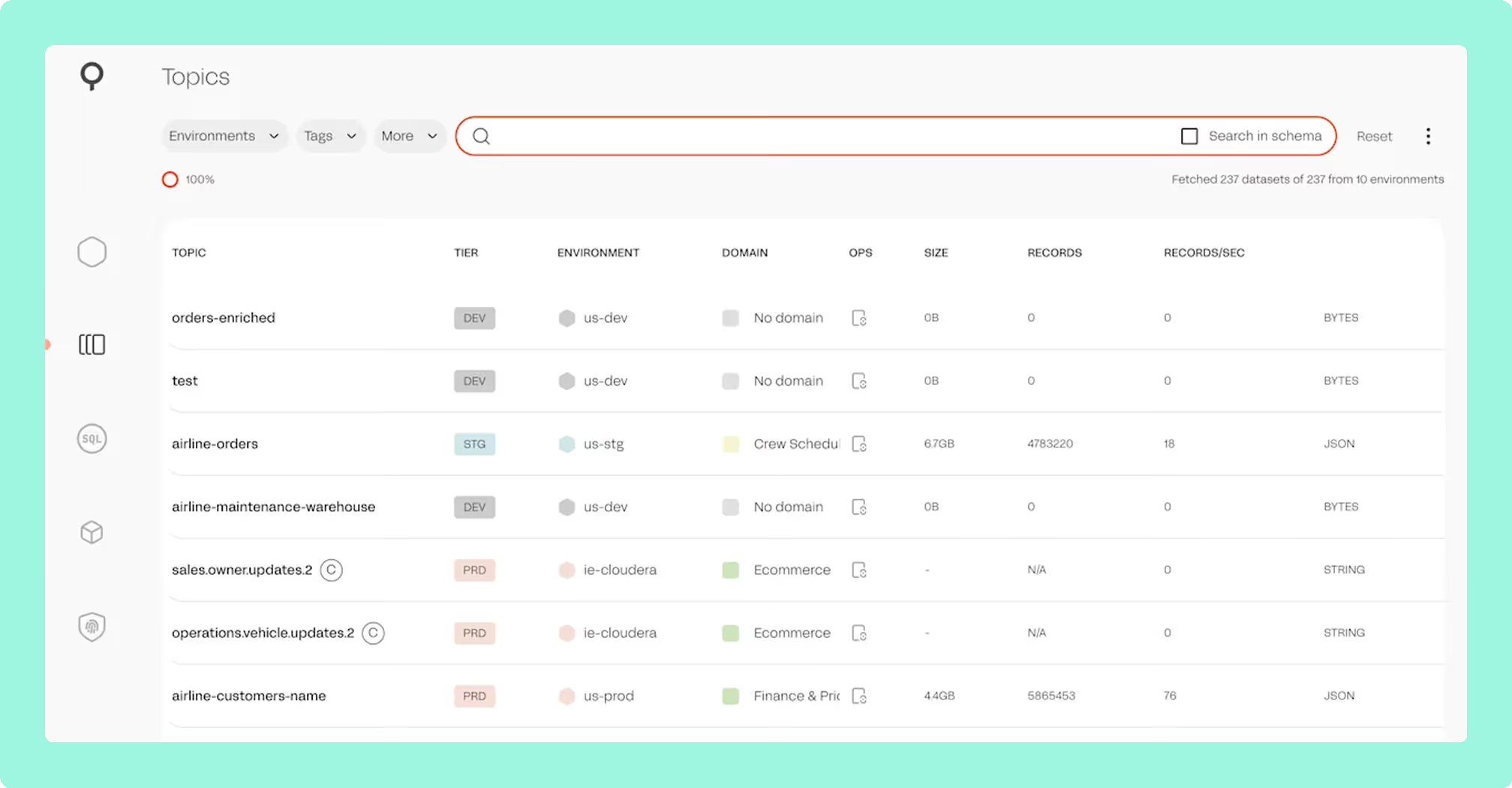
SQL Studio: a SQL interface for querying topics without writing consumer code, aimed at people who are not fluent in Kafka internals.
Topology and lineage: a view spanning producers, topics, connectors and consumers.
SQL Processors: Kubernetes-native stream processing jobs defined in SQL and built on Kafka Streams.
Portability: SQL Processors are compiled and executed in Kubernetes and are specific to the product.
ACLs: the 6.2 line added filtering by operation and fixed creation and listing for principals carrying SPIFFE-format separators.
Permissions: 6.2.5 split UpdateTopicDetails into two actions, so custom roles granting the old one need re-granting by hand.
Compare Kpow vs Lenses.ioConduktor vs LensesKafbat UI vs LensesLenses review
What is the official 2026 pricing of AKHQ and Lenses?
AKHQ costs nothing to license and its whole cost is operator time, so five people and fifty pay the same number. Lenses prices by capability and by user count. Community is free for up to 5 users with Basic Auth only, so no SSO and no RBAC. Team starts at 4,000 US dollars a year and reaches 15 users, adding SSO, SAML, RBAC and team support. Past the Team ceiling the only tier on the table is Multi-Kafka Enterprise, which is custom priced.
The dependency bill is the half no tier card shows. AKHQ holds no state and needs no database. Lenses HQ requires PostgreSQL, which is its only supported storage option, and each Agent needs a database of its own, with an embedded H2 alternative documented for evaluation only. One Agent connects to one Kafka cluster at a time, so a four-cluster estate is HQ, HQ’s Postgres, four agents and four agent databases. The product line also splits into DevX, the UI and governance surface, and K2K, which is replication. Exactly-once semantics, offset replication, autoscaling and schema migration sit on K2K Enterprise, from 1,000 US dollars per month with 5 clusters included and further clusters at 200 US dollars per month.
Where does each one run out?
Each tool here is marked out of 10 on five criteria, 50 points in all, and no criterion is weighted above another. Nothing sits behind a multiplier, so a total is the sum of its five marks and a reader can recompute it. The five are cost as teams grow, deployment footprint, support and maintenance, access control and audit, and multi-cluster reach, because those are the questions a Kafka interface is actually measured against after the first month: a second cluster, an access review with a date on it, an upgrade nobody owns, and a bill that moves when the team does. The widest gap between the two marks is on cost as teams grow, where AKHQ marks 10 and Lenses marks 4. The marks come from the same matrix used on every comparison on this site, so a tool scores the same here as it does anywhere else, and the reason behind each mark is in the card below, under Why these scores.
The dependency figures in the cards below were read on 24 September 2026 from each project’s published release artefact and matched against the NVD and GitHub advisory databases, so they move whenever a release or an advisory lands. Running it yourself is common to both. What differs is whether somebody is contracted to produce the fix.
AKHQ’s governance is present and shaped for a small team. Masking takes four modes, and the policy lives in application YAML keyed on topic and field path, so what is hidden is the same for everybody looking, with only one filter per topic supported.
Lenses runs out first at its own control plane. The current HQ deployment guide describes a single instance, with no replica count and no clustering guidance, so the node watching every cluster is the one thing without a second copy. Against Amazon MSK the default broker metrics refresh of roughly 5 seconds generates a high volume of JMX requests, and 30 seconds or higher is recommended.
Which should you pick?
AKHQ is the pick for a team that wants no state to run, because Lenses puts PostgreSQL behind HQ and another database behind every per-cluster agent, and its Team tier starts at 4,000 US dollars a year for fifteen users. Lenses earns that price on SQL access to topic data. Neither varies masking by who is looking, and Kpow by Factor House does, at a published per-cluster price.
Pick AKHQ if:
- the people using it are engineers who already hold cluster credentials
- the estate is more than one cluster and one deployment should reach all of them
- the cluster list and access model belong in source control as Helm YAML
- there should be no database to back up or upgrade
Pick Lenses if:
- the people who need the data are not Kafka engineers
- SQL over topics is the capability being bought, rather than a tidier browser
- stream processing jobs defined in SQL are part of the plan
- a vendor under contract is required
Pick neither on the compliance story alone. AKHQ’s masking is global, so it cannot vary by who is looking. Lenses masks by field name across every dataset it knows about, and that policy is global too, applying to every user including an admin. What Lenses adds is built-in roles separating Admin, Operator and Security Admin. Underneath both, the access model the brokers enforce belongs to Kafka’s own authorizer, which both tools surface rather than own. Two pages go further on that question: the best free Kafka UI tools compares what each free tier holds back, and Kafka data masking tools covers the policy models in depth.
Kpow: adding a cluster doesn’t add a database
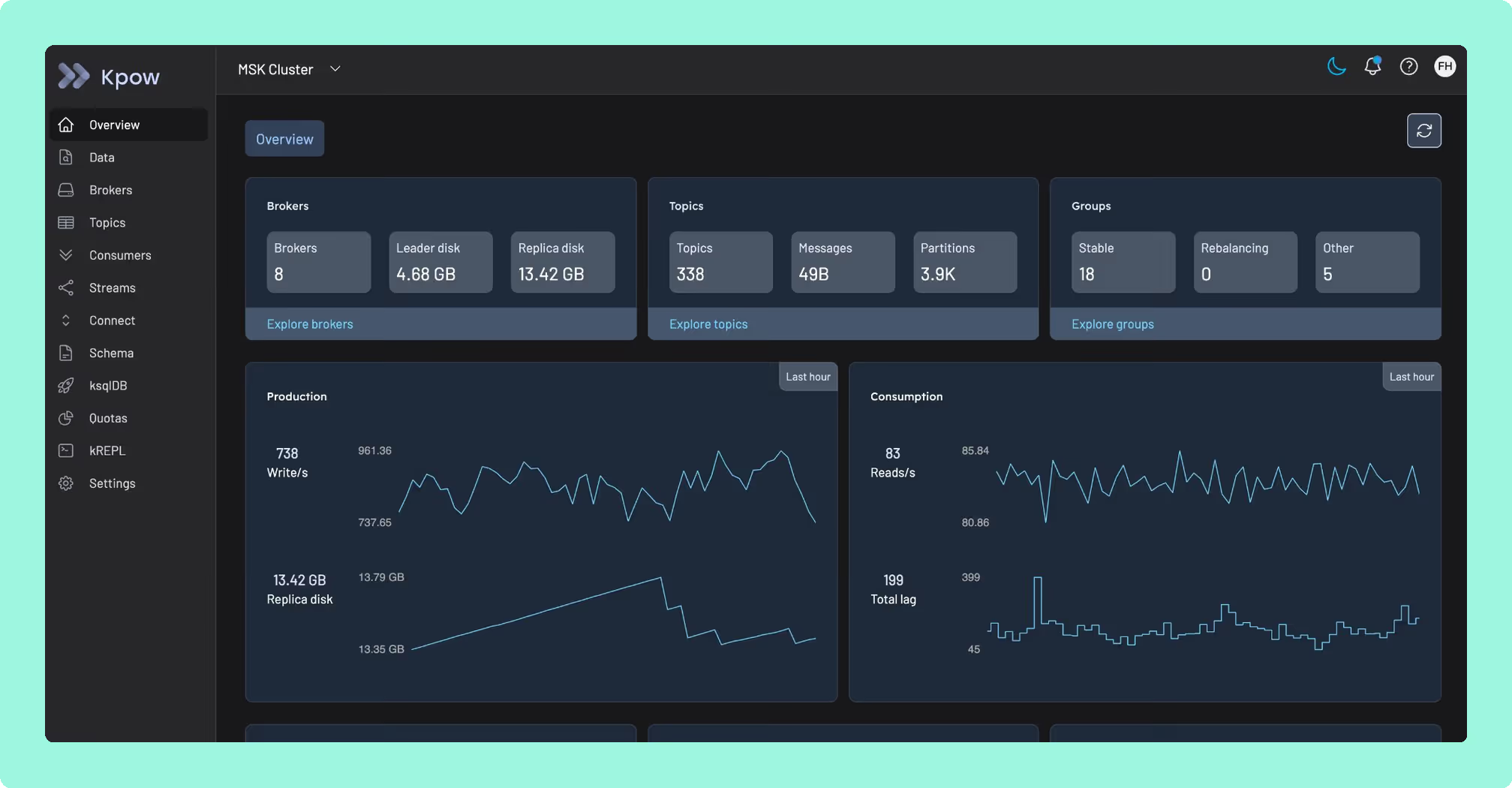
Adding a cluster costs something on both sides here. Lenses adds another Agent and another Agent database for it, and AKHQ takes that same cost out of your own engineers’ time instead, since one deployment already reaches it but somebody still has to watch it. Kpow by Factor House is licensed per cluster: a single stateless JVM container, configured through environment variables, with no external database, no sidecar and no persistent volume. One instance manages up to 12 clusters, so the fourth or the fortieth cluster is a config line, not another Agent and another database.
See what one container adds up to against an agent-per-cluster bill. Point Kpow at your own cluster and find out.
How these tools were scored
Every option is scored from 0 to 10 on each criterion, from the evidence and sources this page cites, and the reason for each score is on its card. Each criterion counts once, for a total out of 50. The options are listed by total.
Sources
- Apache Kafka documentation on consumer groups
- Apache Kafka documentation on KRaft
- Apache Kafka documentation on authorization