At a glance
Kpow and Lenses.io are scored here on the same five criteria, 50 points in all: Kpow 44 out of 50, Lenses.io 26 out of 50. Kpow takes its best score on Access control and audit (10 out of 10) and its lowest on Cost as teams grow (7 out of 10). Cost a year: $13,500 licence for 3 clusters, plus $2,880 in ops. Lenses.io takes its best score on Access control and audit (7 out of 10) and its lowest on Deployment footprint (2 out of 10). Cost a year: $4,000 to 15 users, custom above, plus about $2,880 in ops.
Kpow vs Lenses.io, compared
Kpow meets 4 of 5 requirements on this page. 3 rows are not a yes or no question.
Key takeaway
Lenses.io bills by capability with a user cap at each rung, and Kpow by Factor House bills per cluster with 100 users included, so the answer turns on whether your user count or your cluster count is growing faster. Lenses 6 runs a central HQ node with a headless agent beside each cluster. SQL Studio is what Lenses.io is bought for, and Kpow does not have one, while replication sits on a separate ladder. Kpow is one stateless container with no external database.
Kpow live demo
See Kpow in a working Kafka environment
You have seen how Kpow compares on paper. Open the live demo to test the workflows your platform team will depend on during an incident.
Built for platform and data teams managing shared Kafka clusters.
Try the Kpow demoWhat is Lenses.io?
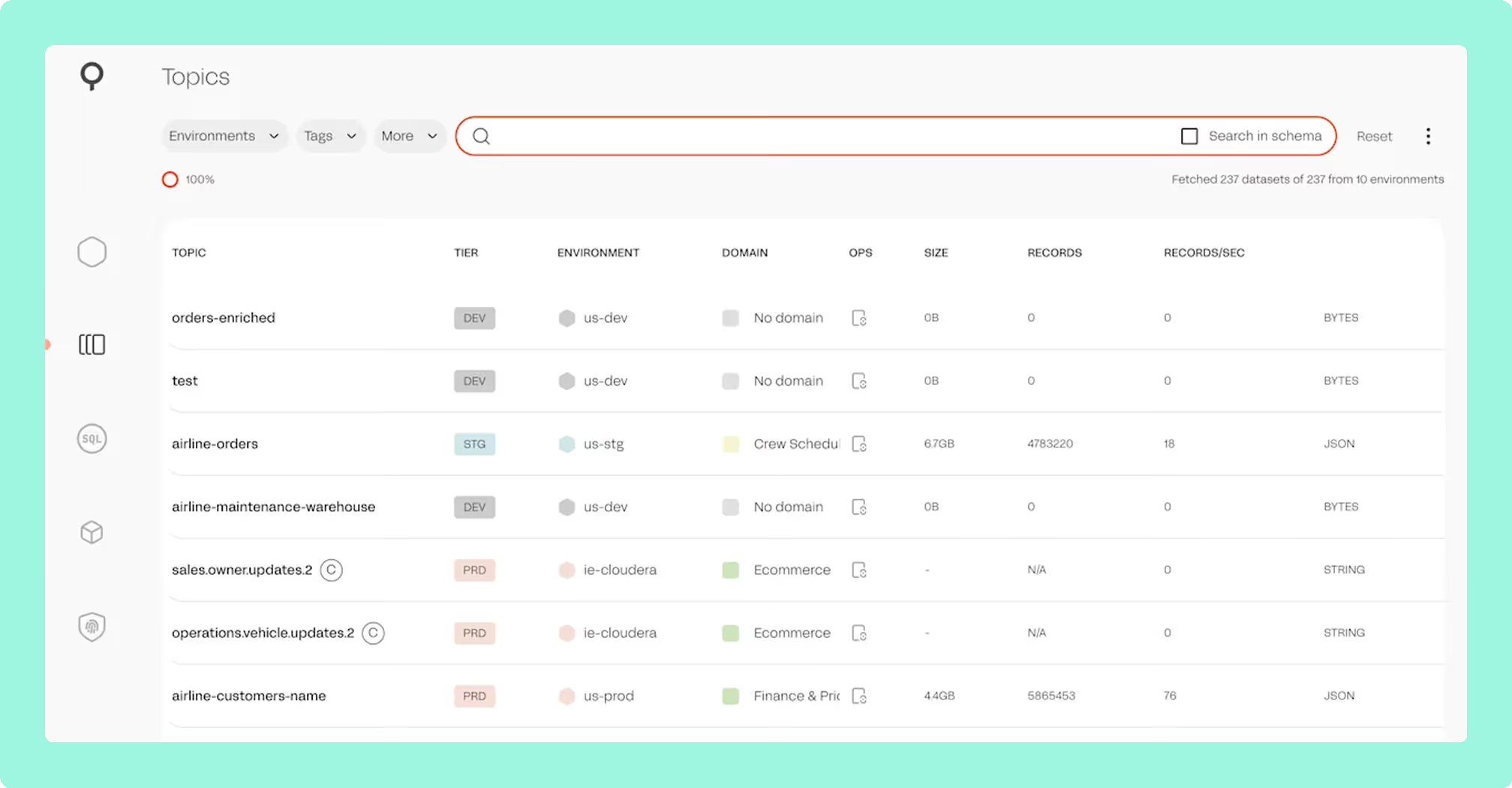
Lenses.io is a commercial Kafka governance and data exploration platform that sits on top of existing clusters. It is a Kafka client rather than a proxy, so nothing sits in the data path between your producers and your brokers, and connecting it changes no client configuration. The architecture in version 6 is a central Lenses HQ node with a lightweight, headless agent deployed beside each cluster, and that shape decides more than it looks like it should.
- SQL Studio: a proprietary SQL interface for querying topics without writing consumer code.
- Topology and lineage: one picture across producers, topics, connectors and consumers.
- SQL Processors: stateful rules defined in SQL on Kubernetes, without maintaining Flink or Spark.
- Data catalogue: topics grouped for search across the estate.
For the full assessment rather than the head-to-head, the Lenses.io review covers functionality, support and the Celonis acquisition at length.
What is Kpow?
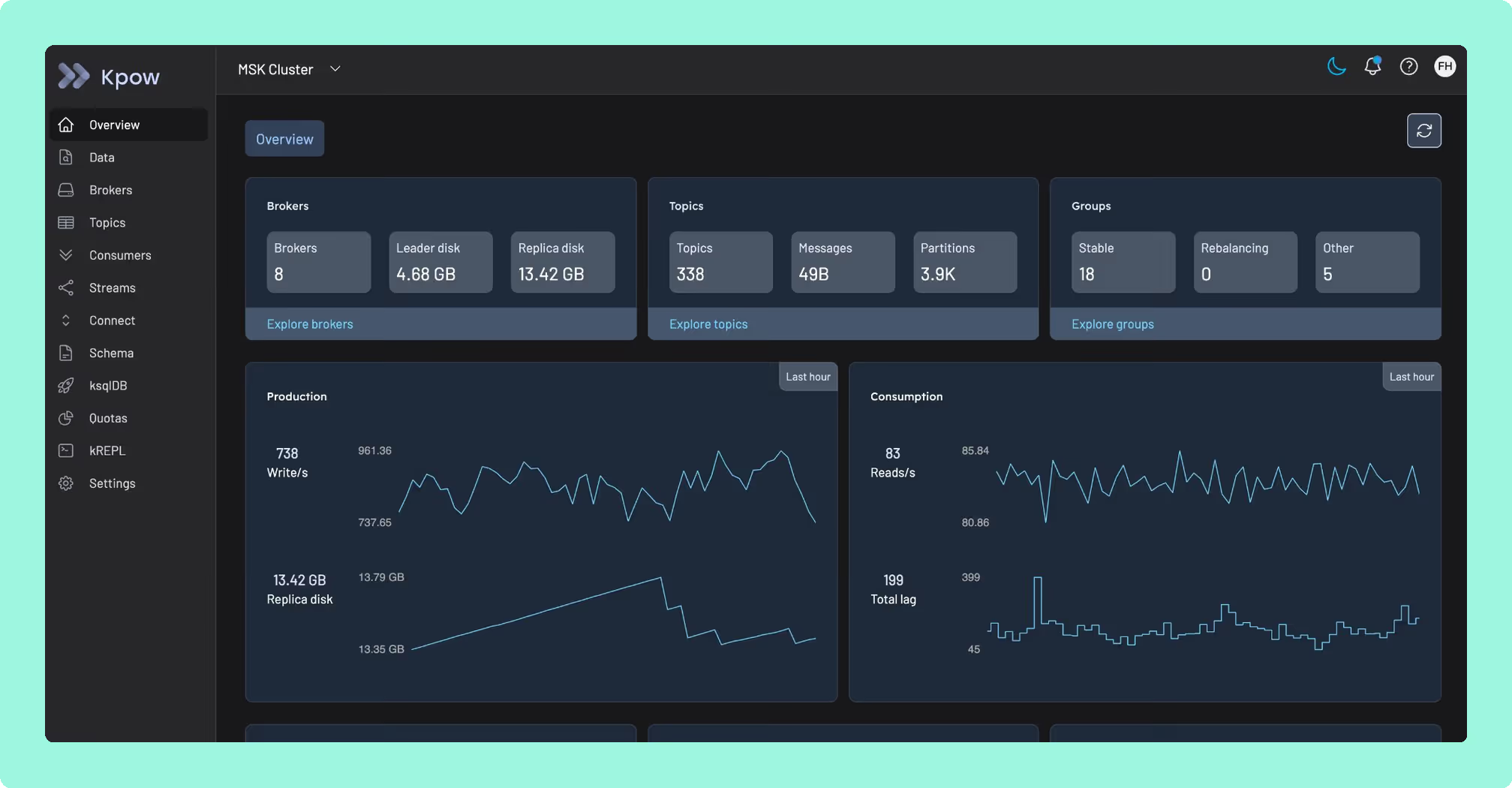
Kpow by Factor House is engineer-facing tooling for Apache Kafka, and it runs against whatever cluster you already have: self-managed Kafka, Amazon MSK, Confluent Cloud, Redpanda, Aiven and Instaclustr. It is a single stateless JVM container, configured entirely through environment variables, with no external database, no sidecar and no persistent volume, storing its telemetry in internal Kafka topics on the cluster it is already monitoring. One instance manages up to twelve Kafka clusters.
What is the official 2026 pricing of Kpow and Lenses.io?
Lenses.io prices by capability, and the rungs below Enterprise each carry a user cap. Community is free, covers up to five users, and offers basic authentication only, with no SSO and no RBAC. Team starts at 4,000 US dollars a year, lifts the cap to fifteen users, and adds SSO, SAML and RBAC. Above that the tier is Multi-Kafka Enterprise, which is custom priced. There is a second meter an evaluation usually misses: replication is a separate ladder, with K2K Community free at a maximum of five topic partitions per job, and K2K Enterprise from 1,000 US dollars a month with five clusters included and 200 a month for each cluster after.
Kpow prices per cluster, and the price is published. Enterprise starts at 4,500 US dollars per cluster with 100 users included, and there is a 30-day trial. Kpow Community Edition covers up to three clusters and ten users, under a unified community license. Work it both ways: a platform team of eight running fifteen clusters is inexpensive under a capability ladder with a user cap and expensive under a per-cluster licence, and a team of forty running two clusters is the reverse. A free tier is where most evaluations start, so the question worth asking of the best free Kafka UI tools is what each one refuses to connect to.
Where does each one run out?
Both are scored out of 50, as five criteria marked out of 10, and each criterion carries the same weight as the others. Nothing sits behind a multiplier, so a total is the sum of its five marks and a reader can recompute it. The five are cost as teams grow, deployment footprint, support and maintenance, access control and audit, and multi-cluster reach, because those are the questions a Kafka interface is actually measured against after the first month: a second cluster, an access review with a date on it, an upgrade nobody owns, and a bill that moves when the team does. The widest gap between the two marks is on deployment footprint, where Kpow marks 9 and Lenses.io marks 2. The marks come from the same matrix used on every comparison on this site, so a tool scores the same here as it does anywhere else, and the reason behind each mark is in the card below, under Why these scores.
 Rank 1
 Kpow
44 out of 50 Total
Try Kpow in the live demo No signup needed.
- Cost a year
- $13,500 licence for 3 clusters, plus $2,880 in ops
- What has to run
- One stateless JVM container. No database or sidecar
- Free tier
- Community Edition, 3 clusters and 10 users
- Cost as teams grow
- 7 out of 10
- Deployment footprint
- 9 out of 10
- Support and maintenance
- 9 out of 10
- Access control and audit
- 10 out of 10
- Multi-cluster reach
- 9 out of 10
Why these scores for Kpow
- Cost as teams grow 7 out of 10
- Published per cluster, Enterprise from $4,500 with 100 users, Community Edition free for 3 clusters and 10 users with RBAC, masking and audit held back. On this page, a team of forty on two clusters is the case where a per-cluster licence wins, and a team of eight on fifteen clusters is the case where it loses.
- Deployment footprint 9 out of 10
- One stateless container, environment variables, no database, sidecar or volume. This page sets one thing to run against an HQ node plus an agent per cluster, with the telemetry inside the monitored cluster’s own topics.
- Support and maintenance 9 out of 10
- Email support and an Enterprise support SLA, shipping continuously. On this page, there is no control plane of its own whose availability becomes the platform team’s problem.
- Access control and audit 10 out of 10
- RBAC, SSO, server-side masking applied by role, and an audit log of user actions. This page gives multi-tenancy, masking, audit logs and staged approval workflows over the topic, consumer group, schema and connector surface.
- Multi-cluster reach 9 out of 10
- Up to 12 clusters per instance across MSK, Confluent, Redpanda, Aiven and others, held at 9 by the per-instance cap. This page records twelve clusters from one instance, with nothing deployed beside any of them.
What it specialises in is operational governance: RBAC for Kafka, multi-tenancy, data masking, audit logs and staged approval workflows, over the topic, consumer group, schema and connector surface any Kafka UI carries. Underneath that surface the inventory arrives over Kafka’s Admin API and the numbers arrive as JMX metrics, which is where the category’s quality gap lives: every number is present, almost none is the answer to a question anybody asked, and roles, masking, audit and approval are what turn that inventory into answers.
Kpow has no SQL Studio, so a requirement for analysts to self-serve over Kafka topics in SQL without engineering involvement is Lenses.io’s to meet. What Kpow offers instead is approval workflows that put the request in front of the people who own the data, the pattern behind self-service Kafka governance with ServiceNow. Kpow does not replicate topics either: that is Apache Kafka’s own MirrorMaker 2, or the second meter above.
What it costs a year: published, plus the cost of running it. Enterprise is 4,500 US dollars per cluster a year with 100 users included, so dev, staging and production are 13,500, and this page’s estimate for one stateless container is two engineer-hours a month at 120 US dollars an hour, 2,880 a year, which is 16,380 all in. The cap is the difference rather than the rate: fifteen users is where the 4,000 US dollar rung stops and the sixteenth engineer becomes a custom quote, while a hundred engineers here is still 16,380. Nothing is deployed beside it either, no HQ node, no agent and no PostgreSQL, so two engineer-hours a month covers the whole of it.
Compare Kpow vs KadeckKpow vs Kafbat UI
 Rank 2
 Lenses.io
lenses.io
26 out of 50 Total
- Cost a year
- $4,000 to 15 users, custom above, plus about $2,880 in ops
- What has to run
- A central HQ node, plus an agent beside each cluster
- Free tier
- Community, 5 users, basic authentication only
- Cost as teams grow
- 4 out of 10
- Deployment footprint
- 2 out of 10
- Support and maintenance
- 6 out of 10
- Access control and audit
- 7 out of 10
- Multi-cluster reach
- 7 out of 10
Why these scores for Lenses.io
- Cost as teams grow 4 out of 10
- Per capability with a user cap at each rung, Team from $4,000 a year for 15 users, custom above that. On this page, Community is five users with basic authentication only, and replication is a second ladder on top.
- Deployment footprint 2 out of 10
- A central HQ on PostgreSQL plus one agent and one agent database per cluster. This page adds that an HQ node plus an agent per cluster is two things to deploy, secure and upgrade before the tool does anything.
- Support and maintenance 6 out of 10
- A vendor under contract with Team Support from the Team tier, against an HQ with no high availability. On this page, HQ is a component the whole topology depends on, so its availability is a problem you solve.
- Access control and audit 7 out of 10
- SSO, SAML and RBAC from Team with built-in roles and in-product audit logs, docked because masking is global by field name and does not vary by role. This page records that IAM actions have been split across patch releases, and custom roles granting the old action had to be re-granted by hand.
- Multi-cluster reach 7 out of 10
- One agent per cluster, with federated multi-Kafka only at the custom-priced top tier. This page gives an agent beside each cluster, reachable only through HQ.
The Lenses.io control plane is a component you own. An HQ node plus an agent per cluster is two things to deploy, secure and upgrade before the tool does anything for you, and HQ is a component the whole estate depends on, so its availability is a problem you solve rather than one the vendor solves for you.
Network: in a segmented or air-gapped estate, the agent-to-HQ path is a conversation with a security team before it is a product decision.
Permissions: IAM actions have been split across patch releases, and custom roles granting the old action had to be reviewed and re-granted by hand.
Layering: Kafka’s own authorisation is ACL-based and lives on the cluster, so every rearrangement above it lands as upgrade work on the security team.
Weight: a lot of moving parts for an engineer who only wants to look at one topic on one cluster.
What it costs a year: 4,000 US dollars on Team, which caps at fifteen users, so twenty engineers is Multi-Kafka Enterprise and a custom price nobody publishes. On top of whatever that licence turns out to be, this page’s estimate rather than a vendor price: two engineer-hours a month at 120 US dollars an hour, 2,880 a year, for HQ on PostgreSQL, one agent and one agent database beside each of three clusters, and the agent to HQ path a security team has to clear in a segmented network. Replication is a third line again, on the separate K2K ladder this page prices above.
How do you switch, or run both?
Running both is reasonable, and it happens more often than either vendor’s marketing suggests, because neither tool owns cluster state. Leaving Lenses.io has two halves, and only one is a user interface: the control plane goes, HQ and the agents beside each cluster, and nothing changes for producers and consumers because none of it was ever in the data path. The migration cost is SQL Processors, which are proprietary, compiled and executed in Kubernetes, so anything built on them is re-implementation rather than reconfiguration. Scope that work before the renewal date rather than after it. What survives is worth knowing: Stream Reactor connectors are open source and move with you, and topology and lineage are derived views rather than stored state. Leaving Kpow is a container, and the telemetry lives in Kafka topics on the monitored cluster.
Which should you pick?
Kpow by Factor House is the pick for a team that wants one stateless container, scoring 44 against Lenses.io’s 26, because Lenses runs a central HQ node on PostgreSQL with a headless agent beside each cluster. Lenses is the better choice where SQL Studio is the reason for buying, which Kpow does not offer, and where replication sits on its own pricing ladder.
Pick Lenses.io if:
- analysts who are not Kafka-native have to self-serve over topics in SQL
- a single team of fifteen or fewer covers everybody who needs access
- topology and lineage across a large estate is the thing actually being bought
Pick Kpow if:
- the user count is growing faster than the cluster count
- a published per-cluster price you can budget against matters
- adding another control plane to the estate is a real cost in your organisation
- the estate is mixed across MSK, Confluent Cloud, Redpanda and self-managed Kafka
Both turn up on any list of the best Kafka management tools, which is precisely why a feature grid does not settle it. Write down your own binding constraint first, in one sentence.
What sits underneath the two pricing models?
Lenses.io’s SQL Studio is genuinely the reason teams buy it: a proprietary SQL interface that lets analysts query topics without writing consumer code, backed by topology and lineage that renders one picture across producers, topics, connectors and consumers, and a data catalogue that groups topics for search across every cluster. SQL Processors let a team define stateful rules in SQL running on Kubernetes without maintaining Flink or Spark themselves.
Even so, that reach comes from a control plane you have to own. Lenses 6 runs on a central HQ node with a headless agent beside each cluster, two things to deploy, secure and upgrade before the tool does anything, and HQ’s availability becomes a problem the platform team solves rather than one Lenses solves for it. In a segmented or air-gapped deployment, the agent-to-HQ path is a conversation with a security team before it’s a product decision. And it’s a lot of moving parts for an engineer who only wants to look at one topic on one cluster. Kpow answers each of those directly: it’s a single stateless JVM container with no external database, sidecar or persistent volume, so there’s one thing to run instead of two; its telemetry stays inside Kafka topics on the cluster it’s already monitoring, with no second system’s network path to clear with security; and that same container reaches one topic on one cluster exactly as it reaches twelve, with nothing extra to stand up for either.
It also settles the pricing question with a number rather than a meter: Enterprise starts at 4,500 US dollars per cluster with 100 users included, and approval workflows put a data request in front of the people who own it instead of routing it through a control plane of its own. Start on Kpow and work the two pricing models against your own cluster count. Lenses.io needs a control plane to answer a question about one topic. Kpow just answers it.
How these tools were scored
Every option is scored from 0 to 10 on each criterion, from the evidence and sources this page cites, and the reason for each score is on its card. Each criterion counts once, for a total out of 50. This page is published by Factor House, which makes Kpow. Every option is scored on the same rubric and the same sources: Kpow's per-criterion scores are set the same way as every other option's and are not adjusted, and the weights apply to every option alike. Kpow ranks first on its total of 44 out of 50. The other options follow by total.
Sources
- Apache Kafka documentation on authorisation and ACLs
- Apache Kafka documentation on monitoring and JMX metrics
- Apache Kafka documentation on the Admin API
- Apache Kafka documentation on geo-replication and MirrorMaker 2