The best Kafka management tools for 2026, by total score on this page’s weighted rubric, are Kpow (82 out of 90), Conduktor (74), Kafbat UI (60), AKHQ (57) and Redpanda Console (55), with the other five scored below. Kpow is the pick where more than specialists touch the cluster: role-based access, server-side masking and an in-product audit log, self-hosted, from $4,500 per cluster a year. Conduktor matches it on governance but is priced at $1,200 per seat a year. Kafbat UI and AKHQ are the strongest free options, both under Apache 2.0.
Apache Kafka ships with a CLI and nothing else. Every web UI, observability layer, and governance workflow your team relies on is a third-party project built on top of it. That makes the choice of management tool consequential: it shapes how quickly engineers can debug a stuck consumer group, how cleanly you can handle a PII audit, and whether your platform team spends its time on actual infrastructure rather than running kafka-consumer-groups.sh on behalf of every application team.
This article covers the tools that appear most consistently on real-world Kafka shortlists in 2026, with honest assessments of where each one fits and where it falls short. For a focused comparison of web interfaces specifically, see the Best Kafka UI roundup, and for metrics, lag and alerting, see Best Kafka monitoring tools.
At a glance
Ten options are scored here on this page's five weighted criteria, 90 points in all. The rubric is weighted: Support and maintenance counts three times, Access control and audit counts three times, and Cost as teams grow, Deployment footprint and Multi-cluster reach count once. The five listed first, of ten, each out of 90: Kpow 82, which takes its best score on Access control and audit (10 out of 10) and its lowest on Cost as teams grow (7 out of 10), Pricing: From $4,500 per cluster a year, 100 users included; Kafbat UI 60, Licence: Apache 2.0; AKHQ 57, Licence: Apache 2.0; Redpanda Console 55, Licence: Community under BSL; enterprise licence for SSO, RBAC and masking; Lenses HQ 52, Pricing: Team from $4,000 a year, 15 users.
10 best Kafka management tools
The table below summarises the tools covered in this article. Scores reflect the current state of each product as of mid-2026.
| Rank | Tool | Type | Multi-cluster | RBAC/Security | Active? | Pricing |
|---|---|---|---|---|---|---|
| 1 | Kpow | Commercial | Yes | Full (SAML/OIDC/LDAP) | Yes | $4,500/cluster/yr |
| 2 | Kafbat UI | Open-source | Yes | Basic | Yes | Free |
| 3 | AKHQ | Open-source | Yes | Basic | Yes | Free |
| 4 | Redpanda Console | Open-core | One broker cluster | Enterprise licence only | Yes | Free (community); contact sales |
| 5 | Lenses HQ | Commercial | Yes | Full | Yes | From $4,000/yr (1 cluster, 15 users) |
| 6 | Offset Explorer | Commercial (desktop) | Yes | None | Yes | From $139/user |
| 7 | Kafdrop | Open-source | No | None | Minimal | Free |
| 8 | Confluent Control Center | Commercial (bundled) | Yes | Full (MDS) | Yes | Bundled with Confluent Platform |
| 9 | CMAK | Open-source | Yes | LDAP basic auth only | No | Free |
| 10 | Conduktor | Commercial / open-core | Yes | Full | Yes | $1,200/seat/yr (Team) |
Kpow live demo
Test a Kafka management workflow, not just a feature list
Open the Kpow demo and see how data inspection, consumer operations, and cluster visibility fit into one shared workspace.
Built for the engineers who operate Kafka when the stakes are real.
Try the Kpow demo1. Kpow by Factor House
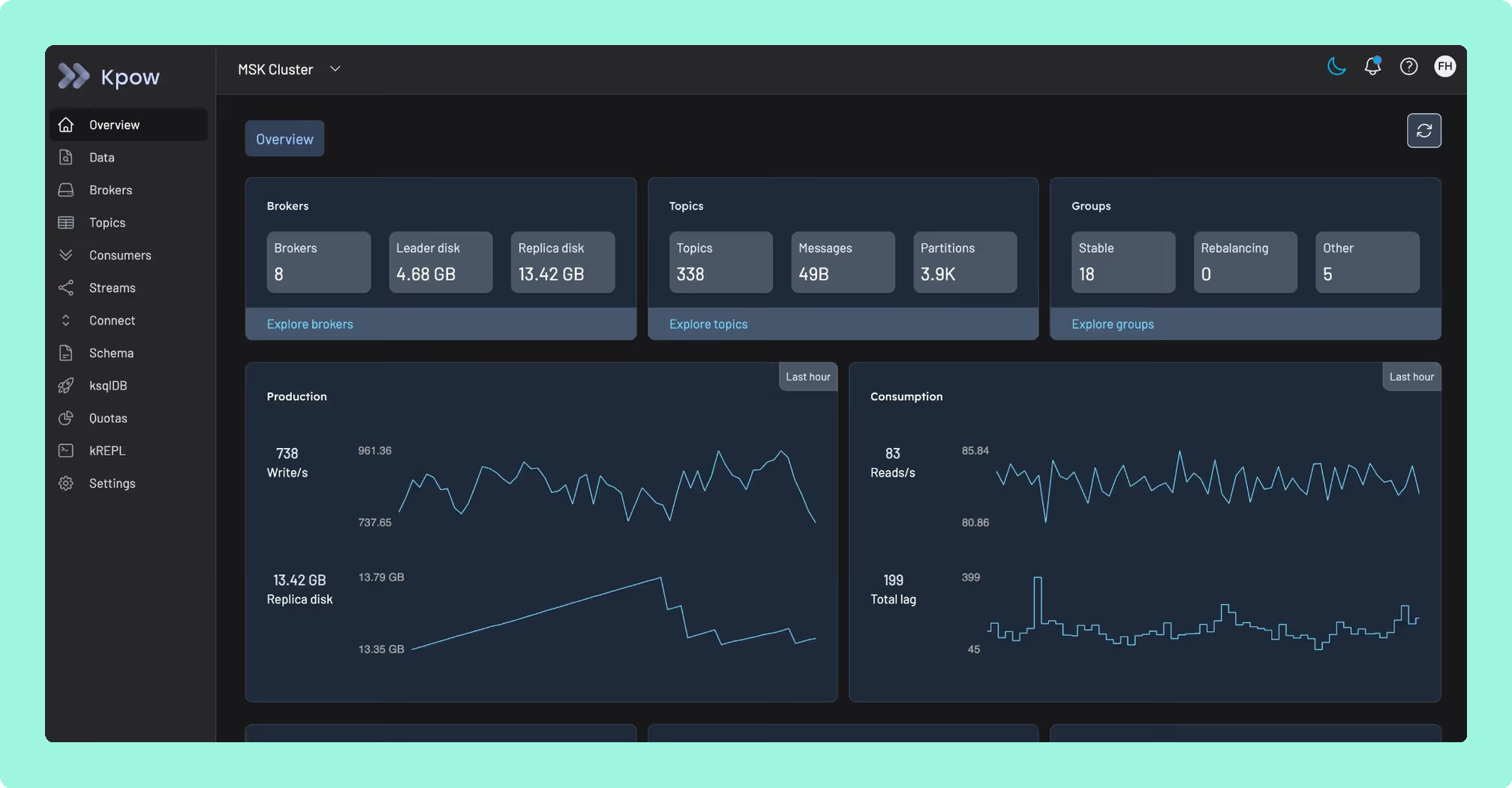
Type: Commercial (proprietary, self-hosted container). Community Edition available for up to 3 clusters.
Kpow is a single stateless JVM container that connects to any Kafka cluster, whether that’s self-managed, MSK, Confluent Cloud, Redpanda, Aiven, or Instaclustr, and presents a unified UI and REST API covering topics, consumer groups, Kafka Connect, Schema Registry, ksqlDB, ACLs, and broker configuration. One instance manages up to 12 clusters. Telemetry is stored in internal Kafka topics on the monitored cluster itself, so there are no external databases, sidecars, or additional infrastructure to manage. The current release is v96.4 (August 2026).
Chad Harris’s take: If I had a dollar for every lost message complaint where the message turned out to be on Kafka all along, I’d have a lot more money than I do. Confluent, AWS and Aiven do a great job of hosting Kafka, but they aren’t responsible for how you write your client code, and they can’t tell you what they don’t know. So I think data inspection tooling is a must. (From his talk Things that go bump in the night: Kafka operational issues.)
 Rank 1
 Kpow
82 out of 90 Total
Try Kpow in the live demo No signup needed.
- Pricing
- From $4,500 per cluster a year, 100 users included
- Reach
- Up to 12 clusters per instance
- Latest release
- v96.4, August 2026
- Cost as teams grow
- 7 out of 10
- Deployment footprint
- 9 out of 10
- Support and maintenance ×3 weight, this criterion counts 3 times toward the total
- 9 out of 10
- Access control and audit ×3 weight, this criterion counts 3 times toward the total
- 10 out of 10
- Multi-cluster reach
- 9 out of 10
Why these scores for Kpow
- Cost as teams grow 7 out of 10
- Pricing is per cluster from $4,500 a year with 100 users included, and the Community Edition is free for 3 clusters and 10 users with RBAC, masking and audit held back.
- Deployment footprint 9 out of 10
- It runs as “A single stateless container” with no Postgres, RocksDB or volumes, and Kafdrop is lighter at a 64 MB heap, so 9 not 10.
- Support and maintenance 9 out of 10
- The current release is v96.4, with an Enterprise support SLA and continuous releases set out on the Kpow features page and in the Kpow vs CMAK comparison.
- Access control and audit 10 out of 10
- It offers RBAC, multi-tenancy, SAML/OIDC/LDAP SSO, server-side masking and a streamed audit log, all on Enterprise.
- Multi-cluster reach 9 out of 10
- Any Kafka (self-managed, MSK, Confluent Cloud, Redpanda, Aiven); the 12-cluster per-instance cap keeps it at 9.
Best for. SRE and platform teams running multi-cluster Kafka in regulated environments where audit logging, server-side data masking, and air-gapped deployment are required. Kpow is the primary recommendation for fintech, healthcare, and public sector teams.
Deployment simplicity. A single stateless container, configurable entirely via environment variables. No Postgres, no RocksDB, no persistent volumes to worry about.
Security coverage. RBAC, multi-tenancy, SAML/OIDC/LDAP/Keycloak SSO, and server-side data masking with a streamed audit log that ships to any SIEM. This is where most open-source alternatives stop short.
kJQ search. A JQ-like predicate language for filtering messages across millions of records directly in the UI, without exporting data.
Kafka Streams topology visualisation. Native, rendered in-product. Most other tools in this list do not offer this.
Pricing transparency. Kpow pricing is publicly available, and scales based on the number of clusters, with 100 users included per cluster. Licenses can be purchased from Factor House, or through the AWS Marketplace on an annual or pay-as-you-go basis.
Accessibility. WCAG 2.1 AA compliant, audited by AccessibilityOz and reported in release 92.4, with a VPAT published for each release since, per Factor House’s own release notes.
Limitations. No managed SaaS option. You are responsible for running the container.
Setup and maintenance. Kpow runs as a Docker container, deployable via Docker Compose, Helm, CloudFormation, or AWS Marketplace. Configuration is handled through environment variables. Because there is no external state store, upgrades are a container swap.
Pricing. Pricing is per cluster, starting at $4,500 USD per year (annual). Also available to purchase on the AWS Marketplace. Each cluster licence includes 100 users, with unlimited users available, so the cost for 3 clusters with 100 users is $13,500/year, versus per-seat models that scale with headcount. A free 30-day Enterprise trial is available.
Staying patched. Kpow’s release notes name the CVEs each release remediates, and the 96.4 image built on 5 August 2026 bundles 311 dependencies. What a licence buys here is not a different deployment model, because Kpow is self-hosted too. It is a company contracted to ship the fix. Every dependency figure on this page was read on 24 September 2026 from the published artefacts and from nvd.nist.gov.
Compare Kpow vs AKHQKpow vs Kafbat UIKpow vs Confluent Control CenterKpow vs Redpanda Console
We have installations of Kpow with 60 or 70 different network connected things hanging off of them in the Kafka universe, multiple clusters and KSQLDB and everything like that.
Derek Troy-West, Co-founder and CEO of Factor House
2. Confluent Control Center
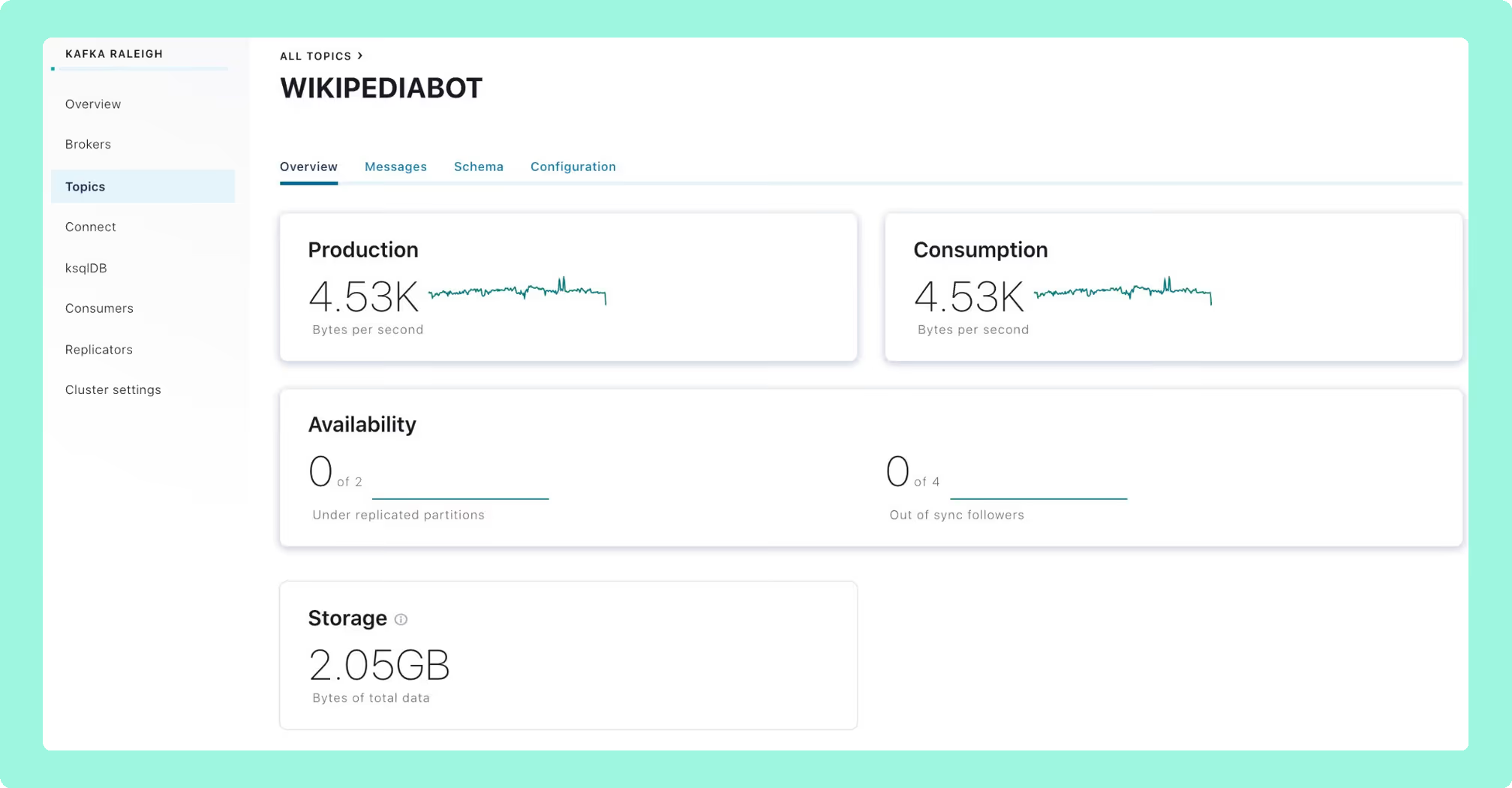
Type: Commercial, bundled with Confluent Platform Enterprise.
Confluent’s first-party management UI. Control Center 2.0, shipped in 2025, replaced the dedicated metrics Kafka cluster with Prometheus for metrics ingestion, reducing startup time and raising partition limits. It covers the full Confluent stack: Schema Registry, Connect, ksqlDB, Cluster Linking, Flink (preview), and Confluent’s MDS-based RBAC.
Confluent Control Center
confluent.io
46 out of 90 Total
- Pricing
- Bundled with Confluent Platform
- Requires
- Confluent Platform Enterprise licence
- Cost as teams grow
- 2 out of 10
- Deployment footprint
- 2 out of 10
- Support and maintenance ×3 weight, this criterion counts 3 times toward the total
- 6 out of 10
- Access control and audit ×3 weight, this criterion counts 3 times toward the total
- 7 out of 10
- Multi-cluster reach
- 3 out of 10
Why these scores for Confluent Control Center
- Cost as teams grow 2 out of 10
- The console is “Bundled with Confluent Platform. Not separately purchasable”, and the platform runs $50,000 to $500,000+ a year.
- Deployment footprint 2 out of 10
- Dedicated nodes at 4 cores, 8 GB and 200 GB are required, plus the Metrics Reporter JAR on the brokers.
- Support and maintenance 6 out of 10
- Vendor under the Confluent contract; quarterly patches for the current version only, legacy to next-gen is a migration.
- Access control and audit 7 out of 10
- Confluent’s MDS-based RBAC is marked Full in this page’s table, with audit of auth events, OIDC only, and no masking described.
- Multi-cluster reach 3 out of 10
- Confluent Platform only, since it is “Not a tool you deploy against a third-party cluster”.
Best for. Teams already running Confluent Platform Enterprise. Outside that context, Control Center does not make sense to evaluate.
Strengths. Deep integration with the Confluent stack. Strongest monitoring telemetry for Confluent-native deployments. Control Center 2.0 significantly improved startup performance over prior versions.
Limitations. Requires a Confluent Platform Enterprise licence. Many advanced features depend on Confluent’s RBAC stack and do not work with vanilla Kafka security. Not a tool you deploy against a third-party cluster. Pricing for Confluent Platform ranges from $50,000 to $500,000+ per year depending on cluster size.
Pricing. Bundled with Confluent Platform. Not separately purchasable.
Compare Kpow vs Confluent Control CenterAKHQ vs Confluent Control CenterConfluent Control Center review
3. AKHQ
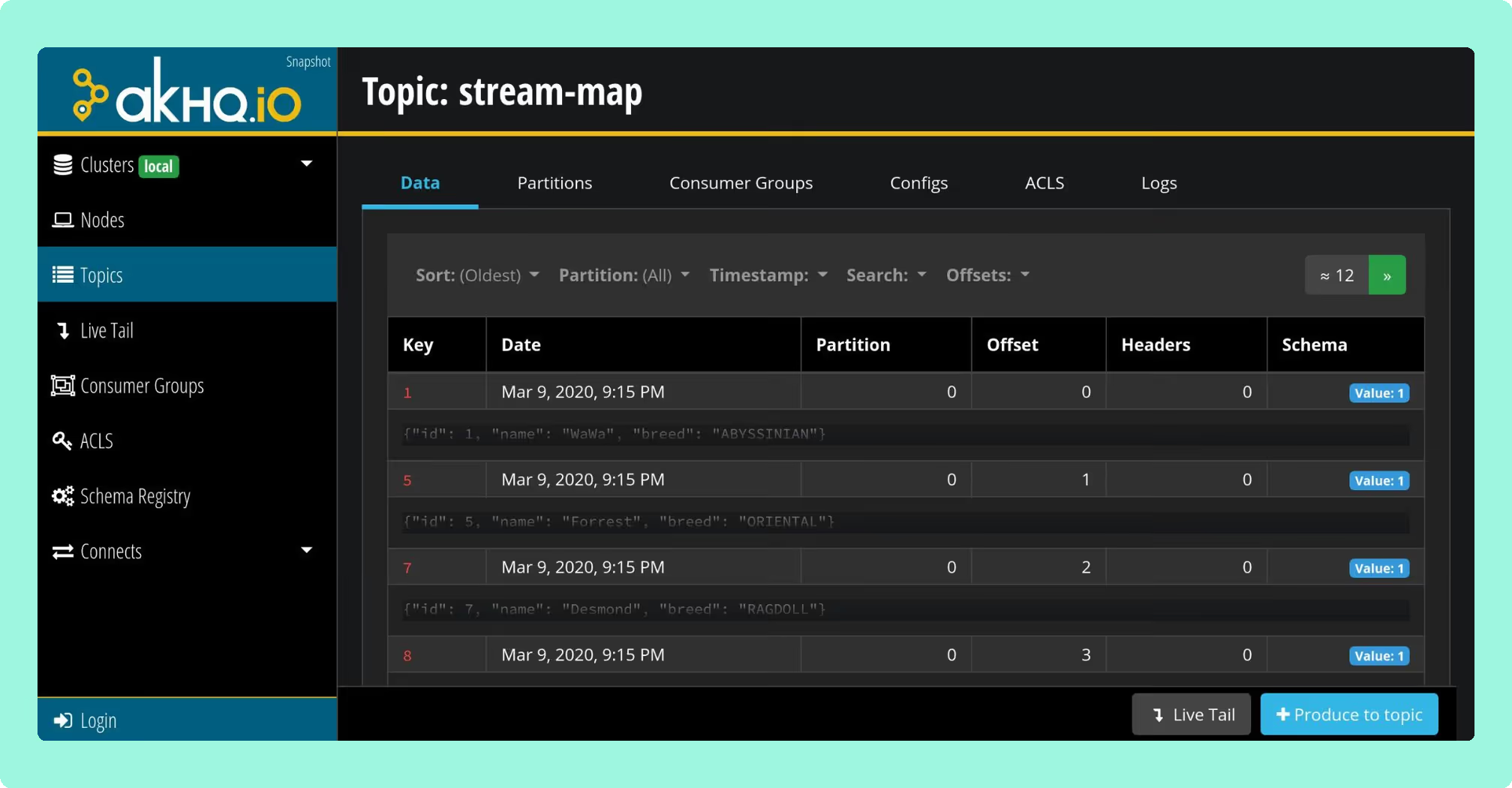
Type: Open-source (Apache 2.0).
A Micronaut-based web UI by Ludovic Dehon. AKHQ is the most established free option for production Kafka management, with a GitOps-first configuration model where connections, users, groups, and Schema Registry links are defined in YAML and deployed via Helm.
 Rank 3
 AKHQ
57 out of 90 Total
- Licence
- Apache 2.0
- Latest release
- v0.28.0, August 2026
- Cost as teams grow
- 10 out of 10
- Deployment footprint
- 8 out of 10
- Support and maintenance ×3 weight, this criterion counts 3 times toward the total
- 5 out of 10
- Access control and audit ×3 weight, this criterion counts 3 times toward the total
- 5 out of 10
- Multi-cluster reach
- 9 out of 10
Why these scores for AKHQ
- Cost as teams grow 10 out of 10
- It is “Free” under Apache 2.0, with no paid tier, so the TCO is engineer time, not licence.
- Deployment footprint 8 out of 10
- One Micronaut container configured in YAML via Helm; docked one for “UI performance under heavy load is a known issue”.
- Support and maintenance 5 out of 10
- Its latest release is v0.28.0 in August 2026 and support runs through GitHub issues and the community only, with no SLA.
- Access control and audit 5 out of 10
- Basic RBAC since v0.25 and OIDC/LDAP SSO; masking is global not role-aware, audit opt-in to a Kafka topic.
- Multi-cluster reach 9 out of 10
- One deployment reaches many clusters, and MSK IAM is supported.
Best for. Engineering teams that want a free, GitOps-native interface and have no server-side data masking requirements.
Strengths. Multi-cluster management, OIDC/OAuth2/LDAP/GitHub SSO, Connect and Schema Registry integration (Avro/Protobuf/JSON), basic RBAC since v0.25, ksqlDB support. Mature enough for compliance-conscious teams as long as masking is handled upstream.
Limitations. Data masking is a global policy rather than a role-aware one: filters are configured in application YAML by topic and field path, so what is hidden does not vary by who is looking, and only one filter per topic is supported. If HIPAA, PCI-DSS, or GDPR compliance requires masking that varies by viewer, AKHQ cannot provide it. Audit logging is opt-in and writes to a Kafka topic you nominate, so reading the trail is a pipeline you build. UI performance under heavy load is a known issue. Latest release: v0.28.0 (August 2026).
Pricing. Free. Realistic TCO is 3-10 engineer-days for setup, plus ongoing maintenance.
Staying patched. AKHQ has no CVE filed against its own code, and that is the wrong number to plan against. Release 0.28.0, cut on 6 August 2026, bundles 270 libraries and 18 of them carry a high or critical advisory. Sixteen were already public, with fixed versions already on Maven Central, on the day it shipped, and five are netty advisories Kpow had remediated three weeks earlier in 96.2: CVE-2026-44249, CVE-2026-45416, CVE-2026-45674, CVE-2026-47691 and CVE-2026-50010. The oldest has been open 108 days. That is exposure and remediation latency rather than a working attack, and every figure resolves against the published jar and nvd.nist.gov. Four releases in two years, and no security policy at any path GitHub reads.
4. Conduktor
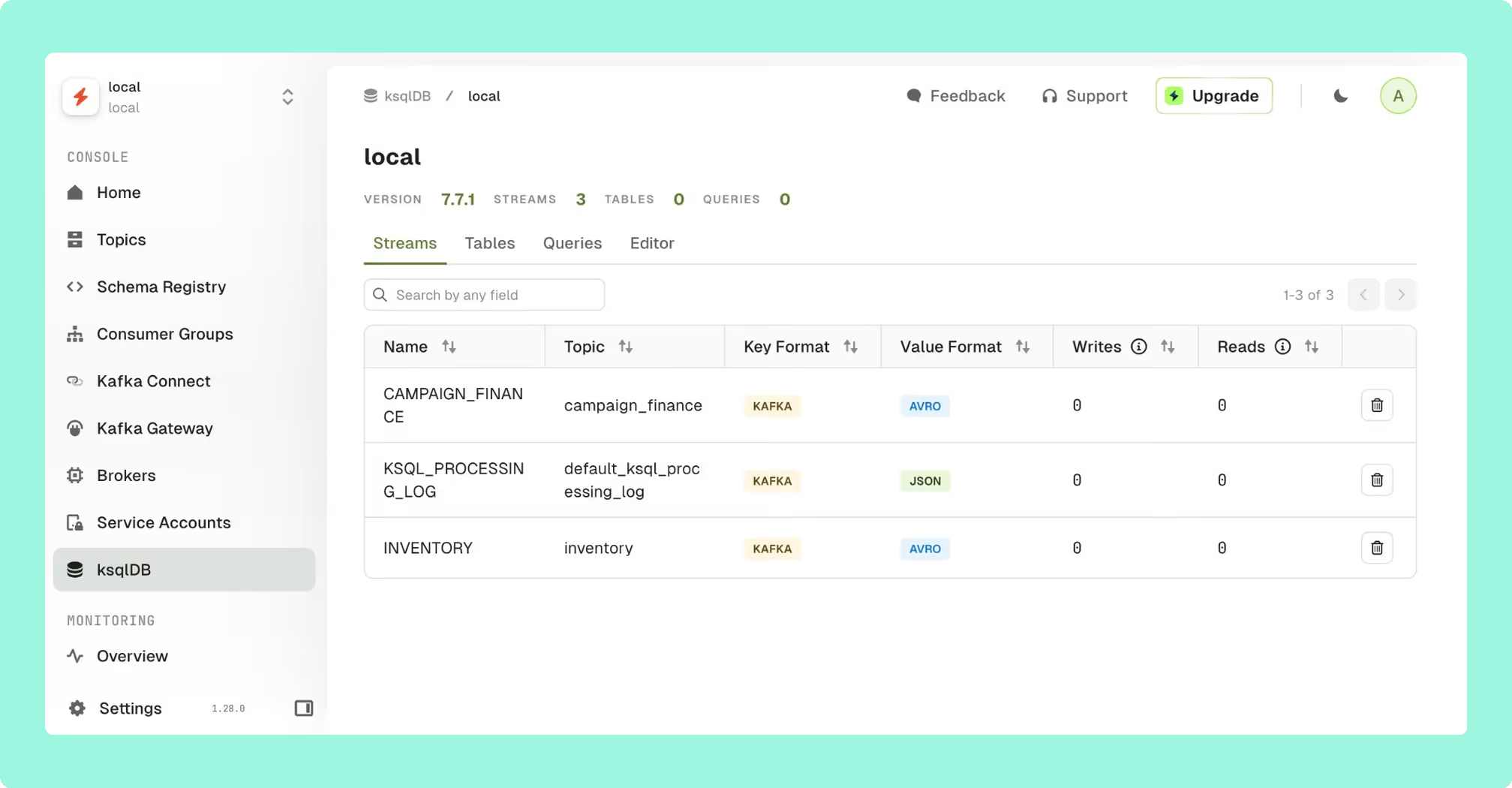
Type: Commercial. Console Team Edition is priced per seat.
Conduktor is a two-product platform: Console (web UI for operations, monitoring, and governance) and Gateway (a proxy for traffic control, encryption, data masking, and partner data sharing). It has the most complete governance layer in the market for multi-team Kafka, with topic and application ownership models, self-service workflows with approval gates, and chargeback.
Chad Harris’s take: In May 2026 Kroxylicious, the open-source Kafka proxy, added multi-topic and multi-cluster routing. I think that will massively simplify cluster migrations and exceed the features and utility of Conduktor Gateway.
 Rank 10
 Conduktor
conduktor.io
74 out of 90 Total
- Pricing
- Team Edition $1,200 per seat a year
- Free tier
- Community, 50 users and 3 clusters
- Cost as teams grow
- 5 out of 10
- Deployment footprint
- 3 out of 10
- Support and maintenance ×3 weight, this criterion counts 3 times toward the total
- 9 out of 10
- Access control and audit ×3 weight, this criterion counts 3 times toward the total
- 10 out of 10
- Multi-cluster reach
- 9 out of 10
Why these scores for Conduktor
- Cost as teams grow 5 out of 10
- Per seat, $1,200 a year on Team; 100 users across 3 clusters lists at $120,000; free Community for 50 users.
- Deployment footprint 3 out of 10
- PostgreSQL 13+ is mandatory and Gateway sits in the data path, so “Gateway adds additional infrastructure complexity”.
- Support and maintenance 9 out of 10
- Commercial vendor; SOC2 Type II, business-hours support on Team, continuous releases.
- Access control and audit 10 out of 10
- It brings ownership, approval workflows, chargeback and masking in Gateway, “The most complete governance layer in the market”.
- Multi-cluster reach 9 out of 10
- Any distribution works, with unlimited clusters on Team.
Best for. Large organisations where multiple product teams share Kafka infrastructure and need ownership, self-service workflows, and auditability across team boundaries.
Strengths. Ownership tracking, topic catalogues, self-service request workflows, chargeback (GA since April 2025), Partner Zones for external data sharing. The Community tier is usable for small teams.
Limitations. Per-seat pricing scales quickly. For 100 users across 3 clusters, Team Edition at $1,200 per seat lists at $120,000 per year, well above Kpow’s per-cluster pricing at the same scale. Gateway adds additional infrastructure complexity. Gateway and Enterprise pricing requires a sales conversation.
Pricing. Console Community: free (up to 50 users, 3 clusters). Console Team Edition: $1,200 per seat per year, or $125 per seat per month billed monthly. Gateway and Enterprise: pricing via Conduktor sales.
Compare Conduktor vs Kafbat UIConduktor vs LensesConduktor review
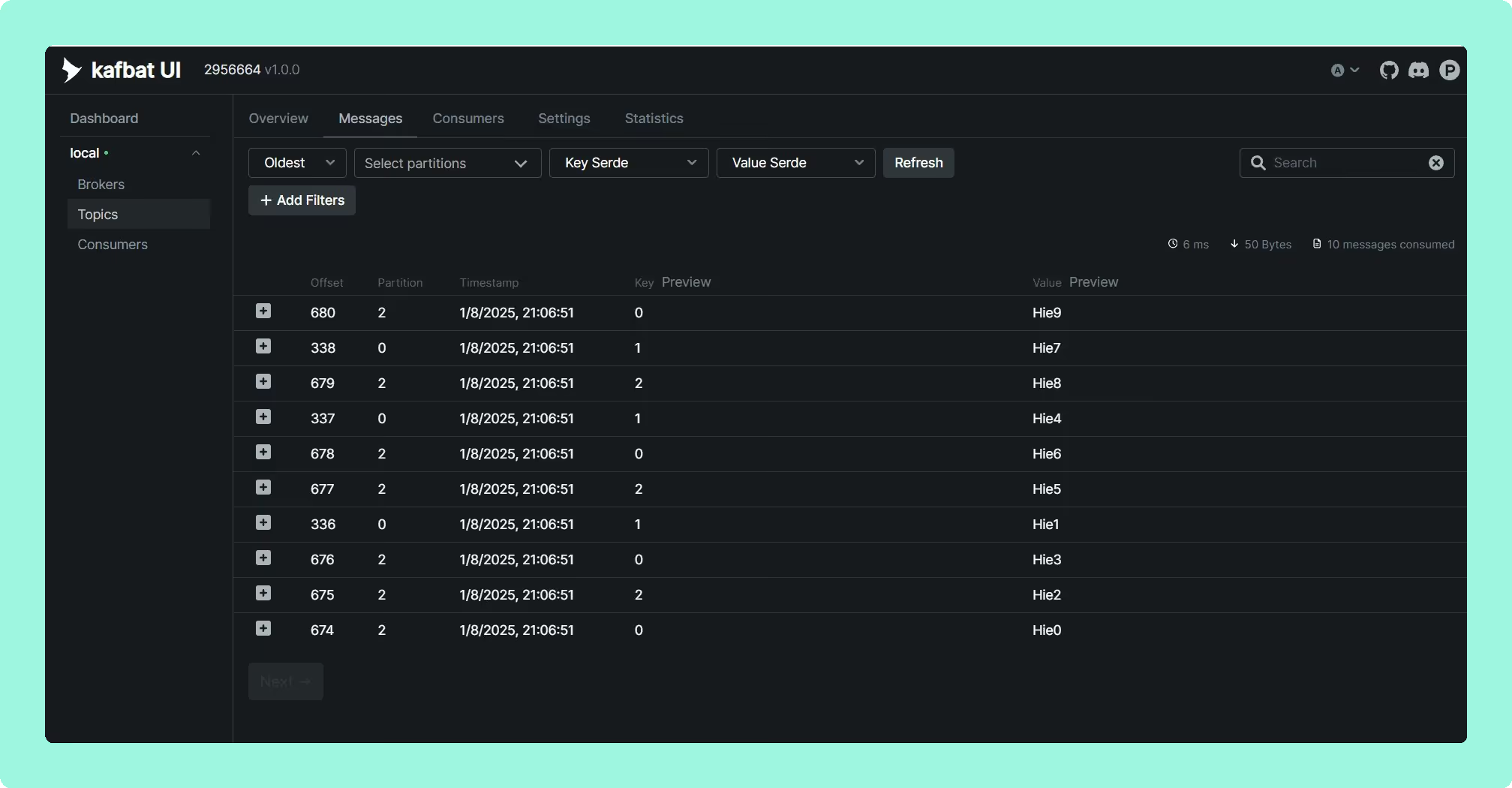
5. Kafbat UI (formerly Provectus kafka-ui)
Type: Open-source (Apache 2.0).
When Provectus paused development on provectus/kafka-ui in September 2023, the original maintainers forked it as kafbat/kafka-ui. The Kafbat fork is now the active line. If your environment is still pulling provectuslabs/kafka-ui Docker images, switch immediately: the original repo carried CVE-2023-52251, an RCE that took roughly 4.5 months to patch after initial disclosure.
Kafbat UI is the most modern-looking open-source Kafka UI currently available, with a clean interface and active release cadence. Latest release: v1.5.0 (20 April 2026).
 Rank 2
 Kafbat UI
60 out of 90 Total
- Licence
- Apache 2.0
- Latest release
- v1.5.0, 20 April 2026
- Cost as teams grow
- 10 out of 10
- Deployment footprint
- 8 out of 10
- Support and maintenance ×3 weight, this criterion counts 3 times toward the total
- 5 out of 10
- Access control and audit ×3 weight, this criterion counts 3 times toward the total
- 6 out of 10
- Multi-cluster reach
- 9 out of 10
Why these scores for Kafbat UI
- Cost as teams grow 10 out of 10
- Kafbat UI is “Free” under Apache 2.0, with no seat or cluster cap.
- Deployment footprint 8 out of 10
- Stateless container with a published Helm chart; a mounted volume only if the configuration wizard is used.
- Support and maintenance 5 out of 10
- Release v1.5.0 landed on 20 April 2026 and the project is community-maintained, with professional services quoted and no SLA.
- Access control and audit 6 out of 10
- YAML RBAC and server-side REMOVE/REPLACE/MASK policies, but masking does not vary by role and audit goes to a Kafka topic.
- Multi-cluster reach 9 out of 10
- Each extra cluster is another config entry, with no cap, and MSK and cloud IAM are covered.
Best for. Small to mid-size teams that want a clean, modern interface and can tolerate basic RBAC and data masking that does not vary by role.
Strengths. Multi-cluster support, Avro/Protobuf/JSON deserialization, Schema Registry and Connect integration, CEL-based message filtering (replacing the Groovy filters that caused the RCE), YAML-based RBAC, MCP support added in v1.3.0.
Limitations. Community-maintained with no SLA: support is GitHub issues, or professional services quoted rather than listed and also sold through AWS Marketplace. RBAC is basic, with no team or namespace ownership model. Data masking is server-side, with REMOVE, REPLACE and MASK policies set per cluster and matched by pattern, but it does not vary by who is looking, and the audit log is written to a Kafka topic rather than shown in the product. Not suitable for environments that need masking by role.
Pricing. Free.
Staying patched. Kafbat UI released v1.5.0 in April 2026 and has not shipped since. In the 157 days since, at least 20 high or critical advisories have been published against libraries that release bundles, including the netty critical CVE-2026-75595. Only 150 of its 266 bundled jars resolved to a Maven coordinate, so that count is a floor and the state of the release itself is unmeasured. Kafbat does publish a security policy, which AKHQ and Kafdrop do not, and the one CVE filed against its own code, CVE-2025-49127, was already fixed in the release that preceded the advisory. Six releases in two years.
6. Redpanda Console
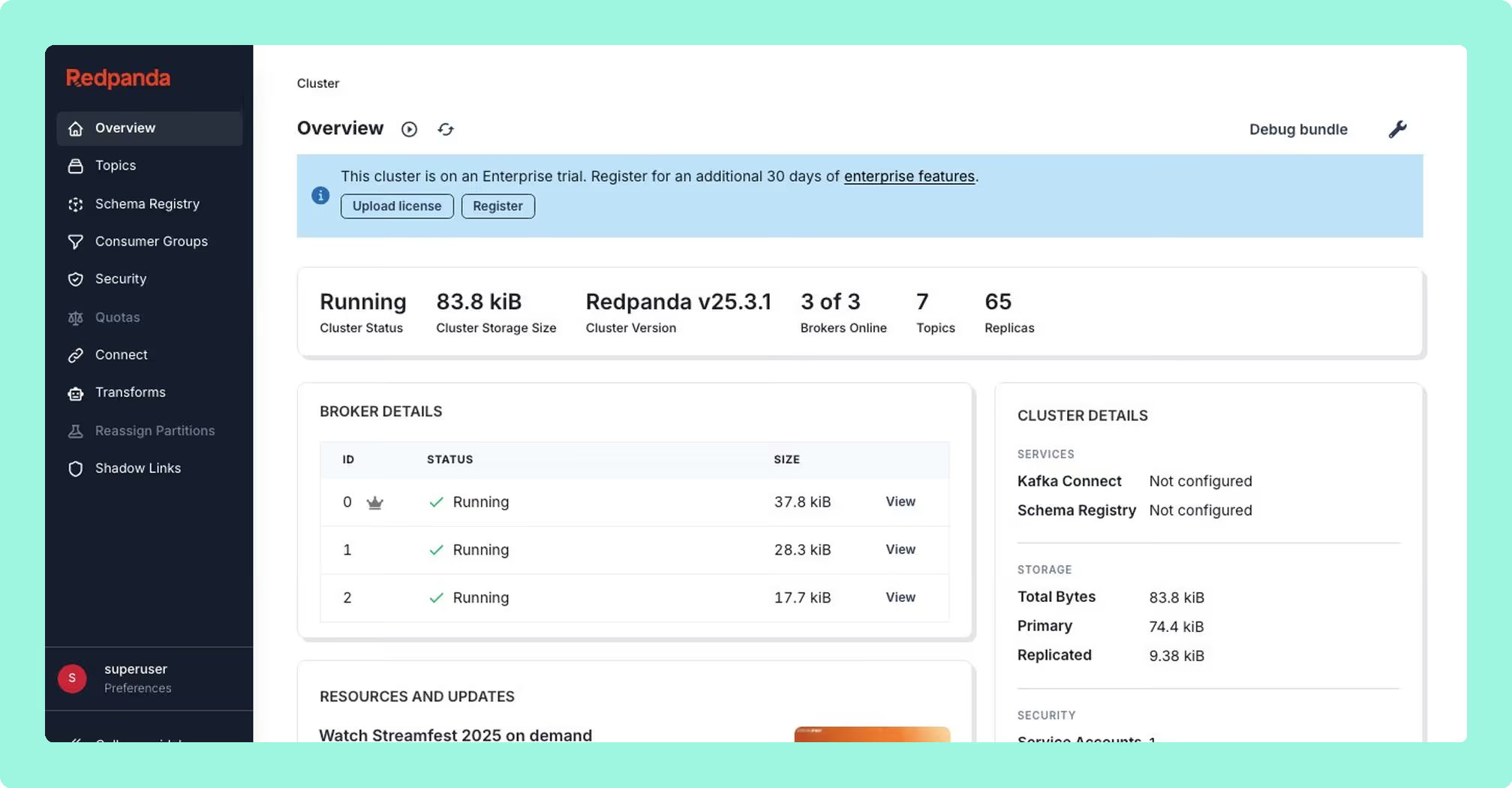
Type: Open-core. Community edition under BSL; enterprise features under the Redpanda Community License (RCL).
Originally Kowl by CloudHut, acquired by Redpanda. The Go binary is fast and lightweight, and the message viewer is the best in class for UX. The catch is the licensing model: every feature required for multi-team production operations (SSO, RBAC, data masking, audit logging) is behind a paid Redpanda Enterprise licence.
 Rank 4
 Redpanda Console
redpanda.com
55 out of 90 Total
- Licence
- Community under BSL; enterprise licence for SSO, RBAC and masking
- Clusters
- One broker cluster per deployment
- Cost as teams grow
- 6 out of 10
- Deployment footprint
- 8 out of 10
- Support and maintenance ×3 weight, this criterion counts 3 times toward the total
- 7 out of 10
- Access control and audit ×3 weight, this criterion counts 3 times toward the total
- 6 out of 10
- Multi-cluster reach
- 2 out of 10
Why these scores for Redpanda Console
- Cost as teams grow 6 out of 10
- Free community edition; SSO, RBAC, masking and audit need an enterprise licence “not publicly listed”.
- Deployment footprint 8 out of 10
- It is a stateless container plus an external Schema Registry, and “The Go binary is fast and lightweight”.
- Support and maintenance 7 out of 10
- Vendor-backed where licensed; a lapsed licence redirects Console to an expiration page. v3.11.0 August 2026.
- Access control and audit 6 out of 10
- Governance is “Enterprise licence only”, and the community edition has none of SSO, RBAC, masking or audit.
- Multi-cluster reach 2 out of 10
- One deployment covers one broker cluster, at any licence.
Best for. Teams already running Redpanda who have an enterprise contract. For vanilla Apache Kafka shops, the community edition is a topic viewer, not a management tool.
Limitations. If you are not a Redpanda customer, the enterprise features that make it a serious production tool are inaccessible without a sales engagement. Per the Redpanda documentation, where enterprise features are enabled and no valid licence is found, the Console redirects to a licence-expiration page and restricts all other access. Enterprise pricing is not publicly listed.
Pricing. Free for community features. Enterprise pricing tied to your Redpanda cluster contract; contact Redpanda sales.
Compare Kpow vs Redpanda ConsoleKafbat UI vs Redpanda ConsoleRedpanda Console review
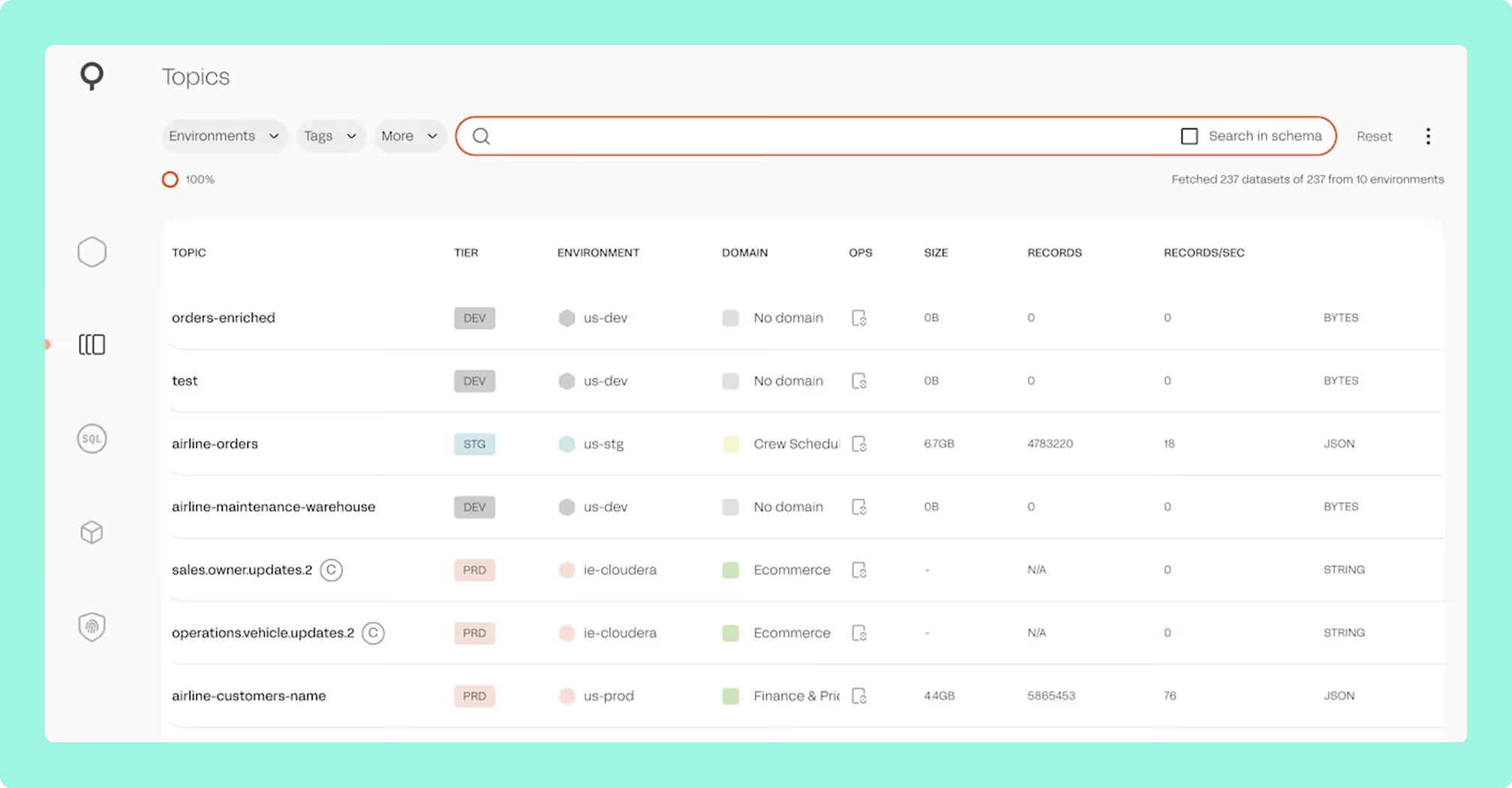
7. Lenses HQ
Type: Commercial.
Lenses HQ is a multi-cluster Kafka management and stream processing platform, now owned by Celonis following its acquisition of Lenses.io. Its main differentiation is SQL Processors: stream processing jobs written as SQL that execute as Kubernetes pods. No other tool in this list offers an equivalent. Lenses also provides a topology visualisation layer, a Kafka-to-Kafka replicator (K2K), and a global multi-cluster catalogue with data policies for masking and security groups.
Supported providers: Confluent, MSK, Redpanda, Azure Event Hubs, Aiven, and self-managed Kafka.
 Rank 5
 Lenses HQ
lenses.io
52 out of 90 Total
- Pricing
- Team from $4,000 a year, 15 users
- Free tier
- Community, 2 clusters and 5 users
- Cost as teams grow
- 4 out of 10
- Deployment footprint
- 2 out of 10
- Support and maintenance ×3 weight, this criterion counts 3 times toward the total
- 6 out of 10
- Access control and audit ×3 weight, this criterion counts 3 times toward the total
- 7 out of 10
- Multi-cluster reach
- 7 out of 10
Why these scores for Lenses HQ
- Cost as teams grow 4 out of 10
- Team from $4,000 a year for 15 users on one cluster; multi-cluster Enterprise is “sales-only”.
- Deployment footprint 2 out of 10
- HQ runs on PostgreSQL with an Agent and database per cluster, and “Production deployments require Kubernetes”.
- Support and maintenance 6 out of 10
- Commercial vendor; G2 praise for support, but “strategic direction has been less clearly communicated”.
- Access control and audit 7 out of 10
- Access control is marked Full in this page’s table, with data policies for masking and security groups, though masking is global by field, not by role.
- Multi-cluster reach 7 out of 10
- Multi-cluster catalogue across Confluent, MSK, Redpanda, Event Hubs, Aiven; federated only at the custom-priced tier.
Best for. Teams that need SQL-driven stream processing and observability in one product, particularly where Kafka Streams or ksqlDB are already part of the stack and a more flexible SQL layer over topics is valuable.
Strengths. SQL Processors have no real equivalent in this market. Topology visualisation is strong. The Community Edition is genuinely usable for very small deployments. G2 reviewers consistently call out support quality, specifically the Slack community responsiveness.
Limitations. SQL Processors require a Kubernetes platform, so production deployments carry meaningful operational overhead. Strategic direction has been less clearly communicated since the Celonis acquisition. Multi-cluster Enterprise pricing is sales-only, with no public list price for the SKU most teams would actually need.
Setup and maintenance. Production deployments require Kubernetes. Not a fit for teams without an existing K8s platform team.
Pricing. Community: free (2 clusters, 5 users). Team: from $4,000/year for 15 users on a single cluster. Multi-cluster Enterprise pricing: contact Lenses sales.
Compare Kpow vs Lenses.ioConduktor vs LensesLenses.io review
8. Kafdrop

Type: Open-source (Apache 2.0).
A lightweight Spring Boot web UI for browsing Kafka topics and messages. Kafdrop started at HomeAdvisor and was later rebooted by Obsidian Dynamics. It runs on a 64 MB heap and starts in seconds, which makes it useful for local development and quick ad-hoc inspection. It does not offer management features in any meaningful sense.
The repository carries an open “looking for collaborators/maintainers” issue (#487) that has been open since March 2023. Dependabot keeps base image dependencies current, but feature development has stalled.
27 out of 90 Total
- Licence
- Apache 2.0
- Heap
- 64 MB
- Latest release
- v4.2.0, July 2025
- Cost as teams grow
- 10 out of 10
- Deployment footprint
- 10 out of 10
- Support and maintenance ×3 weight, this criterion counts 3 times toward the total
- 2 out of 10
- Access control and audit ×3 weight, this criterion counts 3 times toward the total
- 0 out of 10
- Multi-cluster reach
- 1 out of 10
Why these scores for Kafdrop
- Cost as teams grow 10 out of 10
- Everything is “Free” under Apache 2.0, the whole product.
- Deployment footprint 10 out of 10
- It “Runs on a 64 MB heap and starts in seconds” with “zero infrastructure”, making it the lightest option.
- Support and maintenance 2 out of 10
- The project is “Actively seeking maintainers”, feature development has stalled, and KRaft is unsupported.
- Access control and audit 0 out of 10
- The product has “No RBAC, no audit trail, no data masking”.
- Multi-cluster reach 1 out of 10
- It is “Single-cluster only per deployment”, with no multi-cluster reach.
Best for. Solo developers, side projects, and dev/test clusters where all you need is a topic browser. Kafdrop is not a production management tool.
Strengths. Zero infrastructure, very fast to deploy, small JVM footprint. Supports Avro/Protobuf deserialization via Schema Registry. Latest release: v4.2.0 (July 2025).
Limitations. No RBAC, no audit trail, no data masking, no Connect management, no Schema Registry write operations, no consumer group reset. Actively seeking maintainers. Single-cluster only per deployment.
Pricing. Free.
Staying patched. Kafdrop released 4.3.0 on 31 August 2026 bundling Tomcat 11.0.22, which had carried three critical advisories since 25 August, six days earlier. One of them, CVE-2026-65905, scores 9.8 and is an authentication bypass, and all three are still in the current release. Only 66 of its 118 bundled jars resolved to a coordinate, so those counts are a floor rather than a total. Three releases in two years, 106 of its last 132 commits from a dependency bot, and no security policy at any path GitHub reads.
9. Offset Explorer

Type: Commercial desktop application. Free for personal/non-commercial use.
Offset Explorer (formerly Kafka Tool) is a native desktop GUI for Windows, macOS, and Linux that connects directly to Kafka clusters from a local machine. It requires no server-side infrastructure, which is its primary advantage: connect from your laptop, browse topics, inspect consumer groups, and manage offsets without deploying anything. It supports SASL_SSL/SCRAM auth setups that sometimes cause friction in web-based tools.
Offset Explorer is a personal developer tool. It has no web UI, no multi-tenant access model, and no audit log. Most teams use it alongside a server-side tool rather than as a replacement.
 Rank 7
 Offset Explorer
kafkatool.com
40 out of 90 Total
- Type
- Desktop application
- Pricing
- From $139 per named user
- Version
- 3.0.4
- Cost as teams grow
- 5 out of 10
- Deployment footprint
- 7 out of 10
- Support and maintenance ×3 weight, this criterion counts 3 times toward the total
- 6 out of 10
- Access control and audit ×3 weight, this criterion counts 3 times toward the total
- 1 out of 10
- Multi-cluster reach
- 7 out of 10
Why these scores for Offset Explorer
- Cost as teams grow 5 out of 10
- Per named user from $139 (falling to $119 at 21 to 50), then $46 per licence a year; free only for personal use.
- Deployment footprint 7 out of 10
- It “Requires no server-side infrastructure”, but it is a desktop install on every engineer’s machine.
- Support and maintenance 6 out of 10
- Commercial vendor; 365 days of support included, then $46 per licence per year.
- Access control and audit 1 out of 10
- There is “No server-side access control, no audit trail, no team-level governance”, only connection auth.
- Multi-cluster reach 7 out of 10
- Many clusters work from any network location, and each workstation keeps its own connection list.
Best for. Individual developers who need a personal Kafka client, particularly in environments with restrictive desktop policies that limit self-hosted web tools, or for one-off investigative work where spinning up a full web UI is unnecessary.
Strengths. No deployment overhead. Works from any network location with cluster access. Handles awkward auth configurations reliably. Plugin SDK for custom deserialisers. Current version: 3.0.4.
Limitations. Single-user by design. Per-user commercial licensing is priced per named user, from $139 per licence, which makes it expensive for teams. No server-side access control, no audit trail, no team-level governance.
Pricing. Per named user (commercial): $139 each for 1 to 10 users, $128 for 11 to 20 and $119 for 21 to 50, with 365 days of support included, then $46 per licence per year. Free for verified personal use.
10. CMAK (Cluster Manager for Apache Kafka)

Type: Open-source (Apache 2.0). Formerly Yahoo Kafka Manager.
CMAK was the dominant Kafka admin UI before 2020. Its last release was v3.0.0.6 on 29 April 2022. Since then, the project has not shipped a release, and its ZooKeeper-centric design is a poor fit for KRaft-mode Kafka 4.x. Open issues include bugs filed in 2016 and 2017 that remain unresolved.
26 out of 90 Total
- Licence
- Apache 2.0
- Last release
- v3.0.0.6, 29 April 2022
- Cost as teams grow
- 10 out of 10
- Deployment footprint
- 3 out of 10
- Support and maintenance ×3 weight, this criterion counts 3 times toward the total
- 1 out of 10
- Access control and audit ×3 weight, this criterion counts 3 times toward the total
- 2 out of 10
- Multi-cluster reach
- 4 out of 10
Why these scores for CMAK
- Cost as teams grow 10 out of 10
- CMAK is “Free” under Apache 2.0.
- Deployment footprint 3 out of 10
- It carries a ZooKeeper dependency and builds from source with sbt, and the only Kubernetes chart is archived.
- Support and maintenance 1 out of 10
- The project shows “No releases since April 2022”, bugs from 2016 are unresolved, and it is incompatible with Kafka 4.x KRaft.
- Access control and audit 2 out of 10
- Authentication is LDAP basic auth only, with coarse global feature flags and no SAML, OIDC or audit log.
- Multi-cluster reach 4 out of 10
- It reaches many clusters, but ZooKeeper-based ones only, with nothing on Kafka 4.x.
Best for. Legacy installations that already run it and cannot be migrated in the short term. Do not deploy CMAK for new projects.
Limitations. No releases since April 2022. ZooKeeper dependency makes it incompatible with Kafka 4.x KRaft mode. No Schema Registry integration, no Connect management, no message browsing.
Pricing. Free.
Staying patched. CMAK’s last release is from April 2022 and nothing has been committed to it since August 2023. It bundles ZooKeeper 3.5.7, carrying an authorization bypass scoring 9.1 that has been public since October 2023, 1,079 days, alongside logback 1.2.3, jackson-databind 2.10.0 and netty 4.1.45. Only 109 of its 112 bundled jars resolved to a coordinate, so its counts are a floor. There is no release coming to carry a fix, so every advisory against its dependency tree is the operator’s to patch or to accept.
Best free Kafka management tools
First recommendation: Kpow Community Edition. The Community Edition is a free Docker image available for up to 3 clusters. It gives your team access to Kpow’s interface and feature set for up to 10 users, with RBAC, data masking and the full audit log reserved for Enterprise, so if you later move to Enterprise, there is no learning curve. It is the most capable free option if your goal is evaluating production-grade tooling.
Second recommendation: AKHQ. For teams that need a free tool in production and have no server-side masking requirements, AKHQ is the most defensible choice. It has a mature Helm story, GitOps-native configuration, and a broader enterprise adoption record than any other free option.
Third recommendation: Kafbat UI. For greenfield environments where governance requirements are light, Kafbat UI is the most actively developed open-source option and the most approachable for teams new to Kafka management tooling.
For a full breakdown of every free tier’s limits, features, and upgrade costs, including Conduktor and Lenses, see the best free Kafka UI tools comparison.
Best open-source Kafka management tool
AKHQ. It is the most production-tested free open-source option, with a GitOps configuration model, multi-cluster support, SSO via OIDC/OAuth2/LDAP, and a track record of deployment at organisations including Adobe and BlaBlaCar. The one firm caveat: its data masking is a global policy rather than a role-aware one, and its audit trail is written to a Kafka topic rather than shown in the product. If either has to vary by viewer or be readable in the tool, you need a commercial one.
Kafbat UI is a close second for teams starting from scratch, but it carries the inherent risk of being community-maintained with no SLA behind it. Check the GitHub release cadence before committing.
Choosing the right tool
Cluster count and scale. At published list prices ($4,500 per Kpow cluster, $1,200 per Conduktor Team seat), per-cluster pricing (Kpow) costs less than per-seat pricing (Conduktor) once your team averages four or more users per cluster. Run the numbers for your specific headcount and cluster count before committing to either model.
Compliance and data governance. RBAC and SSO are table stakes for any team beyond a handful of developers. Server-side data masking with an auditable log narrows the viable list considerably: Kpow, Conduktor, and Lenses HQ all provide it properly. AKHQ and Kafbat UI mask globally rather than by role, and write their audit trail to a Kafka topic rather than showing it in the product.
Deployment model. All tools covered here are self-hosted. None offers a managed SaaS option, so you are absorbing the operational overhead regardless. Factor that into TCO calculations, especially for open-source tools: 0.2 FTE/year to maintain AKHQ at a burdened engineering cost of $200,000-$300,000/year is $40,000-$60,000/year before you account for security patching, upgrades, or on-call coverage.
Kafka provider compatibility. If you are running MSK, Confluent Cloud, Redpanda, or Aiven rather than self-managed Kafka, verify provider-specific compatibility before trialling anything. Kpow is explicitly tested against all major managed Kafka providers. Confluent Control Center is only practical for Confluent Platform deployments.
Developer tooling vs. team tooling. Kafdrop and Offset Explorer are personal developer tools, not team infrastructure. Both are useful for ad-hoc inspection and local development, but neither replaces a server-side management layer for production operations.
Maintenance risk. CMAK is effectively abandoned and should not be used for new deployments. The original Provectus kafka-ui repo is no longer maintained; use Kafbat UI if you want that codebase. AKHQ, Kafbat, and Kafdrop are all community-led with no SLA, which is a risk to quantify before depending on them in regulated environments.
FAQ
What is the difference between a Kafka UI and a Kafka management tool? A Kafka UI typically refers to a web interface for browsing topics and messages. A Kafka management tool covers a broader scope: consumer group management, offset resets, ACL administration, Schema Registry, Connect, and audit logging. Several tools in this list provide both.
Which Kafka management tool works with Amazon MSK? Kpow, AKHQ, Kafbat UI, and Conduktor all support MSK. Kpow documents MSK as an explicit provider with dedicated configuration guidance. Confluent Control Center is not practical for MSK deployments. Kpow is available on the AWS Marketplace.
Do any Kafka management tools offer a free trial? Kpow offers a 30-day free Enterprise trial. AKHQ, Kafbat UI, and CMAK are free to run without a trial period.
Which tool is best for teams with HIPAA or PCI-DSS requirements? Requirements for data masking and auditable access logs narrow the list to Kpow, Conduktor, and Lenses HQ. Of these, Kpow has the lowest deployment complexity and the only publicly listed price. AKHQ and Kafbat UI do not provide role-aware masking and should not be used as the primary tool in regulated data environments.
Is CMAK still maintained? No. The last release was April 2022. It also depends on ZooKeeper, which is removed in Kafka 4.x. CMAK should be treated as deprecated for any new deployment.
How does Kpow pricing compare to Conduktor for large teams? Kpow is priced per cluster, not per seat. For 3 clusters and 100 users, Kpow costs $13,500/year at AWS Marketplace list price. Conduktor’s per-seat model at a similar scale comes to $120,000/year at the published Team Edition list price of $1,200 per seat. The gap widens as team size grows.
For the rest of the tooling landscape, see the complete guide to Kafka.
How these tools were scored
Every option is scored from 0 to 10 on each criterion, from the evidence and sources this page cites, and the reason for each score is on its card. The criteria are weighted: Cost as teams grow counts once, Deployment footprint counts once, Support and maintenance counts three times, Access control and audit counts three times and Multi-cluster reach counts once, for a total out of 90. Access control and audit and Support and maintenance count three times here, because in a regulated environment the decisive questions are who may act on a cluster and who is accountable when a dependency advisory lands. Cost as teams grow, deployment footprint and multi-cluster reach are real, but they are one-off decisions rather than standing exposure, so they count once. This page is published by Factor House, which makes Kpow. Every option is scored on the same rubric and the same sources: Kpow's per-criterion scores are set the same way as every other option's and are not adjusted, and the weights apply to every option alike. Kpow ranks first on its total of 82 out of 90. The other options follow by total. Conduktor is listed last whatever its total; on its total of 74 it would place second.