At a glance
Kadeck and Offset Explorer are scored here on the same five criteria, 50 points in all: Kadeck 29 out of 50, Offset Explorer 26 out of 50. Kadeck takes its best score on Multi-cluster reach (9 out of 10) and its lowest on Cost as teams grow (4 out of 10). Licence: Per user per month, subscription. Offset Explorer takes its best score on Deployment footprint (7 out of 10) and its lowest on Access control and audit (1 out of 10). Licence: Per named user, one-time purchase.
Kadeck vs Offset Explorer, compared
Kpow meets 4 of 5 requirements on this page. 3 rows are not a yes or no question.
Key takeaway
Kadeck and Offset Explorer are both commercially licensed Kafka clients you install and point at a cluster somebody else runs. Offset Explorer, renamed from Kafka Tool, costs 139, 128 or 119 US dollars per named user by band, plus 46 a year for maintenance, and nothing logs in to it. Kadeck’s governed product is Enterprise at 32 US dollars per user per month with a ten-user minimum, so the floor is 3,840 a year below ten people, and a Desktop licence never upgrades into it. Kpow by Factor House is licensed per cluster at a published price.
Kpow live demo
Test the trade-offs in a live Kafka UI
You have compared Kadeck vs Offset Explorer. Open a live Kpow environment to test the everyday workflows a shared Kafka platform needs.
Built for platform and data teams managing shared Kafka clusters.
Try the Kpow demoWhat is Kadeck?
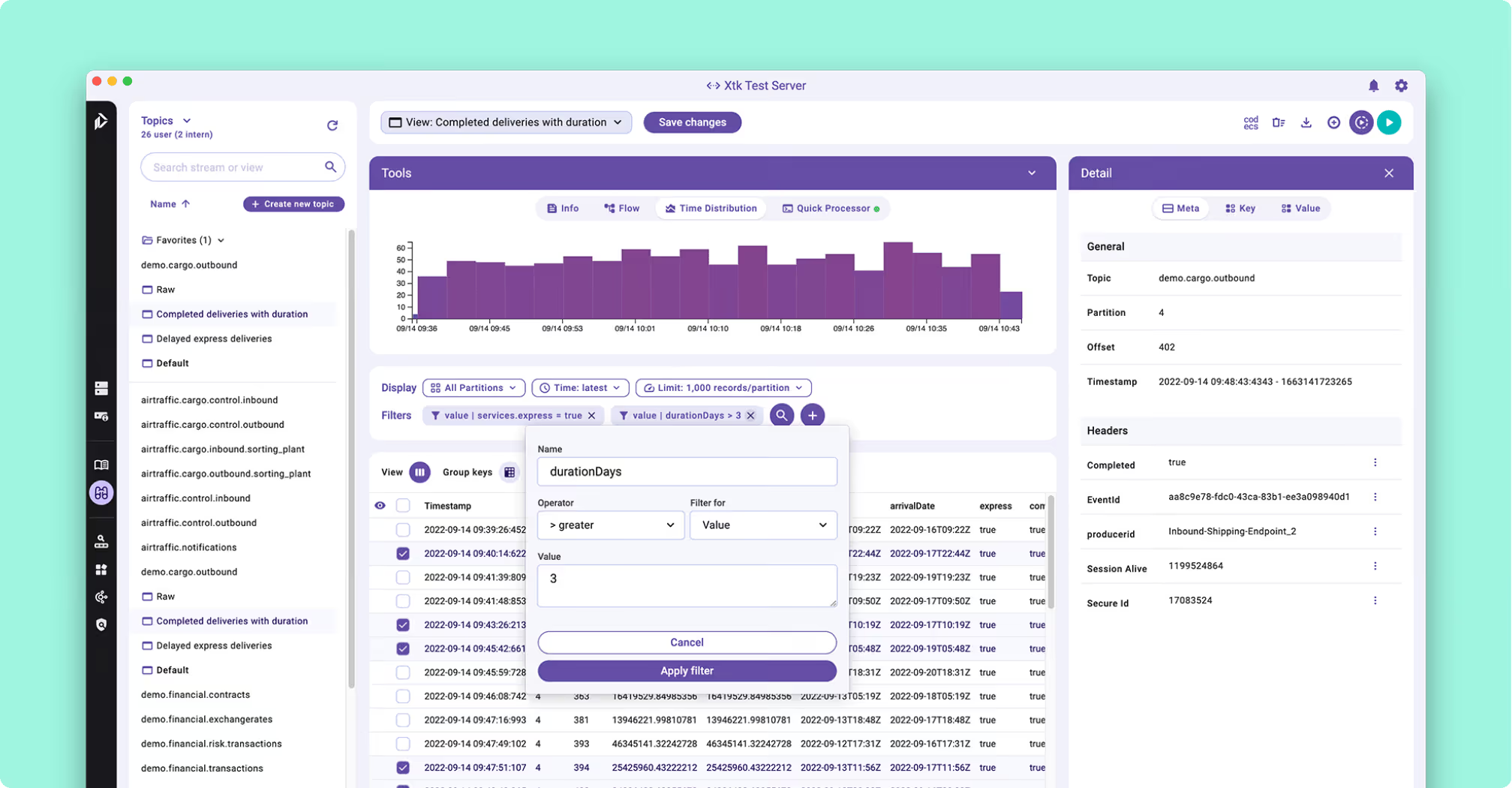
Kadeck is a commercially licensed Kafka management and data exploration tool from Xeotek, sold as two product lines rather than two rungs of one ladder. One is a native desktop application, with installers for Windows, macOS on both Intel and Apple Silicon, and Linux. The other is a web and Teams edition distributed as a Docker image. It reaches Apache Kafka, Redpanda and Amazon Kinesis.
- Record view: Avro and Protocol Buffers decoded through Confluent Schema Registry and laid out in columns.
- Quick Processor: a JavaScript expression derives calculated fields, with no streaming application to write.
- Dead-letter recovery: isolate the failed records, transform inline, preview, re-ingest, then delete up to that point so the replay does not duplicate.
- Metadata layer: schema fields documented without modifying the registry or bumping a version.
Role- and group-based access control, with LDAP and OpenID Connect behind it, belongs to the web and Teams edition. It is an Enterprise property rather than something the free tier carries.
What is Offset Explorer?
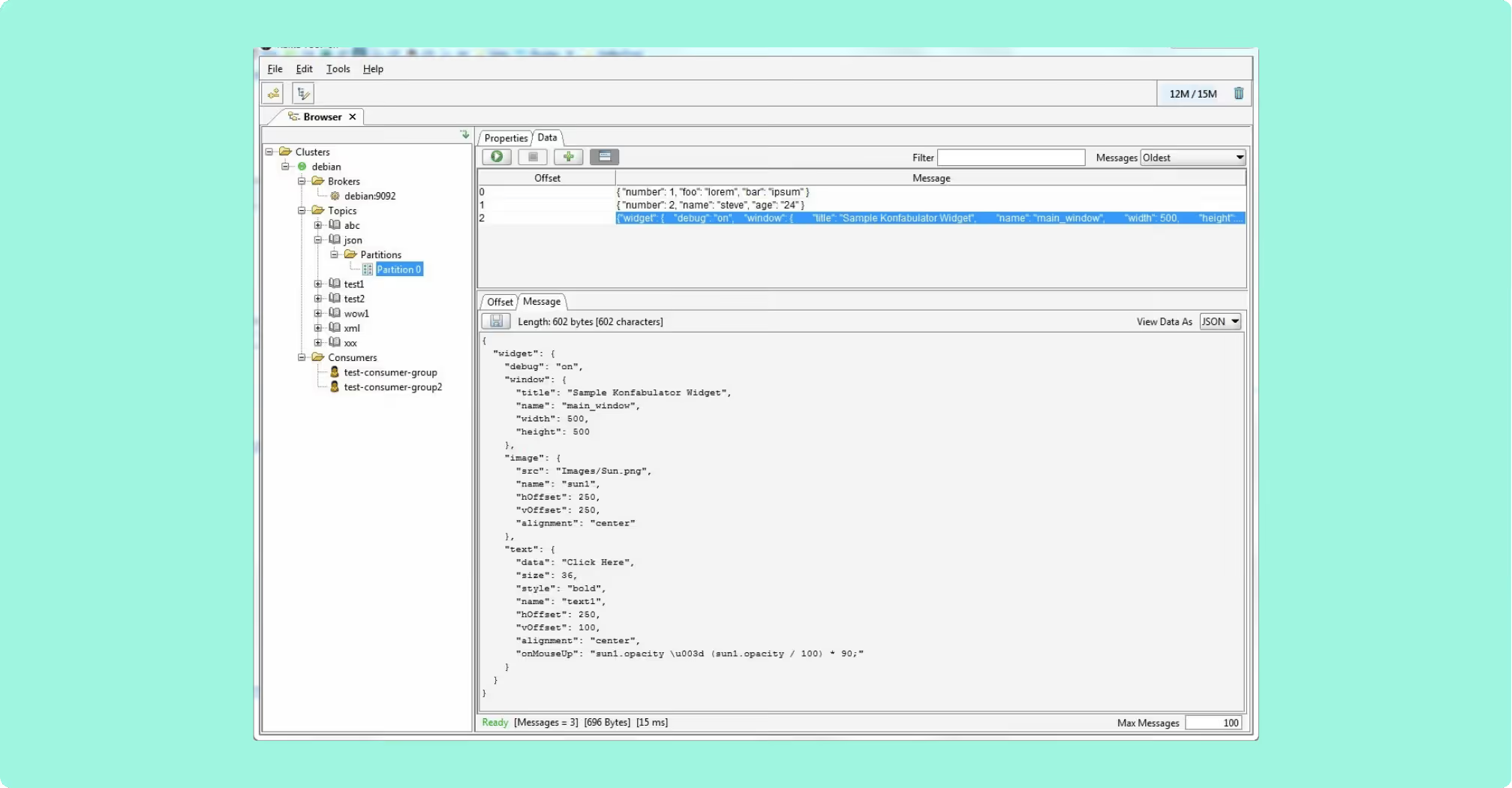
Offset Explorer is a GUI application for managing and using Kafka clusters, installed on an engineer’s own machine rather than deployed as a service. It runs on Windows, Linux and macOS, with a bundled JRE on Windows and macOS, and the Linux build wants Java 21 or later installed first. The vendor is DB Solo, LLC.
- Search: string, binary, Avro, Protobuf, JSON Schema, regular expressions and JsonPath, with text pretty-printed as JSON or XML.
- Integrations: Schema Registry, Kafka Connect and ksqlDB.
- Command line tool: replays a saved JSON project file, with a zero exit code on success and output as text, JSON, XML or CSV, and carries
listAcl,addAclanddeleteAcl. - Plugins: a custom Java plugin implementing a two-method interface renders a payload format the product does not natively understand.
What it does not do is monitor. Kafka publishes broker and client metrics over JMX rather than through the protocol itself, and Offset Explorer carries no metrics view.
What is the official 2026 pricing of Kadeck and Offset Explorer?
These are not the same kind of model. Offset Explorer is bought once per named user, with a year of support and maintenance included and a renewal available after that. Kadeck is a subscription, billed per user per month, and it stops when the payments stop.
Professional at 19 US dollars per user per month is the Desktop line, and it carries no governance. The governed web product is Enterprise, at 32 US dollars per user per month with a ten-user minimum, so the floor is 3,840 US dollars a year for a team of any size below ten, and a Desktop licence does not upgrade into it. Offset Explorer’s published ladder is 139 US dollars per user at one to ten users, 128 at eleven to twenty, and 119 at twenty-one to fifty, with no published price above that. After the first 365 days, maintenance is 46 US dollars per licence a year, and that is what buys upgrades and support. A shared machine needs a licence for every person who uses it. The free tiers answer different questions: Offset Explorer’s is personal use only, and Kadeck’s is a genuine team tier until the sixth person or the second cluster arrives, at which point the governance the Enterprise argument turns on is what a team on it has traded away.
Where does each one run out?
Both tools are marked out of 10 on the same five criteria, for a total out of 50, and every criterion counts once. Nothing sits behind a multiplier, so a total is the sum of its five marks and a reader can recompute it. The five are cost as teams grow, deployment footprint, support and maintenance, access control and audit, and multi-cluster reach, because those are the questions a Kafka interface is actually measured against after the first month: a second cluster, an access review with a date on it, an upgrade nobody owns, and a bill that moves when the team does. The widest gap between the two marks is on access control and audit, where Kadeck marks 6 and Offset Explorer marks 1. The marks come from the same matrix used on every comparison on this site, so a tool scores the same here as it does anywhere else, and the reason behind each mark is in the card below, under Why these scores.
 Rank 1
 Kadeck
kadeck.com
29 out of 50 Total
- Licence
- Per user per month, subscription
- Cost a year, ten people
- $6,720 all in
- Free tier
- 5 users, 1 cluster connection
- Cost as teams grow
- 4 out of 10
- Deployment footprint
- 4 out of 10
- Support and maintenance
- 6 out of 10
- Access control and audit
- 6 out of 10
- Multi-cluster reach
- 9 out of 10
Why these scores for Kadeck
- Cost as teams grow 4 out of 10
- The compare figure gives a subscription billed per user per month, and the governed tier is Enterprise at 32 US dollars a user with a ten-user minimum, so 640 a month and 7,680 a year at twenty people.
- Deployment footprint 4 out of 10
- The compare figure has the web and Teams edition as a Docker image only, validating its licence online on every start, and the documented Kubernetes path wants an external database.
- Support and maintenance 6 out of 10
- On this page, support comes from a vendor under the licence already being paid per seat, and the container validates that licence online on every start.
- Access control and audit 6 out of 10
- The compare figure has Enterprise carrying role-based access control with LDAP and OpenID Connect, masking through data protection policies and audit logs, where Teams Free carries none of them.
- Multi-cluster reach 9 out of 10
- This page gives one cluster connection on the free tier and unlimited on the paid tiers, across Apache Kafka, Redpanda and Amazon Kinesis.
Kadeck’s shared deployment is a runtime dependency on the vendor, and that is the part nobody plans for. The web and Teams edition ships exclusively as a Docker image: no RPM packages, no native binaries and no Helm chart, and the production path on Kubernetes wants a persistent external database.
Licence checks: every container start performs an online validation, and a lapsed licence removes the tool whether or not anybody chose to move.
Offline: air-gapped sites need offline activation through the admin panel, and CI pipelines need challenge-response activation through the vendor’s API.
Write path: read-oriented, with no streaming of derived data back into a topic and no Kafka Streams or ksqlDB integration.
Export: CSV respects the column filters applied in the record table and JSON does not.
Cost a year: Enterprise is 32 US dollars per user per month with a ten-user minimum, so ten people are 3,840 US dollars a year in licence and fifty are 19,200. Two engineer-hours a month at 120 US dollars an hour is 2,880 US dollars a year, the same rate used on both sides of this page. Here those hours go on the Docker image, the external database the Kubernetes path wants and licence activation, which puts ten people at 6,720 US dollars a year all in. The licence rates are the vendor’s published prices from this page; the operator time is a Factor House estimate.
 Rank 2
 Offset Explorer
kafkatool.com
26 out of 50 Total
- Licence
- Per named user, one-time purchase
- Cost, ten people
- $1,390 once, then $460 a year, plus $11,520 this page's estimate
- What it needs to run
- Nothing server-side, a desktop install
- Cost as teams grow
- 5 out of 10
- Deployment footprint
- 7 out of 10
- Support and maintenance
- 6 out of 10
- Access control and audit
- 1 out of 10
- Multi-cluster reach
- 7 out of 10
Why these scores for Offset Explorer
- Cost as teams grow 5 out of 10
- The compare figure gives 139 US dollars once in the one-to-ten-user band and 128 in the eleven-to-twenty band, then 46 a year for maintenance, against a subscription that never stops on the other side. On top of the licence, this page’s estimate of keeping ten workstations and their exported connection files in step is 8 engineer-hours a month at 120 US dollars an hour, 11,520 US dollars a year.
- Deployment footprint 7 out of 10
- The compare figure gives nothing server-side, with a bundled JRE on Windows and macOS and Java 21 or later on Linux, docked because configuration is per workstation, exported and imported between engineers as files.
- Support and maintenance 6 out of 10
- On this page, the vendor is DB Solo, LLC, with a year of support and maintenance included in the purchase and 46 US dollars per licence a year to renew it.
- Access control and audit 1 out of 10
- The compare figure has authentication as client to broker only, so there is no identity for a role model or an audit trail to key on; the command line tool manages ACLs and still knows nobody’s name.
- Multi-cluster reach 7 out of 10
- The compare figure gives no server-side limit, but each workstation holds its own cluster list, so reach is per engineer rather than per deployment.
Nothing authenticates a person to Offset Explorer. Authentication is client to broker only: SASL over plaintext or SSL, SSL with a truststore and optional client certificates, and OAUTHBEARER. There is no login, no SSO and no OIDC against the application itself, so there is no user identity for a role model or an audit trail to key on.
ACLs: the command line tool adds and removes them on the broker, and still knows nobody’s name.
Shared record: no shared deployment to operate, and no server-side record of what an engineer did.
Configuration: per workstation, exported and imported as files, so nothing keeps two people in step.
Plugins: a jar copied into the installation directory, effective after a restart, so a decoder lands one workstation at a time.
Cost a year: 139 US dollars per named user in the one-to-ten band, so ten engineers are 1,390 US dollars once, and maintenance after the first 365 days is 46 per licence a year, or 460 for ten. There is no shared deployment to operate, and the 2,880 US dollars a year of operator time that the server-side option on this page carries becomes 11,520 here on this page’s estimate, because every workstation and its exported connection files are kept in step by hand, and a licence is needed for every person who uses a shared machine. The prices are the vendor’s published ladder from this page.
Compare Kpow vs Offset ExplorerKafdrop vs Offset ExplorerOffset Explorer download guide
Which should you pick?
Kadeck scores 29 against Offset Explorer’s 26 and is the pick for a team rather than an individual, because nothing logs in to Offset Explorer and a Desktop licence never upgrades into a governed edition. Offset Explorer suits one engineer at 139 US dollars. Kadeck’s governance starts at 3,840 a year for ten seats, so a growing team should shortlist Kpow by Factor House, priced per cluster.
Pick Offset Explorer if:
- the tool is for engineers who already hold cluster credentials
- the value is ad-hoc inspection and repeatable shell operations
- nobody is going to ask who looked at what
- a purchase with an optional renewal suits better than a subscription
Pick Kadeck if:
- the payloads are the problem: nested Avro, Protocol Buffers, headers
- a dead letter queue has to be drained regularly
- a shared, governed install is the actual project and the ten-seat floor is affordable
The question underneath both is who the tool is for. Five people who all hold cluster credentials anyway make both of these cheap, and the choice is about payload handling. Fifty people, most of whom should never touch a broker, make governance the thing being bought, and these two price it in different currencies: Kadeck puts a shared, authenticated deployment behind a ten-seat floor, and Offset Explorer has no shared deployment to authenticate anybody against. Where the payload handling is what matters, the Kafka message search tools compared covers that job across the field, and the Kafka UI tools compared for engineering teams covers the shared, governed deployments these two sit between.
Kpow: the licence counts clusters, not names
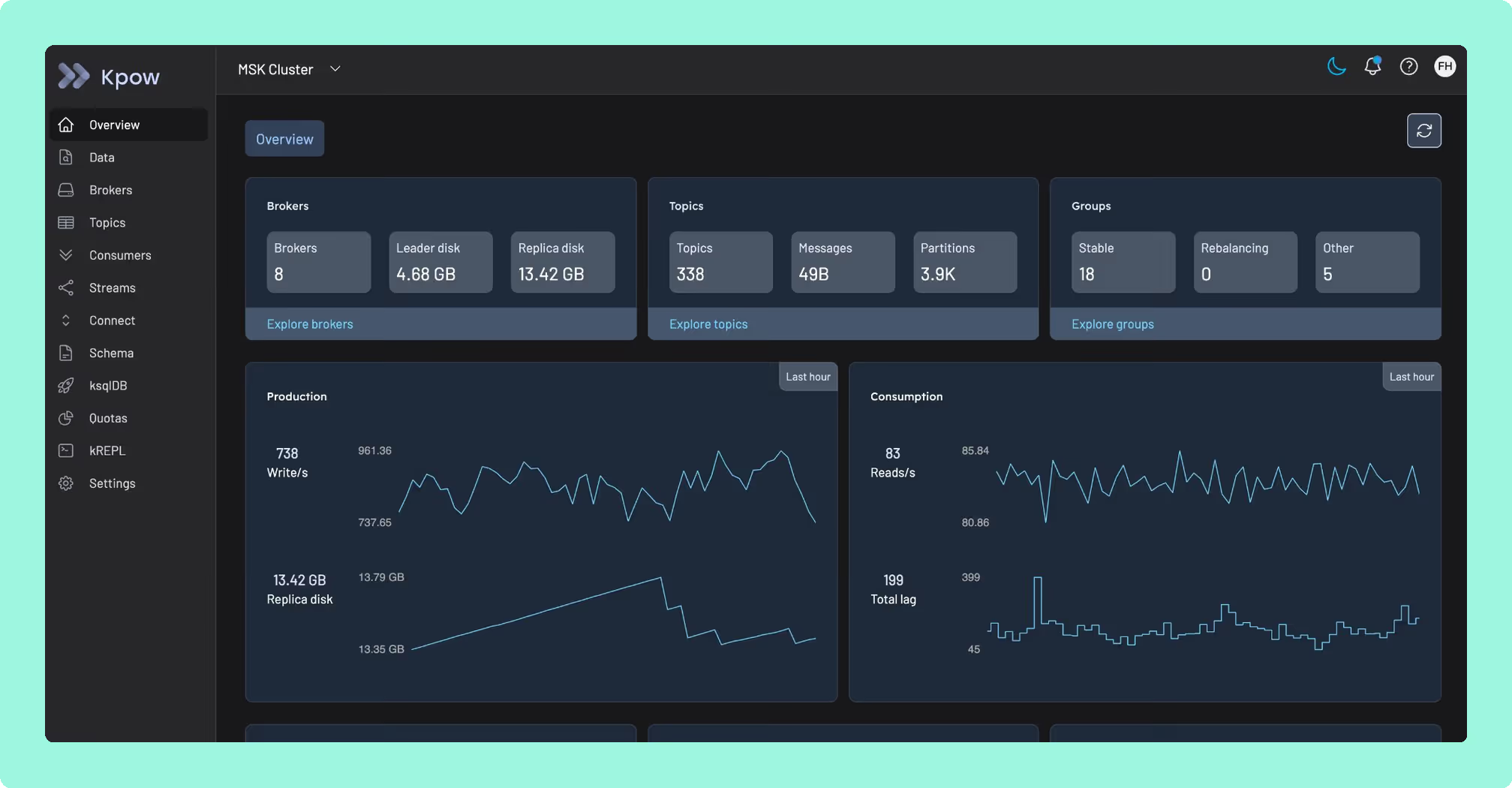
Kadeck bills per user per month and Offset Explorer bills per named user as a one-time purchase, but both count people rather than clusters: a shared machine running Offset Explorer needs a licence for everyone who touches it, and a shared Kadeck deployment needs a seat for everyone past the ten-user Enterprise floor before governance even switches on. Kpow by Factor House prices the cluster instead of the person: licensed per cluster at a published price, a new engineer changes nothing about the bill, and it runs as one stateless container set up through environment variables, with no external database and no sidecar to license per seat.
One licence per cluster instead of one licence per named person is the entire trade. That published per-cluster price is worth reading in full on Kpow’s product page before you choose between the two people-priced options above.
How these tools were scored
Every option is scored from 0 to 10 on each criterion, from the evidence and sources this page cites, and the reason for each score is on its card. Each criterion counts once, for a total out of 50. The options are listed by total.