At a glance
Offset Explorer and Lenses are scored here on the same five criteria, 50 points in all: Offset Explorer 26 out of 50, Lenses 26 out of 50. Offset Explorer takes its best score on Deployment footprint (7 out of 10) and its lowest on Access control and audit (1 out of 10). Cost a year: $5,950 once for 50 users, then $2,300, plus about $11,520 in ops. Lenses takes its best score on Access control and audit (7 out of 10) and its lowest on Deployment footprint (2 out of 10). Cost a year: $4,000 per cluster to 15 users, custom above, plus about $2,880 in ops.
Lenses vs Offset Explorer, compared
Kpow meets 6 of 7 requirements on this page. One row is not a yes or no question.
Key takeaway
Offset Explorer is a purchase per named user at 139, 128 or 119 US dollars by band, plus 46 for each year after the first, and Lenses DevX Team starts at 4,000 US dollars a year for up to 15 users. Both are free for somebody, and not the same somebody: Offset Explorer for personal use, Lenses Community for up to 5 users with no RBAC. Offset Explorer, renamed from Kafka Tool, installs on each engineer’s machine; Lenses is a central control plane with an agent on every cluster. Kpow by Factor House is licensed per cluster.
Kpow live demo
Test the trade-offs in a live Kafka UI
You have compared Lenses vs Offset Explorer. Open a live Kpow environment to test the everyday workflows a shared Kafka platform needs.
Built for platform and data teams managing shared Kafka clusters.
Try the Kpow demoWhat is Offset Explorer?
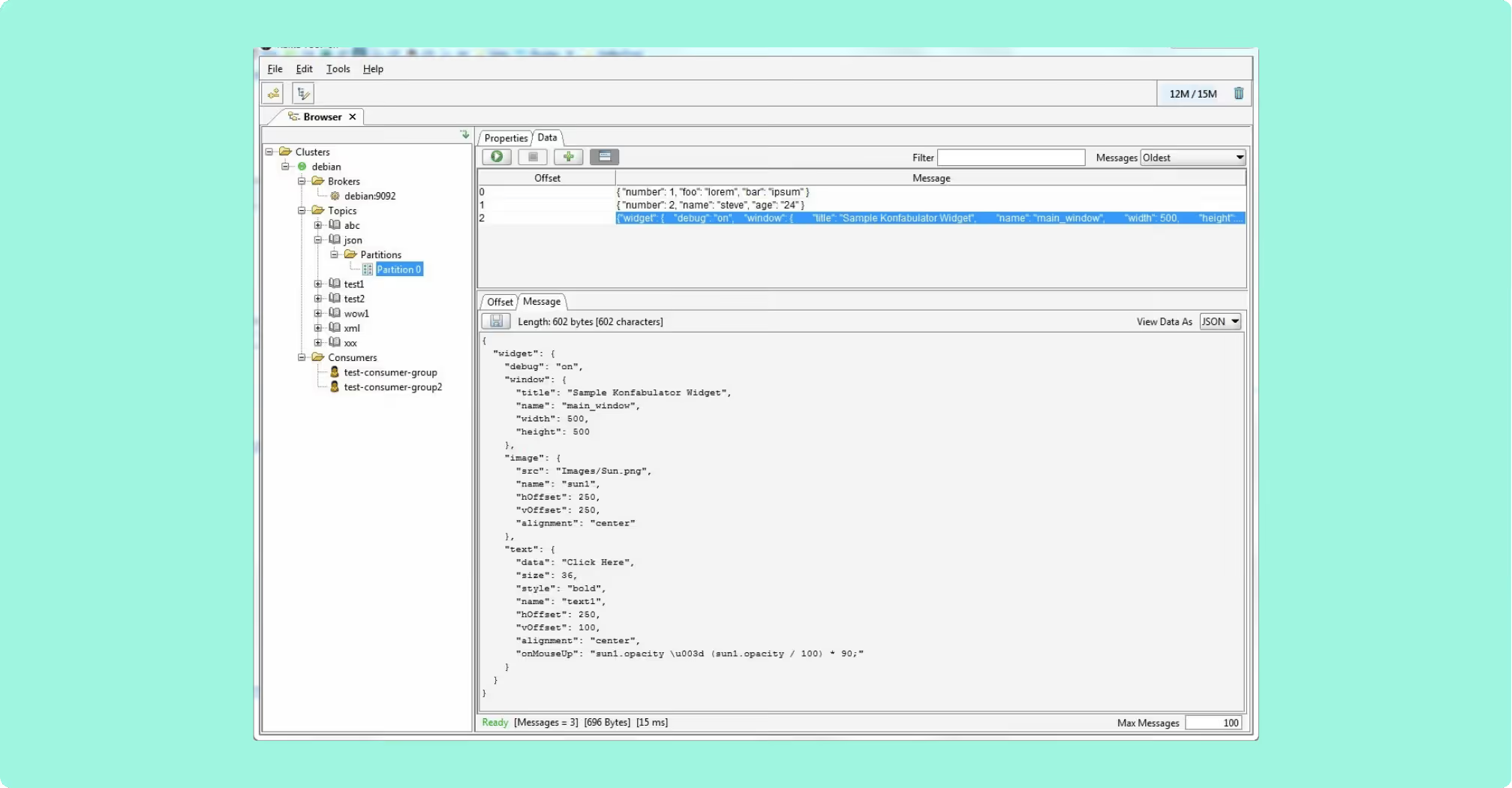
Offset Explorer is a GUI application for managing and using Apache Kafka clusters, published by DB Solo, LLC, and installed on an engineer’s own machine rather than deployed as a service. It runs on Windows, Linux and macOS. The Windows and macOS builds carry a bundled JRE, so installation is a single download; the Linux build needs Java 21 or later on the machine first.
- Payloads: shown as hex or UTF-8, and pretty-printed as JSON or XML.
- Search: string, binary, Avro, Protobuf, JSON Schema, regular expressions and JsonPath.
- Integrations: Schema Registry, Kafka Connect and ksqlDB.
- Command line tool:
exportMessages,importMessages,generateData,scriptGenerator,findMessagesandcompareClustersagainst a saved project file, with real exit codes.
Where a payload format is proprietary, a Java class implementing ICustomMessageDecorator2 ships as a jar into the installation’s plugins folder and is selected per topic. The ACL commands live in the command line tool rather than the main interface.
What is Lenses?
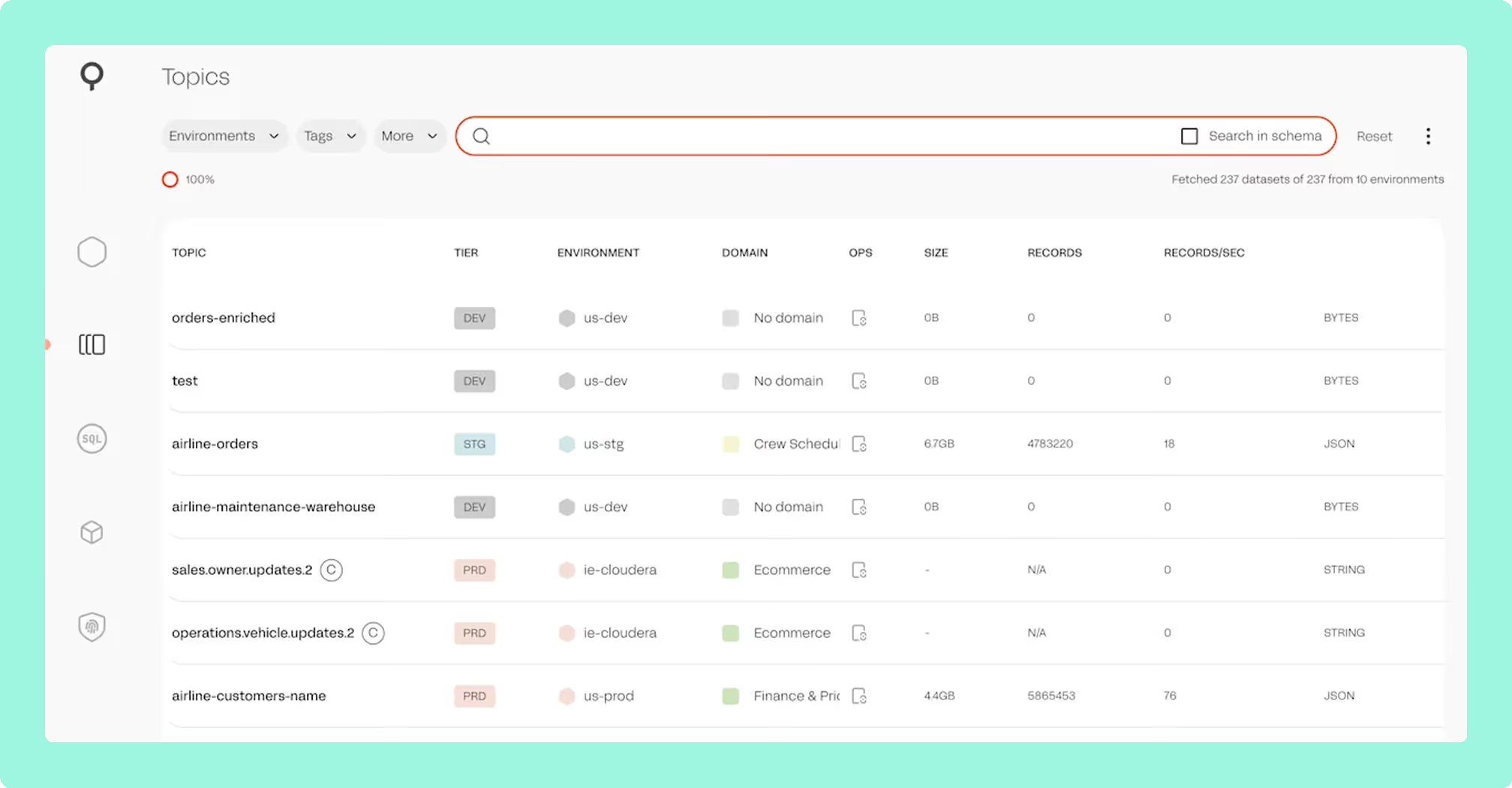
Lenses is a commercial Kafka governance and data exploration platform that sits on top of clusters somebody else runs. It connects as an ordinary Kafka client rather than a proxy, so nothing sits in the data path and a KRaft cluster needs no modification. The architecture is a central Lenses HQ node with lightweight agents deployed per cluster, and one agent reaches one Kafka cluster. Celonis acquired the company in 2022, and 6.2.6 was released on 19 August 2026.
- SQL Studio: queries a topic instead of writing a consumer to trawl millions of JSON, Avro or Protobuf records.
- SQL Processors: stateful and stateless rules defined in SQL, built on Kafka Streams and run on Kubernetes.
- Identity: SSO and SAML, RBAC, and built-in roles where Operator and Security Admin are distinct from Admin.
- Audit: logs on the 6.2.6 line carry principal delegation.
What is the official 2026 pricing of Lenses and Offset Explorer?
The two published ladders are not the same kind of object. Offset Explorer is a purchase: 139 US dollars per user for 1 to 10 users, 128 for 11 to 20, and 119 for 21 to 50, with 365 days of support and maintenance included, renewing at 46 US dollars per licence for a further 12 months. Lenses DevX Team starts at 4,000 US dollars a year for up to 15 users.
Ten engineers on Offset Explorer is 1,390 US dollars to buy and 460 a year to stay current, against 4,000 a year on Lenses. Fifty engineers on Offset Explorer is 5,950 US dollars and 2,300 a year; fifty on Lenses is past the 15-user Team cap and becomes a Multi-Kafka Enterprise agreement priced by negotiation. Free means a different thing on each side: Offset Explorer is free for a person, with personal use unlimited in time and a 30-day evaluation for anything else, and Lenses Community is free for a deployment, up to 5 users with Basic Auth, no SSO and no RBAC. There is a second Lenses meter too: exactly-once replication, offset replication or schema migration puts a team on the K2K ladder on top of DevX, from 1,000 US dollars a month with five clusters included and 200 a month for each cluster after.
Where does each one run out?
The scoring is the same on both sides: five criteria, 10 points each, 50 in all, with every criterion counting once. Nothing sits behind a multiplier, so a total is the sum of its five marks and a reader can recompute it. The five are cost as teams grow, deployment footprint, support and maintenance, access control and audit, and multi-cluster reach, because those are the questions a Kafka interface is actually measured against after the first month: a second cluster, an access review with a date on it, an upgrade nobody owns, and a bill that moves when the team does. The widest gap between the two marks is on access control and audit, where Offset Explorer marks 1 and Lenses marks 7. The marks come from the same matrix used on every comparison on this site, so a tool scores the same here as it does anywhere else, and the reason behind each mark is in the card below, under Why these scores.
 Rank 1
 Offset Explorer
kafkatool.com
26 out of 50 Total
- Cost a year
- $5,950 once for 50 users, then $2,300, plus about $11,520 in ops
- What has to be deployed
- Nothing server-side, an installer per machine
- Who the tool authenticates
- Nobody. Authentication is client to broker only
- Cost as teams grow
- 5 out of 10
- Deployment footprint
- 7 out of 10
- Support and maintenance
- 6 out of 10
- Access control and audit
- 1 out of 10
- Multi-cluster reach
- 7 out of 10
Why these scores for Offset Explorer
- Cost as teams grow 5 out of 10
- A purchase per named user. This page prices it at 139 US dollars for 1 to 10 users, 128 for 11 to 20 and 119 for 21 to 50, renewing at 46 per licence a year, so fifty engineers is 5,950 once and 2,300 a year, and a shared machine needs a licence for every person on it.
- Deployment footprint 7 out of 10
- Nothing server-side at all, with a bundled JRE on the Windows and macOS builds and Java 21 or later needed on the machine first for Linux, docked because the cluster list lives on each workstation and connections travel as exported files.
- Support and maintenance 6 out of 10
- It includes 365 days of support and maintenance in the purchase, then 46 US dollars per licence for a further 12 months.
- Access control and audit 1 out of 10
- This page calls identity its load-bearing limit. The documented authentication is client to broker only, so nothing authenticates a person to the application, there is no user identity for a role model to key on and no server-side audit log to read.
- Multi-cluster reach 7 out of 10
- Many clusters reachable from one install, docked because each workstation holds its own list and connections are exchanged as files, so nothing keeps two people in step.
Offset Explorer’s load-bearing limit is identity. The documented authentication is client to broker only: plaintext, SASL over plaintext or SSL with a JAAS configuration, SSL with a truststore and optional client certificates, and OAUTHBEARER. Nothing authenticates a person to the application, so there is no user identity for a role model to key on and no server-side audit log to read.
Configuration: the cluster list lives on each workstation, and connections export and import as files, so nothing keeps two people in step.
Plugins: a jar copied into an installation directory, so a decoder lands one machine at a time.
ACLs: available from the command line tool rather than the main interface.
Bill: tracks headcount, with maintenance a separate annual charge on every licence.
What it costs a year: 5,950 US dollars once for fifty engineers at the 119 band rate, then 2,300 a year, which is the only fully published number on this page. This page’s estimate rather than a vendor price for what a per-workstation tool leaves to somebody: fifty installs, fifty cluster lists exchanged as files and a decoder jar copied into a plugins folder one machine at a time, at eight engineer-hours a month, is 11,520 US dollars a year at 120 US dollars an hour. That is about 17,470 in the first year and 13,820 a year after it. Neither figure buys an audit trail, because nothing server-side exists to write one.
Compare Kpow vs Offset ExplorerConduktor vs Offset ExplorerKafka Tool download
 Rank 2
 Lenses
lenses.io
26 out of 50 Total
- Cost a year
- $4,000 per cluster to 15 users, custom above, plus about $2,880 in ops
- What has to be deployed
- HQ on PostgreSQL, plus an agent and a database per cluster
- Who the tool authenticates
- A person, with SSO, SAML and RBAC from Team
- Cost as teams grow
- 4 out of 10
- Deployment footprint
- 2 out of 10
- Support and maintenance
- 6 out of 10
- Access control and audit
- 7 out of 10
- Multi-cluster reach
- 7 out of 10
Why these scores for Lenses
- Cost as teams grow 4 out of 10
- Metered by user count. On this page, Community stops at 5 users with no SSO and no RBAC, DevX Team starts at 4,000 US dollars a year for up to 15, a sixteenth person is a custom-priced Multi-Kafka Enterprise agreement, and replication puts a team on a second K2K meter from 1,000 US dollars a month.
- Deployment footprint 2 out of 10
- A central HQ node with PostgreSQL as its only supported store, plus one agent and one agent database for every Kafka cluster, on the free tier too, against an installer and nothing else on the other side.
- Support and maintenance 6 out of 10
- A vendor under contract with 6.2.6 released on 19 August 2026, docked because the published Helm chart runs a single HQ replica, exposes no way to run a second, and defaults to a Recreate update strategy.
- Access control and audit 7 out of 10
- SSO and SAML, RBAC with Operator and Security Admin distinct from Admin, and audit logs carrying principal delegation on the 6.2.6 line, docked because data policies match on field name across every registered dataset and are global, with no escape even for an admin.
- Multi-cluster reach 7 out of 10
- One agent reaches one Kafka cluster under a single central HQ, with federated multi-Kafka only at the custom-priced top tier.
Lenses runs out on the control plane, which is wider than it first looks: HQ plus its Postgres, which is the only supported store, plus one agent and one agent database for every Kafka cluster, so a four-cluster estate is HQ, four agents and five databases. The Community edition carries the same dependency.
Availability: the published Helm chart runs a single HQ replica and exposes no way to run a second, and its default update strategy is Recreate.
Masking: data policies match on field name across every registered dataset and are global, with no escape even for an admin.
Permissions: 6.2.5 split UpdateTopicDetails into two actions, so custom roles granting the old one needed re-granting by hand.
Weight: a server-side JVM backend runs alongside the web interface, which is heavy for one local topic.
What it costs a year: 4,000 US dollars a year for DevX Team up to 15 users on a single cluster, so the three clusters this page works across are three Team licences at 12,000 US dollars, and a custom-priced Multi-Kafka Enterprise agreement above fifteen users, which makes the fifty engineers this page works through a quote rather than a number. This page’s estimate rather than a vendor price for running it: two engineer-hours a month is 2,880 US dollars a year at 120 US dollars an engineer hour, so 14,880 all in at fifteen users across three clusters and an open figure above them. What those hours do not cover is the control plane this page describes, because one HQ node on PostgreSQL as its only supported store, plus an agent and an agent database for every cluster, is four databases across three clusters, each with its own backups and upgrade path. Kpow is 13,500 US dollars published for the same three clusters with 100 users included, and it carries no database of its own.
Compare Kpow vs Lenses.ioKafbat UI vs LensesLenses.io review
Which should you pick?
These two tie at 26 out of 50 and are bought by different people: Offset Explorer is a per-named-user purchase from 139 US dollars installed on each engineer’s machine, and Lenses is a central control plane from 4,000 a year for fifteen users. Neither is free for a team with an access review due, so shortlist Kpow by Factor House, priced per cluster with audit in the product.
Pick Offset Explorer if:
- it is one engineer, one laptop, several clusters, and the work is today
- the hunt is for a single bad record across Avro, Protobuf, JSON Schema or JsonPath
- the repeatable work is a CI step rather than a service
Pick Lenses if:
- people who will not write consumer code need to answer their own questions
- somebody has asked who can see what
- continuous transformation defined in SQL is part of the plan
The middle case is structural rather than a feature count: one product sells identity, with SSO, RBAC, roles that separate duties and an audit trail, and the other has no concept of a person to attach any of that to. Count the deployment into the price, though, because that is a database for HQ and one for every agent. On automation, Offset Explorer’s command line tool replays a saved project from a shell and exits 0 or nonzero, and SQL Processors run continuously on Kubernetes: one is a script and the other is a service.
If identity is what the shortlist turns on, Kafka RBAC tools ranks which products put roles over the interface rather than only over the cluster, and the best Kafka management tools covers the wider field on price and deployment.
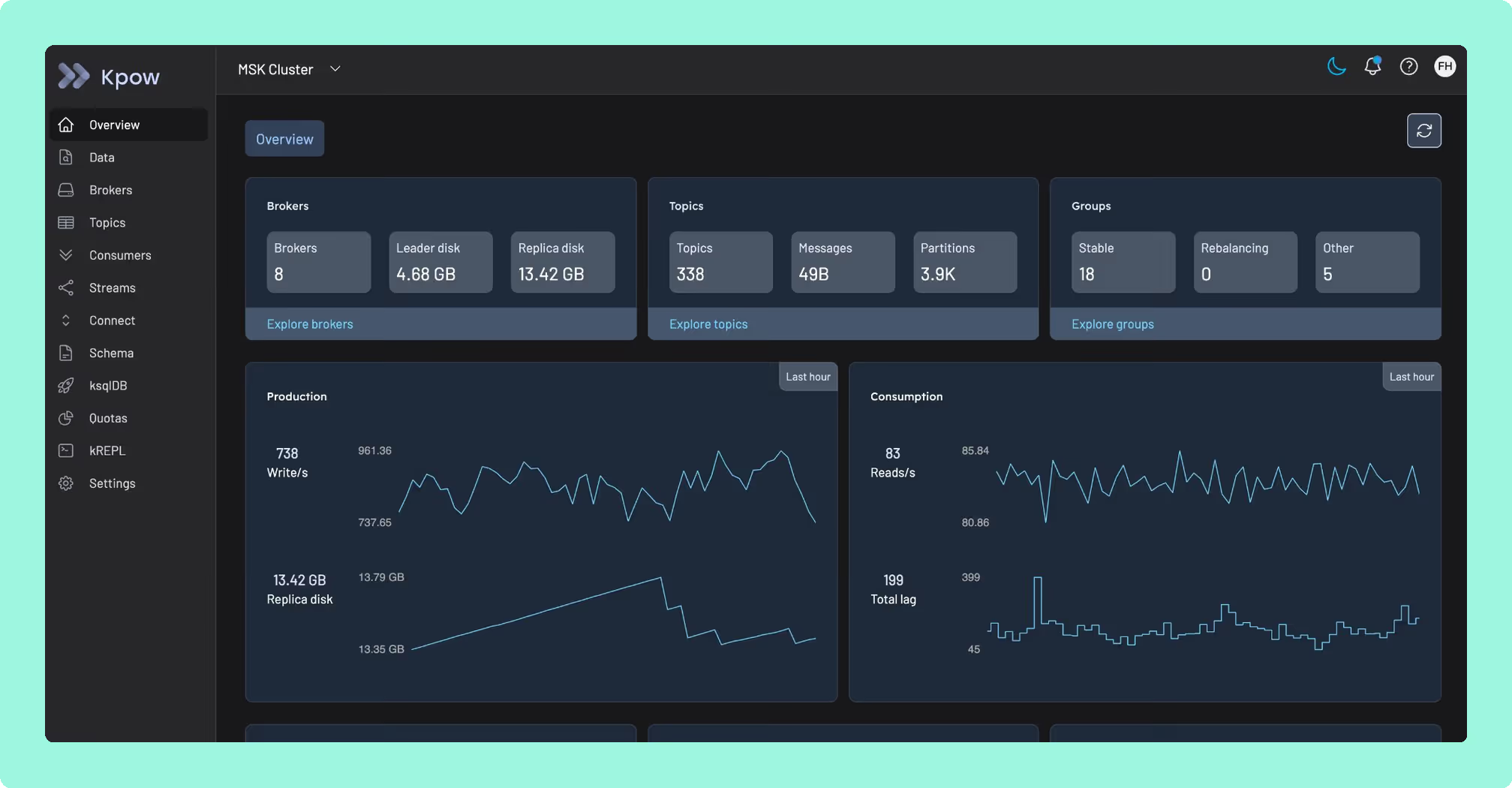
Kpow: a bill that does not grow with headcount
Offset Explorer and Lenses both size the invoice to how many people are logged in, not to how many clusters are being run. Offset Explorer charges per named user on a three-band ladder, 139 US dollars in the 1-to-10 range, 128 in the 11-to-20 range and 119 above that, so a shared machine still needs a licence for every person who uses it. Lenses caps by tier instead of by seat, five users free on Community and fifteen on DevX Team, before a sixteenth person forces a Multi-Kafka Enterprise agreement priced by negotiation, on top of a central HQ node and PostgreSQL that Community carries too. Kpow by Factor House is licensed per cluster, so a team of five becoming a team of fifty does not change it. It runs as one stateless container on top of whatever Kafka the team already has, rather than running the broker itself.
Headcount already decides two bills here. Start on Kpow and see whether a per-cluster price fits your headcount better than either of these licences would.
How these tools were scored
Every option is scored from 0 to 10 on each criterion, from the evidence and sources this page cites, and the reason for each score is on its card. Each criterion counts once, for a total out of 50. The options are listed by total.
Sources
- Apache Kafka documentation on authorization and ACLs
- Apache Kafka documentation on basic operations
- Apache Avro documentation