Confluent Control Center vs Offset Explorer
ComparisonsAt a glance
Offset Explorer and Confluent Control Center are scored here on the same five criteria, 50 points in all: Offset Explorer 26 out of 50, Confluent Control Center 20 out of 50. Offset Explorer takes its best score on Deployment footprint (7 out of 10) and its lowest on Access control and audit (1 out of 10). Cost a year (modelled): $1,390 for 10 users in year one, plus $11,520 in setup time. Confluent Control Center takes its best score on Access control and audit (7 out of 10) and its lowest on Cost as teams grow (2 out of 10). Cost a year (modelled): Licence not published, plus $2,880 in ops time.
Confluent Control Center vs Offset Explorer, compared
Kpow meets 6 of 7 requirements on this page. One row is not a yes or no question.
Key takeaway
Control Center needs the Confluent Metrics Reporter in the broker classpath, so it cannot monitor Amazon MSK, Redpanda or Aiven, and it is not sold on its own. Offset Explorer connects as an ordinary Kafka client instead, and is a purchase per named user at 139, 128 or 119 US dollars by band, plus 46 a year for maintenance. Nothing authenticates a person to it, so there is no identity for a role model or an audit trail to key on. Kpow by Factor House is licensed per cluster at a published price.
Kpow live demo
Test the trade-offs in a live Kafka UI
You have compared Confluent Control Center vs Offset Explorer. Open a live Kpow environment to test the everyday workflows a shared Kafka platform needs.
Built for platform and data teams managing shared Kafka clusters.
Try the Kpow demoWhat is Confluent Control Center?
Control Center is a web management and monitoring interface bundled with Confluent Platform, Confluent’s commercial Kafka distribution. It is closed-source, it arrives under an enterprise licence, and it is not sold or priced separately. One dashboard covers brokers, topics, consumer groups, Kafka Connect workers, Schema Registry, ksqlDB and Kafka Streams topologies. The current release line is 2.6.x, and 2.6.0 shipped on 14 July 2026.
Control Center needs the proprietary Confluent Metrics Reporter JAR in the broker classpath, and that JAR cannot be installed on Amazon MSK, Redpanda or Aiven, so it reaches the distribution it ships with and not the cluster running beside it. Consumer group offsets are managed from the interface rather than from a shell: reset to earliest, to latest or to a specific value, and deleted.
Confluent Control Center
confluent.io
20 out of 50 Total
- Cost a year (modelled)
- Licence not published, plus $2,880 in ops time
- Needs on the broker
- The proprietary Confluent Metrics Reporter
- Dedicated nodes
- 4 cores, 8 GB, 200 GB to 100,000 replicas
- Cost as teams grow
- 2 out of 10
- Deployment footprint
- 2 out of 10
- Support and maintenance
- 6 out of 10
- Access control and audit
- 7 out of 10
- Multi-cluster reach
- 3 out of 10
Why these scores for Confluent Control Center
- Cost as teams grow 2 out of 10
- This page has it on the Confluent Platform enterprise licence, which Confluent does not publish, with Control Center, multi-tenancy support and encryption each adding cost above the base, and no free use beyond a time-limited evaluation. Cost of ownership modelled at $2,880 a year in ops time on top of an unpublished platform licence (this page’s estimate, 2 engineer-hours a month at $120 an hour).
- Deployment footprint 2 out of 10
- This page gives dedicated nodes, separate from the brokers, at 4 cores, 8 GB of RAM and 200 GB of storage for clusters up to 100,000 replicas, plus the proprietary Confluent Metrics Reporter in the broker classpath.
- Support and maintenance 6 out of 10
- On this page, the Enterprise licence includes quarterly patch updates for the current version only, and the Platinum support tier is not available for this product.
- Access control and audit 7 out of 10
- On this page, a person logs in against RBAC with audit logging for authentication and authorisation events, resetting an offset needs super.user, SystemAdmin or ClusterAdmin, and there is no metrics-only mode.
- Multi-cluster reach 3 out of 10
- This page gives Confluent Platform, because the proprietary Confluent Metrics Reporter cannot be installed on Amazon MSK, Redpanda or Aiven.
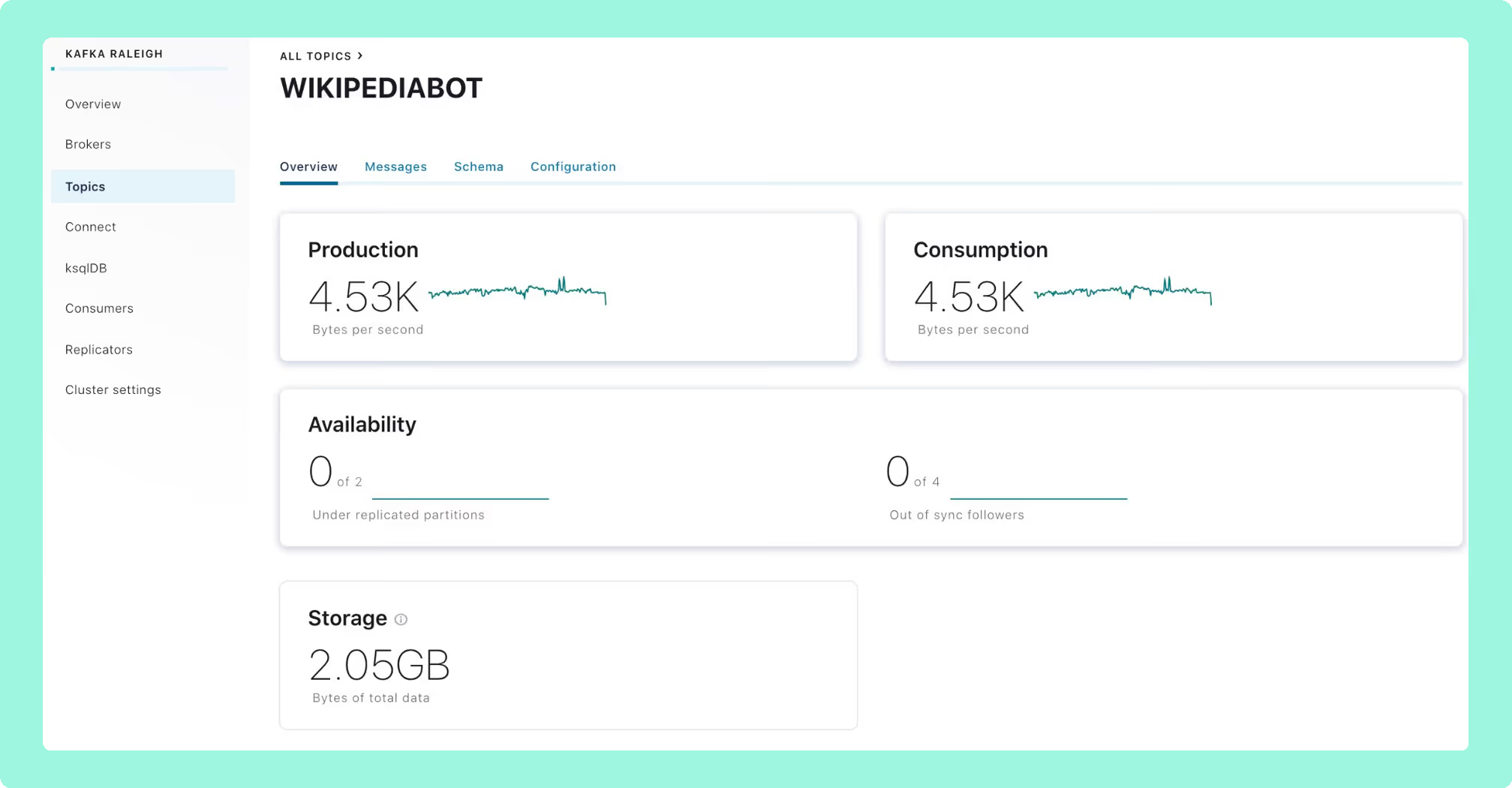
Next generation: Prometheus-based, GA as Control Center 2.0 in May 2025 and the only option from Confluent Platform 8.0 in June 2025.
What changed: startup fell from 15 to 50 minutes to about one, and supported partition scale rose from 120,000 to 400,000.
Unmatched: Kafka Streams topology visualisation and native ksqlDB development.
RBAC: no metrics-only mode in RBAC-enabled environments. Resetting or deleting an offset requires super.user, SystemAdmin or ClusterAdmin.
Footprint: dedicated nodes, never the same host as Confluent Platform, at 4 cores, 8 GB of RAM and 200 GB of storage up to 100,000 replicas.
Upgrades: legacy to next generation is a migration. Historical metrics do not carry over, and 7 to 15 days in parallel is recommended.
Interceptors: Monitoring Interceptors are removed in Confluent Platform 8.0, so anything embedding them has to be reconfigured.
Cost of ownership (modelled): Confluent does not publish a price for Control Center, so there is no licence line to quote. What can be counted is the running cost: a dedicated node to size and patch, a reporter to keep on every broker, and a legacy to next generation migration run in parallel for 7 to 15 days. At 2 engineer-hours a month at $120 an hour that is $2,880 a year before the platform licence itself, against a published Kpow licence of $4,500 per cluster a year for up to 100 users.
Compare Kpow vs Confluent Control CenterAKHQ vs Confluent Control CenterConfluent Control Center review
What is Offset Explorer?
Offset Explorer is a GUI application for managing and using Apache Kafka clusters, installed on an engineer’s own machine rather than deployed as a service. It runs on Windows, Linux and macOS, with a bundled JRE on the first two. It is licensed per named user. It supports Apache Kafka 0.11 and above, with documented connection paths for Azure Event Hubs, Amazon MSK over SCRAM-SHA-512, Amazon MSK over AWS_MSK_IAM, and Confluent Cloud, because it connects as an ordinary Kafka client. It was formerly called Kafka Tool, a name the vendor’s domain still carries.
 Rank 1
 Offset Explorer
kafkatool.com
26 out of 50 Total
- Cost a year (modelled)
- $1,390 for 10 users in year one, plus $11,520 in setup time
- Maintenance
- 365 days included, then 46 US dollars a licence a year
- What has to be deployed
- Nothing server-side. An installer on each machine
- Cost as teams grow
- 5 out of 10
- Deployment footprint
- 7 out of 10
- Support and maintenance
- 6 out of 10
- Access control and audit
- 1 out of 10
- Multi-cluster reach
- 7 out of 10
Why these scores for Offset Explorer
- Cost as teams grow 5 out of 10
- This page gives a purchase per named user at 139 US dollars for 1 to 10 users, 128 at 11 to 20 and 119 at 21 to 50, free for personal use only, so five engineers is about 695 US dollars in the first year and fifty about 5,950. Cost of ownership modelled at about $12,910 in year one for ten engineers: the published $1,390 of licences plus $11,520 in per-workstation time (this page’s estimate, 8 engineer-hours a month at $120 an hour).
- Deployment footprint 7 out of 10
- This page gives nothing server-side, an installer on each engineer’s machine, with Windows and macOS bundling a JRE and Linux needing Java 21 or later first.
- Support and maintenance 6 out of 10
- This page gives 365 days of support and maintenance at purchase, then 46 US dollars per licence a year.
- Access control and audit 1 out of 10
- On this page, nobody logs in. The documented authentication is client to broker only, so there is no login to the application, no identity for a role model, no server-side audit log and no single place to see what an engineer did.
- Multi-cluster reach 7 out of 10
- This page gives Apache Kafka 0.11 and above, with documented paths for Azure Event Hubs, Amazon MSK over SCRAM-SHA-512 and AWS_MSK_IAM, and Confluent Cloud, but each workstation holds its own list.
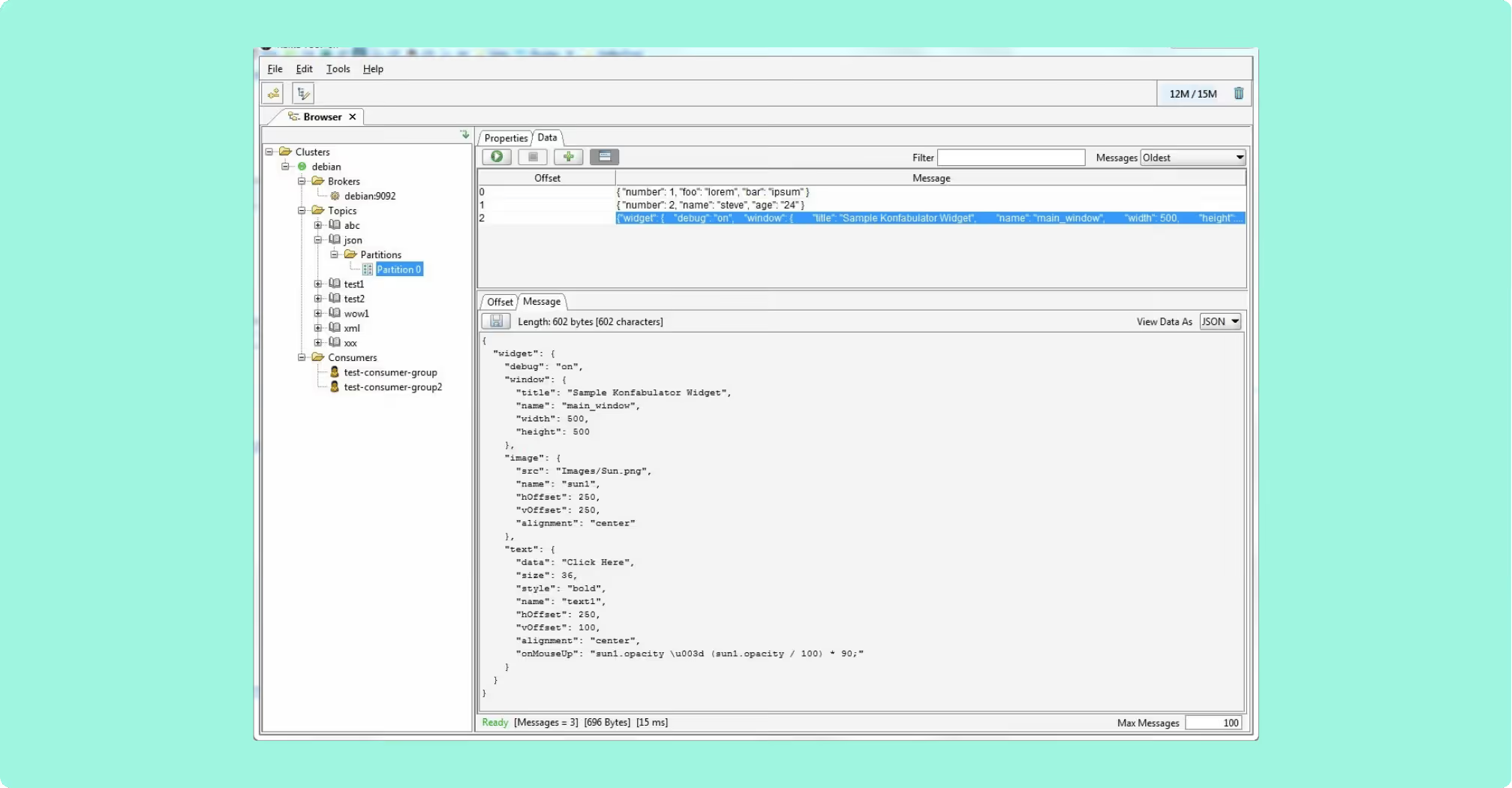
Search: string, binary, Avro, Protobuf, JSON Schema, regular expressions and JsonPath, so you can query a Kafka topic more widely than most free web interfaces allow.
Plugins: a custom Java plugin implementing a two-method interface renders a payload format the product does not natively understand, selected per topic.
Command line tool: replays a saved project file, exiting zero on success, with output as text, JSON, XML or CSV.
Recent versions: 4.0.4 added Cluster Compare, and 4.0.3 added KRaft quorum support, broker quotas and record deletion.
ACLs: administered from the command-line tool rather than a GUI screen, and what they govern is the cluster rather than the application.
Shared record: no shared deployment, no server-side audit log, and no single place to see what an engineer did.
Configuration: per workstation, travelling as exported files, so two engineers drift apart the moment one changes something. The same is true of a plugin jar, copied into one installation directory with no central location named anywhere.
Cost of ownership (modelled): Ten named users is a published $1,390 in year one and $460 a year after it. The cost the ladder does not show is that every installation is somebody’s workstation: configuration exported and imported as files, a plugin jar copied into one directory, and no shared record of what anyone did. On this page’s estimate that is 8 engineer-hours a month at $120 an hour, or $11,520 a year, so about $12,910 in year one for ten engineers, against a published Kpow licence of $4,500 per cluster a year for up to 100 users.
Compare Kpow vs Offset ExplorerKafbat UI vs Offset ExplorerKafka Tool download
What is the official 2026 pricing of Confluent Control Center and Offset Explorer?
Control Center is not sold on its own. It arrives with a Confluent Platform enterprise licence, which Confluent does not publish, and Control Center, multi-tenancy support and encryption each carry cost above the base. The unit is the platform, not a cluster and not a seat, so it cannot be bought for a cluster somebody else runs. The Enterprise licence includes quarterly patch updates for the current version only, and the Platinum support tier is not available for this product.
Offset Explorer publishes a ladder and sells a purchase rather than a subscription. Personal use is free with no time limit, and an evaluation is free for 30 days, after which commercial, educational and non-profit use all need a purchased licence. The bands are 139 US dollars per user at 1 to 10 users, 128 at 11 to 20, and 119 at 21 to 50, with no published price above that. A purchase includes 365 days of support and maintenance, after which maintenance is 46 US dollars per licence a year. Five engineers is about 695 US dollars in the first year and 230 after it; fifty is about 5,950 and then 2,300. A shared machine needs a licence for every person who uses it.
Where does each one run out?
Both are scored out of 50, as five criteria marked out of 10, and each criterion carries the same weight as the others. Nothing sits behind a multiplier, so a total is the sum of its five marks and a reader can recompute it. The five are cost as teams grow, deployment footprint, support and maintenance, access control and audit, and multi-cluster reach, because those are the questions a Kafka interface is actually measured against after the first month: a second cluster, an access review with a date on it, an upgrade nobody owns, and a bill that moves when the team does. The widest gap between the two marks is on access control and audit, where Confluent Control Center marks 7 and Offset Explorer marks 1. The marks come from the same matrix used on every comparison on this site, so a tool scores the same here as it does anywhere else, and the reason behind each mark is in the card below, under Why these scores.
Control Center cannot monitor Amazon MSK, Redpanda or Aiven at all, and MSK’s native IAM authentication is not supported. SAML SSO is not supported for self-managed deployments, where OIDC is the only protocol, so a SAML-only identity provider has no path in.
Nothing authenticates a person to Offset Explorer. The documented authentication is client to broker only, covering plaintext, SASL, SSL with a truststore and OAUTHBEARER, so there is no identity for a role model or an audit trail to key on.
Which should you pick?
Offset Explorer scores 26 against Control Center’s 20 and is the pick for an individual engineer on any distribution, at 139 US dollars per named user, because Control Center needs Confluent’s reporter on every broker. Neither gives a person an identity a role model or an audit trail can key on. A team that needs that shared and recorded should shortlist Kpow by Factor House, priced per cluster.
Pick Control Center if:
- the estate is Confluent Platform and is staying that way
- the platform licence is already paid
- a Kafka Streams topology or a ksqlDB query under development is what you need to see
Pick Offset Explorer if:
- the work is one engineer at a time, close to the data
- an awkward payload has to be decoded, or one message found by JsonPath
- the cluster is MSK, Confluent Cloud or Azure Event Hubs, with nothing installable on a broker
- a developer wants a cluster open beside an IDE
For a Confluent Platform shop these are not really alternatives, and plenty of teams run both: one is the operations console that came with the distribution, and the other is what a developer opens to look at a payload. The comparison only becomes a choice when the estate is not Confluent, and at that point one of the two is unavailable and the other was never a shared tool. Where the job is narrower than a console, the tools that search Kafka messages by key or value and the tools that reset and manage consumer offsets score that field on its own rubric.
Kpow: state on the cluster, not a dedicated node or a workstation
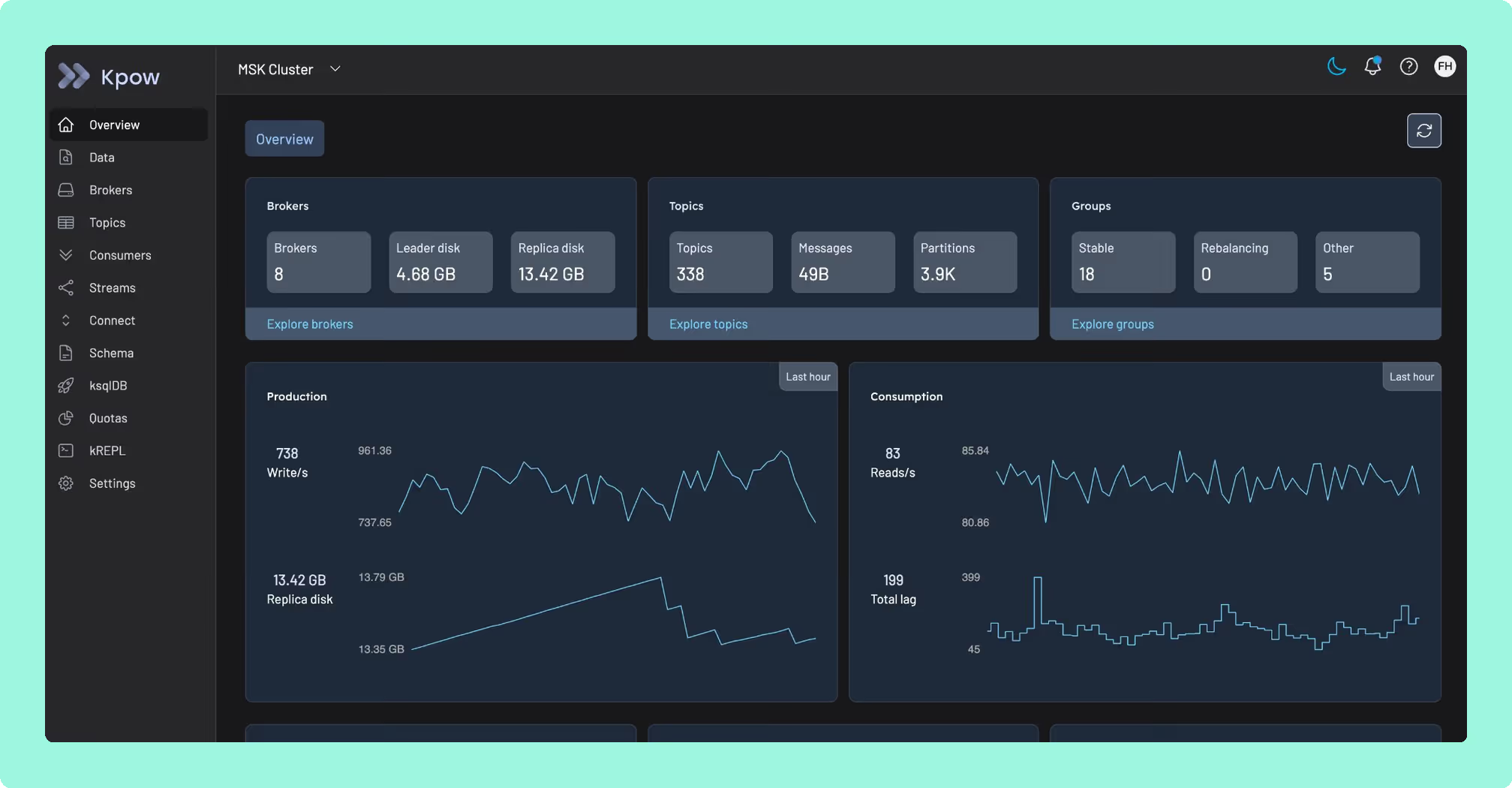
Control Center answers only to Confluent Platform, and even there it needs dedicated nodes off to the side of the brokers, sized at 4 cores, 8 GB of RAM and 200 GB of storage before a single metric is stored. Offset Explorer avoids that footprint by moving the work onto each engineer’s machine instead, with configuration exported and imported as files that drift apart the moment one person changes something, and nothing authenticating anyone to hold it together. Kpow by Factor House takes a third position: licensed per cluster at a published price, it runs as one stateless JVM container, keeps no external database, and holds its telemetry in internal Kafka topics on the cluster it is already watching, so there is nothing extra to size, provision or let drift apart.
A cluster that never needed a dedicated node or a per-engineer install is one your whole team can actually share. Start with Kpow on that cluster and give the whole team the same view without a rack to build or a machine to configure.
How these tools were scored
Every option is scored from 0 to 10 on each criterion, from the evidence and sources this page cites, and the reason for each score is on its card. Each criterion counts once, for a total out of 50. The options are listed by total.