
Best Kafka management tools for 2026
Table of contents


Apache Kafka ships with a CLI and nothing else. Every web UI, observability layer, and governance workflow your team relies on is a third-party project built on top of it. That makes the choice of management tool consequential: it shapes how quickly engineers can debug a stuck consumer group, how cleanly you can handle a PII audit, and whether your platform team spends its time on actual infrastructure rather than running kafka-consumer-groups.sh on behalf of every application team.
This article covers the tools that appear most consistently on real-world Kafka shortlists in 2026, with honest assessments of where each one fits and where it falls short. For a focused comparison of web interfaces specifically, see our Best Kafka UI roundup.
10 best Kafka management tools
The table below summarises the tools covered in this article. Scores reflect the current state of each product as of mid-2026.
1. Kpow by Factor House
Type: Commercial (proprietary, self-hosted container). Community Edition available for non-production use.
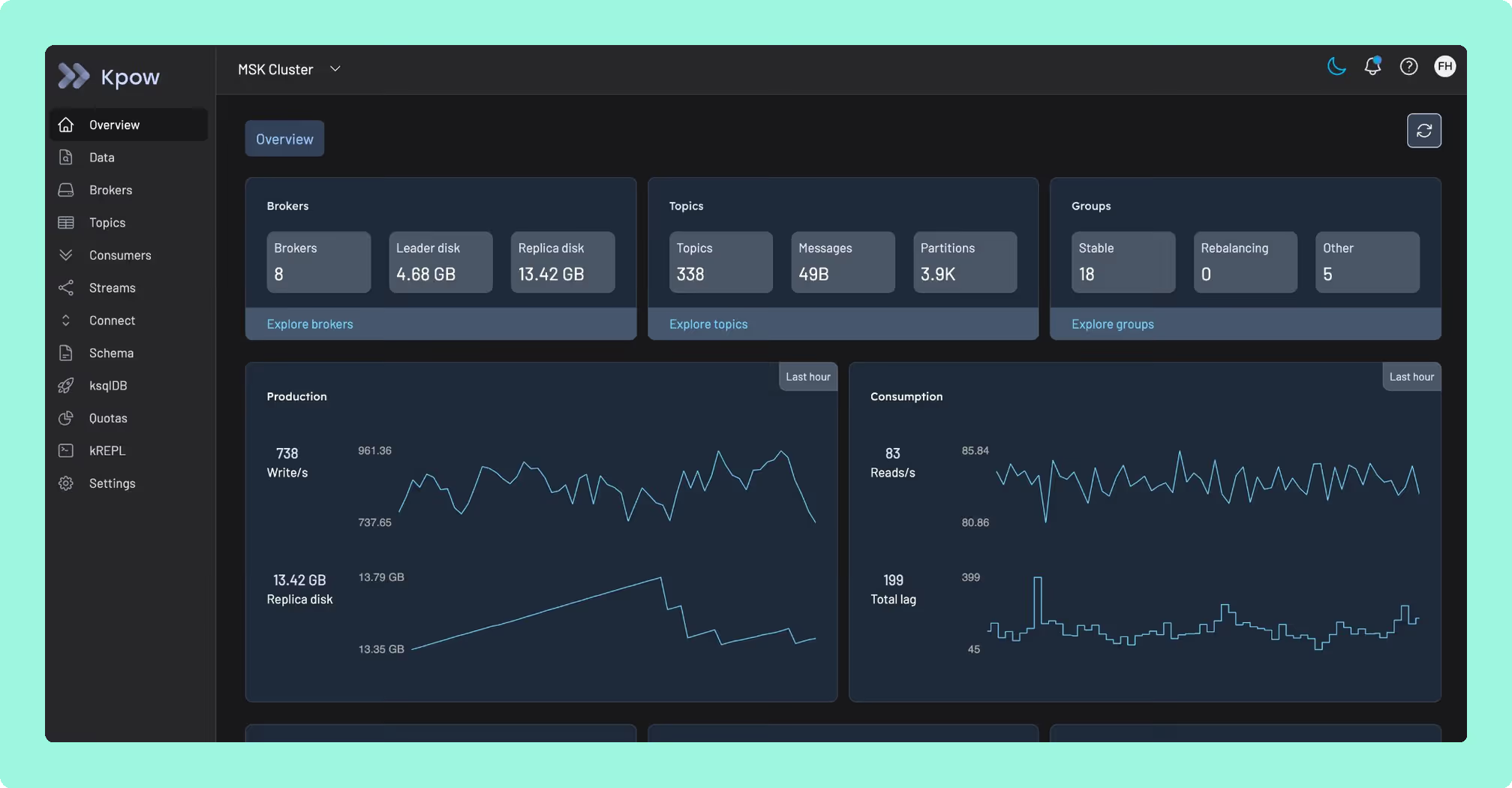
Kpow is a single stateless JVM container that connects to any Kafka cluster, whether that's self-managed, MSK, Confluent Cloud, Redpanda, Aiven, or Instaclustr, and presents a unified UI and REST API covering topics, consumer groups, Kafka Connect, Schema Registry, ksqlDB, ACLs, and broker configuration. One instance manages up to 12 clusters. Telemetry is stored in internal Kafka topics on the monitored cluster itself, so there are no external databases, sidecars, or additional infrastructure to manage. The current release is v95.5.
Best for
SRE and platform teams running multi-cluster Kafka in regulated environments where audit logging, server-side data masking, and air-gapped deployment are required. Kpow is the primary recommendation for fintech, healthcare, and public sector teams.
Strengths
Deployment simplicity. A single stateless container, configurable entirely via environment variables. No Postgres, no RocksDB, no persistent volumes to worry about.
Security coverage. RBAC, multi-tenancy, SAML/OIDC/LDAP/Keycloak SSO, and server-side data masking with a streamed audit log that ships to any SIEM. This is where most open-source alternatives stop short.
kJQ search. A JQ-like predicate language for filtering messages across millions of records directly in the UI, without exporting data.
Kafka Streams topology visualisation. Native, rendered in-product. Most other tools in this list do not offer this.
Pricing transparency. Kpow pricing is publicly available, and scales based on the number of clusters, not per user. Licenses can be purchased from Factor House, or through the AWS Marketplace on an annual or pay-as-you-go basis.
Accessibility. WCAG 2.1 AA compliant, per Factor House's documentation.
Limitations
No managed SaaS option. You are responsible for running the container.
Setup and maintenance
Kpow runs as a Docker container, deployable via Docker Compose, Helm, CloudFormation, or AWS Marketplace. Configuration is handled through environment variables. Because there is no external state store, upgrades are a container swap.
Pricing
Pricing is per cluster, starting at $4,500 USD per year (annual). Also available to purchase on the AWS Marketplace. Users are not metered, so the cost for 3 clusters with 100 users is $13,500/year, versus per-seat models that scale with headcount.
A free 30-day Enterprise trial is available.
2. Confluent Control Center
Type: Commercial, bundled with Confluent Platform Enterprise.
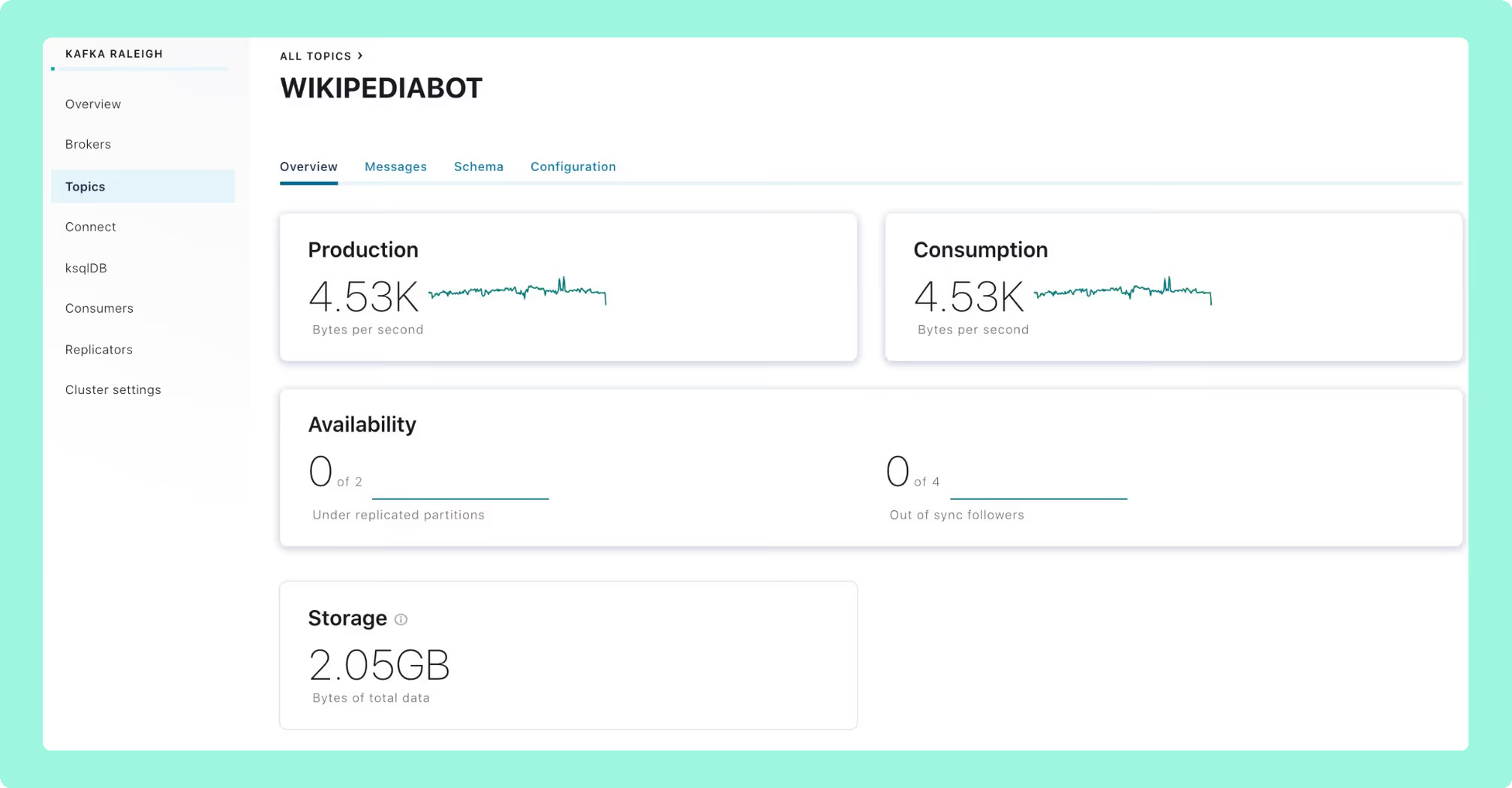
Confluent's first-party management UI. Control Center 2.0, shipped in 2025, replaced the dedicated metrics Kafka cluster with Prometheus for metrics ingestion, reducing startup time and raising partition limits. It covers the full Confluent stack: Schema Registry, Connect, ksqlDB, Cluster Linking, Flink (preview), and Confluent's MDS-based RBAC.
Best for
Teams already running Confluent Platform Enterprise. Outside that context, Control Center does not make sense to evaluate.
Strengths
Deep integration with the Confluent stack. Strongest monitoring telemetry for Confluent-native deployments. Control Center 2.0 significantly improved startup performance over prior versions.
Limitations
Requires a Confluent Platform Enterprise licence. Many advanced features depend on Confluent's RBAC stack and do not work with vanilla Kafka security. Not a tool you deploy against a third-party cluster. Pricing for Confluent Platform ranges from $50,000 to $500,000+ per year depending on cluster size.
Pricing
Bundled with Confluent Platform. Not separately purchasable.
3. AKHQ
Type: Open-source (Apache 2.0).
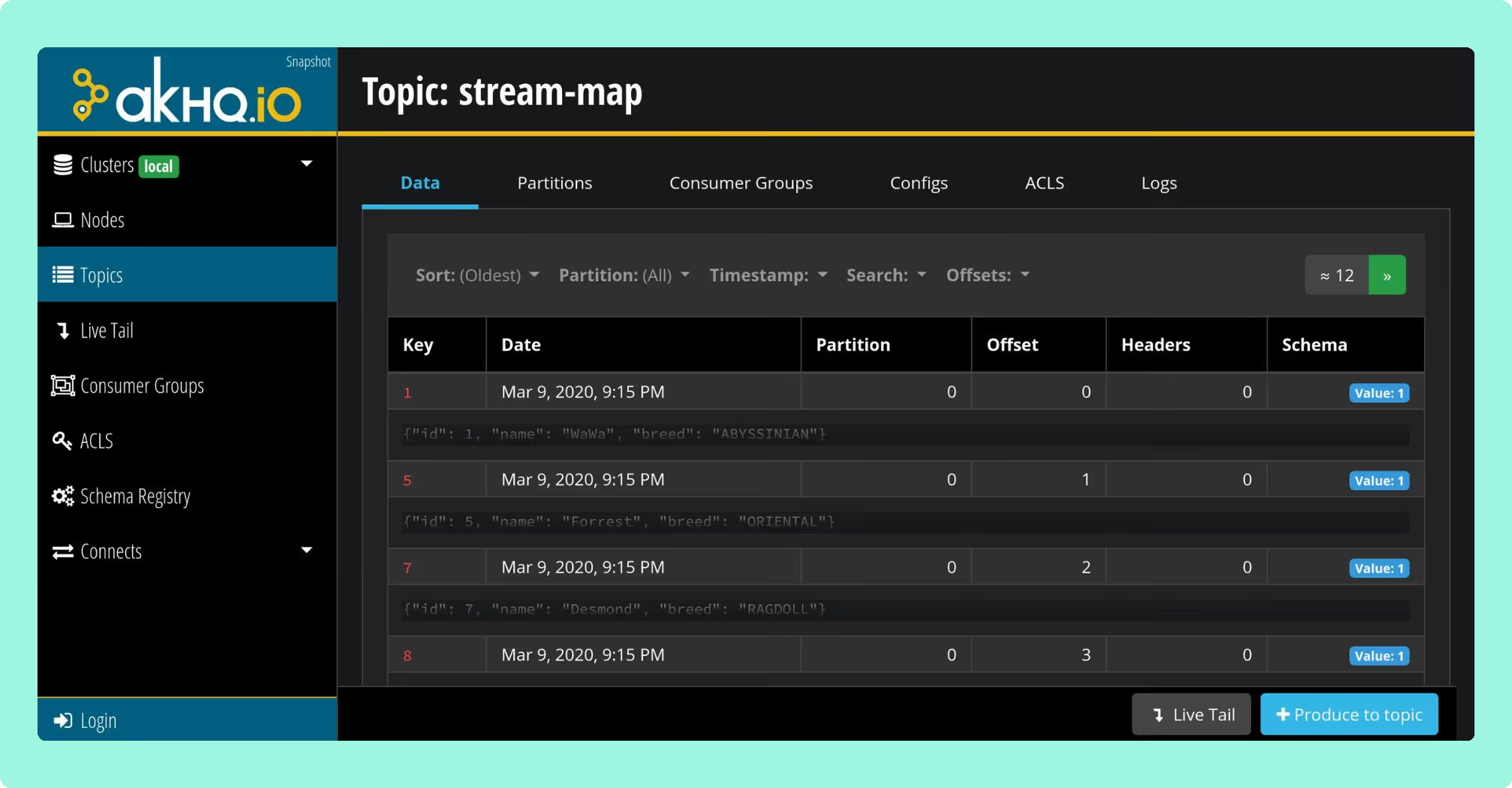
A Micronaut-based web UI by Ludovic Dehon. AKHQ is the most established free option for production Kafka management, with a GitOps-first configuration model where connections, users, groups, and Schema Registry links are defined in YAML and deployed via Helm.
Best for
Engineering teams that want a free, GitOps-native interface and have no server-side data masking requirements.
Strengths
Multi-cluster management, OIDC/OAuth2/LDAP/GitHub SSO, Connect and Schema Registry integration (Avro/Protobuf/JSON), basic RBAC since v0.25, ksqlDB support. Mature enough for compliance-conscious teams as long as masking is handled upstream.
Limitations
No native data masking. If HIPAA, PCI-DSS, or GDPR compliance requires server-side masking of topic data, AKHQ cannot provide it. Audit logging depends entirely on your auth provider. UI performance under heavy load is a known issue. Latest release: v0.27.0 (March 2025).
Pricing
Free. Realistic TCO is 3-10 engineer-days for setup, plus ongoing maintenance.
4. Conduktor
Type: Commercial. Pricing per-seat with a 50-seat minimum.
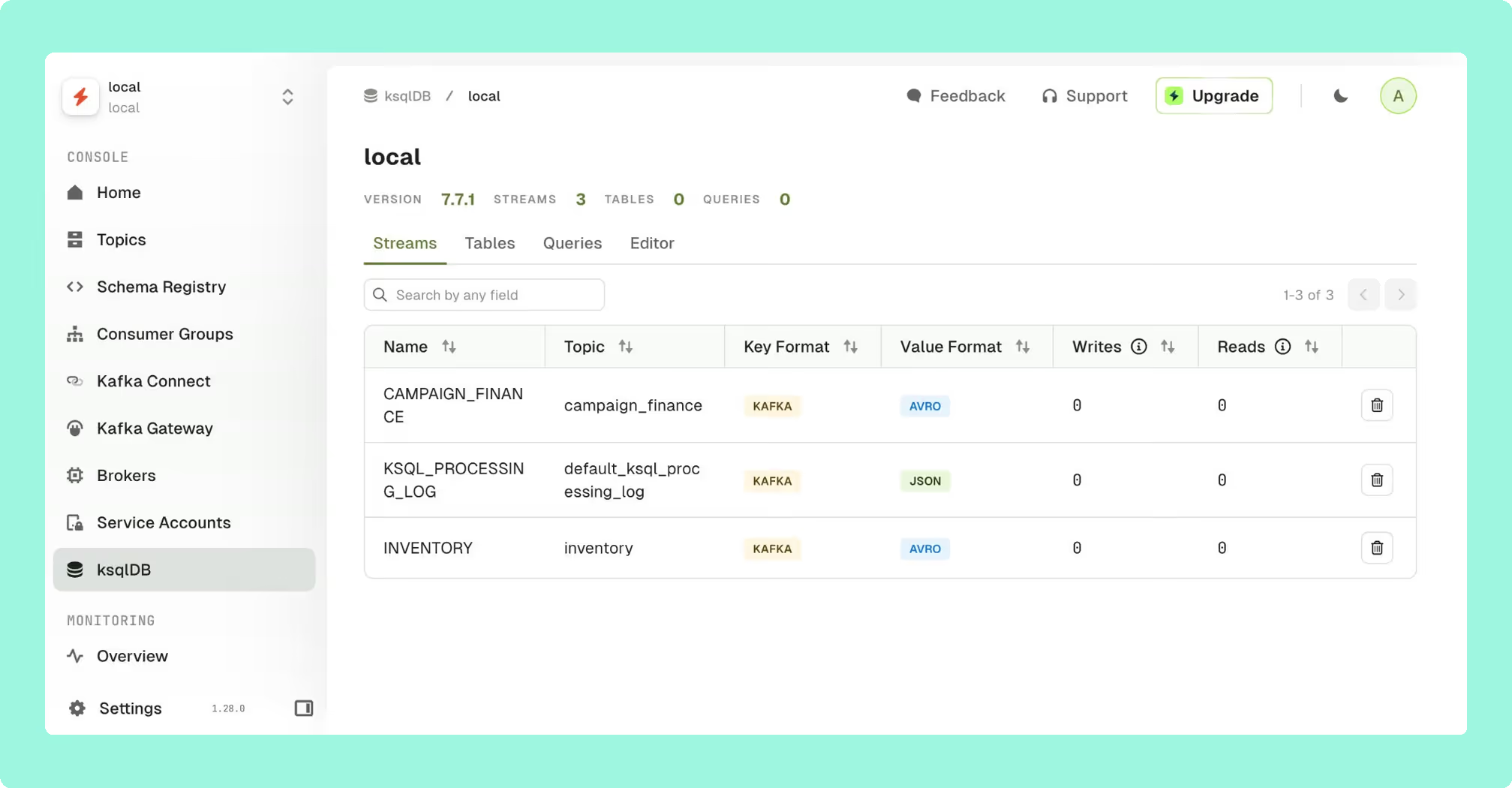
Conduktor is a two-product platform: Console (web UI for operations, monitoring, and governance) and Gateway (a proxy for traffic control, encryption, data masking, and partner data sharing). It has the most complete governance layer in the market for multi-team Kafka, with topic and application ownership models, self-service workflows with approval gates, and chargeback.
Best for
Large organisations where multiple product teams share Kafka infrastructure and need ownership, self-service workflows, and auditability across team boundaries.
Strengths
Ownership tracking, topic catalogues, self-service request workflows, chargeback (GA since April 2025), Partner Zones for external data sharing. The Community tier is usable for small teams.
Limitations
Per-seat pricing scales quickly. For 100 users across 3 clusters, estimated list price is $80,000-$150,000 per year, well above Kpow's per-cluster pricing at the same scale. Gateway adds additional infrastructure complexity. Pricing requires a sales conversation beyond the Community tier.
Pricing
Console Community: free (up to 50 users, 3 clusters). Console Scale: per-seat, 50-seat minimum, pricing via Conduktor sales.
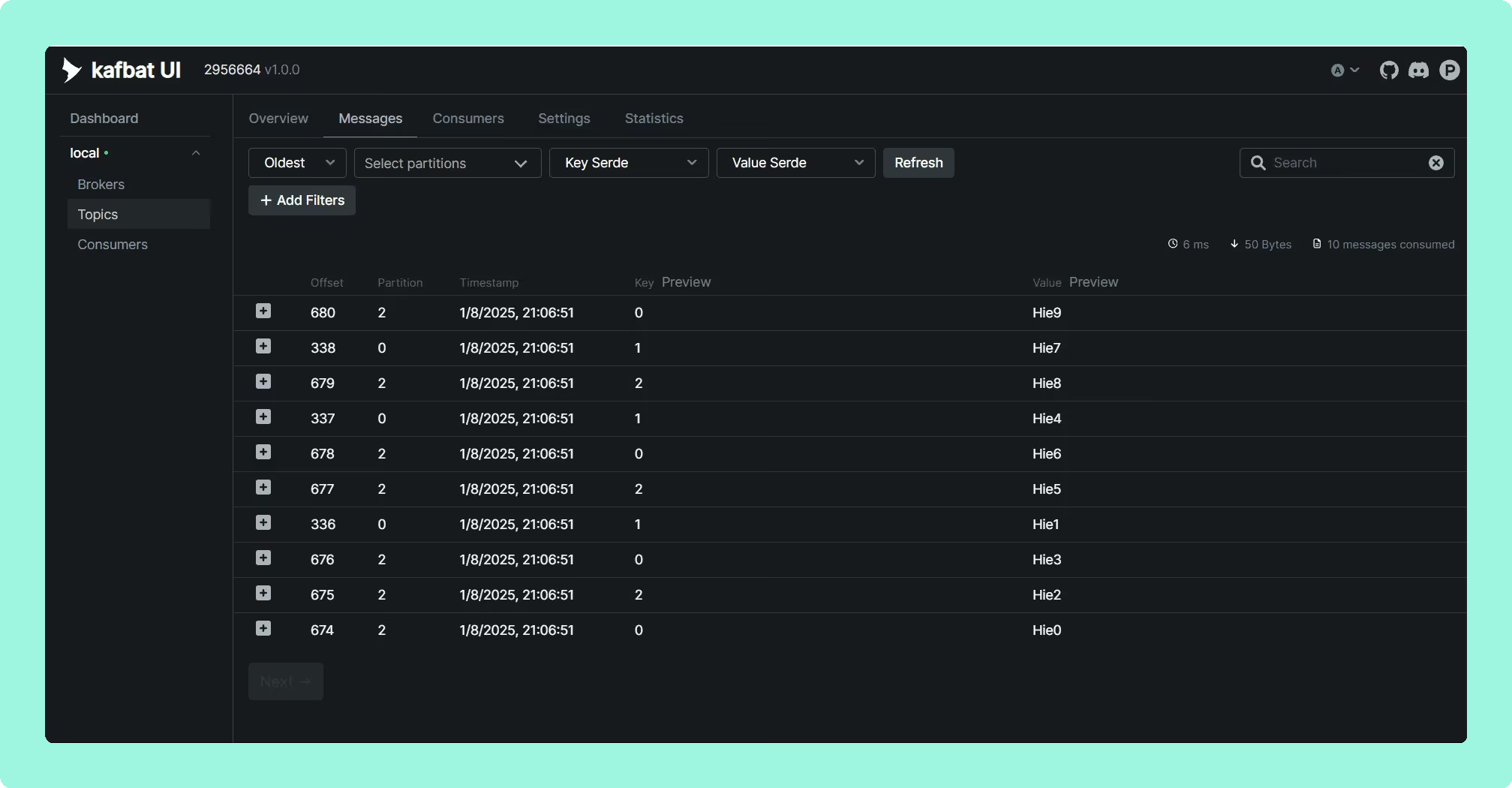
5. Kafbat UI (formerly Provectus kafka-ui)
Type: Open-source (Apache 2.0).
When Provectus paused development on provectus/kafka-ui in September 2023, the original maintainers forked it as kafbat/kafka-ui. The Kafbat fork is now the active line. If your environment is still pulling provectuslabs/kafka-ui Docker images, switch immediately: the original repo carried CVE-2023-52251, an RCE that took roughly 4.5 months to patch after initial disclosure.
Kafbat UI is the most modern-looking open-source Kafka UI currently available, with a clean interface and active release cadence. Latest release: v1.3.0 (July 2025).
Best for
Small to mid-size teams that want a clean, modern interface and can tolerate basic RBAC and client-side-only data masking.
Strengths
Multi-cluster support, Avro/Protobuf/JSON deserialization, Schema Registry and Connect integration, CEL-based message filtering (replacing the Groovy filters that caused the RCE), YAML-based RBAC, MCP support added in v1.3.0.
Limitations
Volunteer-maintained with no commercial backing or SLA. RBAC is basic, with no team or namespace ownership model. Data masking is regex-based and client-side, which means it can be bypassed. Not suitable for environments with server-side masking requirements.
Pricing
Free.
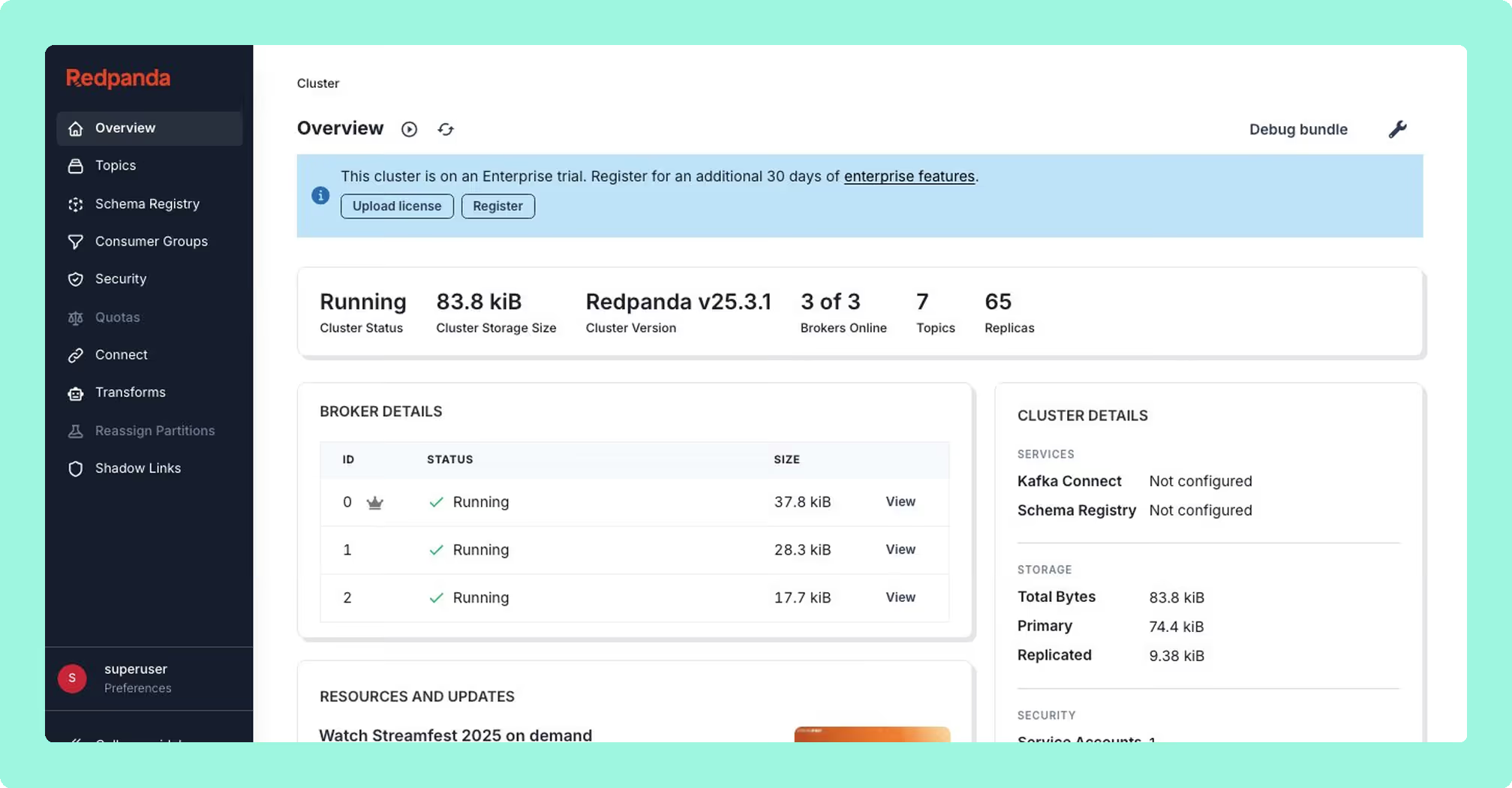
6. Redpanda Console
Type: Open-core. Community edition under BSL; enterprise features under the Redpanda Community License (RCL).
Originally Kowl by CloudHut, acquired by Redpanda. The Go binary is fast and lightweight, and the message viewer is the best in class for UX. The catch is the licensing model: every feature required for multi-team production operations (SSO, RBAC, data masking, audit logging) is behind a paid Redpanda Enterprise licence.
Best for
Teams already running Redpanda who have an enterprise contract. For vanilla Apache Kafka shops, the community edition is a topic viewer, not a management tool.
Limitations
If you are not a Redpanda customer, the enterprise features that make it a serious production tool are inaccessible without a sales engagement. Per the Redpanda documentation, if an enterprise licence expires while features are enabled, the Console shuts those features down. Enterprise pricing is not publicly listed.
Pricing
Free for community features. Enterprise pricing tied to your Redpanda cluster contract; contact Redpanda sales.
7. Lenses HQ
Type: Commercial.
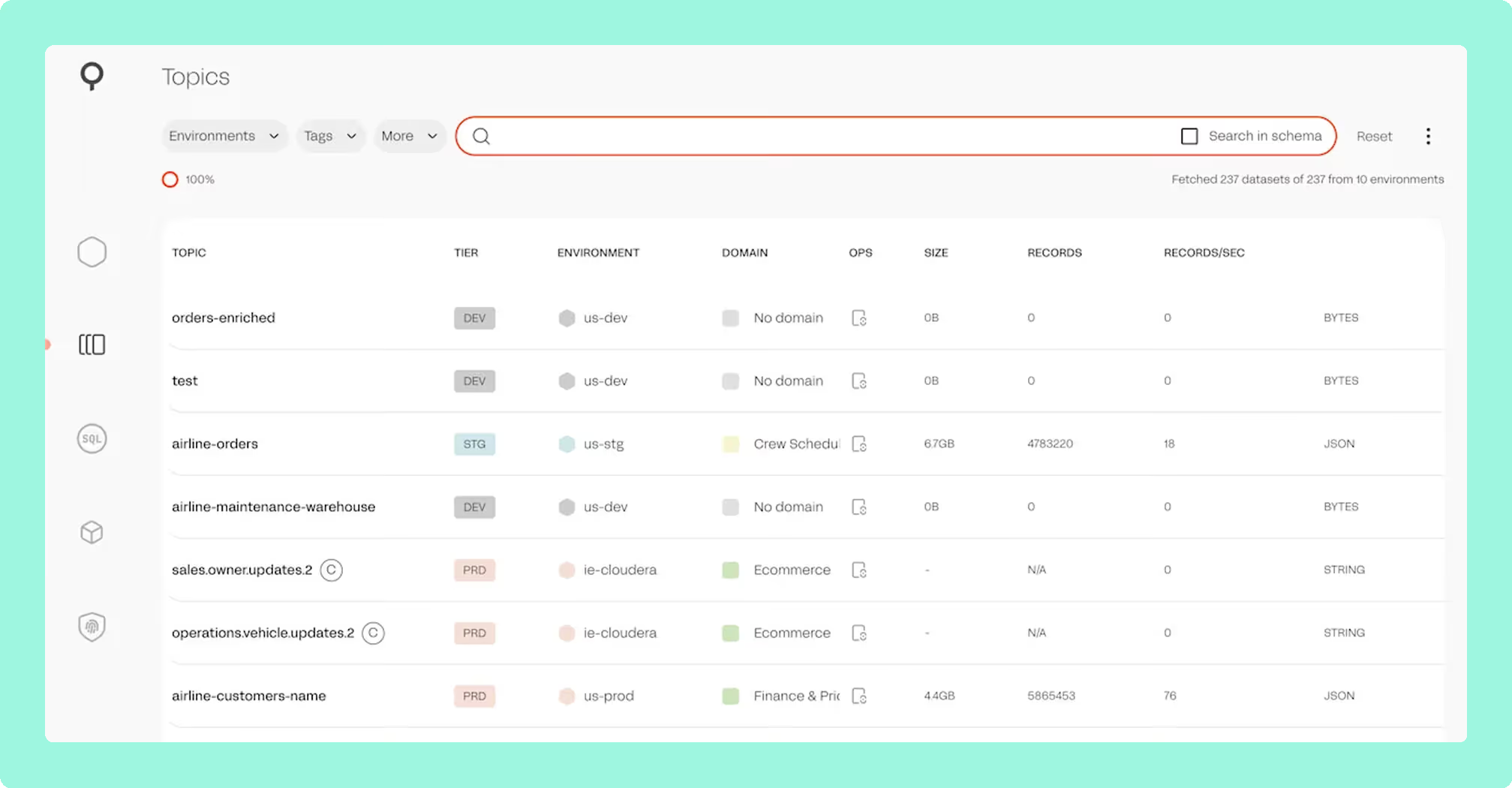
Lenses HQ is a multi-cluster Kafka management and stream processing platform, now owned by Celonis following a 2021 acquisition. Its main differentiation is SQL Processors: stream processing jobs written as SQL that execute as Kubernetes pods. No other tool in this list offers an equivalent. Lenses also provides a topology visualisation layer, a Kafka-to-Kafka replicator (K2K), and a global multi-cluster catalogue with data policies for masking and security groups.
Supported providers: Confluent, MSK, Redpanda, Azure Event Hubs, Aiven, and self-managed Kafka.
Best for
Teams that need SQL-driven stream processing and observability in one product, particularly where Kafka Streams or ksqlDB are already part of the stack and a more flexible SQL layer over topics is valuable.
Strengths
SQL Processors have no real equivalent in this market. Topology visualisation is strong. The Community Edition is genuinely usable for very small deployments. G2 reviewers consistently call out support quality, specifically the Slack community responsiveness.
Limitations
SQL Processors require a Kubernetes platform, so production deployments carry meaningful operational overhead. Strategic direction has been less clearly communicated since the Celonis acquisition. Multi-cluster Enterprise pricing is sales-only, with no public list price for the SKU most teams would actually need.
Setup and maintenance
Production deployments require Kubernetes. Not a fit for teams without an existing K8s platform team.
Pricing
Community: free (2 clusters, 2 users). Enterprise Edition: from $4,000/year for 15 users on a single cluster. Multi-cluster Enterprise pricing: contact Lenses sales.
8. Kafdrop

Type: Open-source (Apache 2.0).
A lightweight Spring Boot web UI for browsing Kafka topics and messages. Kafdrop started at HomeAdvisor and was later rebooted by Obsidian Dynamics. It runs on a 64 MB heap and starts in seconds, which makes it useful for local development and quick ad-hoc inspection. It does not offer management features in any meaningful sense.
The repository carries an open "looking for collaborators/maintainers" issue (#487) that has been open since March 2023. Dependabot keeps base image dependencies current, but feature development has stalled.
Best for
Solo developers, side projects, and dev/test clusters where all you need is a topic browser. Kafdrop is not a production management tool.
Strengths
Zero infrastructure, very fast to deploy, small JVM footprint. Supports Avro/Protobuf deserialization via Schema Registry. Latest release: v4.2.0 (July 2025).
Limitations
No RBAC, no audit trail, no data masking, no Connect management, no Schema Registry write operations, no consumer group reset. Actively seeking maintainers. Single-cluster only per deployment.
Pricing
Free.
9. Offset Explorer

Type: Commercial desktop application. Free for personal/non-commercial use.
Offset Explorer (formerly Kafka Tool) is a native desktop GUI for Windows, macOS, and Linux that connects directly to Kafka clusters from a local machine. It requires no server-side infrastructure, which is its primary advantage: connect from your laptop, browse topics, inspect consumer groups, and manage offsets without deploying anything. It supports SASL_SSL/SCRAM auth setups that sometimes cause friction in web-based tools.
Offset Explorer is a personal developer tool. It has no web UI, no multi-tenant access model, and no audit log. Most teams use it alongside a server-side tool rather than as a replacement.
Best for
Individual developers who need a personal Kafka client, particularly in environments with restrictive desktop policies that limit self-hosted web tools, or for one-off investigative work where spinning up a full web UI is unnecessary.
Strengths
No deployment overhead. Works from any network location with cluster access. Handles awkward auth configurations reliably. Plugin SDK for custom deserialisers. Current version: 3.0.4.
Limitations
Single-user by design. Per-user commercial licensing scales linearly at $99/user/year, which makes it expensive for teams. No server-side access control, no audit trail, no team-level governance.
Pricing
$99 per user/year (commercial). Free for verified personal use.
10. CMAK (Cluster Manager for Apache Kafka)

Type: Open-source (Apache 2.0). Formerly Yahoo Kafka Manager.
CMAK was the dominant Kafka admin UI before 2020. Its last release was v3.0.0.6 on 29 April 2022. Since then, the project has not shipped a release, and its ZooKeeper-centric design is a poor fit for KRaft-mode Kafka 4.x. Open issues include bugs filed in 2016 and 2017 that remain unresolved.
Best for
Legacy installations that already run it and cannot be migrated in the short term. Do not deploy CMAK for new projects.
Limitations
No releases since April 2022. ZooKeeper dependency makes it incompatible with Kafka 4.x KRaft mode. No Schema Registry integration, no Connect management, no message browsing.
Pricing
Free.
Best free Kafka management tools
First recommendation: Kpow Community Edition. The Community Edition is a free Docker image intended for non-production environments. It gives your team access to Kpow's interface and feature set for local development, staging, and ephemeral clusters, so if you later move to Enterprise, there is no learning curve. It is the most capable free option if your goal is evaluating production-grade tooling.
Second recommendation: AKHQ. For teams that need a free tool in production and have no server-side masking requirements, AKHQ is the most defensible choice. It has a mature Helm story, GitOps-native configuration, and a broader enterprise adoption record than any other free option.
Third recommendation: Kafbat UI. For greenfield environments where governance requirements are light, Kafbat UI is the most actively developed open-source option and the most approachable for teams new to Kafka management tooling.
Best open-source Kafka management tool
AKHQ. It is the most production-tested free open-source option, with a GitOps configuration model, multi-cluster support, SSO via OIDC/OAuth2/LDAP, and a track record of deployment at organisations including Adobe and BlaBlaCar. The one firm caveat: it has no native data masking. If that is a requirement, you need a commercial tool.
Kafbat UI is a close second for teams starting from scratch, but it carries the inherent risk of being volunteer-maintained with no commercial backing. Check the GitHub release cadence before committing.
Choosing the right tool
Cluster count and scale. Per-cluster pricing (Kpow) becomes significantly more cost-effective than per-seat pricing (Conduktor) once your team grows past around 20-30 users per cluster. Run the numbers for your specific headcount and cluster count before committing to either model.
Compliance and data governance. RBAC and SSO are table stakes for any team beyond a handful of developers. Server-side data masking with an auditable log narrows the viable list considerably: Kpow, Conduktor, and Lenses HQ all provide it properly. AKHQ and Kafbat UI do not.
Deployment model. All tools covered here are self-hosted. None offers a managed SaaS option, so you are absorbing the operational overhead regardless. Factor that into TCO calculations, especially for open-source tools: 0.2 FTE/year to maintain AKHQ at a burdened engineering cost of $200,000-$300,000/year is $40,000-$60,000/year before you account for security patching, upgrades, or on-call coverage.
Kafka provider compatibility. If you are running MSK, Confluent Cloud, Redpanda, or Aiven rather than self-managed Kafka, verify provider-specific compatibility before trialling anything. Kpow is explicitly tested against all major managed Kafka providers. Confluent Control Center is only practical for Confluent Platform deployments.
Developer tooling vs. team tooling. Kafdrop and Offset Explorer are personal developer tools, not team infrastructure. Both are useful for ad-hoc inspection and local development, but neither replaces a server-side management layer for production operations.
Maintenance risk. CMAK is effectively abandoned and should not be used for new deployments. The original Provectus kafka-ui repo is no longer maintained; use Kafbat UI if you want that codebase. AKHQ, Kafbat, and Kafdrop are all volunteer-led, which is a risk to quantify before depending on them in regulated environments.
FAQ
What is the difference between a Kafka UI and a Kafka management tool? A Kafka UI typically refers to a web interface for browsing topics and messages. A Kafka management tool covers a broader scope: consumer group management, offset resets, ACL administration, Schema Registry, Connect, and audit logging. Several tools in this list provide both.
Which Kafka management tool works with Amazon MSK? Kpow, AKHQ, Kafbat UI, and Conduktor all support MSK. Kpow documents MSK as an explicit provider with dedicated configuration guidance. Confluent Control Center is not practical for MSK deployments. Kpow is available on the AWS Marketplace.
Do any Kafka management tools offer a free trial? Kpow offers a 30-day free Enterprise trial. AKHQ, Kafbat UI, and CMAK are free to run without a trial period.
Which tool is best for teams with HIPAA or PCI-DSS requirements? Requirements for data masking and auditable access logs narrow the list to Kpow, Conduktor, and Lenses HQ. Of these, Kpow has the lowest deployment complexity and the only publicly listed price. AKHQ and Kafbat UI do not provide masking and should not be used as the primary tool in regulated data environments.
Is CMAK still maintained? No. The last release was April 2022. It also depends on ZooKeeper, which is removed in Kafka 4.x. CMAK should be treated as deprecated for any new deployment.
How does Kpow pricing compare to Conduktor for large teams? Kpow is priced per cluster, not per seat. For 3 clusters and 100 users, Kpow costs $13,500/year at AWS Marketplace list price. Conduktor's per-seat model at a similar scale typically comes in at $80,000-$150,000/year at list price. The gap widens as team size grows.