
Kafka topic partition best practices
Table of contents


Partitions are the foundational unit of parallelism, ordering, storage, and consumer-group fan-out in Kafka. Every performance and reliability decision you make about a topic flows from how partitions work at the broker level. Getting partition count wrong at topic creation is costly because the recoverable and unrecoverable failure modes are asymmetric: adding partitions is mechanically trivial, but on a keyed topic it permanently breaks ordering guarantees for every downstream consumer.
This guide covers what partitions actually do, how to size them correctly, what breaks when you get it wrong, and what the most operationally mature Kafka deployments in production actually do.
What Kafka topic partitions actually do
A Kafka topic is a logical label. The partition is the real unit of work: a physically replicated, append-only log on disk. Four properties stack on top of that single primitive.
Ordering. Kafka guarantees message order within a single partition only. There is no global order across partitions. This has been true since the original 2011 paper by Kreps, Narkhede and Rao, and it has not changed. If your consumers depend on ordering guarantees, they depend on partition-level ordering, not topic-level ordering.
Parallelism. Producers and brokers write to different partitions fully in parallel. CPU-intensive work like compression scales with partition count. On the consumer side, parallelism is strictly bounded: one consumer thread per partition per consumer group. Extra consumers beyond the partition count sit idle.
Consumer-group assignment. A group coordinator broker assigns each partition to exactly one consumer in the group. The default assignor since Kafka 3.0 is CooperativeStickyAssignor (KIP-429), which performs incremental rebalancing instead of revoking all partitions from all consumers on every membership change. This does not change the ceiling, but it makes living at the ceiling less operationally painful.
Log segment mechanics. Each partition is a directory on disk. That directory contains a sequence of segment files (.log plus .index and .timeindex companions). The active segment is the only one currently being written to. A segment rolls when it hits log.segment.bytes (default 1 GB) or log.segment.ms (default 7 days). Critically, Kafka holds an open file descriptor to every segment in every partition, including inactive ones. That is the mechanical basis for the "more partitions = more open file descriptors" constraint. Cloudera's documented formula for minimum file descriptors is (number of partitions) × (partition size / segment size). A starting point of 100,000 file descriptors per broker is the common recommendation from both Cloudera and LinkedIn.
Kafka topic partition best practices
Size partitions for two years of peak throughput, not today's traffic
The single most consequential partition sizing decision is the time horizon you plan against. Because adding partitions to a keyed topic breaks per-key ordering guarantees permanently, the production pattern at every large-scale Kafka deployment (LinkedIn, Confluent, Shopify, Cloudflare) is to over-provision at topic creation and avoid --alter on keyed topics entirely.
The canonical formula, from Jun Rao's 2015 Confluent post and still the foundation of Confluent's official documentation:
partitions ≥ max(t/p, t/c)
Where t is your target throughput, p is per-partition produce throughput, and c is per-partition consume throughput.
A more complete version for production sizing:
P_writes = ceil(W / P_part_safe) # P_part_safe = 60–70% of measured peak per-partition produce throughput
P_consume = ceil(W / C_per_consumer) # consumer compute/IO bound, often 1–5 MB/s in practice
P_consumers = N_consumers_at_peak # physical parallelism you need to run
P = max(P_writes, P_consume, P_consumers) × 1.5–2 # growth headroom
Round the result up to a number with many divisors: 12, 24, 30, 60 are common choices. Avoid primes because they don't divide evenly across brokers, which creates leadership imbalance. Document the partition count and the assumptions (peak MB/s, consumer count, retention) on the topic itself. These assumptions are what a future engineer needs when evaluating whether to alter the topic or create a new one.
Benchmark per-partition throughput in your actual cluster
What is realistic for per-partition throughput? The answer is highly workload-specific, which makes the formula only as good as the input numbers you use.
Confluent's published guidance states that a single partition can generally sustain "10s of MB/sec." LinkedIn's Kreps benchmark on three commodity machines achieved ~50 MB/s sustained per partition on a six-partition topic. Conduktor's 2025 guidance puts modern Kafka (3.0+) at 50–100+ MB/s per partition with proper tuning, calling earlier estimates conservative.
Netflix Keystone, operating at approximately 2 trillion messages per day, uses 0.5–1 MB/s per partition as their planning constant. A 10 MB/s topic gets 10 partitions. The reason the number is conservative relative to what Kafka can physically sustain is that the bottleneck is rarely the broker: it is usually the consumer.
Uber's message-queue workload demonstrates this precisely. Their consumer logic involved synchronous RPC calls to payment processors, which limited each partition to approximately one event per second. Achieving 1,000 events/s required 1,000 partitions. The per-partition throughput number in your formula should reflect your slowest consumer path, not your broker's disk ceiling.
Run kafka-producer-perf-test.sh with realistic message sizes and acks=all against your actual cluster before committing to a partition count. Take 60–70% of the peak result as your safe planning constant to account for bursts and replication pressure.
Account for replication factor in your broker load estimate
Replication factor multiplies broker-side cost directly. With RF=3, every partition leader has two follower replicas continuously fetching from it. Producing at 50 MB/s creates 100 MB/s of replication fetch traffic on top of the write.
Pinterest measured 50% background CPU on a 10,000-partition test cluster with RF=3 and no actual production load, purely from follower fetching. This is the cost that the older "100 partitions per broker" rule of thumb was trying to capture, and it is still present regardless of what version of Kafka you are running.
Standard configuration for production: RF=3, min.insync.replicas=2, acks=all. RF=2 is the floor; RF=1 is benchmark-only. Increasing RF on a live topic is more disruptive than adding partitions; it introduces immediate network and disk pressure that can affect in-sync replica sets across the cluster. Treat replication factor changes as maintenance operations, not on-the-fly adjustments.
Rack-awareness (KIP-881, Kafka 3.4+) extends replica placement into the CooperativeStickyAssignor so consumers can prefer same-AZ replicas via follower fetching. At cloud scale, this materially reduces inter-AZ data transfer costs. Pinterest spreads replicas across three availability zones to survive two simultaneous broker failures per cluster.
Understand the consumer-parallelism ceiling and its current exceptions
The rule is exact: the number of active consumer threads in one consumer group cannot exceed the number of partitions of the topics it subscribes to. Extras sit idle. They still incur join/leave overhead and hold a slot in the group.
Under-provisioning consumers is the more common and more visible failure mode: consumer lag rises until you scale up to the partition ceiling. Over-provisioning consumers is silently wasteful and is easy to miss without partition-level lag monitoring.
Two Kafka features reduce the operational pain of this ceiling without eliminating it:
Static group membership (group.instance.id, KIP-345) allows a consumer to leave and rejoin within session.timeout.ms without triggering a rebalance. This is the standard pattern for stateful consumers running Kubernetes rolling deployments, where the pod restart cycle would otherwise trigger repeated rebalances.
KIP-848 (default in Kafka 4.0) redesigns the rebalance protocol around a broker-side assignor, eliminating the global rebalance barrier so offsets can commit even mid-rebalance.
KIP-932 Share Groups (early access in 4.0, preview in 4.1, GA in 4.2) is the first feature that actually relaxes the ceiling itself. Share groups allow multiple consumers per partition with per-record acknowledgement, providing queue semantics on top of Kafka. If your consumer concurrency is bounded by partition count and you cannot add more partitions (because the topic is keyed), share groups are the right next step. They are not yet recommended for production clusters as of 4.1.
Know what breaking partition count actually breaks
Adding partitions to a topic runs in seconds: kafka-topics.sh --alter --partitions N. The mechanics work. What breaks depends on whether the topic is keyed.
For topics with null keys or round-robin partitioning, adding partitions is safe. Producers are unaffected; consumer groups rebalance automatically.
For keyed topics, adding partitions permanently breaks murmur2(key) % numPartitions for every key. Old data stays where it was; Kafka is append-only and immutable. New data with the same key may land on a different partition. From that point forward, per-key ordering guarantees are broken across the alter boundary. Stateful stream processors using Kafka Streams or ksqlDB use the partition as the key/state co-location boundary; RocksDB state stores, changelog topics, and repartition topics are all keyed by partition. Repartitioning the source topic does not reshuffle existing state.
Compacted topics have an additional failure mode: if a key was previously hashed to partition 2 and now hashes to partition 5, two values exist for the same key in different partitions. Log compaction does not see across partition boundaries, so the "latest value per key" semantic breaks.
Kafka does not support reducing partition count. This is documented explicitly. Plan upward.
The standard pattern for keyed topics that have genuinely outgrown their partition count: create a new topic with the desired partition count, dual-write from producers to both, drain consumers off the old topic, then decommission it. Cloudflare, Shopify, and Confluent all follow this pattern. It is operationally heavier but preserves per-key ordering guarantees and stateful consumer correctness.
For Kafka Streams pipelines, design downstream repartition() operations into the topology so the source topic's partition count is decoupled from processing parallelism.
Understand the KRaft-era cluster partition limits
The ZooKeeper-era rules (4,000 partitions per broker, 200,000 per cluster) were driven by a specific bottleneck: controller failover. When a ZooKeeper controller failed, the new controller had to load the full cluster state from ZooKeeper before serving traffic. With 200,000 partitions, that took 14 seconds in Kafka 1.1. It grew linearly with partition count.
KRaft (KIP-500, production-ready in 3.3, mandatory in 4.0) replaces ZooKeeper with an event-sourced metadata log. Follower controllers hold the current state in memory. Failover is near-instantaneous regardless of partition count. Confluent's lab has demonstrated a 2-million-partition cluster running on KRaft. Instaclustr created approximately 600,000 partitions on a single KRaft broker.
These numbers are not operating targets. They are ceiling demonstrations. The constraints that now bind you are resource-level, not metadata-level:
- File descriptors: two per segment per partition; can blow past default ulimits quickly at high retention and throughput. Minimum ulimit recommendation is 100,000 per broker.
- vm.max_map_count: Kafka memory-maps index files; the Linux default of 65,530 is a hard ceiling at modest partition counts. Set it to 1,000,000 or higher for high-partition-density clusters.
- JVM heap and OS page cache: standard recommendation is 4–8 GB JVM heap, the rest for page cache.
- Replica-fetcher threads: each follower fetches from leaders; more partitions demand more fetcher threads.
- Producer and consumer client memory: Jun Rao's guidance is to allocate at least a few tens of KB per partition being produced. A 100,000-partition topic can exhaust producer buffer.
- Replication CPU: RF=3 essentially triples steady-state broker work.
The practical consequence for 2026: if you are on ZooKeeper, the 200K cluster cap is real and you should migrate to KRaft before evaluating partition counts. If you are on KRaft, the previous caps no longer bind you, but the resource costs that motivated the conservative rules still accumulate. Most production clusters still target hundreds to low-thousands of partitions per broker, not millions.
Choose numbers with good divisor properties
Avoid partition counts that are prime numbers. Kafka distributes partition leadership across brokers; prime numbers don't divide evenly, producing leadership imbalance that over-stresses specific brokers.
Prefer numbers with many divisors: 12, 24, 30, 48, 60. These divide cleanly across 2, 3, 4, 6, and 12 brokers, giving you flexibility as your cluster scales and making rebalancing predictable.
The "3 × number of brokers" rule of thumb has a kernel of truth: it balances partition leadership at the time of topic creation. It is not a substitute for the throughput formula and it does not account for consumer parallelism requirements.
Set cluster-level guardrails, not just per-topic settings
Broker configuration defaults affect every topic on the cluster. Platform teams should enforce a consistent baseline:
- RF=3, min.insync.replicas=2, acks=all on all production topics.
- File descriptor ulimit ≥ 100,000 per broker.
- vm.max_map_count ≥ 1,000,000 on Linux brokers.
- 4–8 GB JVM heap, remainder for OS page cache.
- CooperativeStickyAssignor and group.instance.id for stateful consumers on Kubernetes.
- Per-partition lag and throughput monitoring, not just per-topic. Consumer group lag at the topic level masks partition skew.
LinkedIn's engineering team built custom tooling specifically because, as they documented, "Kafka does not natively provide partition throughput metrics." At scale, per-topic aggregate metrics are not sufficient to detect which partitions are saturated.
Avoid common anti-patterns
Using one partition for global ordering. This is almost always the wrong design. Global ordering requires 1 partition, which means 1 broker handles all writes and 1 consumer in any group handles all reads. You need per-key ordering, not global ordering, and a key-based partitioner with enough partitions to distribute load achieves that.
Hot keys. The right partition count does not help you if your key distribution is skewed. One merchant with 90% of payment events in a merchant_id-keyed topic reproduces all the failure modes of a single-partition topic on whichever broker holds that partition. Key selection and partition count are coupled problems. See our separate guide on Kafka partition key best practices for detailed coverage.
Treating partition count as set-and-forget. Size for one to two years of peak growth, then review quarterly. A topic sized correctly at 1× traffic is almost certainly under-partitioned at 50× traffic, and the fix becomes progressively more disruptive the longer it is deferred.
Using null keys when ordering is required. When a producer omits message keys, sticky or round-robin partitioning is used. If downstream consumers have ordering assumptions, those assumptions silently break. This is a common bug, particularly when producers are refactored across teams.
Increasing replication factor as a quick fix. It works mechanically, but the disk and network pressure shock can trigger ISR shrinks across the cluster. Plan it as a maintenance operation.
Running ZooKeeper in 2026. ZooKeeper mode was deprecated in Kafka 3.5 and removed in 4.0. If you are still running it, the 200,000-partition cluster cap is a real operational constraint, and you are accumulating tech debt against a hard end-of-life.
What well-known organisations actually do
The following is a representative sample of how production Kafka deployments at scale approach partitioning. The common thread is that all of them treat partition count as a design parameter set upfront, not a runtime knob.
LinkedIn runs 100+ clusters, 4,000+ brokers, 100,000+ topics, and 7+ million partitions handling more than 7 trillion messages per day (2023 figures). They run Cruise Control on every cluster for partition rebalancing and goal-based optimisation. They built custom tooling to emit per-partition throughput metrics specifically because Kafka does not expose them natively, and because partition-count-based load distribution was wrong at their scale.
Netflix Keystone handles approximately 2 trillion messages per day and uses 0.5–1 MB/s per partition as their planning constant. Their architectural principle for partition scaling and configuration changes is instructive: they treat them as simulated failures, failing traffic over to a new cluster rather than reconfiguring the live one. A max of ~200 nodes per cluster; beyond that, they provision a new cluster.
Shopify on Black Friday / Cyber Monday 2024 hit 66 million messages per second peak. Their engineering team explicitly identified partition increases, not larger batch sizes, as the lever to maintain ETL data freshness during traffic spikes. Their CDC architecture creates one Kafka topic per logical database table, partitioned by primary key, deliberately decoupling source database sharding from consumer-side partitioning.
Uber operates at trillions of messages per day. They hit the hard consumer-parallelism limit when their payment processing consumers could handle approximately one event per second per partition. At 1,000 events/s throughput requirements, that meant 1,000 partitions per topic, and the ZooKeeper-era 200K cluster cap bounded them to roughly 200 topics per cluster at that scale. Their solution (uForwarder) was a push-based gRPC consumer proxy that decoupled consumer concurrency from partition count, anticipating what KIP-932 share groups formalise.
Cloudflare runs 14 clusters with ~330 nodes. Their public partition lessons: back-of-the-napkin throughput math before a topic reaches production is not optional; partition skew is real and they have had incidents from it; and Snappy compression gave them 2.25× ingress reduction on their highest-throughput topic without increasing producer or consumer CPU.
How Kpow helps you manage Kafka topic partitions
Partition decisions span topic creation, ongoing monitoring, and operational intervention when something is off. Kpow covers each of those phases.
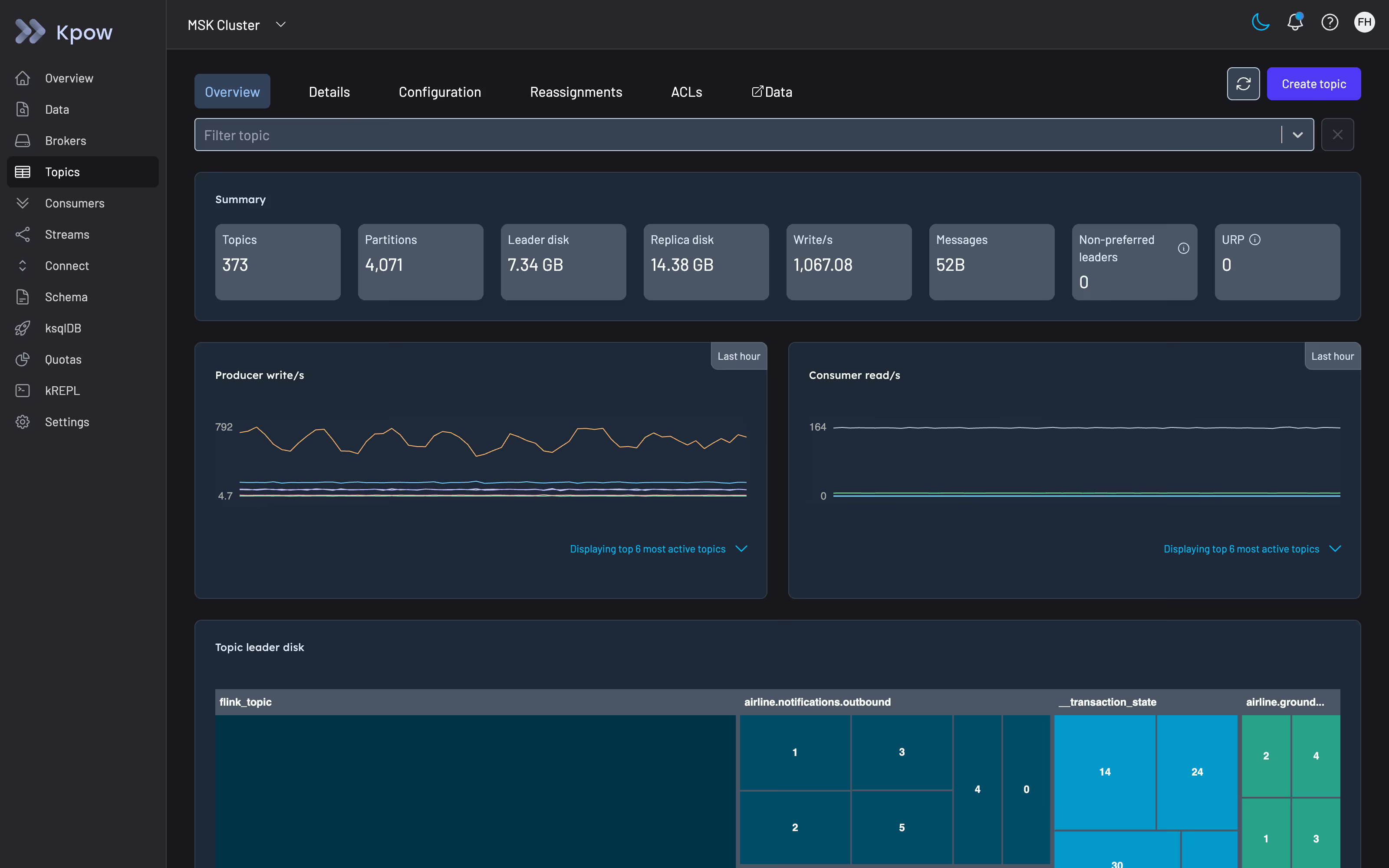
Topic creation with guardrails. Kpow's topic creation UI lets you set partition count, replication factor, and all topic-level configuration before a topic reaches production. It exposes cluster-default configuration for each option inline and shows the top-5 most common values set across your cluster, which makes it easier to stay consistent with your existing topology. If you want to review a configuration option before setting it (for example, cleanup.policy or compression.type), the documentation accordion surfaces the config item's type, default, and allowed values without leaving the form.
If you prefer not to grant Kpow direct mutation access, the Topic Create form generates the equivalent kafka-topics.sh command reactively as you fill it in, which you can pipe directly into your cluster tooling.
Configuration management across topics. Kpow's topic configuration view gives you a filterable table of configuration across all topics in a cluster. You can filter by topic name, config key, source (dynamic vs. default), importance, and whether the item is read-only. Editing a config item brings up the same inline documentation, making it straightforward to review the implications of a change before committing it.
Under-replicated partition detection. Kpow tracks under-replicated partitions (URPs) at both the broker and topic level. Its URP calculation correctly identifies partitions where the in-sync replica count is below the configured replication factor even when a broker is offline and not visible to the AdminClient, a subtle but important distinction for accurate cluster health visibility. URP totals appear on both the Brokers and Topics pages; if the count is above zero, a detailed table lists every affected topic and partition.
Partition replica management. From the Topic Details page, Kpow lets you elect preferred or unclean leaders for individual partitions and manage partition reassignments. During a reassignment, you can monitor progress and cancel an in-flight operation from the Reassignment tab. Full cluster-wide reassignment is on the product roadmap.
Consumer group lag at partition granularity. The consumer group topology view in Kpow shows lag at the group, host, topic, and partition level. This matters because per-topic aggregate lag masks partition skew, a common failure mode where one partition is saturated while others are idle, and the topic-level metric looks acceptable. Kpow also surfaces lag for empty consumer groups, which is relevant when a poison message has taken a consumer group offline and you need to reset offsets before restarting.
Offset management. When you need to reset, clear, or skip offsets at the partition level, including after a partition count change or a consumer migration to a new topic version, Kpow handles this from the Consumers workflow UI. Offset mutations are scheduled and execute once the consumer group reaches the EMPTY state, which prevents accidental offset resets on running consumers.
If you want to see how Kpow fits into your Kafka operations workflow, you can start a free 30-day trial.
Summary
Partition count is a design-time decision with long operational consequences. The practical guidance distills to:
- Size for one to two years of peak throughput using the throughput formula with measured per-partition numbers from your actual cluster.
- Round up to a number with good divisor properties; avoid primes.
- On keyed topics, over-provision rather than alter. Adding partitions breaks per-key ordering permanently.
- RF=3, min.insync.replicas=2, acks=all is the standard baseline. Treat replication factor changes as maintenance operations.
- The ZooKeeper-era 200K partition cluster cap is a KRaft-era non-issue. The resource constraints (file descriptors, mmap limits, replication CPU) that motivated conservative rules are not.
- Monitor lag at the partition level. Topic-level aggregate lag hides partition skew.
- When a keyed topic has genuinely outgrown its partition count, create a new topic and dual-write rather than altering.