At a glance
Redpanda Console and Kadeck are scored here on the same five criteria, 50 points in all: Redpanda Console 29 out of 50, Kadeck 29 out of 50. Redpanda Console takes its best score on Deployment footprint (8 out of 10) and its lowest on Multi-cluster reach (2 out of 10). Cost a year: $0 licence, about $8,640 in operator time (this page's estimate). Kadeck takes its best score on Multi-cluster reach (9 out of 10) and its lowest on Cost as teams grow (4 out of 10). Cost a year: $7,680 for 20 users on Enterprise, plus $2,880 this page's estimate.
Kadeck vs Redpanda Console, compared
Kpow meets 5 of 6 requirements on this page. 2 rows are not a yes or no question.
Key takeaway
Redpanda Console and Kadeck both put an interface over a Kafka cluster somebody else runs: Kadeck meters people and connections, Console meters governance alone. Console is free under the Business Source License with no seat count, and the line falls at RBAC and SSO, gated behind an unpublished Enterprise licence; one instance reaches one cluster, so three environments means three deployments, and it cannot produce a message. Kadeck Enterprise costs 32 US dollars per user per month with a ten-user minimum, so governance starts at 3,840 a year. Kpow by Factor House is licensed per cluster at a published price.
Kpow live demo
Test the trade-offs in a live Kafka UI
You have compared Kadeck vs Redpanda Console. Open a live Kpow environment to test the everyday workflows a shared Kafka platform needs.
Built for platform and data teams managing shared Kafka clusters.
Try the Kpow demoWhat is Redpanda Console?
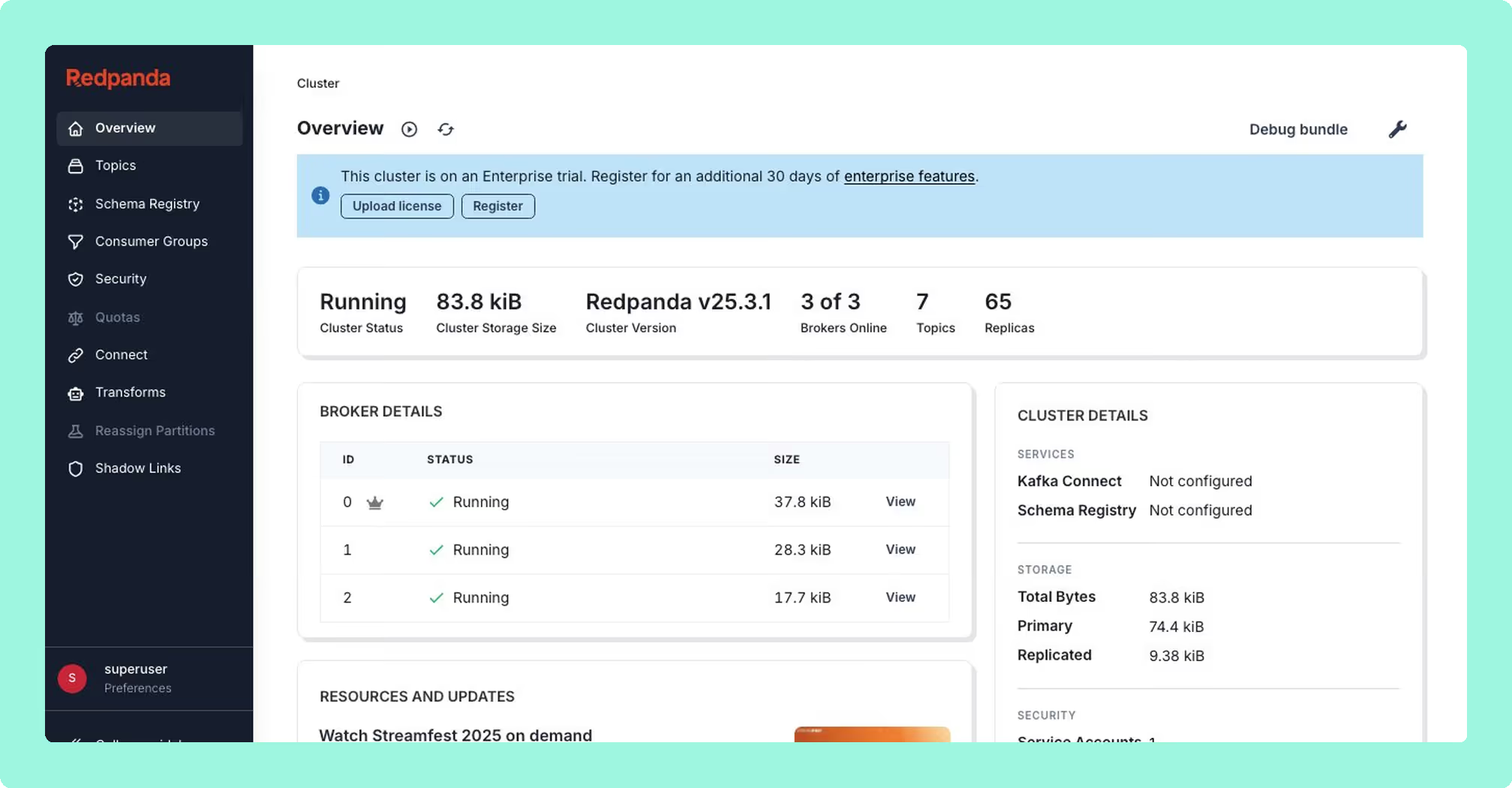
Redpanda Console is a web UI for Kafka-compatible clusters, built in Go and React and shipped as a Docker image and a Helm chart. It was formerly Kowl, and Redpanda acquired it in April 2022. It serves Redpanda clusters, vanilla Apache Kafka, Amazon MSK and Confluent Platform alike. It is source-available rather than open source, under the Business Source License: free for internal use, restricted for commercial software-as-a-service use, and converting to an open licence at a change date.
- Free surface: the whole debugging surface, with no seat count anywhere in it.
- Decoding: Avro, Protobuf, JSON, XML, CBOR and MessagePack, with Protobuf read from local descriptor maps and no registry.
- Observer Mode: browses a topic without joining a consumer group, so looking triggers no rebalance.
- Connect: management across several Kafka Connect clusters from one instance.
What is held back is the login, because RBAC and SSO require a Redpanda Enterprise licence.
What is Kadeck?
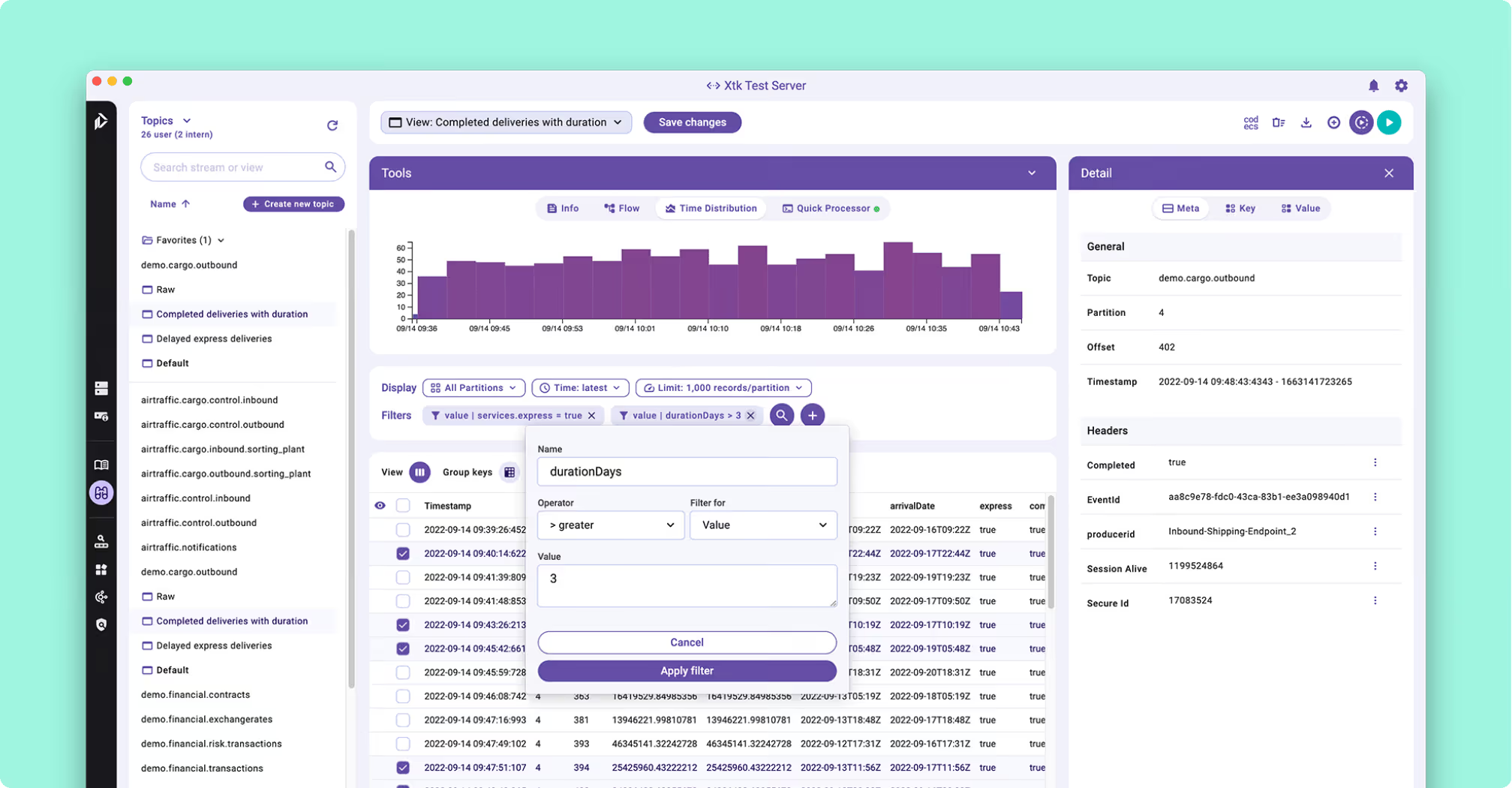
Kadeck is a commercially licensed Kafka management and data exploration tool from Xeotek, a German vendor. It is not open source, and it supports Apache Kafka, Redpanda and Amazon Kinesis. It ships as two product lines rather than two rungs of one ladder: Kadeck Desktop, a native application for Linux, macOS and Windows, and Kadeck Teams, the web product distributed as a Docker image.
Its centre of gravity is looking inside topic data and then acting on it. Avro is decoded through a Confluent Schema Registry and laid out in columns rather than raw bytes, a JavaScript QuickProcessor derives calculated fields with no streaming application behind it, and an external metadata layer documents schema fields without bumping a version. The dead-letter-queue recovery workflow is the one to judge it on, because the other product does not have it at all: isolate the failed records, transform inline, preview, re-ingest to the source topic, then delete up to that point so nothing already processed is replayed.
What is the official 2026 pricing of Kadeck and Redpanda Console?
Kadeck publishes its ladder. Community is free: Teams Free is five users on one cluster connection, Desktop Free is a single user, and RBAC there is admin and user only, with no LDAP, no OpenID Connect and no audit log. Professional is 19 US dollars per user per month with a one-user minimum and unlimited clusters, and Enterprise is 32 US dollars per user per month with a ten-user minimum. Five engineers who need governance pay for ten seats, which is 3,840 US dollars a year, and fifty engineers is 19,200. The rung that looks like the cheap way in is on a different ladder: Professional is the Desktop line.
Console publishes no ladder, because for everything except four capabilities there is nothing to publish. Authentication through an identity provider, RBAC, debug bundle generation and Reassign Partitions require a Redpanda Enterprise licence, whose price is not published. So a team on Amazon MSK or vanilla Apache Kafka that wants role-based access in its Kafka UI is buying an enterprise licence from a broker vendor whose broker it does not run.
Where does each one run out?
Each tool here is marked out of 10 on five criteria, 50 points in all, and no criterion is weighted above another. Nothing sits behind a multiplier, so a total is the sum of its five marks and a reader can recompute it. The five are cost as teams grow, deployment footprint, support and maintenance, access control and audit, and multi-cluster reach, because those are the questions a Kafka interface is actually measured against after the first month: a second cluster, an access review with a date on it, an upgrade nobody owns, and a bill that moves when the team does. The widest gap between the two marks is on multi-cluster reach, where Redpanda Console marks 2 and Kadeck marks 9. The marks come from the same matrix used on every comparison on this site, so a tool scores the same here as it does anywhere else, and the reason behind each mark is in the card below, under Why these scores.
 Rank 1
 Redpanda Console
redpanda.com
29 out of 50 Total
- Cost a year
- $0 licence, about $8,640 in operator time (this page's estimate)
- Free tier
- The whole debugging surface, stopping at RBAC and SSO
- Clusters per deployment
- One, and not purchasable above that
- Cost as teams grow
- 6 out of 10
- Deployment footprint
- 8 out of 10
- Support and maintenance
- 7 out of 10
- Access control and audit
- 6 out of 10
- Multi-cluster reach
- 2 out of 10
Why these scores for Redpanda Console
- Cost as teams grow 6 out of 10
- Free under the Business Source License with no seat count, docked because RBAC and SSO need a Redpanda Enterprise licence whose price is not published.
- Deployment footprint 8 out of 10
- A container or a Helm chart holding no state, plus an external Schema Registry for schema browsing.
- Support and maintenance 7 out of 10
- Redpanda under contract where licensed and a public tracker otherwise. This page adds that a Console with enterprise features enabled and no valid licence redirects to a licence expiration page and restricts everything else.
- Access control and audit 6 out of 10
- RBAC, OIDC SSO and masking are licence-gated and absent from the free tier. On this page, authentication through an identity provider, RBAC, debug bundle generation and Reassign Partitions all require a Redpanda Enterprise licence.
- Multi-cluster reach 2 out of 10
- One broker cluster per deployment at any price. This page records that the request was filed in September 2021 and again in April 2022 and the later one is still open, so dev, staging and production is three deployments.
Console reaches one Kafka cluster per instance, and that is not a tier: multi-cluster at the broker level cannot be bought at any price. The request was filed twice, in September 2021 and again in April 2022, and the later one is still open, so dev, staging and production is three deployments.
Write path: no way to produce a message from the interface. Asked for in May 2021 and closed with no resolution.
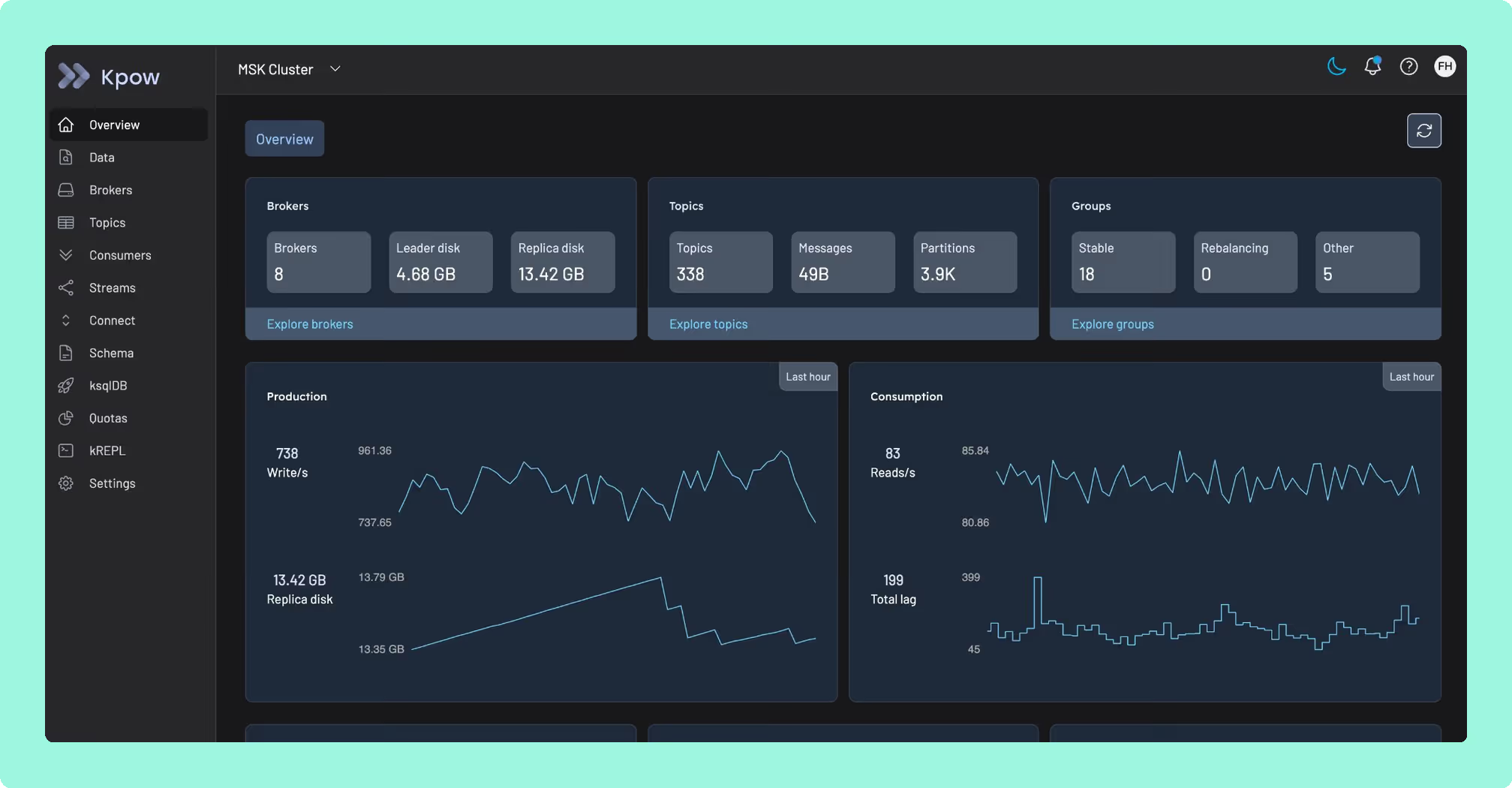
Monitoring: no built-in broker metrics, no alerting and no historical trends, so production monitoring is a separate Prometheus and Grafana stack.
Timeouts: six seconds for DescribeLogDirs and Metadata, five for DescribeConfigs and thirty-five for ListMessages, all fixed in code.
Degradation: one broker offline fails every consumer group query, which is exactly when a UI is worth having.
What it costs a year: nothing to licence under the Business Source License, and nothing published for the part that decides it against Kadeck. This page’s estimate rather than a vendor price: because one instance reaches one cluster, dev, staging and production is three deployments with an external Schema Registry beside them, and six engineer-hours a month on that is 8,640 US dollars a year at 120 US dollars an hour for a team of twenty. Role-based access and single sign-on then sit on top, behind a Redpanda Enterprise licence with no published price. A Kpow licence on the same three clusters is 13,500 US dollars a year at its published 4,500 per cluster, with access control included and no seat meter.
Compare Kpow vs Redpanda ConsoleKafdrop vs Redpanda ConsoleAKHQ vs Redpanda ConsoleRedpanda Console review
 Rank 2
 Kadeck
kadeck.com
29 out of 50 Total
- Cost a year
- $7,680 for 20 users on Enterprise, plus $2,880 this page's estimate
- Free tier
- Teams Free: 5 users, 1 cluster connection
- Clusters per deployment
- One free, unlimited on both paid tiers
- Cost as teams grow
- 4 out of 10
- Deployment footprint
- 4 out of 10
- Support and maintenance
- 6 out of 10
- Access control and audit
- 6 out of 10
- Multi-cluster reach
- 9 out of 10
Why these scores for Kadeck
- Cost as teams grow 4 out of 10
- Per user per month on every paid tier. On this page, Enterprise is 32 US dollars per user per month with a ten-user minimum, so governance starts at 3,840 US dollars a year and fifty engineers is 19,200. On top of the licence, this page’s estimate of running it is 2 engineer-hours a month at 120 US dollars an hour, 2,880 US dollars a year.
- Deployment footprint 4 out of 10
- The web edition ships exclusively as a Docker image with no native packages and no Helm chart, and the documented production Kubernetes path wants an external database.
- Support and maintenance 6 out of 10
- A commercial vendor under licence, docked because every Teams container start triggers an online validation, so air-gapped sites need offline activation and CI pipelines need challenge-response activation.
- Access control and audit 6 out of 10
- RBAC with LDAP and OpenID Connect, masking and audit logs, all on Enterprise. This page adds that Teams Free is admin and user only, with no LDAP, no OpenID Connect and no audit log.
- Multi-cluster reach 9 out of 10
- One cluster connection free and unlimited on both paid tiers, across Apache Kafka, Redpanda and Amazon Kinesis. The page calls this the point that decides the comparison.
Kadeck’s web edition ships exclusively as a Docker image. There are no native packages and no Helm chart, and the documented production Kubernetes path wants an external database.
Licence checks: every Teams container start triggers an online validation, so air-gapped sites need offline activation and CI pipelines need challenge-response activation.
Governance floor: Enterprise carries the ten-user minimum, and a desktop licence is not upgradeable into it.
Write path: apart from the recovery workflow it is read-oriented, with no Kafka Streams or ksqlDB integration.
Alerting: topic data arrival alerts arrive with Enterprise, and they watch message arrival rather than broker health.
What it costs a year: 7,680 US dollars for twenty engineers on Enterprise at 32 US dollars per user per month, 3,840 at the ten-user floor and 19,200 at fifty, because the meter is people rather than clusters. Unlimited cluster connections come with that, so the three environments Console cannot cover cost nothing extra here. A Kpow licence on the same three clusters is 13,500 US dollars a year at its published 4,500 per cluster and does not move with headcount, so the two cross somewhere between thirty and forty engineers.
Compare Kpow vs KadeckKadeck vs Kafbat UIKadeck vs Offset ExplorerKadeck review
Which should you pick?
These two tie at 29 out of 50 and meter different things: Redpanda Console is free under the Business Source License but gates RBAC and SSO behind a Redpanda Enterprise licence and reaches one cluster per deployment, while Kadeck meters people, from 3,840 US dollars a year at ten seats. A team that wants governance and multi-cluster reach in one price should shortlist Kpow by Factor House.
Pick Redpanda Console if:
- several people share a cluster and nobody has asked for access control yet
- browsing must stay out of the consumer group offsets applications depend on
- the bill should never move with the number of people looking
Pick Kadeck if:
- the tool is for one engineer on one laptop, installed natively
- recovering failed records is routine work rather than an incident twice a year
- one place has to reach dev, staging and production
That last point decides it before anything else is weighed: Kadeck’s paid tiers carry unlimited clusters and Console has no broker-tier multi-cluster at any price. In a regulated or air-gapped environment both cost, and they cost differently. Kadeck’s governance price is published and billed per person above a ten-seat floor, and its Teams container calls home at every start. Console’s governance is an unpublished licence from a broker vendor, and a Console with enterprise features enabled and no valid licence restricts access to everything rather than to the gated feature alone.
Kafka multi-cluster management tools ranks a wider field on the point this comparison turns on, reaching dev, staging and production from one place, and the best free Kafka UI tools sets out what each free tier includes before governance is bought.
Kpow: the cluster’s bill, not the headcount’s or the broker’s
Kadeck meters people, charging per user per month with a ten-seat floor once governance is the requirement, and Redpanda Console meters governance itself, gating RBAC and SSO behind a Redpanda Enterprise licence whose price nobody publishes, so a team on Amazon MSK or vanilla Apache Kafka buying access control ends up paying either a headcount bill or a broker vendor whose broker it does not run. Kpow by Factor House settles on the cluster instead: licensed per cluster at a published price, where an added engineer changes nothing about the number, delivered as a single stateless JVM container through environment variables alone, with no external database, no sidecar, no persistent volume, and one instance covering up to 12 Kafka clusters.
A published price that answers to the cluster settles what headcount and a broker’s licence both leave open. See it in full on Kpow’s own page, and weigh it against a bill that tracks headcount or waits on a broker’s price list instead.
How these tools were scored
Every option is scored from 0 to 10 on each criterion, from the evidence and sources this page cites, and the reason for each score is on its card. Each criterion counts once, for a total out of 50. The options are listed by total.
Sources
- Apache Kafka documentation on basic operations
- Protocol Buffers documentation on techniques
- Business Source License 1.1