
Kafka UI: The Ultimate Guide
Table of contents



A Kafka UI is a web-based interface that sits on top of an Apache Kafka cluster and turns the broker, topic, partition, and consumer-group APIs into something you can read and operate from a browser. The CLI tools shipped with Kafka are sufficient when you run a handful of topics on a single cluster. They become a friction point as soon as several teams share the platform, when operators need a consistent view across environments, or when an incident requires you to inspect partition state in seconds rather than minutes.
To get a sense of the operational surface area a Kafka UI has to cover at the upper end, JPMorgan runs 102 clusters with around 510 nodes and 13,000 topics, ingesting roughly 400 billion events per day. At that scale, the difference between a UI that surfaces under-replicated partitions clearly and one that forces an operator back to kafka-topics.sh is the difference between a five-minute fix and a thirty-minute incident.
This guide is written for platform and data engineers evaluating which Kafka UI to standardise on. It covers what a Kafka UI does, how the market is segmented, the criteria worth weighing during evaluation, and how the major tools compare in practice.
What does a Kafka UI actually do?
Most Kafka UIs converge on the same set of functional categories. The depth of coverage varies, but the categories are stable.
Topic management. Create, delete, and reconfigure topics, inspect partition layout and replica placement, and read messages from a partition with offset, key, header, and value filtering. Topic management is the day-to-day surface for both operators and developers, covering everything from partition count decisions to per-topic retention and compaction settings.
Consumer group monitoring and offset management. View consumer group membership, per-partition lag, current offset against log-end offset, and reset or seek consumer offsets when a consumer needs to replay or skip a window of data.
Broker and cluster health. Broker liveness, controller identity, partition distribution, under-replicated and offline partitions, and basic throughput metrics at the broker level.
Schema registry integration. Browse subjects, view schema versions and compatibility settings, and decode Avro, Protobuf, or JSON Schema payloads in the message viewer so message content is human-readable.
Access control. Surface and manage ACLs or RBAC role assignments depending on the underlying authorisation model, and capture an audit trail of who changed what.
Connector management. List Kafka Connect connectors, view status and task health, pause and restart connectors, and inspect configuration.
Producer tooling. Send test messages with arbitrary keys, headers, and serialisers from inside the UI, exercising the same producer path that application code uses.
Each of these categories maps to a different operational job, and a tool's coverage of any one of them is rarely binary. Most UIs do the easy parts well and differ on the harder parts: schema-aware filtering, RBAC granularity, Connect task observability, and offset-reset workflows.
The Kafka UI landscape
The market splits into three rough categories.
Open-source and self-hosted. Kafbat UI, Redpanda Console, and AKHQ sit here. They are free to download, ship as Docker images or self-contained binaries, and cover the core functional categories well. Governance features such as fine-grained RBAC, audit trails, and data masking are typically thinner or behind a paid tier. A comparison of the most widely-used options is available in best free kafka ui tools.
Commercial and self-hosted or managed. Kpow, Conduktor, Lenses.io, and Kadeck sit here. They charge a per-cluster, per-user, or per-seat fee in exchange for deeper RBAC, audit logging, governance workflows, and vendor support. Deployment is usually still under your control. For a broader view across both open-source and commercial options, best kafka management tools covers the full landscape.
Vendor-bundled. Confluent Control Center is the canonical example. It ships as part of Confluent Platform and integrates tightly with Confluent's Schema Registry, ksqlDB, Cluster Linking, and MDS-based RBAC. The trade-off is that it is effectively locked to Confluent deployments.
One landscape shift worth flagging: Kafka 4.0 fully removed ZooKeeper in March 2025, and KRaft is now the only supported metadata mode. Any UI that still relies on ZooKeeper-based metadata APIs has a gap to close. The well-maintained tools have already made the transition. If you are evaluating something less actively developed, confirm KRaft support before committing.
How to evaluate a Kafka UI: key criteria
The criteria below are the ones I weight most heavily during a real evaluation. Different teams will rank them differently, but skipping any of them tends to produce regret a year in.
Monitoring and observability depth
The baseline question is whether the UI surfaces the metrics that actually move during an incident: consumer lag at partition granularity, under-replicated partitions, offline partitions, broker request latency, and partition skew across brokers. The easy metrics (broker count, topic count, total messages) are uniform across tools. The harder ones are not.
Datadog provides a useful illustration of why visibility matters. The team reduced a host-subscriptions topic from 500,000 messages per second to 5,000 messages per second, a 100x reduction, after gaining clearer visibility into their pipeline. The optimisation freed over 600 CPU cores and 1 TB of memory. The lesson is that observability is what makes optimisation possible: you cannot improve what you cannot see.
A Kafka UI handles the real-time slice of this: point-in-time consumer monitoring, cluster health, and producer visibility. For time-series storage, alerting, and capacity planning, the UI should complement a proper monitoring stack rather than replace it. The kafka monitoring guide covers that boundary in full, including guidance on kafka dashboards, best kafka monitoring tools, and integrations with tools like Grafana.
Access control and multi-tenancy
When a shared cluster supports more than two teams, ACLs alone become difficult to manage. Granular RBAC, audit logging, and an identity-provider integration (SAML, OIDC, LDAP) are the features that matter. Look for role-based authorisation at the topic, consumer-group, and connector level, with the ability to scope roles to a single environment. For multi-tenant Kafka deployments, the UI is where access policies become visible and auditable across teams.
Uber illustrates the scaling problem well. Their custom KafkaAuthorizer uses a single attribute-based policy to replace what would otherwise be thousands of individual ACL entries. A UI that surfaces and manages permissions weakly would make that model unworkable in operation, even if the authentication, authorisation, and encryption at the broker level are sound.
For a deeper treatment of the security model underneath the UI, see the kafka security architecture article.
Schema registry support
Schema-aware message viewing is the difference between a useful inspection workflow and a Base64-decoded mess. The UI should resolve subjects automatically, decode Avro, Protobuf, and JSON Schema payloads, surface compatibility rules, and let you view historical schema versions. Schema evolution visibility is particularly useful during incidents involving consumer deserialisation failures.
Kafka Connect management
For teams using Kafka Connect for CDC, sink-to-warehouse, or system integration, the UI should surface connector lifecycle (paused, running, failed), per-task status, and configuration. Restart and pause controls from the UI shorten the loop during connector incidents. Use cases range from ServiceNow integrations to Jira event pipelines, and in each case connector observability is what separates a quick diagnosis from a long one.
Notion replaced custom connectors with Confluent's pre-built Connect integrations after concluding that the old approach was, in their words, "too expensive and difficult to maintain at scale." The change saved over $1 million in 2022 and tripled engineering productivity. A UI that surfaces connector health directly reduces the operational cost of running Connect at scale.
Stream processing and ksqlDB visibility
Kafka Streams applications and ksqlDB queries are first-class citizens in many production estates, but few UIs treat them as such. The ones that do let you inspect topology, internal state stores, and per-query status. If you run Streams applications in production, the ability to navigate from a consumer group back to the topology that owns it, and forward to the state-store partitions that back it, removes a category of debugging that would otherwise need bespoke tooling. For ksqlDB users, the equivalent is a UI that lists queries, their source and sink topics, and their current status.
Deployment model and operational overhead
Self-hosted versus SaaS, single container versus Helm chart, and how the UI authenticates to the cluster (direct broker access, a JMX scrape, or an agent proxy). Security teams will care about the data-plane access model: a UI that proxies all client traffic to brokers has a very different blast radius from one that only reads metadata.
Installation footprint matters during evaluation. Most open-source tools ship a single container that can be running against a test cluster within minutes. Commercial tools tend to involve a Helm chart, an admin database, and an initial RBAC bootstrap, which is closer to an hour of work. SaaS options remove the deployment step entirely but introduce data-residency and connectivity questions.
Multi-cluster and multi-environment management
Almost every team running Kafka in production runs at least three clusters: development, staging, and production. Larger estates add regional clusters, isolation clusters for regulated workloads, and dedicated clusters for high-throughput pipelines. A UI that handles only one cluster at a time forces operators to tab between browser windows, breaks audit trails at cluster boundaries, and makes cross-environment comparison (does the staging topic config actually match production?) tedious.
When evaluating multi-cluster support, look for: a cluster switcher that preserves context, unified search across clusters, environment-aware RBAC so that production write permissions do not leak to development users, and a way to compare topic configuration across clusters without leaving the UI. Some tools also offer global catalogs that list every topic across every cluster in one view, which is useful in estates where the same logical topic name is used across environments.
Producer and consumer tooling
The ability to produce a test message and consume from an arbitrary offset is a small feature with large operational impact. During incidents, the question "is the producer actually sending, and is the broker actually accepting?" comes up often. A UI that lets you produce a known-good message from a known-good identity narrows the search space quickly. Related tools for managing offsets and records from the CLI include the kafka offset tool, the ability to delete records from a topic, and the kafka admin tool.
Pricing model and total cost of ownership
Free is not the same as low cost. Open-source tools have no licence fee, but the engineering time spent deploying them, upgrading them when the upstream project releases a new version, patching them when a CVE lands, and carrying them on the on-call rotation is real. For a small team running a single cluster, that overhead is trivial. For a platform team running ten clusters across three regions, it adds up.
Commercial tools split into two pricing shapes. Per-cluster pricing (often used for self-hosted commercial tools) scales with infrastructure and is predictable as headcount changes. Per-seat or per-user pricing scales with adoption: the more useful the tool is, the more it costs. For estates where the goal is broad self-service, per-cluster pricing tends to age better. For estates where access is restricted to a small platform team, per-seat pricing can be cheaper.
A complete TCO model should include: licence fees, the engineering cost of deployment and maintenance (often half a person, sometimes more), support tier costs, and the opportunity cost of operator time spent in CLI workflows that the UI would have automated. The last item is hardest to quantify but often the largest.
Performance and footprint at scale
How does the UI itself behave when it is pointed at a cluster with thousands of topics and hundreds of consumer groups? Page load times, search responsiveness, message-viewer latency, and the memory footprint of the UI server become operational concerns at the kind of scale referenced in the JPMorgan and Walmart case studies. Some UIs paginate well and use server-side filtering; others pull metadata in bulk and degrade noticeably past a few thousand topics. If your estate is at that scale, ask vendors for a benchmark against a comparable topic count, and if you are evaluating an open-source tool, test it against a representative cluster before committing.
Disaster recovery and cluster linking visibility
For multi-region deployments, the UI's view into replication health matters. MirrorMaker 2 topology, replication lag between source and target clusters, and the configuration of replicated topics are all things you want to inspect from one place rather than from a mix of CLI and broker logs. Confluent Cluster Linking introduces a different model that some UIs surface natively and others ignore. Barclays runs Confluent Kafka on Amazon EKS with multi-region active-active and active-passive configurations, and Walmart operates Kafka across public and private clouds. At that footprint, replication visibility is a security and compliance concern as much as an operational one.
Kafka UI and security
Security is non-negotiable when a UI has read and write access to a production cluster. The kafka security architecture has several layers, and the UI touches most of them. The relevant dimensions are:
Authentication. SSO via SAML or OIDC, LDAP integration for on-prem identity providers, and local users as a fallback. Avoid tools that only support local users in production deployments.
Authorisation granularity. Cluster-level, topic-level, consumer-group-level, and connector-level role assignments. The right granularity depends on how many teams share the cluster: a single-team deployment can live with cluster-level roles, a multi-team deployment cannot.
Audit logging. Every write action (offset reset, topic creation or deletion, connector restart, ACL change) should produce a tamper-evident audit record. For regulated industries, the audit log needs to be exportable to a SIEM.
Network exposure. A UI server with broker credentials is a sensitive surface. Bind it to an internal network, put it behind your existing identity proxy, and avoid exposing it to the public internet even with authentication enabled.
Data-plane access model. Some UIs proxy all client traffic to brokers, which means the UI host needs to be sized for the throughput it serves. Others only read metadata and produce or consume on demand, which keeps the UI host small but moves the data path back to the client. Both are valid; the right choice depends on your network model.
Barclays is a useful reference here: Confluent Kafka on Amazon EKS, multi-region active-active and active-passive, Kafka-centric systems owned by a central platform team under SRE principles. At that scale and in a regulated industry, an unsecured kafka security surface is a material risk, and the platform team's choice of UI is part of the compliance story.
Kafka UI and monitoring: where the overlap ends
Most Kafka UIs ship some level of built-in metrics. They are not substitutes for a proper monitoring stack. The boundary between the two is worth being explicit about.
A Kafka UI is for real-time operational interaction: point-in-time inspection, debugging, ad-hoc reads of message content, manual offset management, and connector control. Its job is to answer "what is happening right now, and what action do I want to take?"
A monitoring stack (Prometheus and Grafana, Datadog, New Relic, Dynatrace) is for time-series storage, alerting on thresholds, SLO tracking, anomaly detection, and historical analysis. Its job is to answer "what has happened over the last hour, day, or quarter, and should someone be paged?"
A useful checklist when evaluating where to draw the line:
- UI responsibilities: consumer-group lag at the moment of inspection, partition state, broker liveness, message content inspection, schema lookup, ad-hoc producer test, connector status and restart.
- Monitoring stack responsibilities: lag trended over time, alerting when lag breaches a threshold, broker JVM metrics, request-latency percentiles, retention and tiered-storage usage trends, capacity planning.
In practice, both layers consume similar broker JMX metrics. The standard convention is to scrape with kafka-exporter and the JMX exporter, store in Prometheus, and visualise in Grafana. A UI that exposes its own Prometheus scrape endpoint can plug into that pipeline without duplication. Read best practices for kafka data observability for guidance on metric collection patterns and the overlap between tooling layers in depth.
Netflix handles between 700 billion and 2 trillion events per day across its Keystone pipeline and Data Mesh platform. At that volume, a UI alone cannot provide the alerting and anomaly detection that production operations require, and the monitoring stack is what catches the slow-moving regressions a real-time UI is never going to flag. The two layers are complementary, not interchangeable.
Tool-by-tool breakdown
Before the per-tool detail, the comparison table below summarises the dimensions most teams care about during a first-pass evaluation.
Kpow (Factor House)
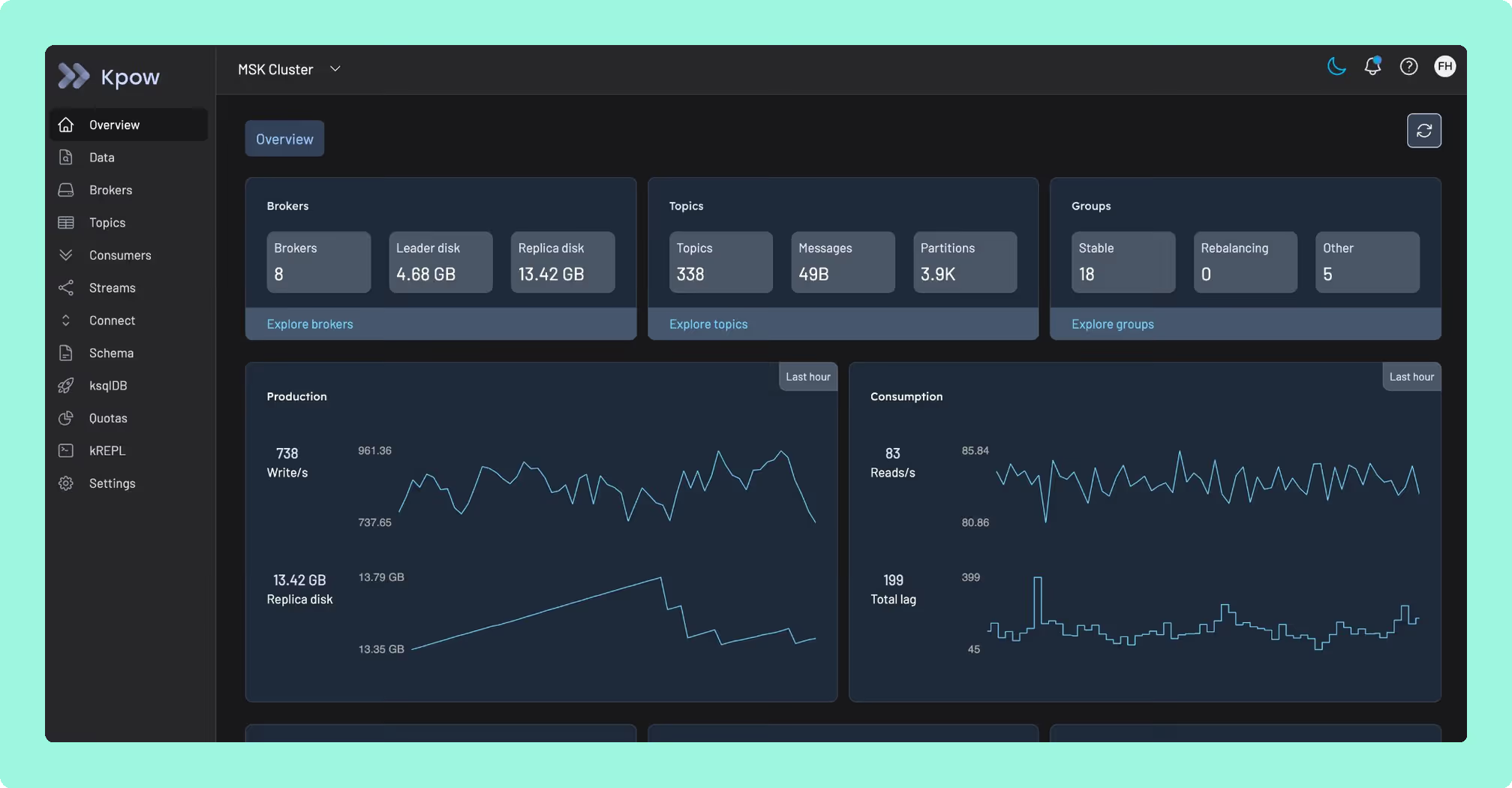
Commercial, self-hosted. Stateless JVM container that runs against any Apache Kafka cluster, with deep RBAC backed by SAML, OIDC, LDAP, or Keycloak SSO, full support for Schema Registry, Kafka Connect, ksqlDB, ACL management, and Kafka Streams topology visualisation. Up to 12 clusters per instance. Designed for SRE and platform teams running multi-cluster Kafka in regulated environments. Pricing is per cluster, which keeps cost predictable as headcount changes.
Kafbat UI
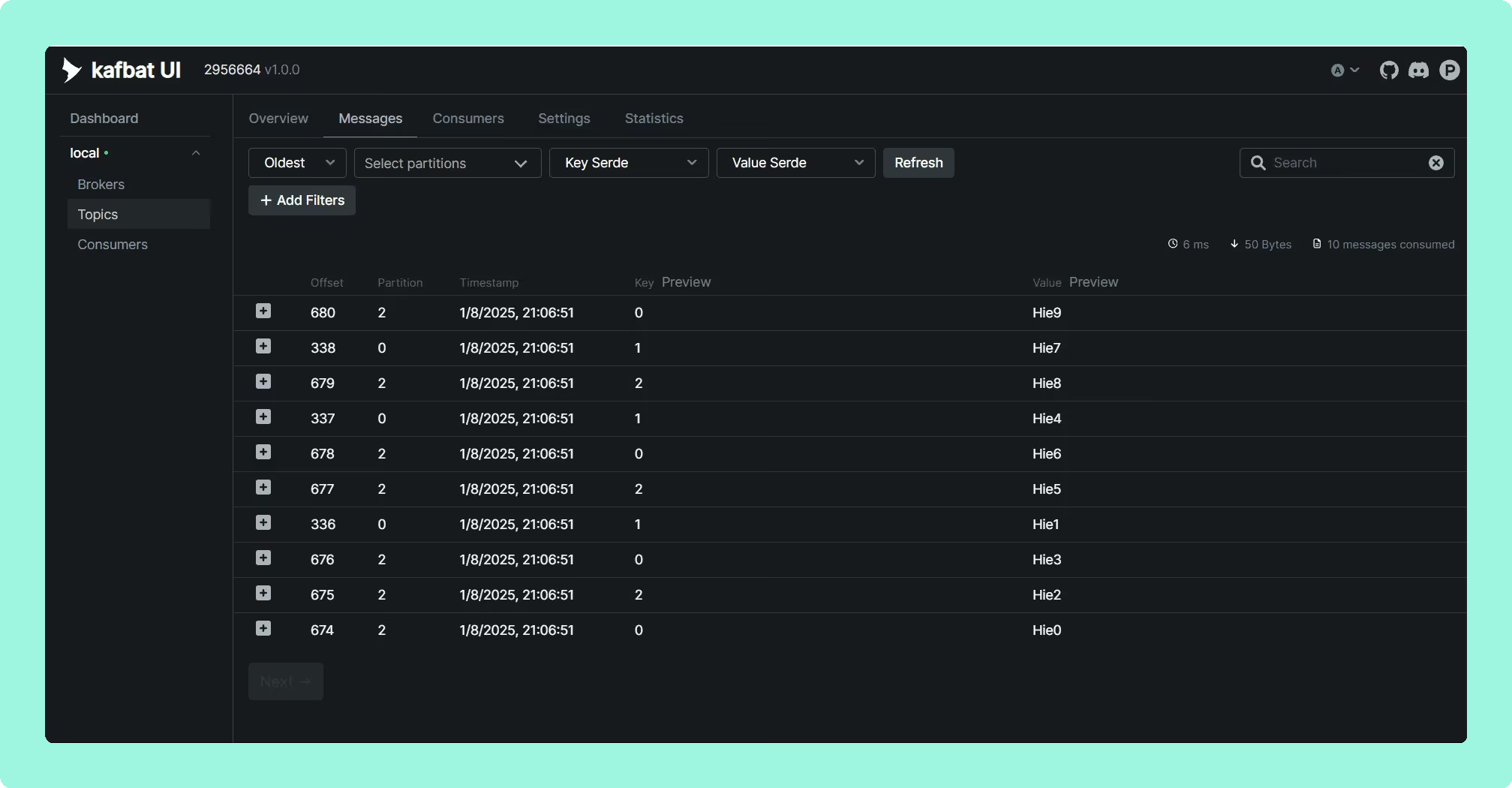
Open-source under Apache 2.0, self-hosted as a container. Wide adoption, an active maintainer community, and good general-purpose coverage including multi-cluster support, Avro, Protobuf, and JSON deserialisation, Schema Registry integration, and CEL-based filtering. RBAC is YAML-based and minimal. Best fit for small to mid-size teams with modest governance needs. Worth noting that Kafbat UI is the active fork of what used to be the "kafka-ui" project on GitHub, which is the source of the recurring naming confusion in the community.
Redpanda Console
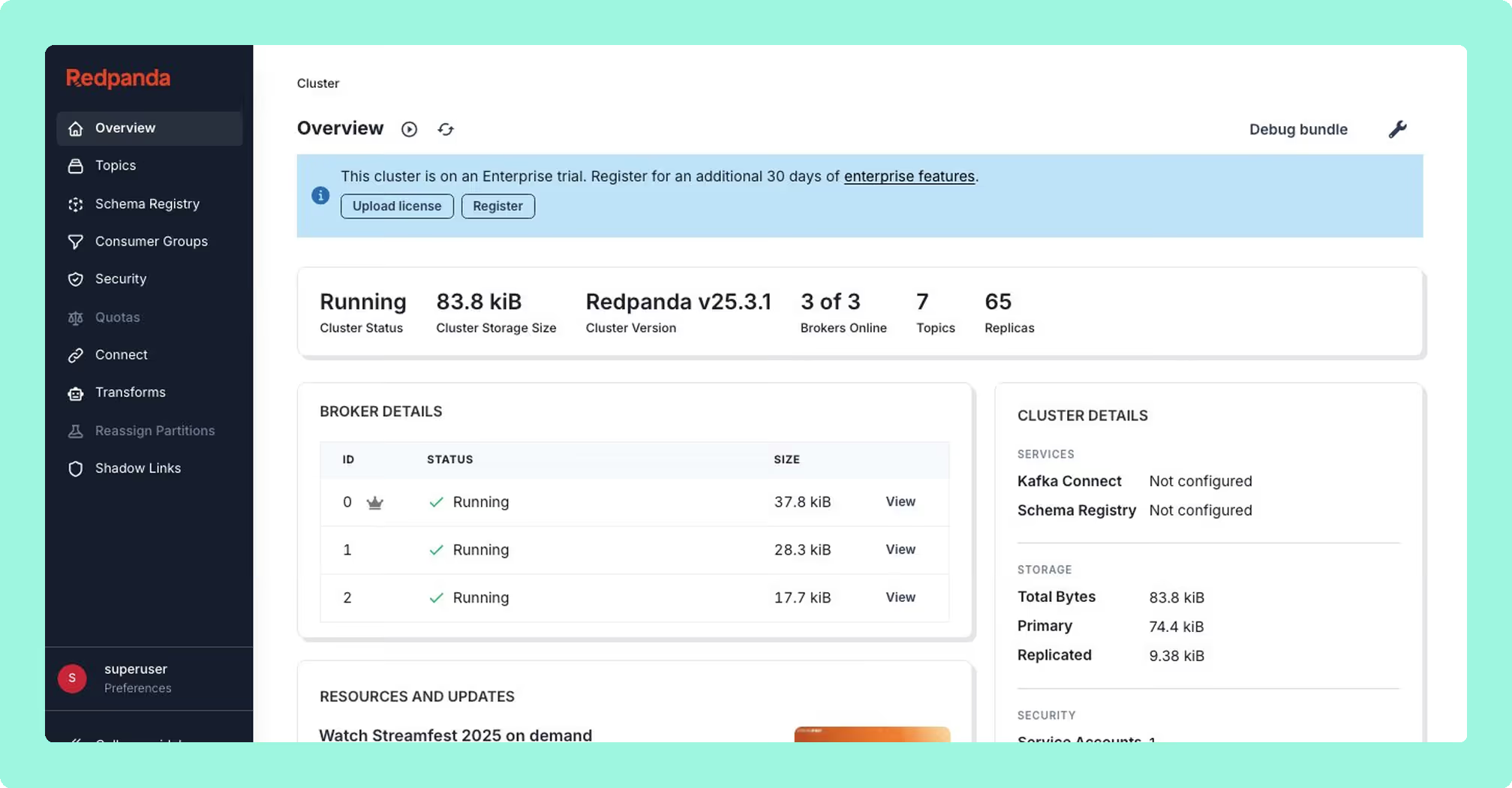
Open-core, Go binary. Fast message viewer and a clean operator experience. The community edition is BSL-licensed; multi-cluster support, SSO, RBAC, and data masking sit behind the Redpanda enterprise licence. Connect management is not included. Best fit for existing Redpanda customers with enterprise contracts. If you run Apache Kafka rather than Redpanda, the value is narrower.
AKHQ
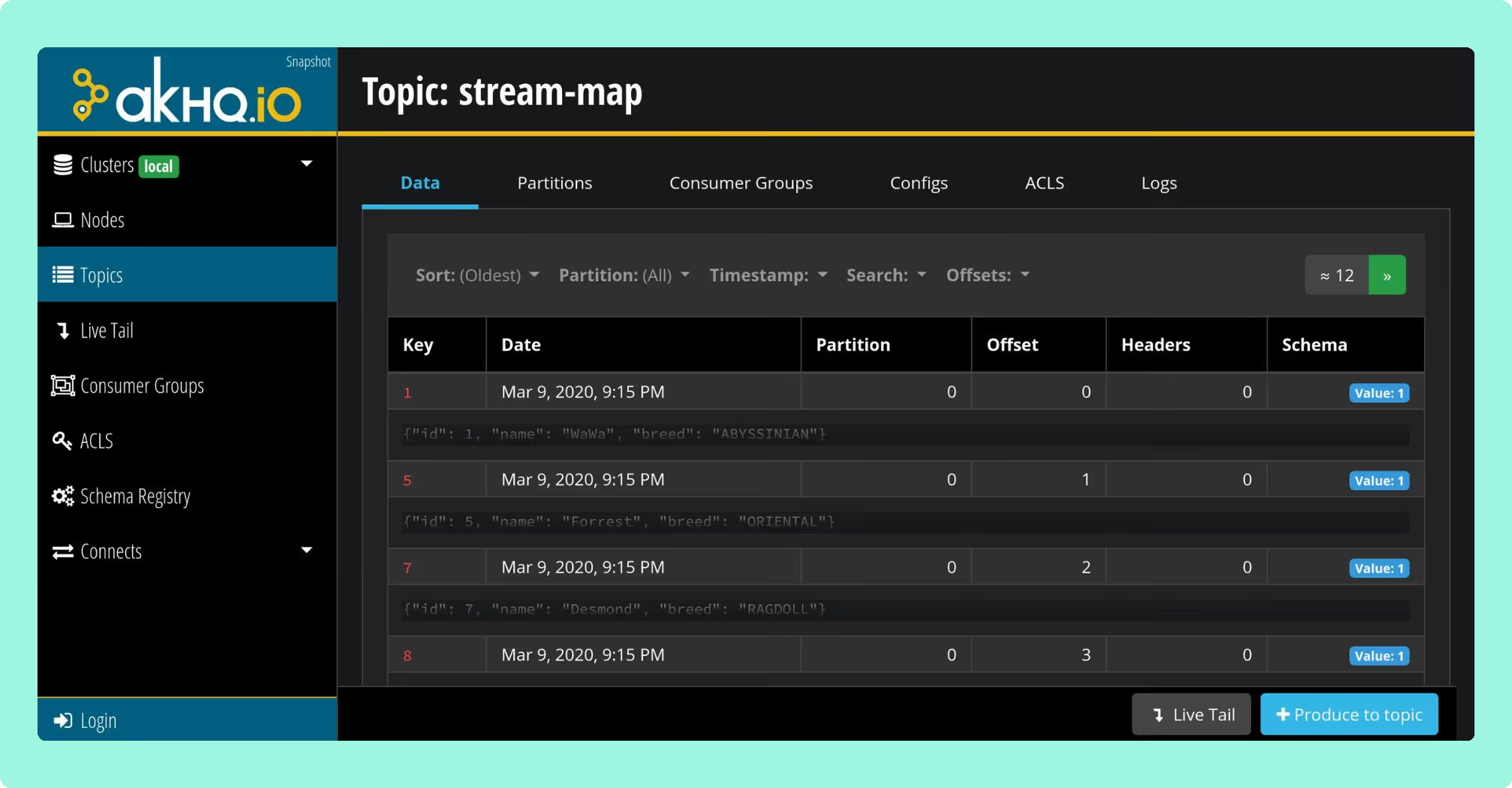
Open-source under Apache 2.0, deployed as a Micronaut application. GitOps-friendly configuration, OIDC, OAuth2, LDAP, and GitHub SSO, full Connect and Schema Registry coverage, and ksqlDB support. Basic RBAC since version 0.25. No native data masking, and UI performance is known to degrade on very large clusters. Best fit for teams wanting a free, GitOps-native tool without server-side data masking requirements.
Conduktor
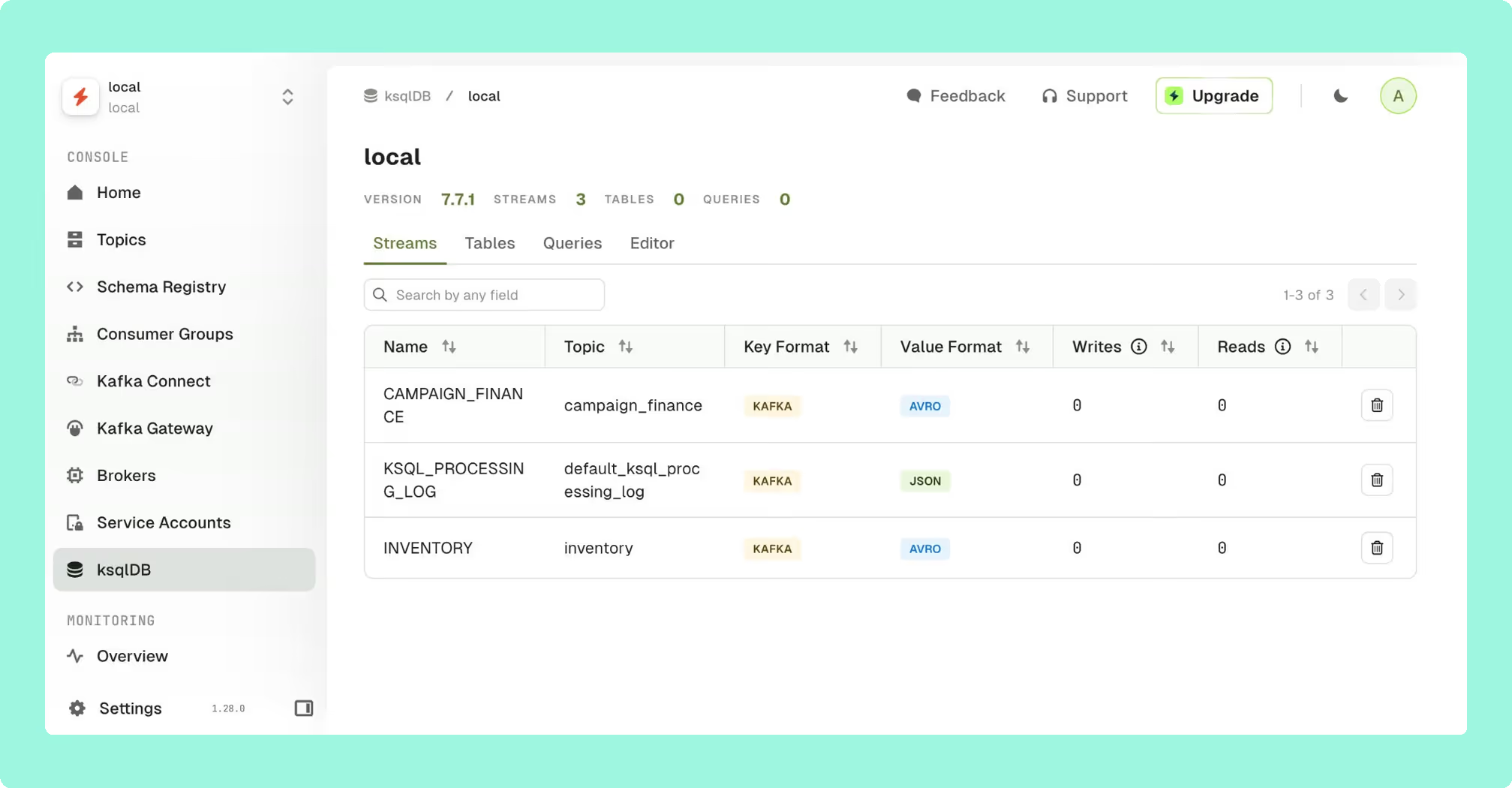
Commercial, with an open-core Community tier. Self-hosted web platform with an optional Gateway proxy for ownership tracking, topic catalogs, self-service workflows. Be aware the proxy can introduce risk due to being in the data path. Best fit for large organisations where multiple teams share infrastructure and need explicit ownership and self-service. Per-seat pricing scales with adoption: published estimates for 100 users across 3 clusters land in the $80,000-$150,000 per year range.
Lenses.io
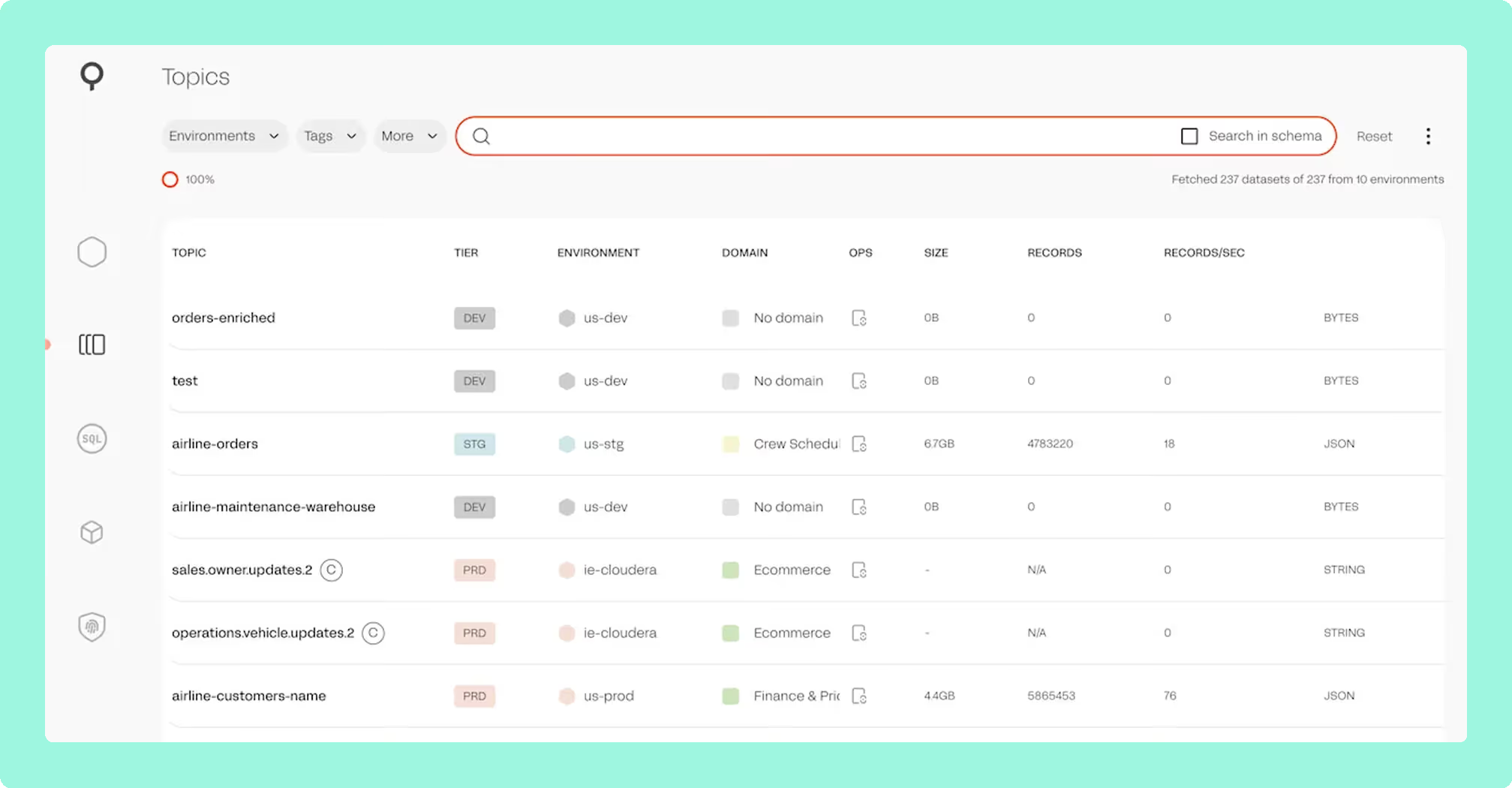
Commercial, Kubernetes-required (SQL Processors run as Kubernetes pods). The differentiator is SQL-driven stream processing alongside observability, including topology visualisation, a Kafka-to-Kafka replicator, a global multi-cluster catalog, and data policies. Best fit for teams wanting SQL-driven stream processing inside the same tool that handles operational interaction. The Kubernetes dependency adds operational overhead, and post-acquisition product direction is worth confirming with the vendor during evaluation.
Kadeck
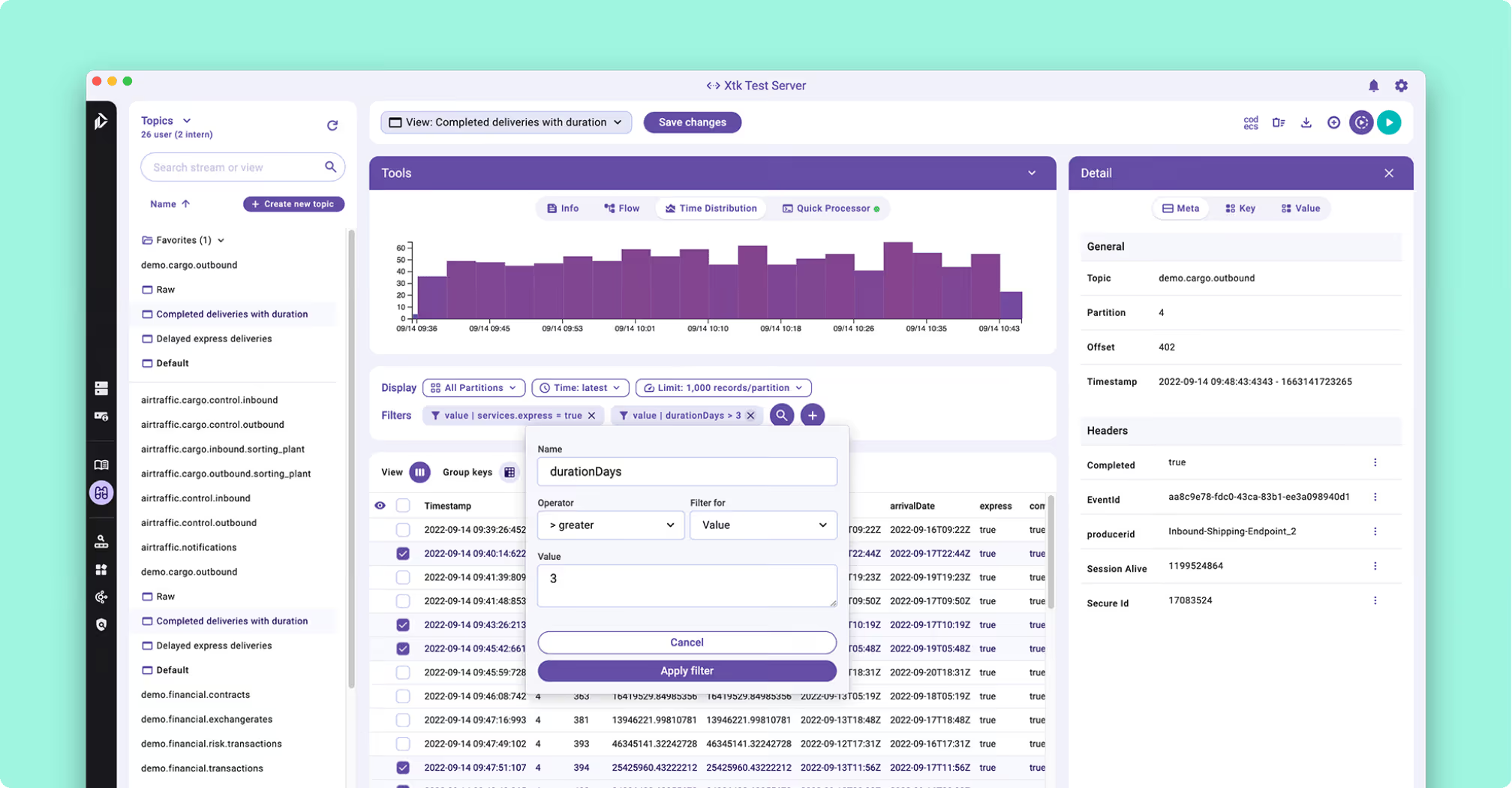
Commercial. Desktop-first product with a server tier for team deployments. Good for individual developer use and quick local inspection of clusters; less suited to team-based operations where shared audit trails and centralised RBAC are required.
Confluent Control Center
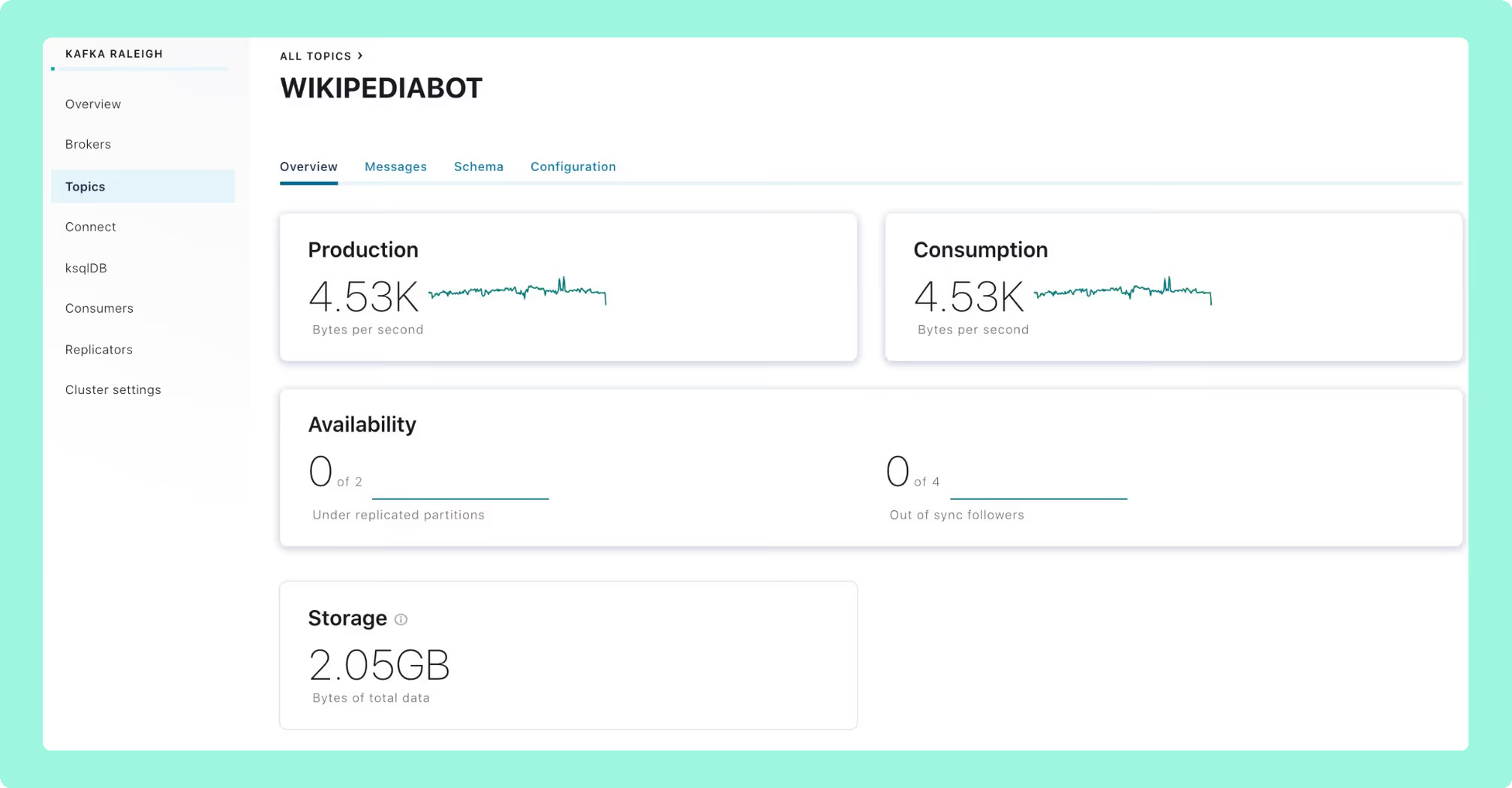
Bundled with Confluent Platform Enterprise. Native integration with the Confluent ecosystem: Schema Registry, ksqlDB, Cluster Linking, and MDS-based RBAC. Effectively locked to Confluent deployments, and the advanced features depend on MDS being present. Typical Confluent Platform pricing ranges from roughly $50,000 to $500,000+ per year, depending on cluster footprint and support tier.
Kafka UI in practice: three operational scenarios
The criteria above are easier to evaluate against concrete jobs. The three scenarios below cover the most common ones I see during platform evaluations.
Debugging consumer lag during an incident
A consumer group has fallen behind. The on-call engineer opens the UI, navigates to the consumer group, and looks at the per-partition lag. One partition is responsible for the bulk of the lag; the others are caught up. The UI shows the partition leader, the consumer instance currently assigned to it, and the timestamp of the last committed offset.
From there, the engineer can inspect the messages near the current offset, look at the message size distribution, and check whether the consumer is failing to process a specific message type. Reviewing the consumer configuration and consumer properties can surface whether the issue is a processing timeout, a deserialisation error, or a throughput mismatch. If the partition has fallen too far behind to catch up within the SLA window, an offset reset to a later position becomes a deliberate decision rather than a panicked one. The UI captures the reset in its audit log, and kafka logs at the broker level can confirm what the consumer actually received.
Managing topics and partitions at scale
DoorDash operates five Kafka clusters managed by a central Real-Time Streaming Platform team. At that footprint, topic governance covers replication factor, partition count, retention policy, compaction settings, and per-topic ACLs. Good partition key selection and message key design matter here too, since the UI makes partition skew visible but the root cause is usually upstream. Message size is another configuration dimension the UI surfaces clearly. Doing this through CLI scripts is workable; doing it through a UI that lets the platform team review every new-topic request, apply a template, and audit the result is faster and less error-prone.
The UI matters most when teams outside the platform team need to inspect or request changes. A self-service workflow that proposes the change, routes it to a platform reviewer, and applies it on approval is the difference between a healthy multi-tenant cluster and one where every team has direct admin access "just to get things done." For the broader operational discipline around kafka cluster management, cluster best practices, and kafka scaling best practices, those articles cover the decisions that sit behind the UI.
Onboarding teams to a shared cluster
Walmart's Kafka infrastructure serves over 25,000 consumers across public and private clouds as of June 2024, processing trillions of messages per day. A self-serve UI model is what makes that footprint tractable. New teams use the UI to inspect topics they have read access to, check consumer group health, produce test messages against a staging cluster, and request access to additional topics through a workflow the platform team owns.
The alternative (a central team handling every read request, every consumer-group inspection, and every offset query) does not scale past a few dozen tenant teams. The UI is the lever that moves the work from the platform team to the tenants without giving them broker-admin access.
What's next for Kafka UI tooling
Three forward-looking themes are worth flagging for anyone making a multi-year decision.
KIP-932 and queues. KIP-932 introduces queue semantics to Kafka through a new "share group" consumer model. Once shipped broadly, this changes the consumer model in ways that will require UI tooling to expose a new kind of entity alongside topics and traditional consumer groups. UIs that don't adapt will show an incomplete picture of cluster state.
KRaft as the steady state. With ZooKeeper fully removed in Kafka 4.0, the metadata model is simpler and more consistent. UIs that previously read ZooKeeper for cluster state now interact exclusively with the Kafka metadata quorum. This opens the door to richer, faster metadata exposure in tooling, and it eliminates a class of stale-metadata bugs that used to surface in ZooKeeper-era UIs. The kafka architecture article covers the KRaft metadata model in detail.
AI assistants and natural-language operators. Several commercial roadmaps now include some form of natural-language interaction: ask the UI to find consumer groups that have been lagging for more than an hour, or to summarise the recent topic configuration changes across the production estate. Whether this becomes a meaningful operational interface or stays a demo feature is still open, but it is worth tracking. The credible version of this is one where the UI translates a question into an API call against the same metadata it already surfaces, rather than a chatbot that hallucinates broker IDs.
Tiered storage visibility. As more vendors ship tiered storage (Confluent, Aiven, Redpanda, and the upstream KIP-405 work), the UI needs to surface what data lives on the broker, what has been tiered to object storage, and what the cost implications are. This is a relatively new area, and tools differ significantly in how clearly they present it.
Choosing the right Kafka UI
A concise decision framework, summarising the categories above:
- Small team or personal use: Kpow Community Edition or CMAK. Free, easy to deploy, sufficient for one or two clusters with light governance needs.
- GitOps-native preference: AKHQ. Configuration in version control, OIDC out of the box.
- Compliance, audit, or regulated industry: Kpow or Conduktor. Full RBAC, audit logging, and identity-provider integration.
- Data engineering or SQL-style exploration: Lenses.io. SQL Processors and a global catalog suit data engineering workflows.
- Already on Confluent Platform: Confluent Control Center. Suits if you are completely committed to the Confluent stack.
- Enterprise, multi-cluster, multi-tenant: Kpow or Conduktor, with the pricing model as the deciding factor. Per-cluster pricing favours broad adoption; per-seat pricing becomes expensive for larger teams.
"Free" is not the same as "low cost." Self-hosted open-source tools carry engineering overhead for deployment, version upgrades, security patching, and on-call. For a single-cluster team, that overhead is trivial. For a platform team running a regulated estate across multiple regions, the all-in cost of an open-source tool often exceeds the licence cost of a commercial one.
Conclusion
The right Kafka UI reduces operational overhead, makes security enforceable across teams, and gives operators, developers, and data engineers a meaningful window into cluster behaviour. The wrong choice, or no choice at all, is a form of operational debt that compounds as the cluster grows: every offset reset done by hand, every ACL change applied via CLI, and every consumer-group lag investigation that takes an hour instead of five minutes adds up. The UI is the operational layer that sits above architecture, monitoring, and security, and the right one is the one that fits your team's scale, governance needs, and pricing tolerance.
At Factor House, we built Kpow for platform and SRE teams running Kafka in regulated, multi-cluster environments. If your evaluation maps to that profile, you can try Kpow for free for 30 days against any Kafka cluster, deployed via Docker, Helm, or JAR.
/
FAQ
What is a Kafka UI?
A Kafka UI is a web-based interface for managing and inspecting an Apache Kafka cluster. It exposes topics, partitions, consumer groups, brokers, schemas, and connectors through a browser, removing the need to use the Kafka CLI for routine operational tasks.
What is the difference between a Kafka UI and a Kafka monitoring tool?
A Kafka UI is for real-time operational interaction: inspecting cluster state, reading messages, and performing actions like offset resets or connector restarts. A Kafka monitoring tool such as Prometheus and Grafana or Datadog is for time-series storage, alerting, SLO tracking, and historical trend analysis. Most production estates use both.
Which Kafka UI tools are free and open source?
The widely-used open-source options are Kafbat UI (Apache 2.0), AKHQ (Apache 2.0), and Redpanda Console (BSL community edition, with enterprise features behind a paid licence). Each is self-hosted and free to download. While not open source, Kpow Community Edition is also a viable option.
Is Confluent Control Center free to use?
No. Confluent Control Center is bundled with Confluent Platform Enterprise and is not available as a standalone free product. Pricing is included in the broader Confluent Platform licence, which typically ranges from around $50,000 to $500,000+ per year depending on cluster footprint and support tier.
How do I manage consumer group offsets from a Kafka UI?
Most Kafka UIs let you view the current offset and log-end offset for each partition in a consumer group, and reset the offset to the earliest, latest, a specific timestamp, or a specific offset value. The action is typically gated by an RBAC permission and recorded in an audit log. The exact workflow varies by tool but the underlying API is the standard Kafka admin client.
Can a Kafka UI manage Kafka Connect connectors?
Yes, most Kafka UIs integrate with Kafka Connect to list connectors, surface task status, and provide pause, resume, and restart controls. Configuration can usually be inspected and edited from the UI. Redpanda Console is a notable exception: it does not include Connect management.
How do I secure a Kafka UI in a production environment?
Authenticate users through your identity provider (SAML, OIDC, or LDAP) rather than local users. Enforce RBAC at the topic, consumer-group, and connector level. Bind the UI to an internal network behind your existing identity proxy. Enable audit logging and ship the audit log to a SIEM. Ensure the UI uses a service account with the minimum broker permissions it actually needs.
Which Kafka UI tools support RBAC and SSO?
Full RBAC with SSO is offered by Kpow, Conduktor, Lenses.io, and Confluent Control Center. AKHQ supports SSO and basic RBAC since version 0.25. Kafbat UI has basic YAML-based RBAC. Redpanda Console requires the enterprise licence for SSO and RBAC.
What is the best Kafka UI for a small team versus an enterprise deployment?
For a small team running one or two clusters, an open-source tool such as Kpow Community Edition, Kafbat UI or AKHQ usually covers the operational needs at zero licence cost. For an enterprise deployment with multiple clusters, regulated workloads, and many tenant teams, a commercial tool with full RBAC, audit logging, and vendor support (Kpow, Conduktor, Lenses.io, or Confluent Control Center) tends to be a better fit.
Can a Kafka UI manage multiple clusters from one interface?
Yes. Kpow, Conduktor, Lenses.io, AKHQ, Kafbat UI, and Confluent Control Center all support multi-cluster management from a single instance. Cluster switching, unified search, and environment-aware RBAC vary in maturity, and Redpanda Console's multi-cluster support requires the enterprise licence.
Does Kafka UI work with KRaft mode (Kafka 4.x)?
The actively maintained Kafka UIs (Kpow, Kafbat UI, AKHQ, Conduktor, Lenses.io, Redpanda Console, Confluent Control Center) all support KRaft mode. With Kafka 4.0 having fully removed ZooKeeper as of March 2025, KRaft is the only supported metadata mode going forward, and any UI that still depends on ZooKeeper APIs has a gap to close.
What is the difference between Kafka UI and Kafbat UI?
"Kafka UI" was the original project name for an open-source Kafka management interface formerly maintained on GitHub by Provectus. The project was forked and is now actively maintained as Kafbat UI by the same core community of maintainers. If you see references to "kafka-ui" in older documentation, they almost always refer to what is now Kafbat UI.
How does a Kafka UI handle schema registry and Avro or Protobuf messages?
A Kafka UI with Schema Registry integration resolves the schema for a message by reading the schema ID from the message header, fetching the schema definition from the registry, and using it to deserialise the payload into a human-readable form. Avro, Protobuf, and JSON Schema are supported by the major tools. The UI typically also exposes subject management, version history, and compatibility-rule inspection.