Apache Kafka monitoring is harder than it looks. By the time Kafka actually matters to your organisation, you’re running multiple clusters across cloud providers, Schema Registry is drifting, and the monitoring tool you stood up eighteen months ago now has its own Postgres database, its own backup regime, and a runbook for the rebalancing loop it enters every time a broker restarts.
A serious monitoring layer needs to handle at least six jobs simultaneously: broker and cluster health, consumer lag at the partition level, schema correctness, topology operations (Connect, Streams, Flink), message inspection during incidents, and, for regulated teams, governance including RBAC, SSO, audit logging, and PII masking. Most tools do one or two of those jobs well. Few handle all six without operational overhead that rivals the cluster itself.
This guide covers the twelve tools that come up most in production engineering conversations in 2026. If you’re evaluating management UIs more broadly, see our Best Kafka UI guide.
12 best Kafka monitoring tools
| Tool | Type | Best for | Pricing |
|---|---|---|---|
| Kpow | Full-stack enterprise UI | Multi-cluster, regulated environments | From $4,500/yr per cluster |
| Confluent Control Center | Enterprise UI | All-in Confluent Platform deployments | Bundled with Confluent Platform |
| Conduktor | Commercial UI + proxy | Large-scale governance and multi-tenancy | Per seat + per cluster (Gateway) |
| AKHQ | Open-source UI | Non-regulated teams, GitOps environments | Free (Apache 2.0) |
| Redpanda Console | Open-source UI | Redpanda-first teams | Free core; SSO/RBAC require Enterprise |
| Kafka UI (Provectus) | Open-source UI | Lightweight single-cluster visibility | Free (Apache 2.0) |
| Kafdrop | Lightweight UI | Local and dev use | Free (Apache 2.0) |
| Prometheus + Grafana | Metrics stack | Time-series alerting substrate | Free (OSS) |
| Kminion | Metrics exporter | Prometheus-native consumer lag | Free (MIT) |
| Burrow | Lag evaluator | Threshold-free lag alerting | Free (Apache 2.0) |
| Datadog | SaaS observability | Teams standardised on Datadog | Per host + custom metrics |
| Lenses.io | SQL-driven platform | SQL-over-Kafka and cross-cluster replication | Enterprise sales |
Kpow live demo
See monitoring alongside Kafka operations
Metrics matter when they lead to a clear next action. Explore Kpow in a live environment and connect consumer, topic, and cluster signals to the work your team actually performs.
For platform and SRE teams responsible for production Kafka.
Try the Kpow demo1. Kpow by Factor House
Kpow is a commercial enterprise UI and API for Apache Kafka and the surrounding ecosystem (Schema Registry, Kafka Connect, ksqlDB), covering monitoring, operations, and governance from a single stateless Docker container with zero external dependencies. It stores telemetry in internal Kafka topics on the cluster it monitors, so its resilience is tied directly to the cluster’s: if your cluster is up, Kpow is up.
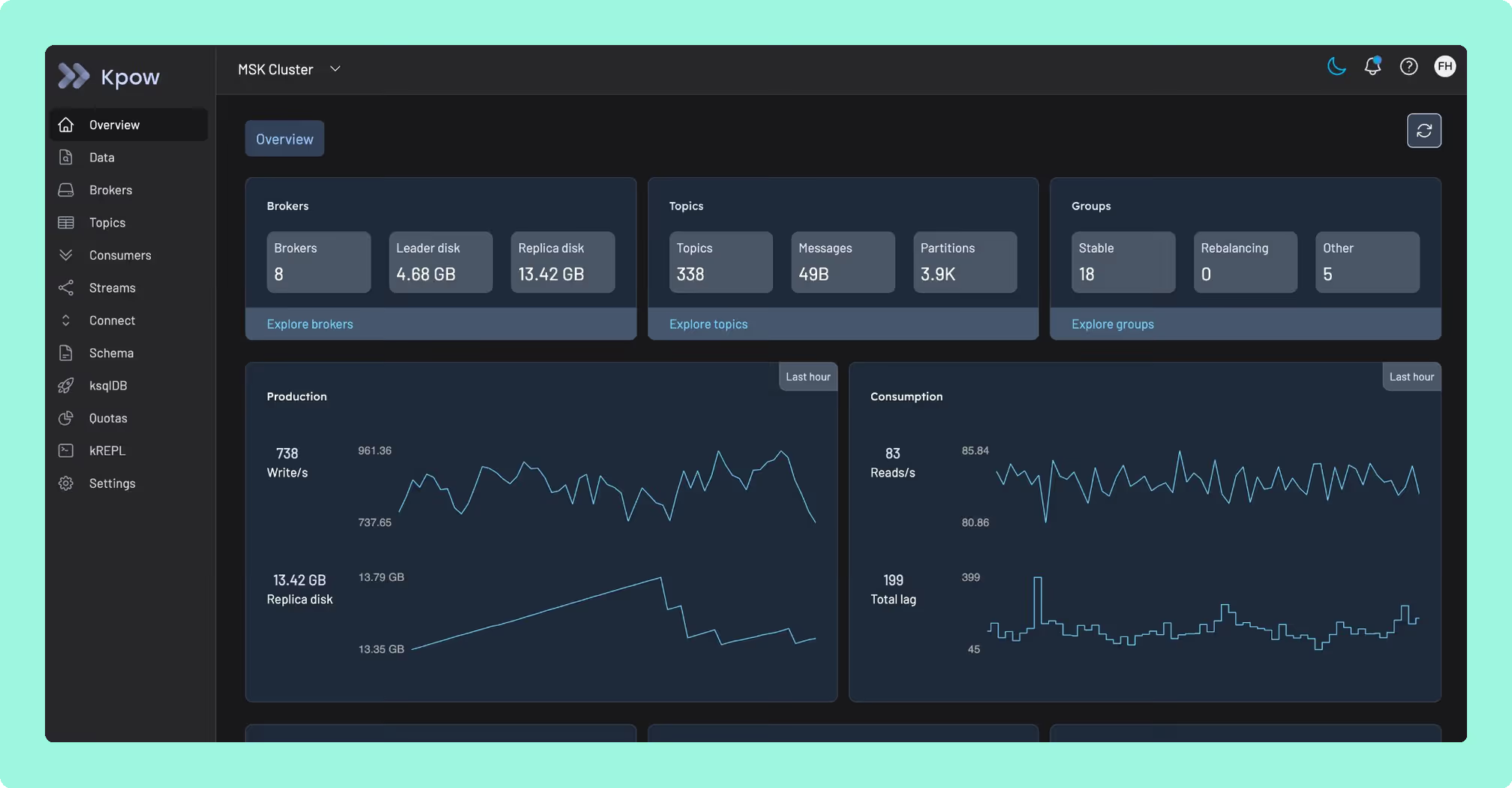
Best for
Platform and SRE teams managing multiple clusters across MSK, Confluent Cloud, Redpanda, and self-managed brokers with enterprise security and compliance requirements. The default choice for financial services, healthcare, and fintech.
Strengths
- Stateless single container with no Postgres, RocksDB, or sidecars to operate or back up
- Full enterprise governance: RBAC, SSO (Okta, OIDC, SAML, LDAP, Keycloak), server-side PII masking, and a complete user-action audit log shippable to any SIEM
- kJQ server-side message filtering across JSON, Avro, Protobuf, and Transit, with no throwaway consumer code required during incidents
- First-class MSK IAM authentication and native AWS Glue Schema Registry support (rare among competing tools)
- Multi-cluster from a single install; Prometheus endpoints per cluster and topic feed your existing Grafana stack
- Native KRaft support
Limitations
Self-hosted only: you run it in your own VPC. There is no SaaS option. For security-conscious and regulated teams, this is an advantage; for teams that want managed hosting, it is a deployment step. The Community Edition covers up to 3 clusters.
Set up and maintenance
docker pull factorhouse/kpow and configure via environment variables pointing at your cluster. No migrations, no stateful volumes. Upgrades are a container swap. Fully GitOps-compatible.
Pricing
Annual subscription, per cluster, with no per-user fee, so cost stays flat as your team grows. Available direct or via AWS Marketplace (hourly metered or annual cluster credits). Starting at $4,500/year. Start a free 30-day trial.
2. Confluent Control Center
Confluent Control Center (C3) is the official management interface for Confluent Platform, providing deep integration across the Confluent stack: Stream Lineage, KSQL, Schema Registry, Replicator, and RBAC via Confluent’s Metadata Service.
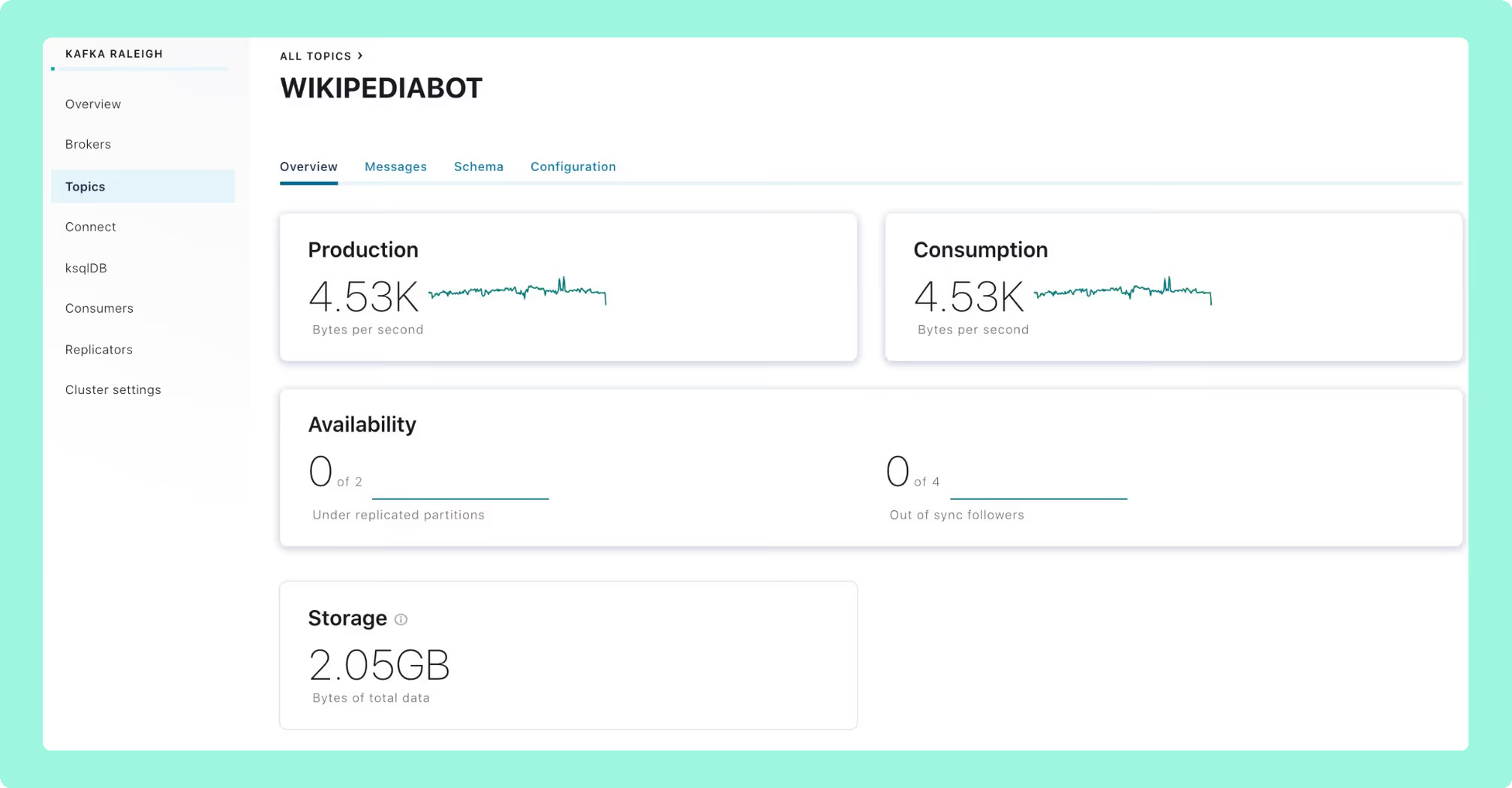
Best for
Teams fully committed to Confluent Platform on-prem with the infrastructure headroom for a dedicated host. Not suitable for mixed-broker fleets.
Strengths
Deep Confluent-native telemetry. Stream Lineage is unavailable in any other tool. Mature SSO and RBAC integration within the Confluent ecosystem.
Limitations
A heavy infrastructure commitment: Confluent recommends a dedicated host with 32 GB RAM, 8 cores, and ~300 GB SSD. C3 is a Kafka Streams application with RocksDB-backed local state. LockException rebalancing loops under sustained load are a documented community issue. It does not work meaningfully against MSK or vanilla Apache Kafka.
Set up and maintenance
Deployed as part of a full Confluent Platform installation. High availability requires two instances behind a load balancer. Operationally heavyweight compared to every other tool on this list.
Pricing
Bundled with Confluent Platform Enterprise. No standalone purchase. Confluent Platform typically lands between $50K and $500K+ per year.
3. Conduktor
Conduktor is a commercial dual-layered platform: Conduktor Console (web UI for monitoring, operations, and governance) and Conduktor Gateway (a separately licensed wire-level Kafka proxy). If you’re evaluating it based on memory of the original free desktop tool, the product you find today is materially different and more expensive.
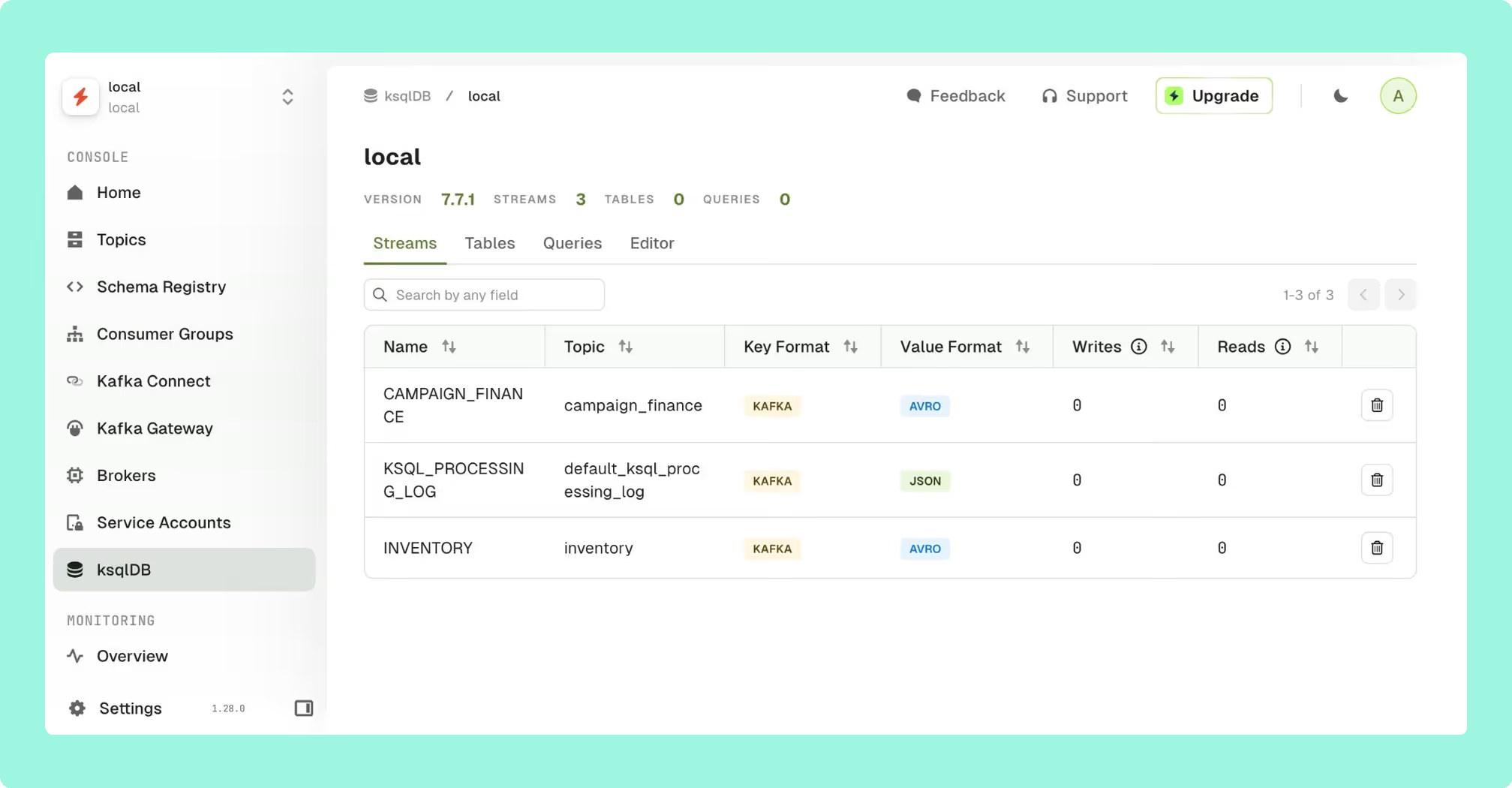
Best for
Mid-to-large enterprises that specifically need proxy-level enforcement across a large developer population, with an operations team capacity to run and maintain a Postgres-backed stack.
Strengths
Topic and application ownership catalogs, per-team self-service with approval workflows, and schema ownership tracking. The Gateway enables virtual clusters, field-level encryption, and guardrails that prevent non-compliant topic creation. No UI-based tool can match this layer of enforcement.
Limitations
The Console requires Postgres, Cortex, and Alertmanager: a multi-container stateful stack before you’ve monitored a single broker. Licensing complexity is a recurring community complaint: Community tier caps at 3 clusters and 50 users, Scale tier uses per-seat pricing with a 50-seat minimum, and the Gateway is separately licensed with a 3-cluster minimum.
Set up and maintenance
Multi-container deployment requiring Postgres, Cortex, and Alertmanager. The Gateway adds another architectural layer in front of your brokers. Significant operational overhead.
Pricing
Per seat (50-seat minimum) for Console Scale tier, plus per-cluster Gateway licensing. Community tier free for up to 3 clusters and 50 users. Enterprise pricing via sales.
4. AKHQ (formerly KafkaHQ)
AKHQ is the most capable free open-source option for teams that have outgrown simple topic browsers. Deployed as a single stateless Docker container configured in YAML, it covers topics, consumer groups, Schema Registry, Kafka Connect, KSQL, Avro/Protobuf deserialization, and Live Tail.
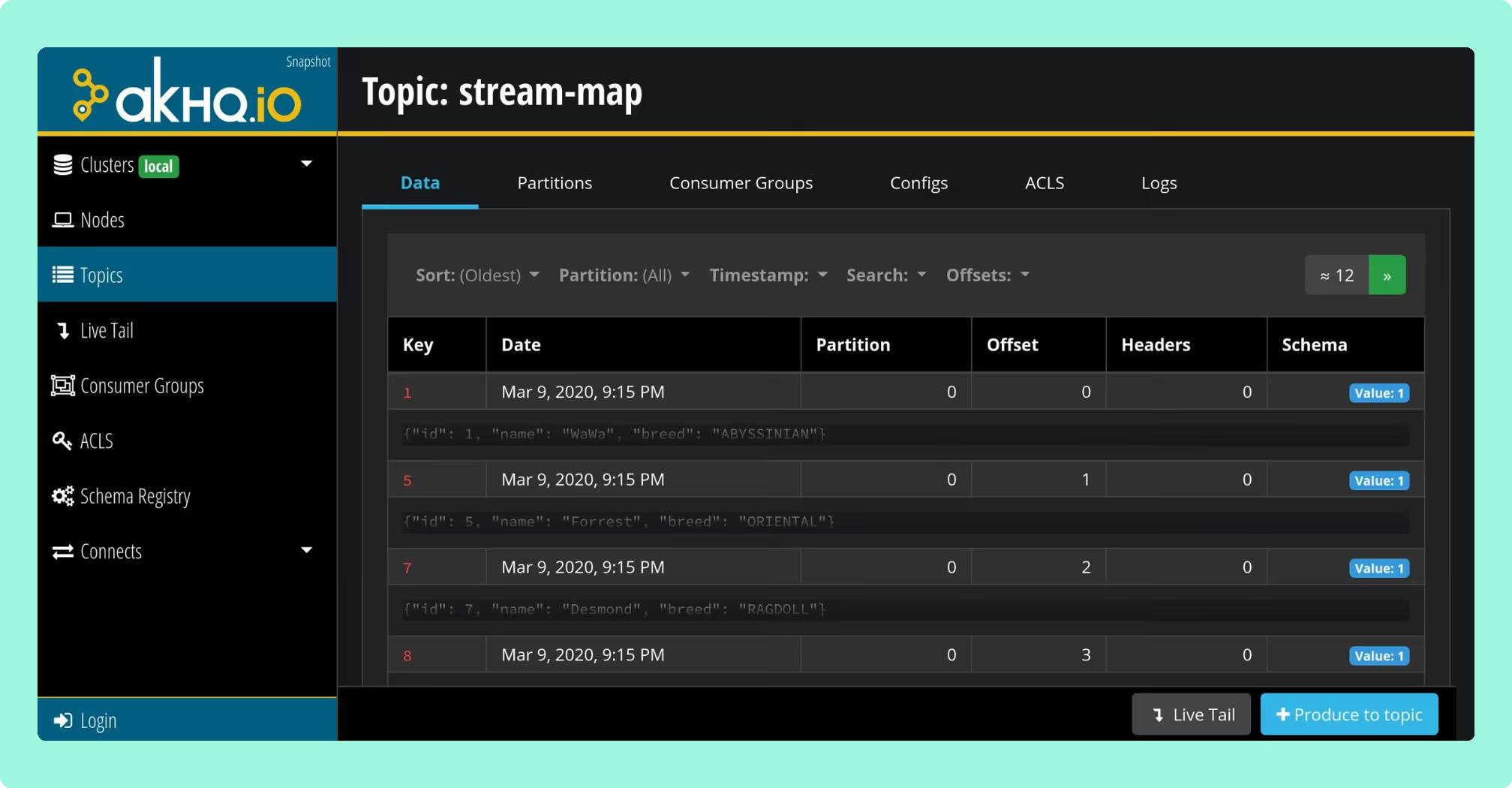
Best for
Cost-conscious engineering teams in non-regulated environments running GitOps-style Kafka setups. Community support only.
Strengths
Broad feature coverage for a free tool. Auth backends include LDAP, OAuth2/OIDC, GitHub SSO, JWT, and Keycloak. Multi-cluster support via YAML. GitOps-friendly: connections and role bindings are declared in application.yml.
Limitations
No native data masking or PII redaction. No first-class user-action audit log. Community support only. Incident resolution goes through GitHub issues. Known UI performance issues at high partition counts.
Set up and maintenance
Single Docker container, YAML-driven. Stateless, so upgrades are straightforward. Ongoing maintenance falls to your team.
Pricing
Free (Apache 2.0 license).
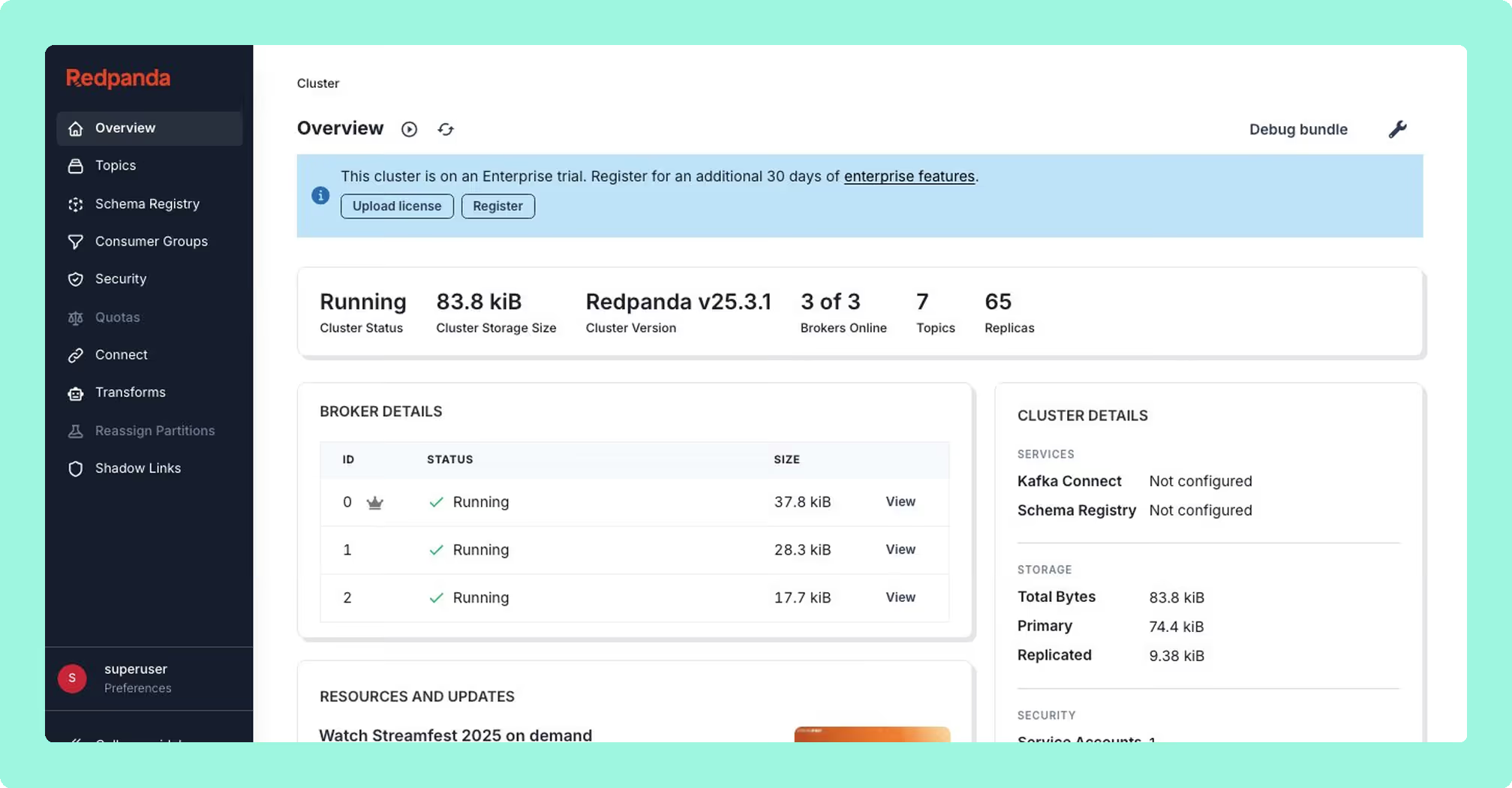
5. Redpanda Console (formerly Kowl)
Originally built as Kowl, acquired by Redpanda in 2022 and now maintained with full-time engineering resources. Despite the branding, the core tool works against any Kafka-API-compatible cluster, though enterprise features are Redpanda-first.
Best for
Teams running Redpanda as their primary broker, or small Kafka teams comfortable with basic auth on a single cluster.
Strengths
Polished developer UX. Programmable Push Filters (JavaScript-based server-side message filtering) is the best message inspection experience in any open-source tool. Active release cadence. Stateless single-binary deployment.
Limitations
SSO and RBAC require a Redpanda Enterprise license, explicitly required in the console.yaml config. Without it, you are on basic auth with no role bindings. Vanilla Kafka or MSK teams pay for a license tied to a broker they are not using. A single Console instance maps to a single Kafka cluster.
Set up and maintenance
Single binary or Docker container. Stateless and straightforward to deploy. Multi-cluster requires multiple deployments.
Pricing
OSS core is free (Apache 2.0). SSO and RBAC require Redpanda Enterprise license, available via enterprise sales.
6. Kafka UI (Provectus)
Kafka UI, maintained by Provectus, is a free open-source web interface for Apache Kafka. It provides topic management, consumer group lag monitoring, Schema Registry integration, Kafka Connect management, and basic message browsing from a single Docker container.

Best for
Teams that want a lightweight, free UI for quick cluster visibility without compliance or multi-cluster requirements.
Strengths
Easy to stand up and configure. Covers the basics well: topic listing, consumer lag, Schema Registry, and Kafka Connect. Active GitHub community. Multi-cluster support via YAML.
Limitations
No native authentication or RBAC: security is delegated to a reverse proxy. No data masking, no user audit trail. Less feature-complete than AKHQ for teams that need auth or more advanced tooling. Not appropriate for regulated environments.
Set up and maintenance
Single Docker container, YAML configuration. Low operational overhead for development and evaluation environments.
Pricing
Free (Apache 2.0 license).
7. Kafdrop
Kafdrop is the lightest tool on this list: a single Spring Boot container configurable to run at 64 MB heap. It covers topic listing, message browsing (JSON, Avro, Protobuf), per-partition consumer lag, ACL viewing, basic topic management, and Schema Registry integration.

Best for
Local development, dev team internal use on a single cluster, or quick sanity checks. Not a production monitoring platform.
Strengths
Minimal resource footprint. Fast to stand up. Useful as a read-only cluster inspection tool in development environments.
Limitations
No authentication or RBAC (security delegated entirely to a reverse proxy), no Kafka Connect management, no audit logging, no data masking, no multi-cluster support. A UI for looking at topics and messages, not a monitoring solution.
Set up and maintenance
Single container, environment variable configuration. Minimal operational overhead.
Pricing
Free (Apache 2.0 license).
8. Prometheus + Grafana (JMX Exporter)
Not a product but a stack you assemble: the JMX Prometheus Exporter as a Java agent on each broker, danielqsj/kafka_exporter for consumer group lag, Prometheus to scrape, and Grafana to visualise. Every commercial tool in this list exposes Prometheus endpoints to feed back into this stack, which tells you how foundational it is.

Best for
Every Kafka team, as the time-series metrics and alerting substrate. Not a standalone solution. Layer a dedicated operations UI on top.
Strengths
Free, widely understood, integrates into existing infrastructure monitoring, de facto standard for Kafka time-series metrics, enormous community dashboard ecosystem.
Limitations
Not an operations UI. No topic browser, no message inspection, no offset reset, no connector management. Setup requires JMX agents on every broker and careful configuration. Consumer lag via kafka_exporter is less nuanced than Burrow or Kpow’s internal compute. Dashboard versioning breaks between JMX Exporter 0.x and 1.x.
Set up and maintenance
JMX agents on every broker, Prometheus scrape config, Grafana dashboard management. Medium operational overhead; significant initial configuration effort.
Pricing
Free (OSS). Grafana Cloud has paid tiers for managed hosting.
9. Kminion
Kminion is a Go-based Kafka metrics exporter that exposes detailed consumer group and topic metrics in Prometheus format. It provides richer consumer group lag data than the standard kafka_exporter, including per-partition lag, consumer group state, and end-to-end latency measurement via configurable test producers.
Best for
SRE teams building a Prometheus-native Kafka monitoring stack who need more consumer group telemetry detail than the standard kafka_exporter provides.
Strengths
More complete consumer group metrics than kafka_exporter. Lightweight stateless Go binary. End-to-end latency probing with configurable test producers and consumers. Prometheus-native from the ground up.
Limitations
Metrics exporter only: no UI, no operations capability. Requires Prometheus and Grafana to be useful. Measures from outside the cluster, which is less nuanced than internal compute approaches.
Set up and maintenance
Single Go binary or Docker container. Environment variable configuration. Low operational overhead.
Pricing
Free (MIT license).
10. Burrow (LinkedIn)
Burrow is a single-purpose tool built by LinkedIn for one job: threshold-free consumer lag evaluation. It reads __consumer_offsets, evaluates each consumer group’s lag over a sliding window, and returns an OK, WARN, or ERROR status via an HTTP API. No UI. No external database.
Best for
SRE teams that want a programmatic lag evaluation service as a component of their alerting pipeline. An excellent addition to a broader stack, not a standalone solution.
Strengths
Threshold-free evaluation eliminates false positives from traffic spikes. Burrow evaluates whether the consumer is making progress relative to the window, not whether lag exceeds an arbitrary number. Lightweight Go binary with no external dependencies.
Limitations
No UI. Maintenance cadence has slowed significantly, with open issues from 2024 with limited maintainer response. The tool still works; it is not actively evolving.
Set up and maintenance
Single Go binary, HTTP API. Minimal operational overhead.
Pricing
Free (Apache 2.0 license).
11. Datadog (Kafka integration)
Datadog is a metrics and APM SaaS platform that ingests Kafka telemetry alongside the rest of your infrastructure. Teams sometimes evaluate Datadog as a replacement for a Kafka operations UI, which it is not designed to be.
Best for
Enterprises already standardised on Datadog for observability, where rolling Kafka metrics into the same alerting and correlation pane is worth the incremental cost. Always paired with a separate Kafka operations UI.
Strengths
Time-series metrics across brokers, topics, partitions, and JVM internals. Data Streams Monitoring for end-to-end latency and lag visualisation. Correlation with the rest of your infrastructure stack.
Limitations
Cannot browse messages, reset consumer offsets, manage Connect connectors, or view schema versions. JMX metrics beyond the curated 350-metric default count against per-host custom metric allotments at $5 per 100 metrics per month over allowance. For MSK, falls back to the lower-fidelity CloudWatch-based integration.
Set up and maintenance
SaaS with a Datadog Agent on every broker. Your operational overhead is agent deployment and dashboard maintenance.
Pricing
Per host plus custom metric overage plus the Data Streams Monitoring SKU. Costs scale significantly at large cluster sizes.
12. Lenses.io
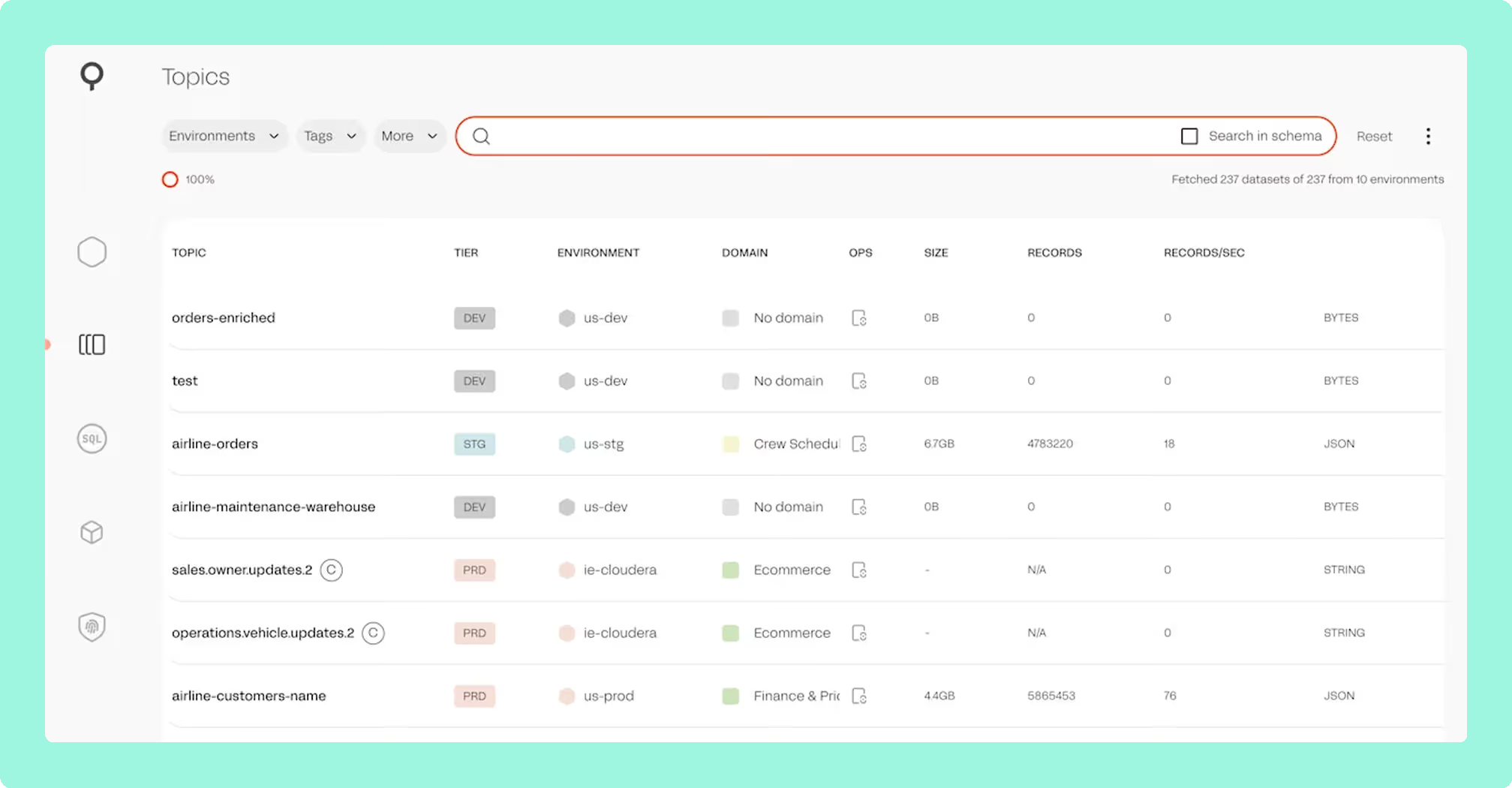
Lenses treats Kafka as a data platform: a SQL studio for querying and transforming Kafka streams, a graph-based topology view, a multi-Kafka global catalog, and a K2K cross-cluster replicator. Acquired by Celonis; community feedback indicates development as a standalone product has slowed.
Best for
Larger enterprises that specifically need SQL-driven data exploration over Kafka and cross-cluster replication, with an existing Kubernetes platform team to operate the Lenses infrastructure.
Strengths
SQL-over-Kafka workflows with no direct equivalent elsewhere. Topology visualisation. K2K cross-cluster replication. Multi-cluster global catalog.
Limitations
SQL Processors execute as Kubernetes pods, so production deployments require a Kubernetes platform team. Licensing is enterprise sales-only with no public pricing. Strategic uncertainty following the Celonis acquisition is worth factoring into any vendor evaluation.
Set up and maintenance
Multi-container Kubernetes deployment. Significant operational overhead; requires a platform team to own the Lenses infrastructure.
Pricing
Enterprise sales only. No public pricing.
Best free Kafka monitoring tool
Kpow Community Edition is the strongest free option for teams running a Kafka deployment. It runs the same codebase as the commercial product (stateless single container, full message inspection with kJQ filtering, multi-cluster support) with a limit of 3 clusters. You evaluate real enterprise functionality without a time limit, then move to a paid license when you outgrow the cluster limit or need governance features like RBAC and audit logging. Explore Kpow Community Edition.
For teams that need a free tool with no production restrictions, AKHQ is the most mature open-source option, with broad feature coverage and a genuine auth story via OIDC and LDAP. As a third pick, Kafka UI by Provectus is the easier starting point if you need quick topic visibility and don’t require auth or multi-cluster support.
For a full breakdown of every free tier’s limits, features, and upgrade costs, including Conduktor and Lenses, see our best free Kafka UI tools comparison.
Best open-source Kafka monitoring tools
AKHQ is the most mature and complete free open-source option. Its YAML-based configuration, multi-cluster support, and auth backends (LDAP, OIDC, JWT) go meaningfully further than most free alternatives, making it a genuine fit for GitOps-oriented teams in non-regulated environments.
For metrics specifically, Kminion is the best open-source Prometheus exporter for consumer group lag detail, and pairs well with Grafana for teams building a metrics substrate from scratch. Use both together if your priority is a fully free, instrumented, alerting-capable stack, then layer a UI on top as your requirements grow.
Key considerations when choosing
Deployment complexity
The monitoring tool should not require more infrastructure than the Kafka cluster it monitors. Count every hard dependency (Postgres, Redis, Cortex, RocksDB, per-broker agent) as a separate operational liability with its own upgrade path, backup regime, and failure mode.
Enterprise readiness
For regulated environments, the requirements are specific: RBAC, SSO (OIDC/SAML/LDAP), a user-action audit log you can ship to a SIEM, and server-side data masking that prevents PII from reaching the browser. Client-side masking does not satisfy compliance requirements. Anything less shifts risk onto your team.
Pricing model
Per-seat pricing penalises team growth. Per-host or per-broker pricing penalises horizontal scaling. Per-cluster pricing is the most predictable model for most platform teams. Factor engineering maintenance hours into the total cost of open-source options, because with maintenance included they are not always the cheaper choice.
Managed service compatibility
MSK with IAM authentication, Confluent Cloud, Aiven, Redpanda, and Strimzi all have different auth and metadata behaviour. Verify support against your actual production topology. Specifically test MSK IAM auth and AWS Glue Schema Registry if your stack includes them. Many tools claim compatibility but treat both as secondary integrations.
Monitoring scope
Broker metrics are necessary but not sufficient. Ensure the tool covers per-partition consumer lag, Schema Registry visibility, Kafka Connect management, and message inspection with native deserialization. If you are running Kafka Streams or Flink jobs, confirm topology visibility before committing.
FAQ
What is the best Kafka monitoring tool for production use?
Kpow by Factor House is the strongest all-round choice: stateless deployment, enterprise RBAC and SSO, server-side data masking, multi-cluster support, and per-cluster pricing. For open-source-only environments, AKHQ is the most complete free option.
What is the best free Kafka monitoring tool?
Kpow Community Edition offers the most functionality without a license fee: same codebase as the commercial product, limited to 3 clusters. For unlimited free options, AKHQ is the most mature open-source pick.
Can I monitor Kafka consumer lag without a UI?
Yes. Kpow continuously collects Kafka telemetry, including per-consumer-group and per-partition lag, and emits it as a data stream you can route to any observability system. Whether you’re running Prometheus, Datadog, Grafana, or a custom alerting stack, you can consume Kpow’s metrics directly without needing a separate lag-monitoring tool or a dedicated UI.
Product demo · 6 min
Apache Kafka consumer group monitoring & lag: Kpow demo
Chad Harris walks through consumer group monitoring in Kpow: tracking group stability over time, breaking lag down to the partition level, safely resetting or skipping offsets on a running group, and using group topology to trace lag back to a host or topic.
Does Confluent Control Center work with MSK or self-managed Kafka?
No, not meaningfully. Control Center is built for Confluent Platform and loses most of its value outside that context. For mixed-broker or multi-cloud Kafka fleets, you need a vendor-agnostic tool.
How do I monitor Kafka in a regulated environment?
You need server-side data masking, RBAC, SSO, and a user-action audit log shippable to your SIEM. Kpow covers all of these from a single stateless container, with no secondary database required. Verify that any tool you evaluate masks data server-side, not in the browser.
What Kafka monitoring tool works best with AWS MSK?
Kpow provides first-class MSK IAM authentication and native AWS Glue Schema Registry support. Most tools treat MSK as a secondary integration or lack IAM auth support entirely. Test both explicitly during any PoC against an MSK cluster.
For the rest of the tooling landscape, see the complete guide to Kafka.