Overview
In Part 1 of our observability series, we demonstrated how to close the “Context Gap” using Kpow’s unified diagnostic interface. In Part 2, we addressed the “Quality Gap” by supercharging Grafana dashboards with high-fidelity, pre-calculated metrics.
Now, we turn our attention to the final hurdle of mature Kafka operations: transparent governance. Observability goes beyond tracking system health. It also requires a clear understanding of user actions. As Kafka adoption grows across an organization, administrative actions like managing topics, editing ACLs, or resetting consumer offsets become a major operational risk.
This guide explores how to close the “Governance Gap” by moving from an opaque black box of CLI commands to a fully transparent, real-time audit trail integrated directly into your team’s communication channels.
This is Part 3 of the Kafka Observability with Kpow: Driving Operational Excellence series.
- Part 1: Rapid Kafka Diagnostics: A Unified Workflow for Root Cause Analysis
- Part 2: Beyond JMX: Supercharging Grafana Dashboards with High-Fidelity Metrics
- Part 3: Operational Transparency: Real-Time Audit Trail integrated with Webhooks (This article)
About Factor House
Factor House is a leader in real-time data tooling, empowering engineers with innovative solutions for Apache Kafka® and Apache Flink®.
Our flagship product, Kpow for Apache Kafka, is the market-leading enterprise solution for Kafka management and monitoring.
Start your free 30-day trial or explore our live multi-cluster demo environment to see Kpow in action.
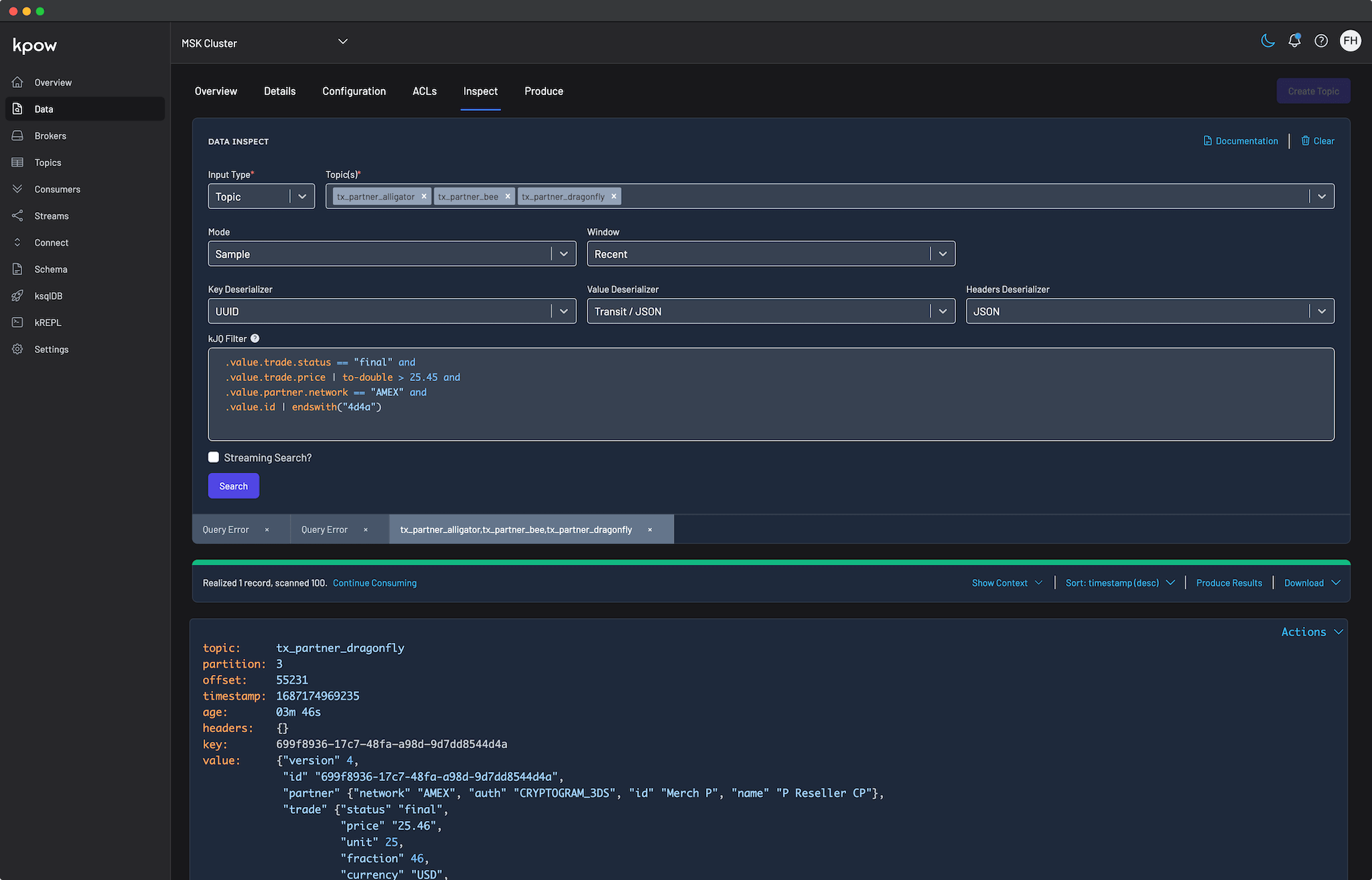
Problem: Architectural Black Box
Consider a standard outage scenario. A critical topic is mysteriously deleted, or a rogue script resets consumer offsets and triggers a massive wave of data reprocessing.
The immediate pain is that the engineering team is completely blind. There is no central record of who executed the change, when it happened, or why. Incident resolution stalls while platform engineers ask around to see if anyone changed anything that day.
Furthermore, this lack of traceability presents a severe compliance risk. For regulated industries, operating critical data infrastructure without an immutable, searchable record of administrative changes fails basic security and compliance audits.
Generic Solution: Bureaucracy & Brittle Parsing
To manage administrative risk and establish an audit trail, organizations without a dedicated tool typically fall back on a combination of two generic approaches, both of which introduce significant friction.
Option A (Bureaucracy): Platform teams lock down the cluster completely. Every minor configuration change must go through a disconnected ticketing process, waiting for an approval. Without an automated approval workflow, this manual gatekeeping effectively kills developer velocity and ruins any chance of providing a self-service data platform.
Option B (Log Parsing): Teams attempt to parse Kafka’s complex, raw server logs to piece together an audit trail. This is a brittle, highly technical process. It is difficult to maintain and almost impossible to alert on in real time, meaning you only find out about a destructive change after the incident has already occurred.
Solution: Data Governance and Webhook Integration
Kpow solves the “Governance Gap” seamlessly by providing a complete framework built on two pillars: preventative access control and real-time observability.
First, Kpow’s Role-Based Access Control (RBAC) allows you to safely delegate self-service capabilities by mapping your organization’s existing user groups to specific Kafka actions. Instead of locking down the cluster entirely, you can enforce granular permissions. For example, you can grant application teams full control to edit, produce to, and inspect their specific domain topics (such as payments_*), while explicitly denying access to sensitive audit topics. Meanwhile, platform administrators retain the global authority to manage Kafka ACLs and oversee cluster-wide infrastructure.
Second, as part of its Data Governance capabilities, Kpow automatically records every authorized user action in a secure audit log. This captures state-changing actions known as mutations (such as creating topics, resetting offsets, or modifying ACLs) as well as read-only queries (such as searching topic data via Data Inspect).
Moreover, instead of forcing administrators to constantly check a centralized dashboard to see these logs, Kpow’s Webhook Integration pushes these events instantly to the communication tools your team already lives in. Kpow seamlessly integrates with Slack, Microsoft Teams, and any custom platform via generic HTTP webhooks.
Putting it into Practice: Configuring a Slack Audit Trail
The following step-by-step walkthrough demonstrates how to turn Kafka administrative actions into instant Slack alerts.
Step 1: Configure the Slack App and Webhook
To integrate Kpow with Slack, you need to create a Slack App and generate an incoming webhook URL.
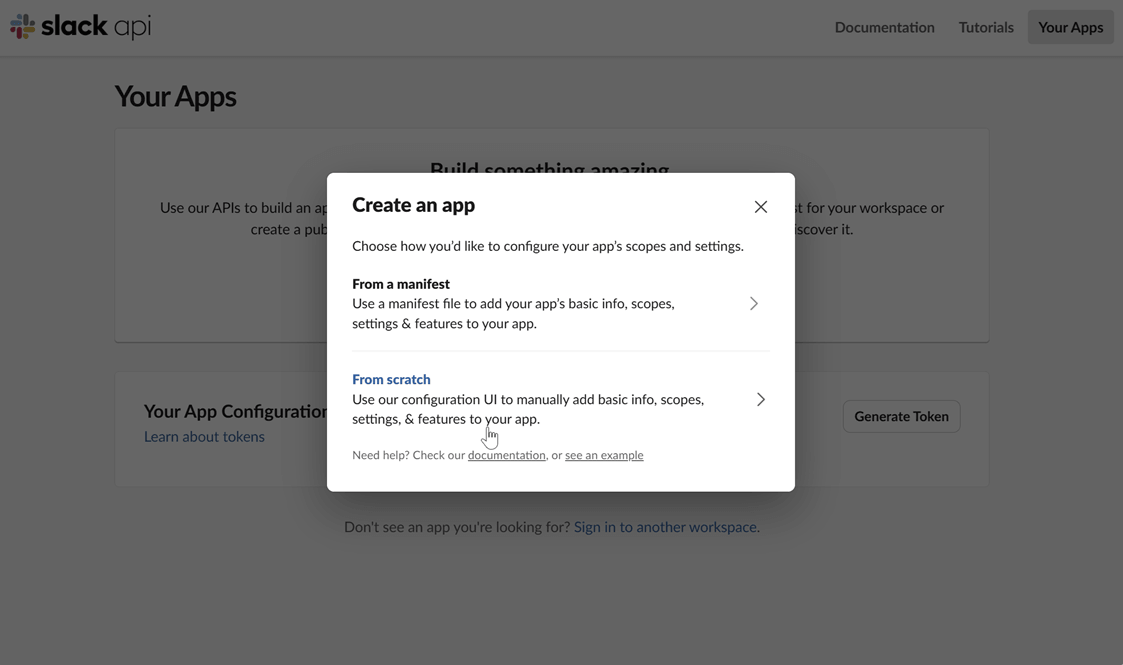
Create a Slack app: Navigate to the Slack API website and click on “Create New App”. Choose to create it “From scratch”.
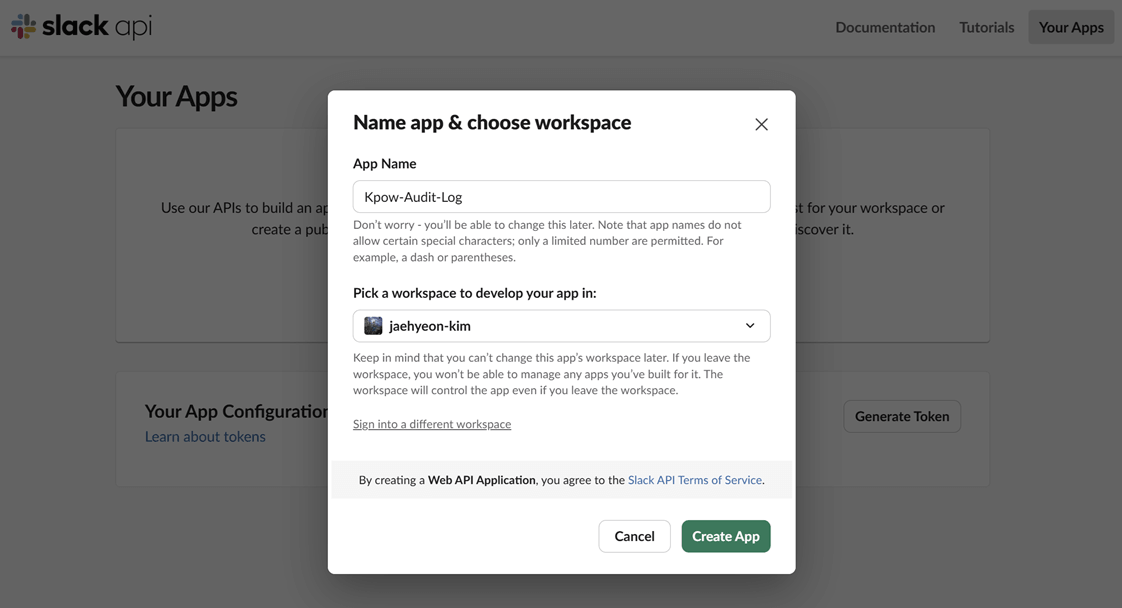
Name your app and choose a workspace: Provide a name for your application and select the Slack workspace you want to post messages to.
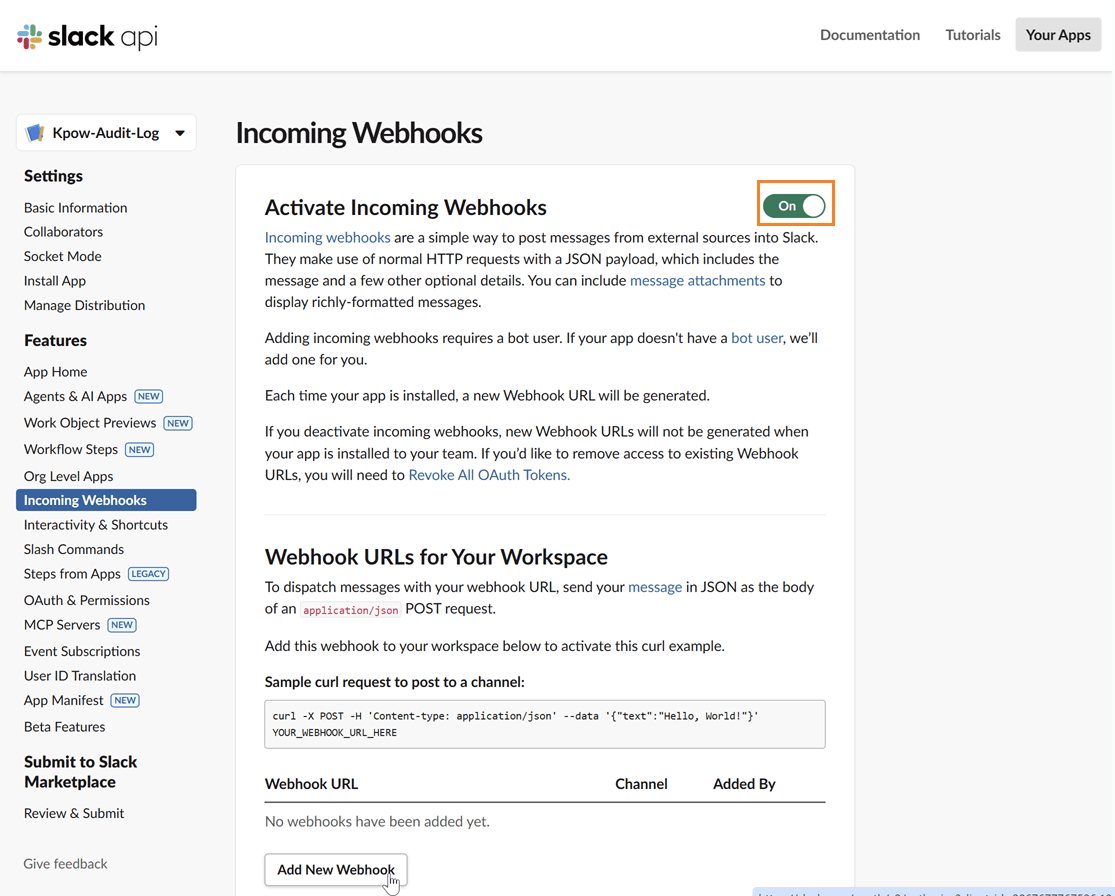
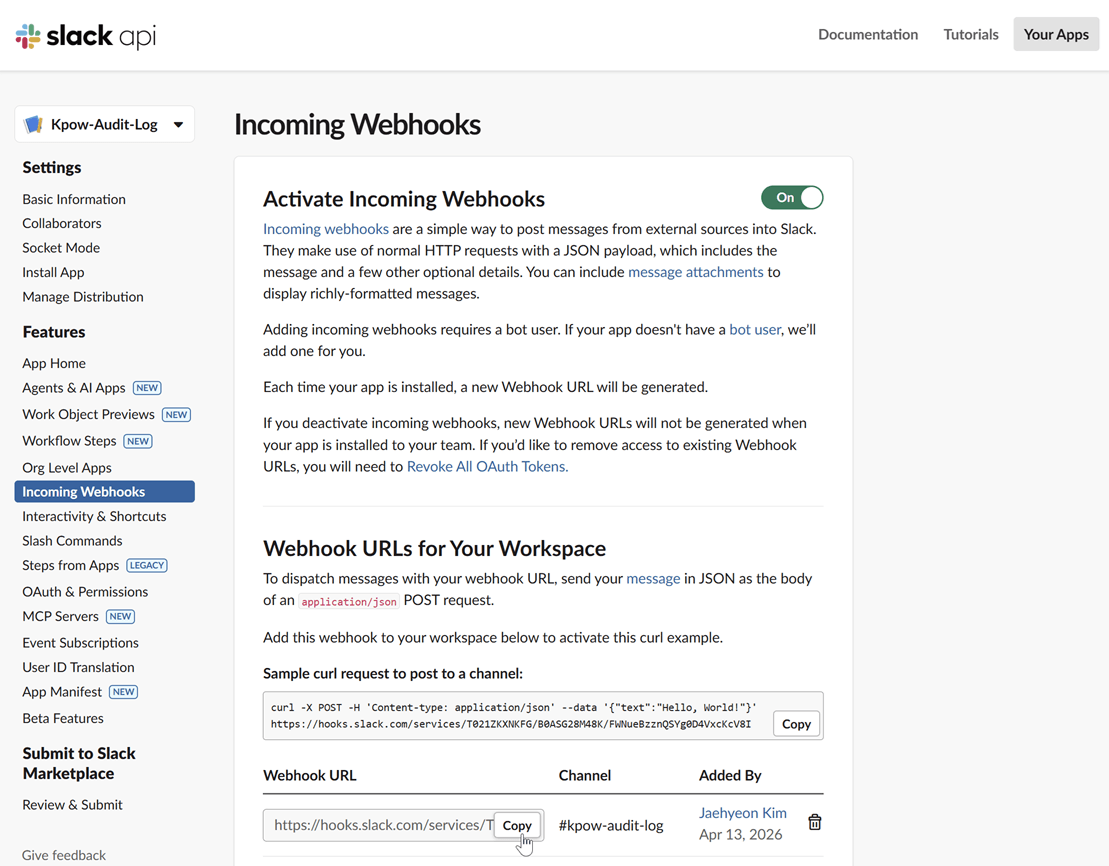
Enable incoming webhooks: In your app’s settings page, go to “Incoming Webhooks” under the “Features” section. Toggle the feature on and then click “Add New Webhook to Workspace”.
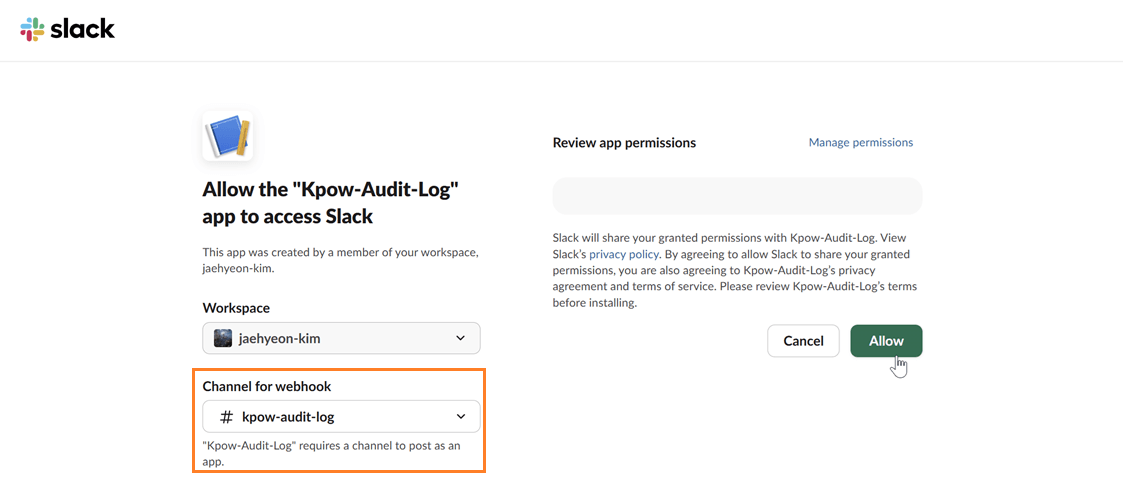
Select a channel: Choose the channel where you want the Kpow notifications to be posted and click “Allow”.
Copy the webhook URL: After authorizing, you will be redirected back to the webhook configuration page. Copy the newly generated webhook URL. This URL is what you will use to configure Kpow.
Step 2: Launch Kpow with Webhook Environment Variables
Once you have your webhook URL, you can configure Kpow using a few simple environment variables.
Setting WEBHOOK_VERBOSITY to MUTATIONS ensures that Kpow only sends alerts for state-changing actions, preventing notification fatigue from standard data queries.
WEBHOOK_PROVIDER: slack
WEBHOOK_URL: <SLACK-WEBHOOK-URL>
# Accepts MUTATIONS, QUERIES, or ALL (default: MUTATIONS)
WEBHOOK_VERBOSITY: MUTATIONS
Step 3: Verify the Integration
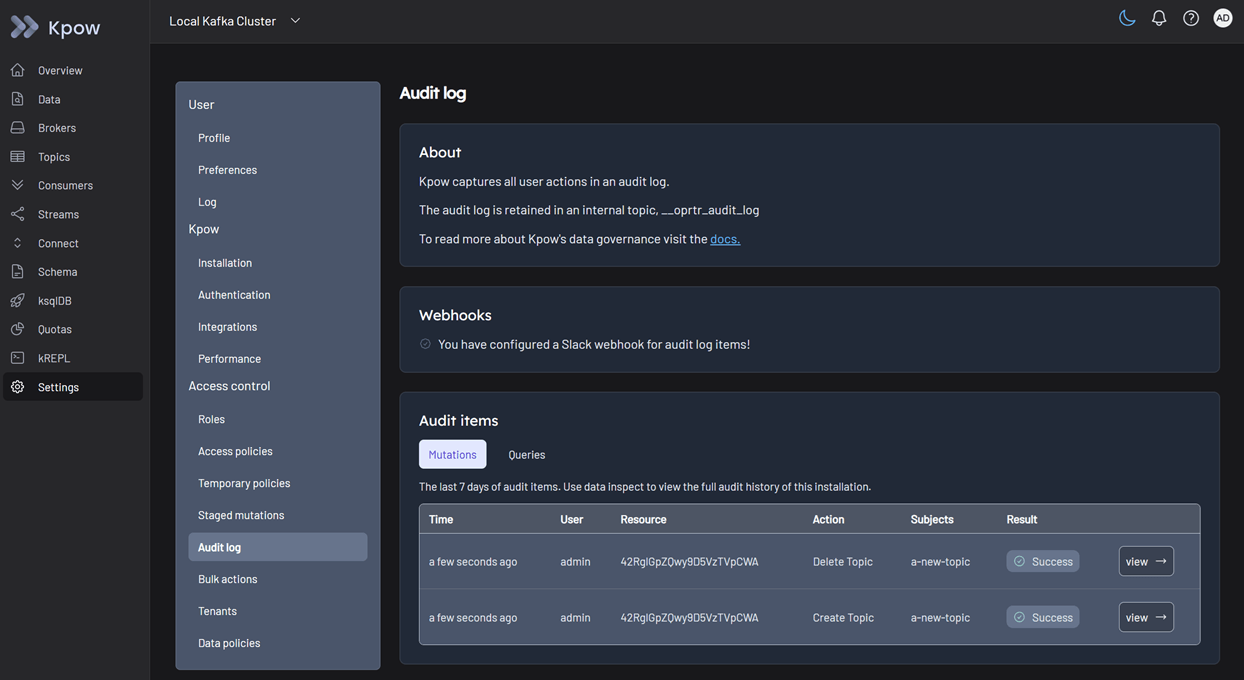
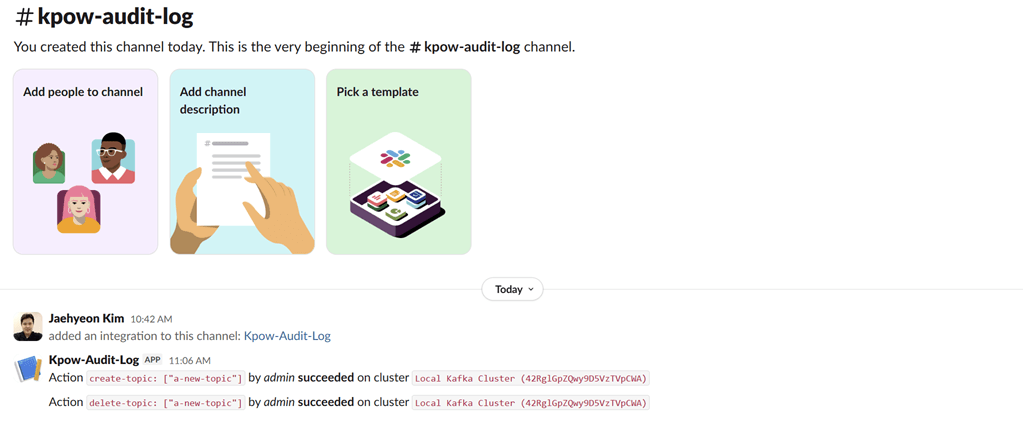
To test the integration, perform a state-changing action in Kpow, such as creating and deleting a topic.
View audit logs
After performing these actions, you can verify they have been logged by navigating to Settings > Audit log in the Kpow UI.
On the Slack channel, you should see messages detailing the actions. Each message includes information such as the user who performed the action, the type of action (e.g., create-topic), and the cluster environment name.
Conclusion
When platform teams lack visibility into administrative actions, they are forced to rely on restrictive bureaucracy or brittle log parsing. Both options hinder developer productivity and extend incident resolution times.
By combining granular RBAC with streaming Kpow’s built-in audit log directly into Slack, Microsoft Teams, or custom webhooks, you replace the architectural black box with transparent, automated governance. Every critical mutation is safely restricted and instantly visible to the team, satisfying compliance requirements while enabling developers to work securely and autonomously.
This concludes our three-part series on driving operational excellence. By combining unified UI diagnostics (Part 1), high-fidelity Prometheus telemetry (Part 2), and transparent governance by real-time webhook integration (Part 3), you have the blueprint to transition your Kafka operations from a reactive guessing game into a proactive, mature observability posture.
Next steps
Explore Kpow in your own environment with a free 30-day trial.
If you need assistance managing your Kafka environment, reach out to our engineering support team at [email protected].
Governance is one part of running Kafka well. The complete guide to Kafka covers the rest.