
Integrate Kpow with StreamNative Cloud
Table of contents

Overview
StreamNative delivers a fully managed, Kafka-native cloud service designed for exceptional elasticity and enterprise-grade resilience. However, as with any high-performance data infrastructure, engineering teams still require an intuitive way to monitor, manage, and explore their live data streams.
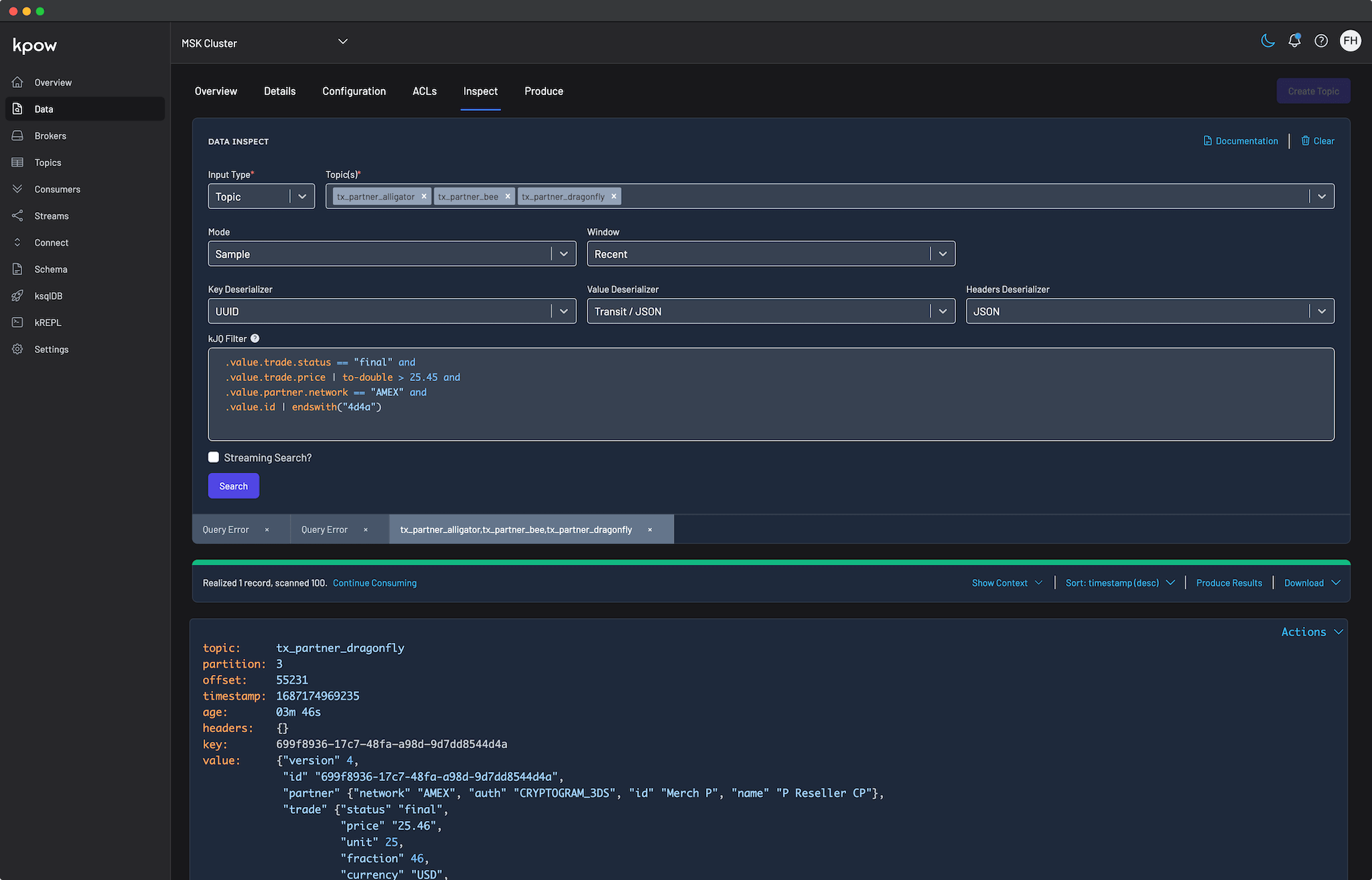
Kpow serves as a versatile engineering toolkit for this modern streaming environment. Fully compatible with StreamNative Kafka out of the box, Kpow connects directly to your managed brokers and Schema Registry using standard Kafka protocols. This provides a unified, single-pane-of-glass experience without the need for proprietary plugins, sidecars, or complex custom configurations.
Kpow connects natively to a wide range of Kafka vendors and managed service providers. See our Kafka Providers documentation to learn more.
About Factor House
Factor House is a leader in real-time data tooling, empowering engineers with innovative solutions for Apache Kafka® and Apache Flink®.
Our flagship product, Kpow for Apache Kafka, is the market-leading enterprise solution for Kafka management and monitoring.
Start your free 30-day trial or explore our live multi-cluster demo environment to see Kpow in action.
Prerequisites
To connect Kpow to StreamNative Cloud, you must have the following resources provisioned:
- A running StreamNative Kafka cluster.
- Connection Details: Your Kafka Bootstrap Server address and, optionally, Schema Registry URL.
- Authentication: A Service Account email and its associated JWT Token.
- Authorization: The Service Account should be assigned a sufficiently privileged role, such as instance-owner, to grant Kpow the broad administrative access required for effective management.
- A Kpow Enterprise License: Get a free 30-day trial.
Quick Start
The fastest way to connect Kpow to StreamNative Cloud is using Docker.
Run the following command in your terminal, replacing the placeholder values with your specific cluster details:
docker run -d -p 3000:3000 \
  --env ENVIRONMENT_NAME="StreamNative Kafka" \
  --env BOOTSTRAP="[BOOTSTRAP_SERVER_ADDRESS]:9093" \
  --env SECURITY_PROTOCOL="SASL_SSL" \
  --env SASL_MECHANISM="PLAIN" \
  --env SASL_JAAS_CONFIG='org.apache.kafka.common.security.plain.PlainLoginModule required username="[SERVICE_ACCOUNT_EMAIL]" password="[JWT_TOKEN]";' \
  --env LICENSE_ID="<LICENSE_ID>" \
  --env LICENSE_CODE="<LICENSE_CODE>" \
  --env LICENSEE="<LICENSEE>" \
  --env LICENSE_EXPIRY="<LICENSE_EXPIRY>" \
  --env LICENSE_SIGNATURE="<LICENSE_SIGNATURE>" \
  factorhouse/kpow:latest
Notes
- License details: The license details can be obtained from your signup email or via the Factor House license portal.
- Authorization configuration: For brevity, Kpow authorization configuration has been omitted. See Simple Access Control to enable necessary user actions.
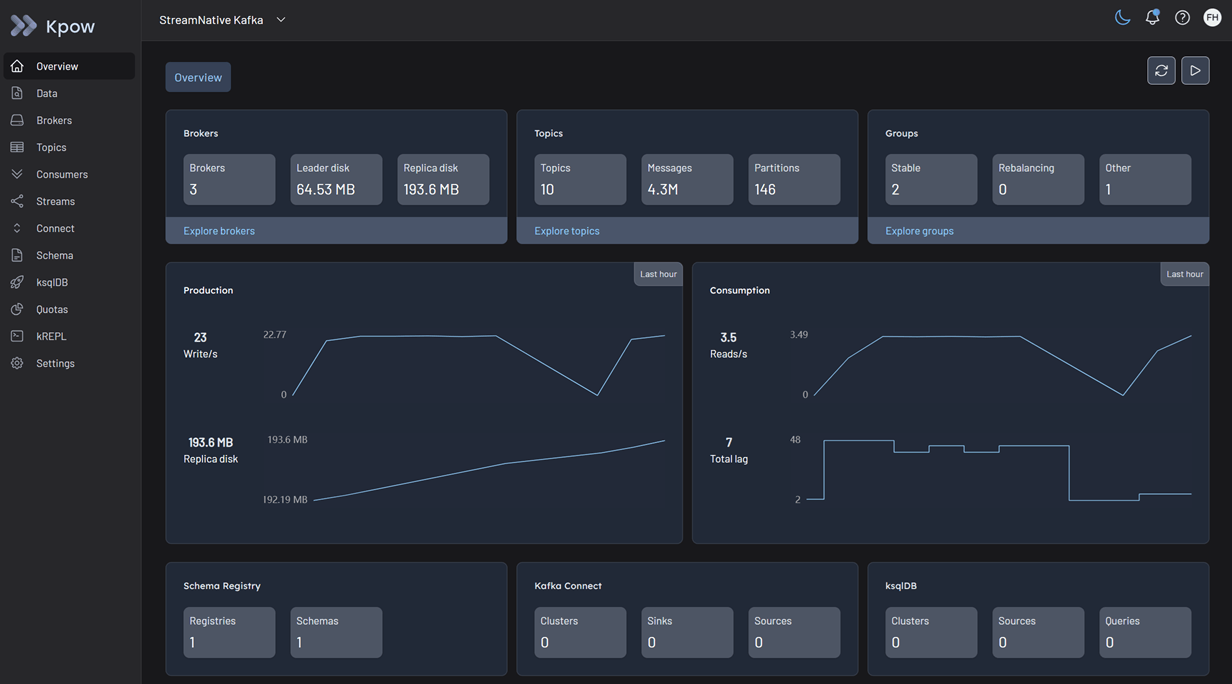
Once the container starts, navigate to http://localhost:3000. You will see an overview of your OCI topics, brokers, and consumer groups.
Configuration Details
Connecting to StreamNative Cloud requires understanding a few specific authentication nuances.
JWT Authentication via SASL/PLAIN
StreamNative uses JWT tokens for authentication. While standard Kafka often uses OAUTHBEARER for tokens, StreamNative leverages the SASL/PLAIN mechanism where the "username" is your Service Account email and the "password" is the raw JWT token.
Access Control
As noted in the prerequisites, Kpow connects using the instance-owner role to fetch metadata and execute management actions against the StreamNative APIs. Once Kpow is connected, you can configure Kpow's internal Authorization (via RBAC or Simple Access Control) to restrict exactly what individual engineers or teams are allowed to see and do within the UI.
Ecosystem Integration
Integrating Kpow with the StreamNative Schema Registry requires two specific configuration adjustments due to how the proxy is implemented.
Basic Authentication
The StreamNative Schema Registry relies on Basic Authentication (USER_INFO). However, it only validates the password (which must be your JWT token). The username can be any string.
Observation Version Requirement
By default, Kpow uses an highly optimized "Version 2" observation strategy for Confluent-compatible registries. This strategy hits the GET /schemas endpoint to download all schemas in one efficient bulk request.
However, StreamNative Cloud's Schema Registry proxy does not implement this bulk endpoint. It only implements the older /subjects endpoints. Because the bulk endpoint does not exist, StreamNative will return a 404 Not Found error.
In order to fix, you must tell Kpow to use the legacy "Version 1" observation strategy. This forces Kpow to query /subjects first, and then fetch individual schemas one by one. You do this by setting SCHEMA_REGISTRY_OBSERVATION_VERSION="1".
To attach the Schema Registry, append the following environment variables to your docker run command:
  --env SCHEMA_REGISTRY_NAME="StreamNative Schema Registry" \
  --env SCHEMA_REGISTRY_URL="[SCHEMA_REGISTRY_URL]" \
  --env SCHEMA_REGISTRY_AUTH="USER_INFO" \
  --env SCHEMA_REGISTRY_USER="any-user" \
  --env SCHEMA_REGISTRY_PASSWORD="[JWT_TOKEN]" \
  --env SCHEMA_REGISTRY_OBSERVATION_VERSION="1"
Production Deployment
When you are ready to move from a local Docker test to a production deployment, we recommend the following paths:
Kubernetes
For deploying Kpow to Kubernetes clusters running alongside your infrastructure, we recommend using our official Helm Charts.
Bare Metal / VM
If you prefer running Kpow directly on a Virtual Machine, you can download the Kpow JAR file.
Conclusion
Kpow provides a powerful, single pane of glass view into your StreamNative Cloud infrastructure. By using standard Kafka protocols and addressing the specific nuances of StreamNative's proxy endpoints, you can unify your Kafka clusters and Schema Registry environments in minutes.
Explore these features in your own environment with a free 30-day trial of Kpow.
If you need assistance with your StreamNative integration, reach out to our engineering support team at support@factorhouse.io.