
Kafka management console: what to look for in a tool
Table of contents


Operating Kafka through the CLI works at small scale, but it creates problems as teams and environments grow. A Kafka management console solves that by centralising administrative operations behind a web interface that any team member can use without needing direct broker access. This article defines what a capable console should cover, maps the current tool landscape, and explains what separates a production-ready console from a basic monitoring UI.
What is a Kafka management console?
A Kafka management console is a web-based interface for operating and administering an Apache Kafka environment. It provides controls for topics, consumer groups, schemas, connectors, and access management, replacing CLI-based operations with a UI that can be safely delegated to team members without direct broker access.
The distinction worth drawing is between a console and a read-only monitoring tool. A monitoring tool shows you what is happening: metrics, consumer lag, throughput, broker health. A management console lets you act on it. You can create or reconfigure a topic, reset a consumer group offset, deploy a connector, or revoke a user's access, all from the same interface, without touching the CLI or exposing broker credentials.
The Kafka CLI covers the same administrative operations, but it requires shell access, direct cluster connectivity, and enough familiarity with the tooling to avoid mistakes under pressure. A console delegates those operations through a controlled interface. That separation matters when multiple teams need access to a shared cluster, when your compliance requirements demand an audit trail, or when you want to avoid the kind of offset reset that takes the wrong consumer group offline.
The rest of this article defines what a production-grade console should cover and how to evaluate the options available.

Who needs a Kafka management console
A command-line workflow is reasonable for a single engineer managing one cluster. It becomes a liability at most other scales.
Platform and infrastructure teams responsible for multiple environments face a coordination problem. Running separate CLI tooling per cluster, with per-environment credentials, is slow and error-prone. A multi-cluster console reduces that to a single interface.
Engineering teams in regulated industries (financial services, healthcare, payments) often have non-negotiable requirements around access control and audit trails. The Kafka CLI provides neither. A console that implements RBAC and immutable audit logging meets those requirements in a way that CLI workflows cannot.
Organisations scaling beyond a single cluster hit a point where ad-hoc CLI operations create coordination risk. When multiple teams are creating topics, managing consumer groups, or deploying connectors on the same cluster, a console with RBAC prevents one team's operations from affecting another's.
Teams running Kafka Connect or Kafka Streams at scale find CLI-only connector management particularly fragile under time pressure. Pausing a connector, checking task health, or restarting a failed task through direct REST API calls is workable in isolation but introduces risk in shared environments.
Teams that need to delegate Kafka access safely, giving topic owners limited visibility and control without sharing admin credentials, need RBAC at the console level, not just at the Kafka ACL level.
Core management capabilities
The table below is a reference checklist for evaluating any Kafka management console. Not every tool covers all of these; some focus on monitoring only, some cover a subset of management operations, and a smaller number support the full stack including Connect, Streams, RBAC, and audit logging.
Coverage varies considerably across tools. The sections below map the current landscape before covering how Kpow addresses the full capability stack.
Open-source vs commercial Kafka management consoles
Several open-source tools cover the basics well. Commercial tools add security features, enterprise support, and multi-cluster capabilities that become relevant as requirements grow.
The main open-source options
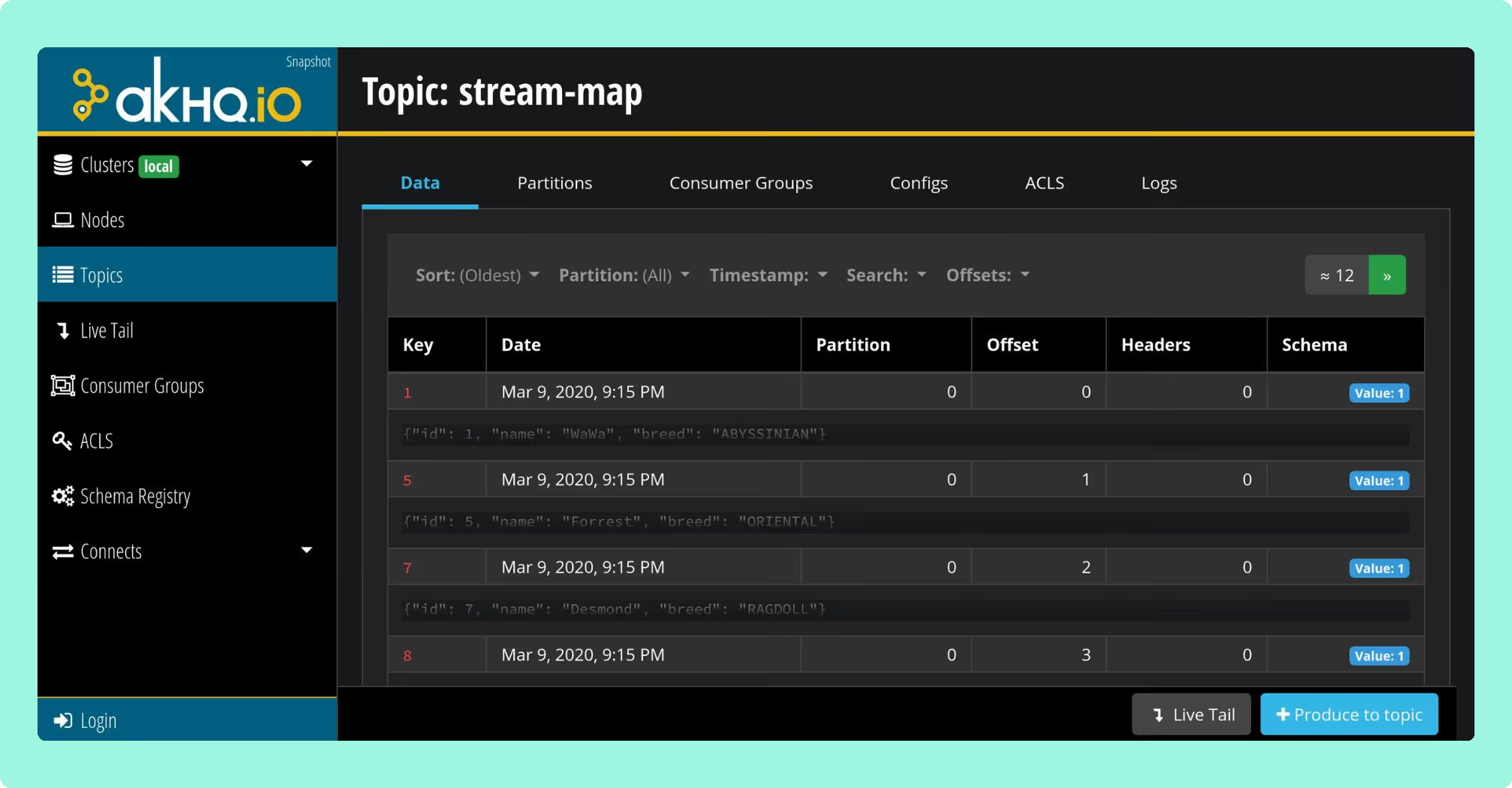
AKHQ (formerly KafkaHQ) is the most widely deployed open-source Kafka management UI. It covers topic management, consumer group inspection, Schema Registry, and Kafka Connect. The project is actively maintained under the Apache 2.0 licence, with v0.26.0 released in March 2026. AKHQ has no paid tier and no commercial support offering. RBAC is limited compared to commercial tools.
Kafbat is the community-maintained continuation of Provectus kafka-ui, which Provectus paused in September 2023. Kafbat is actively developed: version 1.5.0 (released in 2025) added live consumer lag updates, MessagePack serialisation support, and CSV export. RBAC is available through YAML-based configuration, with OAuth2 (Google, GitHub, Azure AD), LDAP, and Active Directory support. Notable gaps include no per-role data masking, no approval workflows, and no policy enforcement layer.
Redpanda Console has an open-source edition that covers topic management, consumer group inspection, and basic data browsing. In the open-source tier, RBAC and SSO are not available; those are enterprise-only features. The open-source edition is a reasonable choice for development environments or teams using Redpanda itself.
CMAK (Cluster Manager for Apache Kafka, originally Kafka Manager from Yahoo) is no longer actively maintained. The last release was 3.0.0.6 in April 2022. More critically, CMAK requires a ZooKeeper endpoint and has no KRaft support, making it incompatible with Kafka 4.0 and later. It is not a viable choice for new deployments.
What open-source tools do well and where they fall short
Open-source tools handle the core daily operations (topic creation, consumer group inspection, basic message browsing) without significant gaps. For a single-cluster development environment or a small team with no compliance requirements, AKHQ or Kafbat is a defensible choice.
The gaps appear at the edges that matter in production: RBAC is either absent, limited, or requires significant configuration work; audit logging is typically not provided; multi-cluster support is limited or absent; and commercial support is not available. If access control, audit trails, and multi-cluster management are requirements rather than nice-to-haves, open-source tools require substantial additional work to meet them.
What commercial tools add
Commercial tools such as Kpow, Conduktor, and Lenses.io typically include RBAC as a first-class feature, immutable audit logging, multi-cluster management from a single interface, and commercial support contracts. The trade-off is licence cost and the added consideration of running a closed-source tool in your infrastructure.
For regulated environments, or for platform teams managing more than one or two clusters with multiple teams sharing access, commercial tooling generally reduces the operational burden significantly compared to assembling equivalent capabilities from open-source tools.
How Kpow covers the full capability stack
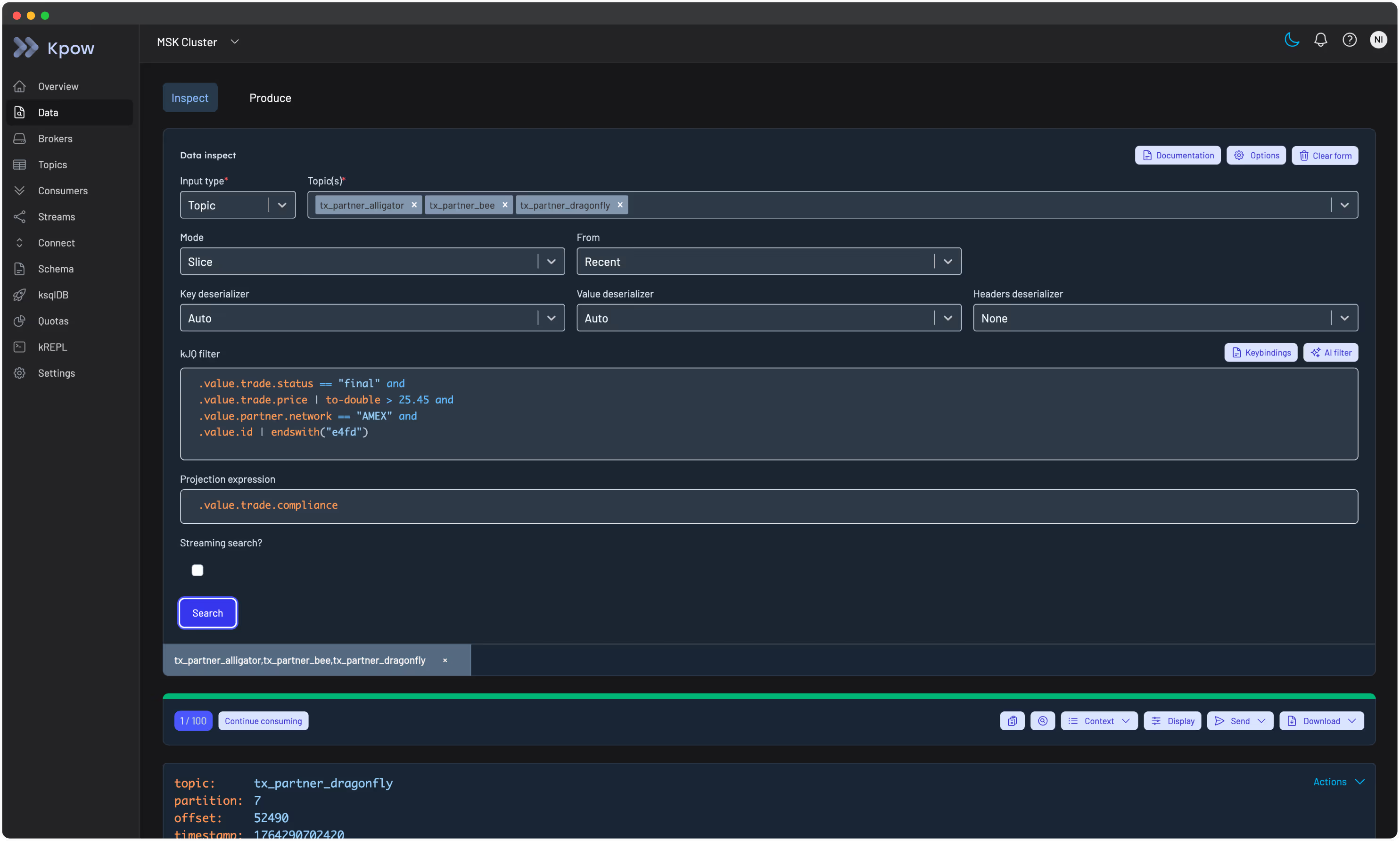
Kpow is a commercial Kafka management console built by Factor House. It covers the full capability table above: topic management, consumer group control, Schema Registry, Kafka Connect, Kafka Streams, data inspect, RBAC, audit logging, and multi-cluster support, all from a single interface.
Deployment model. Kpow deploys inside your own infrastructure. It runs as a Docker container, a Helm chart on Kubernetes, a JAR, via AWS CloudFormation on ECS, or from the AWS Marketplace. No data leaves your environment: agents connect directly to your brokers, Schema Registry, and Connect clusters. There are no external dependencies and no inbound connections required.
Multi-cluster management. A single Kpow instance can manage multiple Kafka clusters, Schema Registries, and Connect clusters. This is useful for teams operating separate environments (production, staging, development) or multiple independent clusters, where switching between separate tools per cluster creates overhead.
RBAC and audit logging. RBAC in Kpow is scoped at the cluster, topic, or consumer group level: you can give a team read access to one topic and write access to another without granting broader permissions. Audit logging records every action taken through the console with a timestamp and user identity. Both are first-class features, not optional add-ons.
Data inspect. Kpow's data inspect supports Avro, Protobuf, JSON, and custom deserializers. Operators can browse, filter, and deserialise messages without exposing raw broker access, which is important in environments where message contents are sensitive.
Kafka Streams support. Kpow surfaces running topologies and task health for Kafka Streams applications, including information that does not appear in standard broker metrics and is difficult to access without dedicated tooling.
Frequently asked questions
What is a Kafka management console?
A Kafka management console is a web-based interface for operating and administering an Apache Kafka environment. It provides controls for topics, consumer groups, schemas, connectors, and access management, replacing CLI-based operations with a UI that can be safely delegated to team members without direct broker access.
What's the difference between a Kafka management console and a Kafka monitoring tool?
A monitoring tool shows you what is happening: metrics, lag, throughput. A management console lets you act on it: create or modify topics, reset consumer group offsets, manage connectors, and control access. Many tools do both, but the distinction matters when evaluating whether a tool is read-only or operational.
Can I manage Kafka without using the CLI?
Yes. A Kafka management console exposes the same administrative operations as the Kafka CLI (topic creation, consumer group management, offset resets, partition reassignment) through a web UI. Most consoles also add RBAC so operators can perform these actions without needing direct shell or broker access.
What are the best open-source Kafka management consoles?
The most widely used open-source options are AKHQ and Kafbat (a maintained fork of Provectus kafka-ui). Redpanda Console has an open-source edition suited to Redpanda deployments. CMAK is no longer actively maintained and is incompatible with Kafka 4.0 due to its ZooKeeper dependency. AKHQ and Kafbat are the most defensible choices for standard Apache Kafka deployments.
What is Kafka RBAC and does a management console support it?
Kafka RBAC (role-based access control) lets you define what each user or team can do: view topics, reset offsets, manage connectors, scoped to specific clusters or resources. Not all consoles implement RBAC; those that do typically layer it on top of Kafka's native ACLs. Kpow implements RBAC at the console level, scoped to cluster, topic, or consumer group.
How do I reset consumer group offsets without the CLI?
A management console with consumer group control lets you select a group, choose a topic and partition, and reset the offset to a specific position: earliest, latest, a timestamp, or a specific offset value. This avoids running kafka-consumer-groups.sh directly and reduces the risk of resetting the wrong group or partition under pressure.
Can I manage multiple Kafka clusters from one interface?
Yes, if the console supports multi-cluster management. Kpow, Conduktor, and Lenses.io all support multiple clusters from a single interface. Most open-source tools are single-cluster by default, though some support switching between configured environments.
What is Kafka audit logging and why does it matter?
Audit logging in a Kafka management console records every action taken, including who created or deleted a topic, who reset a consumer group, and who changed a connector, along with a timestamp and user identity. This is required in regulated industries for compliance and is invaluable for diagnosing production incidents caused by administrative changes.
How do I manage Kafka Connect from a console?
A console with Connect support lets you deploy, configure, pause, restart, and delete connectors through the UI, and view connector status and task health. This replaces direct calls to the Connect REST API and is safer in shared environments where multiple teams manage connectors on the same cluster.
What's the difference between Kpow, Conduktor, and AKHQ?
Kpow and Conduktor are commercial tools with enterprise features: RBAC, audit logging, multi-cluster support, and commercial support contracts. Compared to Conduktor, Kpow does not require a proxy in the data path. AKHQ is open-source and widely used for topic and consumer group management but has more limited RBAC and no audit logging capabilities. The right choice depends on team size, compliance requirements, and whether commercial support matters.
Is there a free Kafka management console?
Yes. AKHQ and Kafbat are free and open-source. Redpanda Console has a free open-source edition. Kpow has a Community Edition and an Enterprise trial. For development and small team use, open-source tools are generally sufficient; commercial options are more common in regulated or large-scale production environments where RBAC and audit logging are requirements.
How do I inspect Kafka messages without writing a consumer?
Most management consoles include a data inspect or message browser feature. You select a topic, optionally filter by key, header, or value, choose a time range or offset, and the console deserialises and displays messages, supporting Avro, Protobuf, JSON, and sometimes custom deserializers. This replaces ad-hoc consumer scripts for debugging.
Getting started with Kpow
To get started with Kpow you need a running Kafka cluster (self-managed, Amazon MSK, Confluent Cloud, Redpanda, or another Kafka-compatible platform) and a container runtime or JVM environment.
Kpow deploys as a single container or JAR. Configuration is environment-variable based: you point Kpow at your bootstrap servers, and optionally at your Schema Registry and Connect clusters, and it connects directly without any intermediate services or agents. A typical install takes under 30 minutes from first pull to a running console.
Deployment options include Docker, Docker Compose for local development, Helm for Kubernetes, AWS CloudFormation for ECS, and the AWS Marketplace. The same artefact covers all environments.
Kpow is maintained by Factor House with commercial support available for Enterprise customers.
Give Kpow a try with a free 30-day Enterprise trial. You can connect it to any Kafka cluster in minutes and deploy via Docker, Helm, or JAR. No credit card is required for the Community Edition.